











KŌLOGY · 界面与功能
Manager Home: today's operation on your phone
Day summary, pending items, today's and this week's schedule, and each driver's card with photo and actions.
此文章暂无您的语言版本,以English显示。
本页目录
What it is
When you sign in as a manager (company, core or KOMORI), the first tab Home shows today's operation, like the web KOLOG/logistics and the TV. Drivers keep seeing the driver screen.
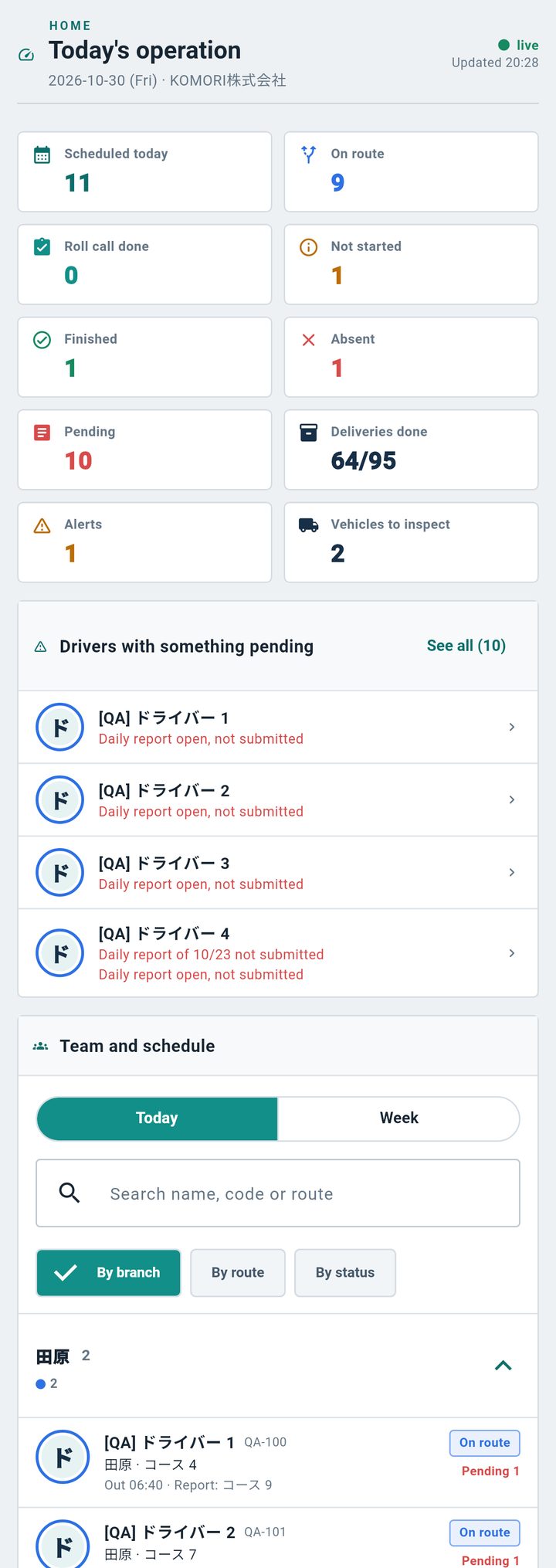
Day summary
- Tiles: scheduled today, on route, roll call done, not started, finished, absent, pending, deliveries, alerts and vehicles to inspect.
- Tap a tile to filter the team (tap again or the ✕ on the filter to clear). Alerts and vehicles open their own screen.
- The screen refreshes every 30 s while open; pull down to refresh now.
Pending
Scheduled drivers who have not started the daily report, reports left open and reports from earlier days not submitted. Tap the person to see everything.
Team and schedule
- Today: the team in collapsible groups by branch, by route, by status (or by company, for core). Absences and days off are at the end.
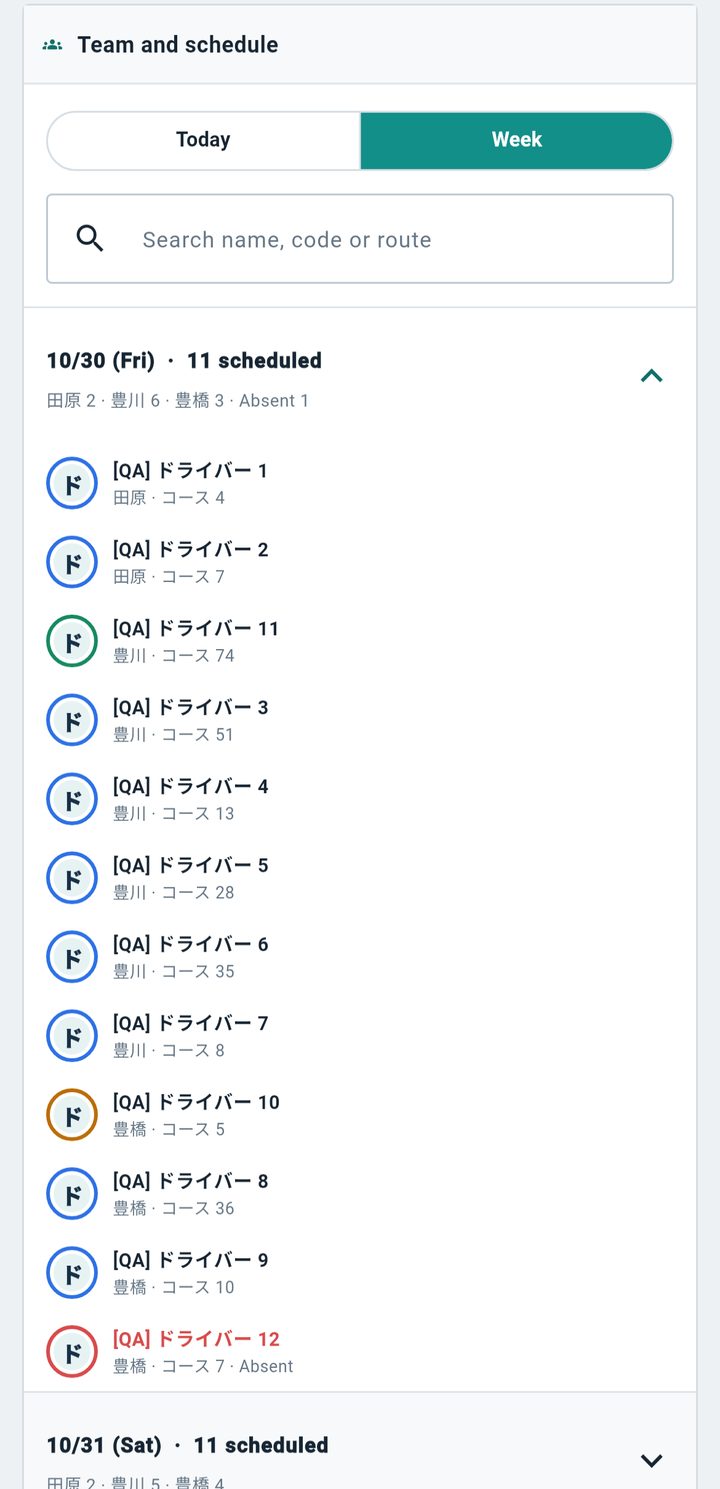
- Week: the next 7 days, how many are scheduled per branch and who is absent.
- Use search (name, code or route).
The schedule is the same as the driver portal, the TV and the logistics calendar — no copy.
Person card
Tap a name: photo (when available), status, roll call/departure/submission times, deliveries, vehicle, pending items and the next 7 days. Actions: Call, Message, View on map, Open route, Daily reports and Schedule.
If something is missing
- "not in app": the person is scheduled but never signed in to the app — they see the schedule on the web portal.
- Empty week: the logistics calendar has not been filled in yet.
- The previous indicators (Dashboard) are at the end of Home.