











KŌLOGY · 界面与功能
Oil change: your company's repair shops
See where to change your vehicle's oil, call with one tap and record the change with the shop used.
此文章暂无您的语言版本,以English显示。
本页目录
Where to find it
- Open Vehicle. Where to get it done (N) is at the top.
- When your vehicle is due for an oil change, the same button also appears next to the Oil alert.
- Tapping the oil alert itself also opens the list. On each shop, Log oil change here opens the record with the oil change, vehicle and shop already filled in.
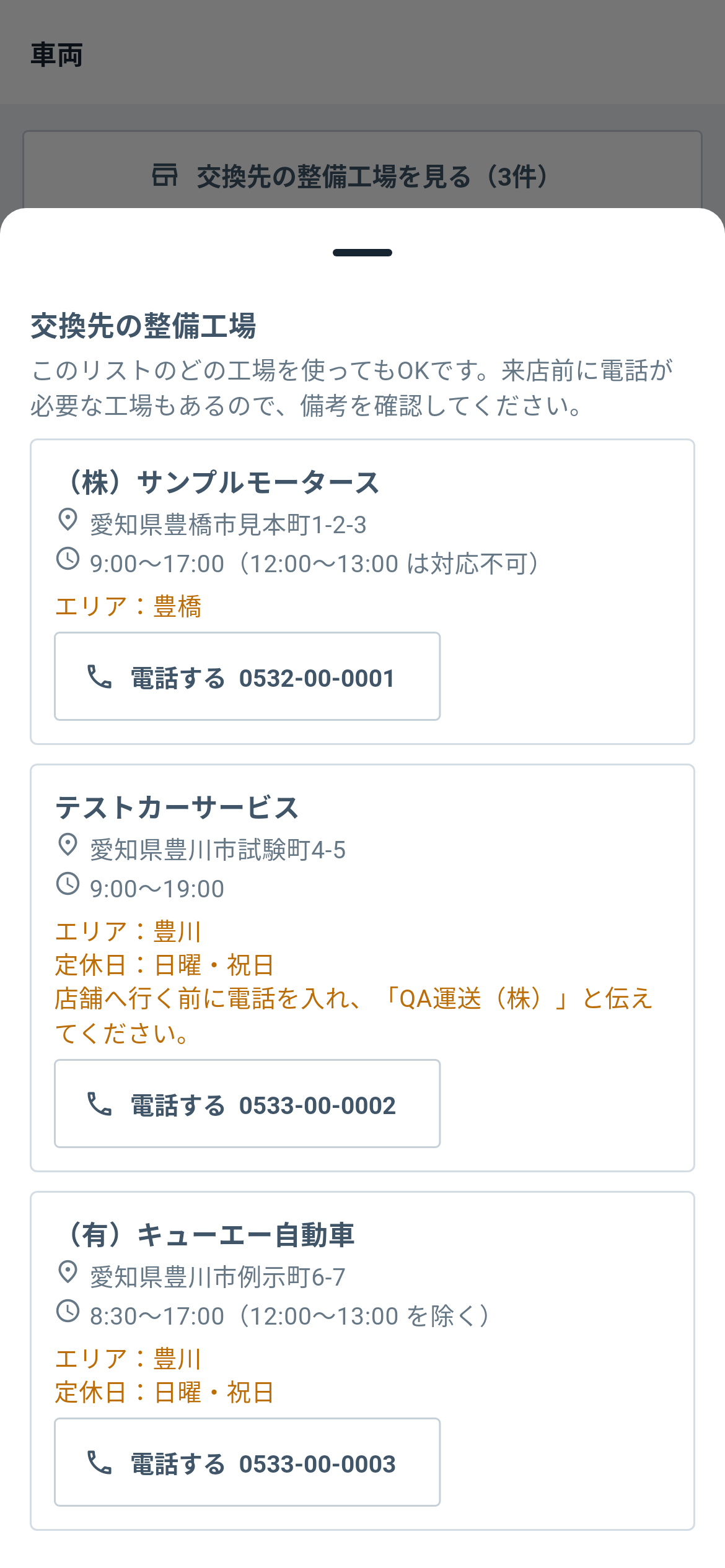
The list
Any shop on the list is fine. Each one shows address, hours and notes (area, closed days, “call first and give the company name”). Tap Call to phone them.
Record the change
- On the vehicle card, tap Log a change.
- Enter the mileage and, optionally, the cost.
- Under Shop used, pick the shop (or leave Not specified).
- Tap Save.
If it is missing
The button only appears when your company has registered shops in KOREOS (Vehicles › Shops). Ask your manager.