KMR · Bắt đầu
Path — Staff: your workday
The articles for who works in the store or in the field, in the right order.
Bài viết này chưa được dịch sang ngôn ngữ của bạn: đang hiển thị bản English.
Follow in order. Each step names the manual article that explains it in detail — search the title in the Wiki.
- Getting started with KMR — What KMR is, who uses it, how to install, sign in and do the first task of the day.
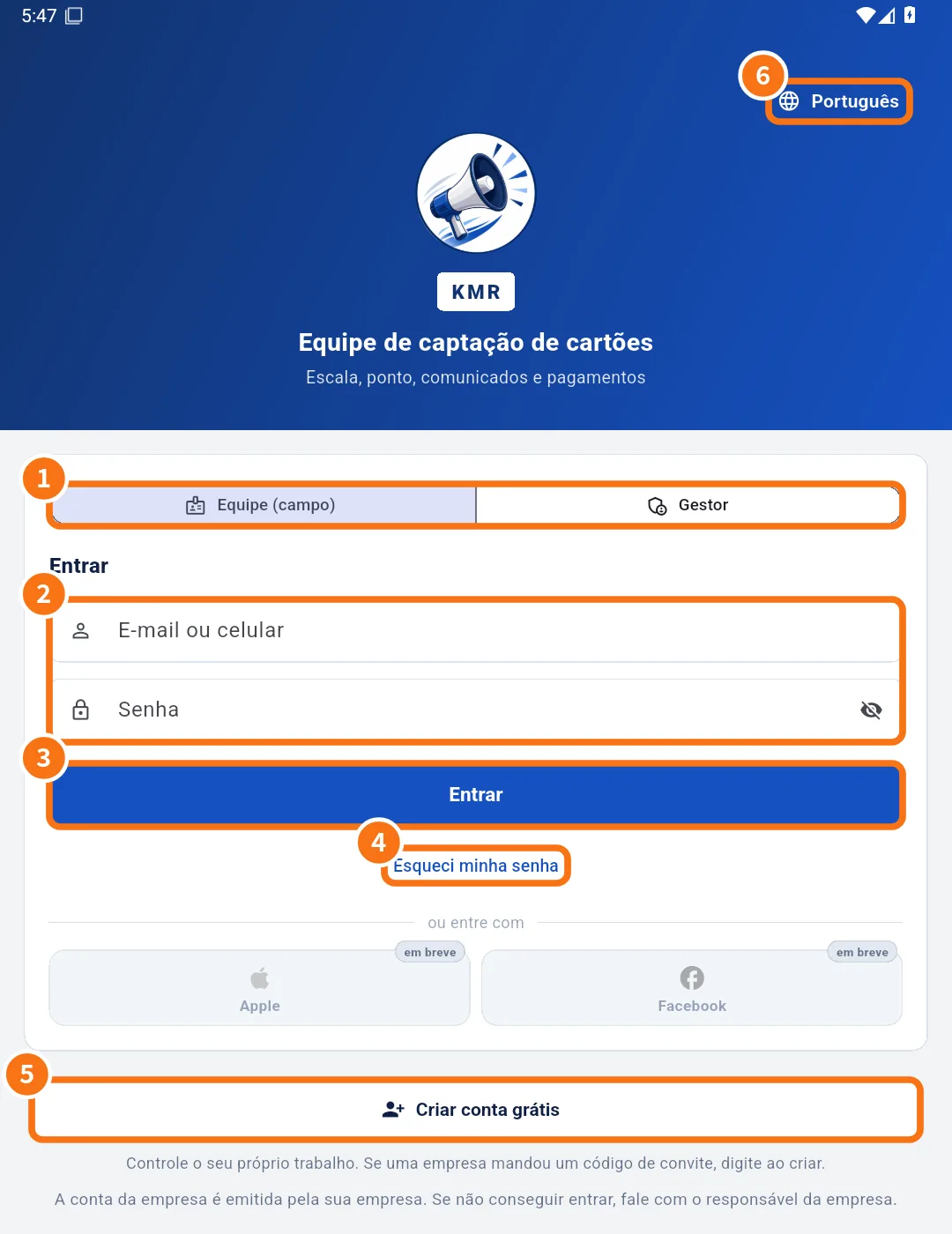
- Sign in, choose your company and reset your password — How to sign in as staff or manager, what to do when your e-mail is in several companies, and how to reset your password.
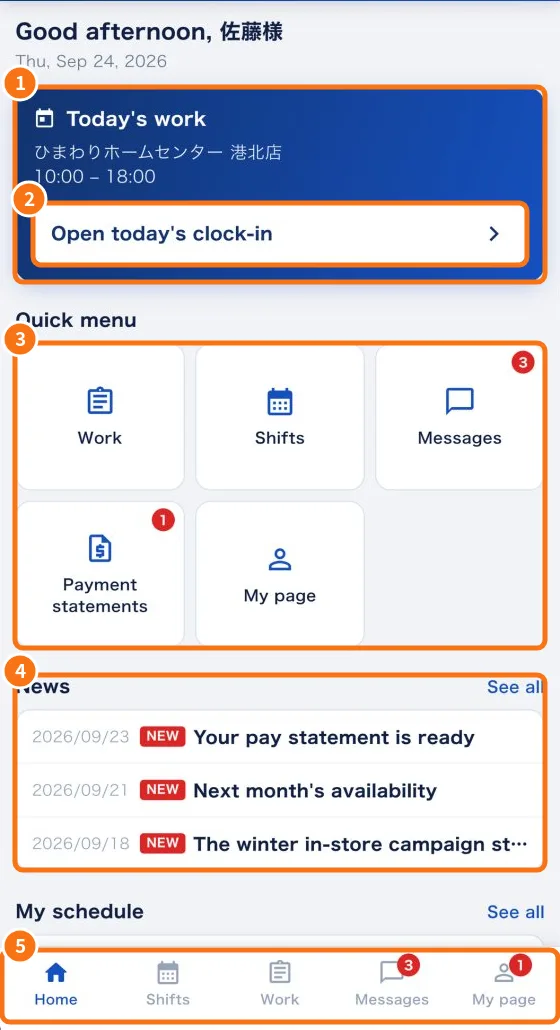
- Home screen (staff) — Your day at a glance: today's work, things to answer, quick menu, news and your schedule.
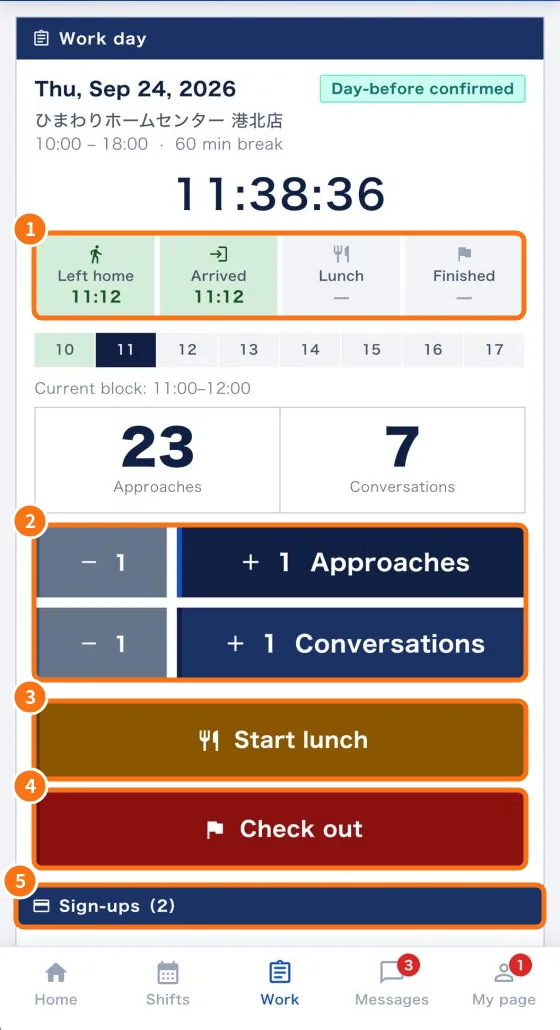
- Work tab: confirm the shift and record the day — Answer shift confirmations, record leaving home, arrival, lunch and check-out, count approaches and conversations, and add sign-ups.
- Daily report (日報): questions, photos and required fields — What the app asks at check-in, lunch and check-out, how to attach photos and how to fix “required items missing”.
- Shifts tab: your shift calendar — See the days you work on a calendar, with store, hours and estimated pay.
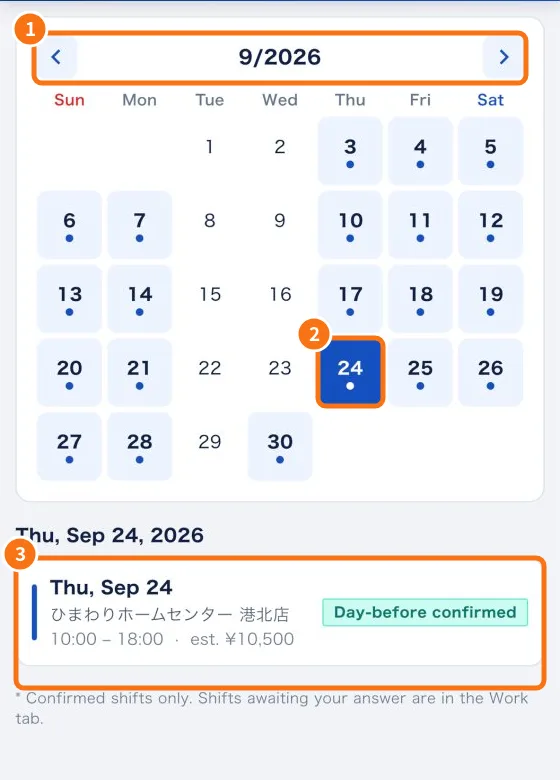
- Messages tab: news, questions and cancellation requests — Read company news, acknowledge it, ask the administrator, attach files and request to cancel a shift.
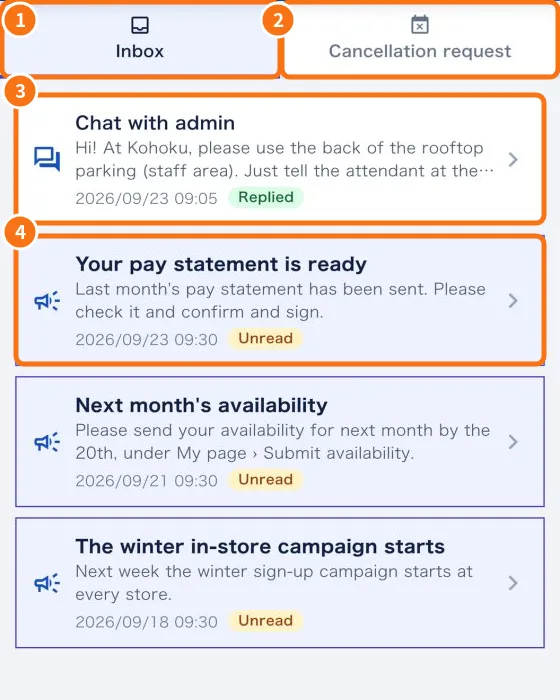
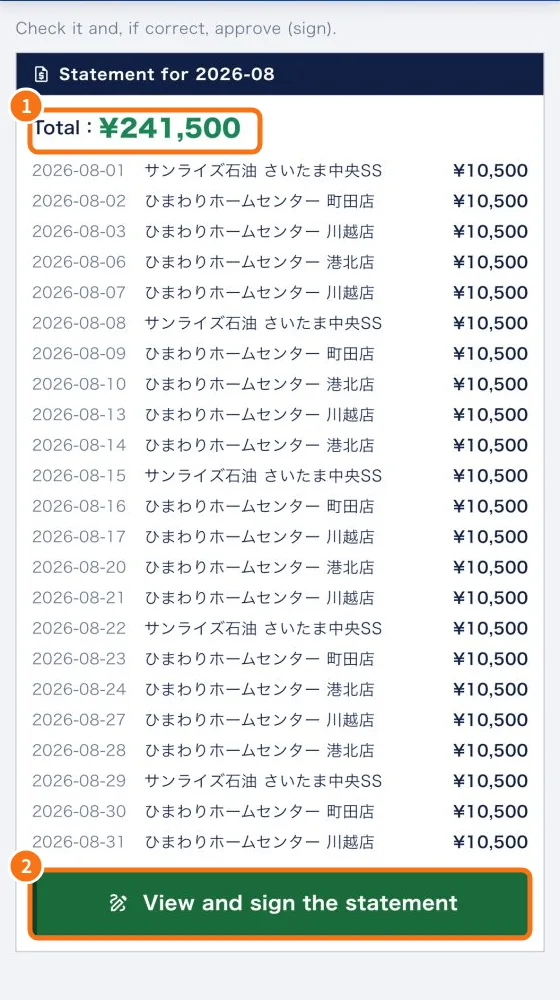
- Check and sign your payment statement — How to check the month's statement, approve it with a digital signature or request a revision, and see the invoice after signing.