











KOCHAT · Màn hình & chức năng
How to get calls and messages on a locked phone
Checklist for Android and iPhone: permissions, full screen, battery, Focus and locked-screen privacy — and how to test.
Bài viết này chưa được dịch sang ngôn ngữ của bạn: đang hiển thị bản English.
Trong trang này
What it is for
When everything is set, KOCHAT rings calls over the locked screen and shows message alerts without you opening the app. Do this checklist once on each phone, and again after changing devices.
First of all
- Update KOCHAT from the store.
- Open the app once with your account. This renews the device’s call registration.
Android
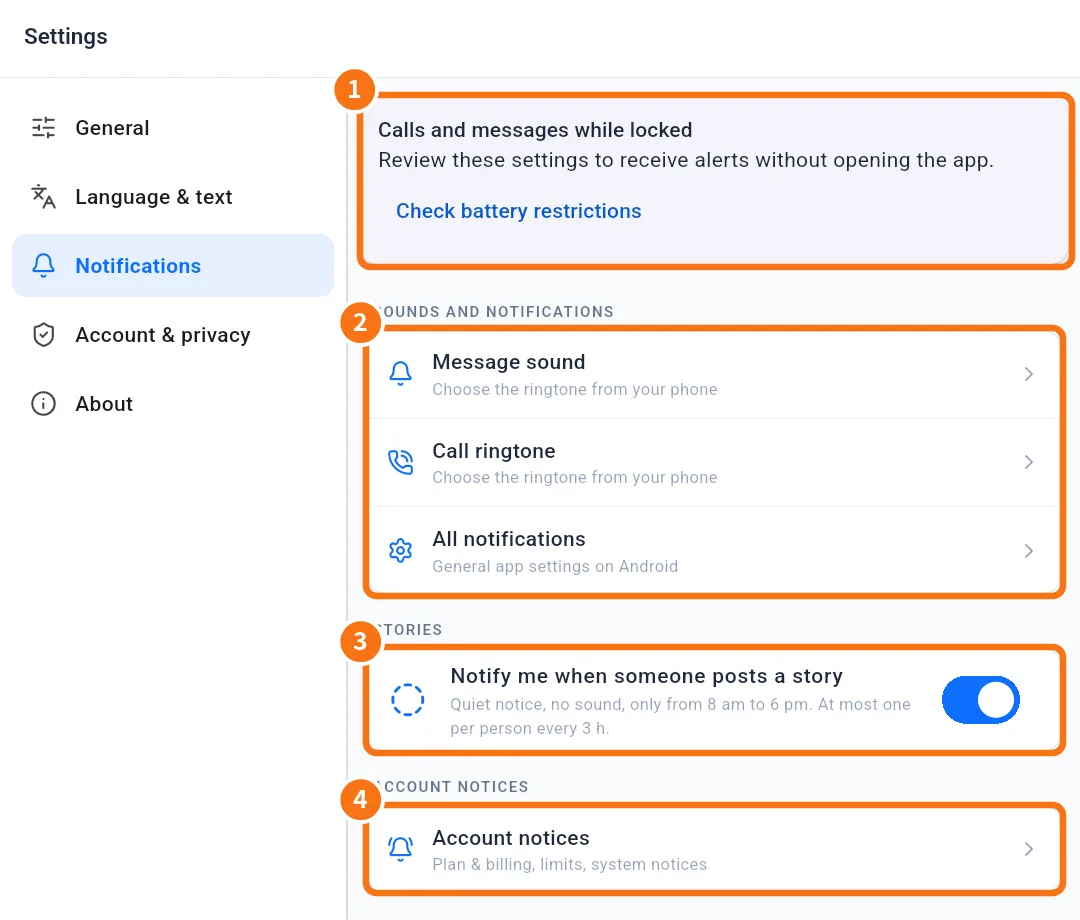
- Open Settings → Notifications.
- ① In the Calls and messages while locked panel, tap each button that appears: Allow notifications, Allow full-screen calls, Enable call sounds and alerts, Enable message alerts and Check battery restrictions. Each one opens the right phone setting; turn it on and come back.
- When Permissions checked appears, you are done. Menu names vary by phone brand.
iPhone
- Open Settings › KOCHAT › Notifications.
- Allow Notifications, Lock Screen and Sounds.
- Check that no Focus mode (Do Not Disturb, Work, Sleep) is silencing KOCHAT.
- Set Show Previews as you prefer. If it is “Never”, the text does not show on the locked screen, but the message did arrive.
Test it
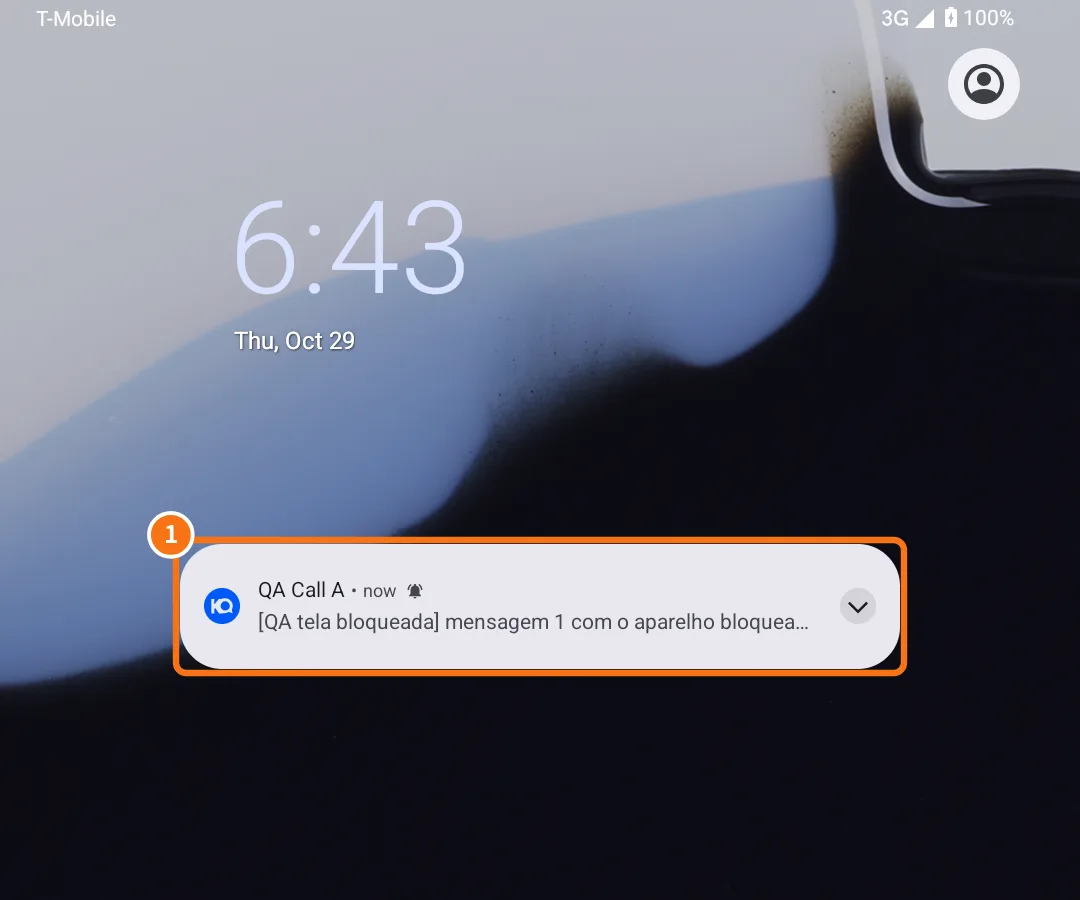
- Lock the phone and ask a colleague to send a message. ① The alert should appear on the locked screen.
- Ask them to call. The call appears in full screen:
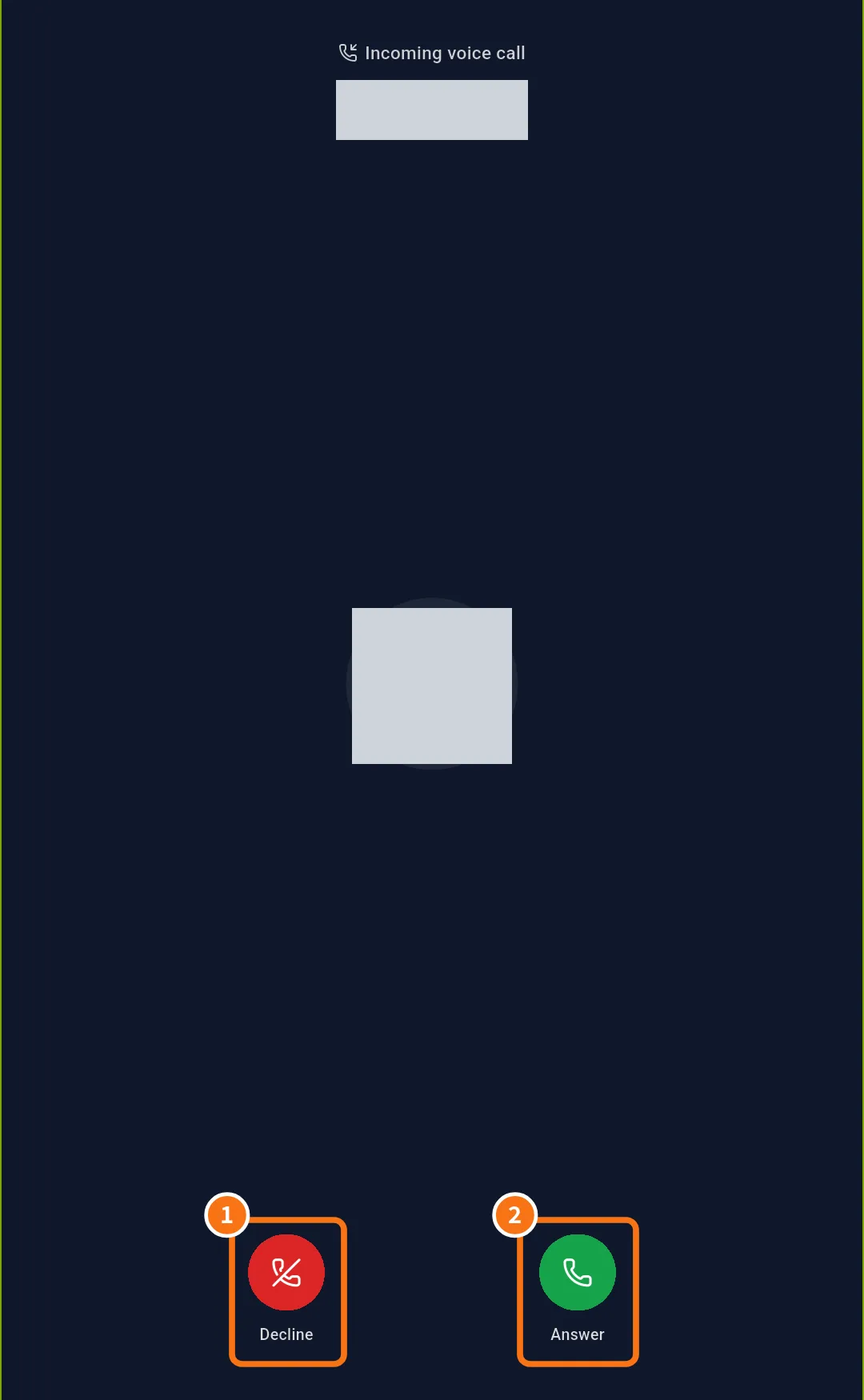
- ① Decline works even without unlocking (even with a PIN).
- ② Answer starts the call; when you hang up, the phone returns to the locked screen.
Common mistakes
- The call only shows as a small alert: Allow full-screen calls is missing (Android 14 or newer).
- Everything arrives late: battery saving is on for KOCHAT.
- Nothing arrives after changing phones: open KOCHAT once on the new phone and redo the checklist.
Related questions
- Notifications: what to notify and how it sounds
- Problems: notifications, calls, audio and camera
- FAQ: calls, notifications and status
- How to move KOCHAT to a new phone