











KOCHAT · Màn hình & chức năng
Pin, mute and archive chats
Touch and hold a chat to pin it to the top, mute notifications, archive it just for you or open the profile.
Bài viết này chưa được dịch sang ngôn ngữ của bạn: đang hiển thị bản English.
Trong trang này
What it is for
When the list grows, you can keep important chats at the top, quiet a noisy group and clear away finished conversations — without deleting anything for others.
Who uses it and where it is
Anyone can use this in the Chats or Groups tab. On the phone, touch and hold the chat. On a computer and on the web, right-click it. A menu opens with the options below.

Menu options
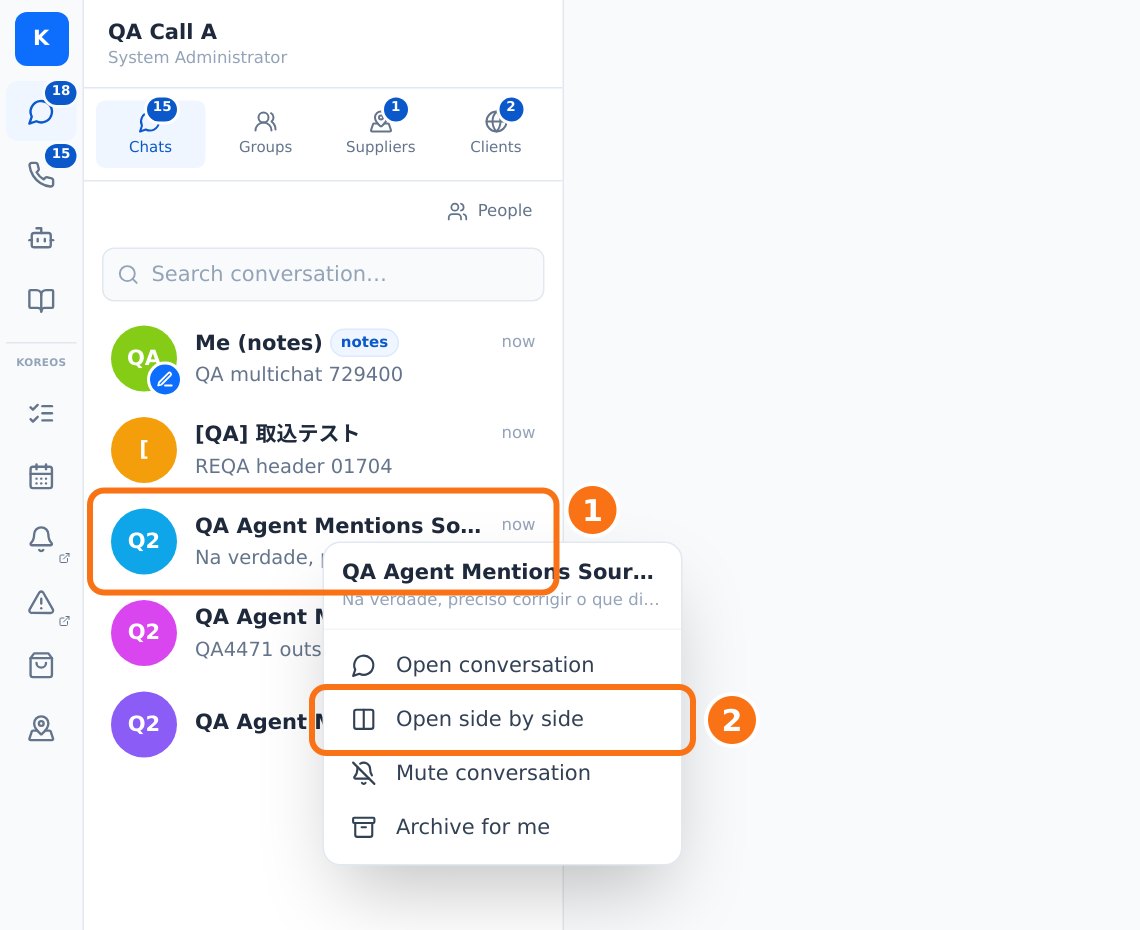
- Open conversation: same as tapping it.
- Open side by side (web): opens the chat in a side panel, so you can view up to 4 chats at once. You can also use Ctrl/⌘+click or drag the chat to the right. When a message arrives in a panel you are not looking at, its border lights up until you see it.
- Pin conversation / Unpin conversation: keeps the chat at the top, in the Pinned section. You see "Conversation pinned".
- Mute conversation / Turn on notifications: messages still arrive and unread counts still go up, but there is no sound or alert. The chat shows a muted label.
- Archive for me: removes the chat from your list only; nobody else notices. A new message brings it back automatically.
- Delete conversation: only shown to accounts with that permission in the company. Everyone else uses Archive for me.
Step by step
- In Chats, touch and hold the chat (or right-click).
- Choose Pin conversation.
- Check that it now sits at the top under Pinned.
- To quiet a group, do the same and choose Mute conversation.
- To tidy the list, choose Archive for me.
Common problems and what to do
- I muted it but the unread count still grows: that is expected. Muting only stops sound and alerts.
- The archived chat came back: someone sent a new message. Archive it again if you like.
- No "Delete conversation": your account does not have that permission. Use Archive for me.
- Muted on the phone but the computer rang: the choice is saved to your account; wait for sync or open the chat on the computer to refresh.
Related questions
- Chats screen: list, tabs and search
- Chat info: media, files, links and search
- Inside a chat: header, messages and read status