










- NewEvaluate → Strength → Plate in bending (pressure): a thin rectangular plate under uniform out-of-plane pressure. You choose EVERY edge condition (supported, clamped or free — nothing is preselected) and enter E, ν with their source. Shows the maximum deflection, w/t (above 0.3 in red: outside small-deflection theory), moments, the surface bending stress, mesh convergence and a colour map; PDF PT/JP/EN. Acceptance: within 1 % of the Navier series and the Timoshenko table.
- NewStructural analysis: "+ Temperature change ΔT" applies a uniform ΔT to members (all, horizontal or vertical). The α of each material is then requested, with its source; without it nothing runs. A member fixed at both ends shows σ = E·α·ΔT. Static analysis only; a gradient through the section (bowing) is not treated.
- NewTools → AI second opinion (optional): runs only when you ask. Before sending you see exactly which project facts go (features, material, KoCAD's checks and studies — no geometry, files or images) and choose the AI: KOIA/Cascata only with KOREOS Core access; otherwise the AI of your own key/subscription (explicit consent). Every AI receives the same rules. The reply is shown as SUGGESTIONS, each point with a source; points without a source are discarded, nothing is executed and text that reads like an approval is flagged. Editing the document marks the opinion as out of date.

KoCAD
Lightweight 2D/3D manufacturing CAD linked to KOREOS cases.
What’s new
- ImprovedMac: shortcuts accept ⌘ instead of Ctrl (⌘S save, ⌘Z undo, ⌘A select all, ⌘1…7 views…) and menus show ⌘; Ctrl still works. ⌘+click adds to the selection (on the Mac, Control+click is the right click). The double click follows the macOS default interval and the keyboard returns to the window after the file and print dialogs.
- ImprovedTrackpad and Magic Mouse: resting fingers no longer start rotating the model; the menu closes only on a real scroll or pinch. Part tree: right-clicking a part opens the same menu as in the 3D view. Windows and Linux: nothing changes — the right button opens the menu and Ctrl is still Ctrl.
- FixedMac: every right-click menu opens and stays open with the trackpad two-finger click, Control+click, the right button of any mouse and the Magic Mouse — in the 3D view, the feature tree, the part tree, the document tabs, the panel tabs and the drawing sheet. Before, the mere touch of the fingers on the trackpad or the Magic Mouse closed the menu the moment it opened.
- NewDesign verification → Experimental studies (BETA): choose Stability, Clearance, Motion, Bend sequence or Process rules and fill in the form (vectors as x/y/z, parts picked from a list of the document). New rows start empty and the confirmation boxes start unchecked; an invalid number is refused with the reason. Inputs can be saved in the document (Undo reverts) and the result exported as JSON. Editing the model cancels the job and marks the result out of date.
- NewClearance and motion: exact distance between part pairs separates clearance, touching and overlap. Motion comes from already-solved mates (limit distance, concentric + limit angle), XR storyboard keys or a declared translation/rotation; it is sampled (refined near contacts) and shows where contact happened. "Show samples on the model" shows exactly the computed poses, without interpolating and without editing the document. The report always says "finite samples", never "continuously collision-free". Friction only with a confirmed coefficient.
- NewBending: envelope of ordinary flanges flat, partly bent and final, with the same bend allowance as modelling. Bend sequence searches a candidate order against the real geometry of the press brake, punch and V die registered in KOREOS (KOREOS tooling button) and rejects an order in which one flange of the sheet passes through another. Each bend is shown with orientation and reason; the engineer can reorder and everything is checked again. TOOLING NOT REGISTERED: the registry is still empty, so today the result is "Missing data" and no order is offered. Even with tooling, the result is only a candidate: it does not approve handling, springback, force or the real setup.
- ImprovedProcess rules (weld access, tool access, stock allowance, bumping) with measured and required values, each with a source and confirmation; the verification rule catalogue now has 32 versioned rules in PT/JP/EN. Calculation only on request, default limit 10 s / 10,000 operations (max 120 s), a reported memory ceiling and Cancel; nothing new loads at start-up. Still pending: real tooling registered and factory acceptance with three real parts.
- NewEvaluate → Structural analysis (BETA): choose supports (fixed, pin, fork, roller or 6 DOF), loads (self-weight from the KOREOS density, distributed load, pressure × width, node load) and criteria (allowable stress with its source, deflection L/n, buckling factor). The colour map appears in the 3D view with legend, unit and deformation scale; the probe shows N, V, M, stress and displacement anywhere along a member.
- NewNatural frequencies (consistent mass, mass participation) and linear buckling (load multiplier) after the static case passes, with the mode drawn in the view. Results are bound to the document revision, the geometry hash and the rule/material versions and become "out of date" the moment you edit.
- NewSuggest the lightest JIS profile: per member group, it tries the profiles of the same family and proposes the lightest that meets stress, deflection and buckling for all members (option to keep outer dimensions). Shows weight and the official KOREOS cost before→after and the proposed 部材表 (CSV); nothing changes until you confirm, and Undo reverts it.
- NewPlate with a hole (plane stress): gross and net nominal stress separated from the peak at the hole edge, Kt, a mesh-convergence table and the extrapolated value; colour map with a probe. Out-of-plane plate bending is not handled and is refused.
- ImprovedLightness: the calculation is a separate program (kocad_fea) that only starts when you ask, with a memory estimate first, an initial 2 GiB limit, one thread, a time limit and Cancel; closing the panel unloads the results. Nothing new loads when KoCAD opens.
- NewGenerate with AI thinks like an engineer: before generating, KoCAD shows how it read the request (overall size with feet and top, legs, frame, rails and height from the floor, bracing, top, feet) as editable premises. A line you correct binds every AI engine and the inspection.
- NewKoCAD inspects the REAL model before delivering: overall box, identical legs, leveling foot concentric with its stem inside the tube, top resting with no gap, rails at the requested height and sides, bracing only where asked, no loose part or interference, parts list = model. A critical error goes back to the engine (up to 4 rounds); it is never shown as done.
- ImprovedEngineering patterns for any engine (KOIA, Cascata, your own key): a real leveling foot (pad, nut, stem) enters the tube through the welded end cap, rails are cut at the leg faces, the top rests on the frame, triangular gussets sit in the opening. A requested section missing from the catalogue is kept and marked to confirm. Creation rules come from the server and change without a new version.
- NewGenerate with AI delivers the full package in the project folder: 3D, JIS drawing with 部品表 and full title block, PDF, drawing DXF and one per sheet part, bill of materials and processes. Anything that fails is named with its reason.
- NewA new project starts with the country/standard (Japan JIS, USA ANSI/ASME, Brazil ABNT/ISO, ISO, EN) with its rules alongside, the names language and an automatic folder with the standard structure. A flag on tabs, title and files. "Open folder" next to Print.
- NewSave / Open complete project: parts, assemblies, drawings (native + PDF), cutting DXF, GLB/STEP, bill of materials and processes (CSV, Excel, PDF), MP4 1080p film and a README index. Running it again updates without duplicates; files left out of date by a change are marked.
- New3D navigation like SolidWorks/Fusion 360/AutoCAD: free orbit around the point under the cursor (trackball or turntable), zoom at the cursor, profiles and sensitivity in Options › Mouse. Selection: Ctrl+click, left→right (inside) and right→left (crossing) boxes, Ctrl+A, Esc, view-only Isolate, batch properties, print the selection only.
- ImprovedPrint/PDF with live preview: A4–A0 sheet, orientation, kind and print language change at once; the saved PDF is the preview itself. New KoCAD icon in the KOMORI family.
- FixedFeet are centred and seated under their legs; a loose part (no contact) is refused before the preview and the Verifier flags it. "Standard parts" no longer leaves the library grey; ribbon labels are no longer cut at 1366/1600/1920.
- ImprovedKoCAD for Mac is now universal: it runs on Intel and Apple Silicon Macs with macOS 12 or later. The CAD kernel, 3D libraries and DWG converters include both processors. Windows and Linux receive the same version.
- FixedGLB/OBJ/STL assemblies no longer close KoCAD during Verification. Display meshes are explicitly marked as not clash-checked; open STEP to check interference. Native faults leave a local technical report, sent after sign-in on the next start, without model content or personal paths.
- NewKoCAD 0.25: JIS design rules that run while you model, at Finalize and in Bob — hole × bolt, edge distance and pitch, bolt from load and thickness (class, nut, washers, length), weld × material, square-cut inclined bars, guardrails and stairs. Each finding states the reason and a suggestion; an error blocks sending until fixed or reviewed.
- ImprovedCleaner screen: the 3D · 2D drawing · DXF · Plan · List · Print switch moved into the menu bar (no extra strip), the start card sits in the middle of the 3D view and the top-right controls are aligned.
- NewKoCAD 0.25: replay construction, explosion and assembly from the Timeline; export offline H.264 MP4 at 720p/1080p or a short GIF. Pause, scrub and change speed from 0.5× to 4× while preserving the document and undo history.
- NewKoCAD 0.23: local offline work without the 72-hour limit; server-side project history for Bob; reversible 3D preview, 3D/2D navigation, compact materials and A3/A4 engineering output. Templates and identity come from the server. BR/US/EU standards remain empty; JIS stays the default. See the delivery checklist for evidence and limits.
- NewEngineering Print / PDF: five dimensioned views (iso, front, top, side, back), parts list with thumbnails, A3 or A4, preview first. Linked to a case: official KOMORI logo and case QR.
- ImprovedMaterials and purchasing as a compact list (one line per item, search and grouping with subtotals) that handles thousands of rows. Suppliers are optional; offline internet suggestions are never chosen for you.
- ImprovedPreview failures return to the planner with the exact error for up to four repairs. Review the assumptions, apply the model and inspect the BOM, including unconfirmed purchased hardware.
- FixedAttach your drawing in Bob and ask “same as the drawing, in 3D”. Generation starts automatically: Cascade plans while KOIA helps read the drawing.
- NewOpen in KoCAD creates projects for cases without native files or downloads the latest revision. Arrows select, Enter opens and Esc closes.
- NewUpdate uploads a new revision. Review and apply the BOM through the official save function; active cases require an audited confirmation. Explicitly bind imported materials to geometry.
- NewAsk Bob for an assembly and review editable assumptions before generating. Unspecified material, thickness, legs and holes follow house defaults; explicit drawing dimensions take priority. Review the preview before applying.
- NewUncatalogued feet, handles and other purchased parts appear as orange envelopes and unconfirmed purchased rows. Add the supplier code in Edit list. Mounting dimensions, mass, price and load rating need confirmation; an envelope is not detailed hardware.
- ImprovedThe same 3D drives the BOM, CSV/Excel, third-angle JIS drawing, PDF and per-sheet DXF with K0.44. Parameters and Save As preserve output links. Prices and standard times without verified sources stay pending.
- FixedBob keeps visual references across follow-up messages and shows failure reasons. Notifications provide type, time, filters and read controls. Review history and preview before applying a repeated request.
- NewBob and Generate with AI show the current stage and a remaining-time estimate based on the queue and recent durations. Text and steps appear as they arrive when the engine supports streaming; other engines show the plan when it is received.
- NewAfter reviewing and applying, watch construction in 3D with the current feature highlighted in the tree. Pause between steps, Stop to retain completed work, or adjust speed. One Undo removes the completed group. Settings → General → AI: apply all at once restores the previous mode.
- FixedWhen the image reader is busy, generation waits for the GPU and retries automatically for up to about six minutes. Queue position, retries and Cancel are visible. Capacity limits are no longer confused with another generation in your account.
- NewKOREOS Library → Materials & purchasing now shows the open document’s parts, materials, sizes, quantities, net/stock weights and official process letters. Linking a case is optional.
- NewUse Edit list to choose catalogue materials, change quantities/processes or add purchased items. Manual edits are marked, survive model changes and persist when you save the document.
- NewOpen Evaluate → Design verification or click the view badge. Review red bodies beside the panel; each warning explains values, reasons, sources and suggestions. Partial checks and missing data are explicit. Warnings guide review; you decide whether to deliver.
- NewIn Sketch → Image reference, open a JPG/PNG or the first PDF page. Pick two points, enter the real distance and trace over it. Edit dimensions and opacity; image and scale are saved with the document. Area and length follow the sketch; mass derives from volume and density.
- FixedInspection uses a geometry snapshot, allows continued editing and discards stale results. Shop radius and clearance limits remain identified as screening; JIS/ISO references do not certify the design. No solver, mesher, modal or buckling module loads at startup.
- FixedPricing uses catalogue kg/m, kg/m² and material/thickness prices. Missing data or standard times remain pending; the original STEP and Undo are preserved.
- ImprovedTurn line trusses into structural members using a real section selected from the library; preserve the original sketch.
- FixedAI generation: preview and apply 2D drafts even without a defined thickness. Text-only answers get one drawing-format retry on the same AI.
- Fixed2D→3D recognizes depth from JIS top and side views. Missing depth highlights the field and explains what to enter.
- FixedThe DXF button saves the current draft profiles even without solids or with an existing model in the document. The file remains editable and can be reopened.
- ImprovedThe dialog warns when CAD changes have not been published. Anyone with the QR/link can view until it expires; the studio requires login.
- FixedAfter editing, choose Update to current version. File mode prepares the current model and replaces the previous QR/link. Publication time is shown in the dialog.
- NewDXF opens visibly in Model space. Convert to 3D or open as a sketch, reviewing layers, units and thickness. The original drawing stays open.
- NewCases have list, detail and preview columns. Review modeled stock, size-specific fasteners and processes against the case BOM, with differences, undo and optional sync on save.
- ImprovedSeparate Features, Advanced Modeling and Insert tabs. Groups share large primary actions and columns of three small actions, collapsing into menus on narrow screens.
- FixedMaterial clicks only select. Choose a body/component, check its name and apply; Undo reverses it. Working time searches cases, edits minutes and sends checked rows to Design actuals.
- NewSelect parts, native assembly components, DXFs or case attachments with quantities. Set stock/remnants, gaps, margins, rotation and grain. Save factory-format DXF, checking A3 PDF per sheet and purchase lists. Conservative envelopes do not interlock concavities or fit within holes.
- NewArrange weldment member cuts into commercial bars, showing angles, cut sequence and remainders. The calculation reserves saw kerf/end trims and compares selected stock lengths. Propose commercial bars through the existing purchase-list review flow; no shared cuts are assumed.
- NewManage material/thickness rules in the shared KOREOS bend table: radius, K, relief, corner gap and minimum flange. Apply regenerates; saving requires permission and protects concurrent edits. Compare whole-stock and net material in the batch process calculator; saved estimates are not changed automatically.
- NewShare a fixed revision or live edits by QR. Use actual size, placement, part selection and approximate mesh measurements. Core KOREOS or a configured company network is required.
- NewCapture camera, component motion, visibility, opacity, text and arrows as keyframes. Play in the browser/XR and save the storyboard in the CAD document. Local MP4 needs a compatible GPU/encoder; short GIF is supported. Persistent server export activation is pending.
- NewDownload meshopt GLB, two LODs and USDZ with component motion. The browser copy reopens without a network or installation. Use the web player for all storyboard channels; native viewers have limitations.
- NewUser parameters: set a name, expression, unit (mm, degrees or unitless) and comment. Sketch and feature dimensions can use width/2 + 10. Rename with references updates expressions. Circular references show the failing path. Import/export the table as CSV. Values persist in .kcpart and follow undo/redo.
- NewSweep: choose a closed profile and a continuous path sketch, with following or fixed orientation. A helix uses radius, pitch and turns. Create a body, join or cut. Tube profiles retain the bore. Loft connects two or more ordered profiles with smooth or ruled transitions. Guide curves and point termination are not yet available.
- NewSeparate bodies appear in the Bodies folder. Combine using join, cut or intersection, optionally keeping tools. Move/copy by X/Y/Z values and split by a reference plane. The BOM shows each body’s weight. The optional timeline supports dragging the rollback marker, reordering features and double-click editing. Orders that break dependencies are rejected with a reason.
Recently updated
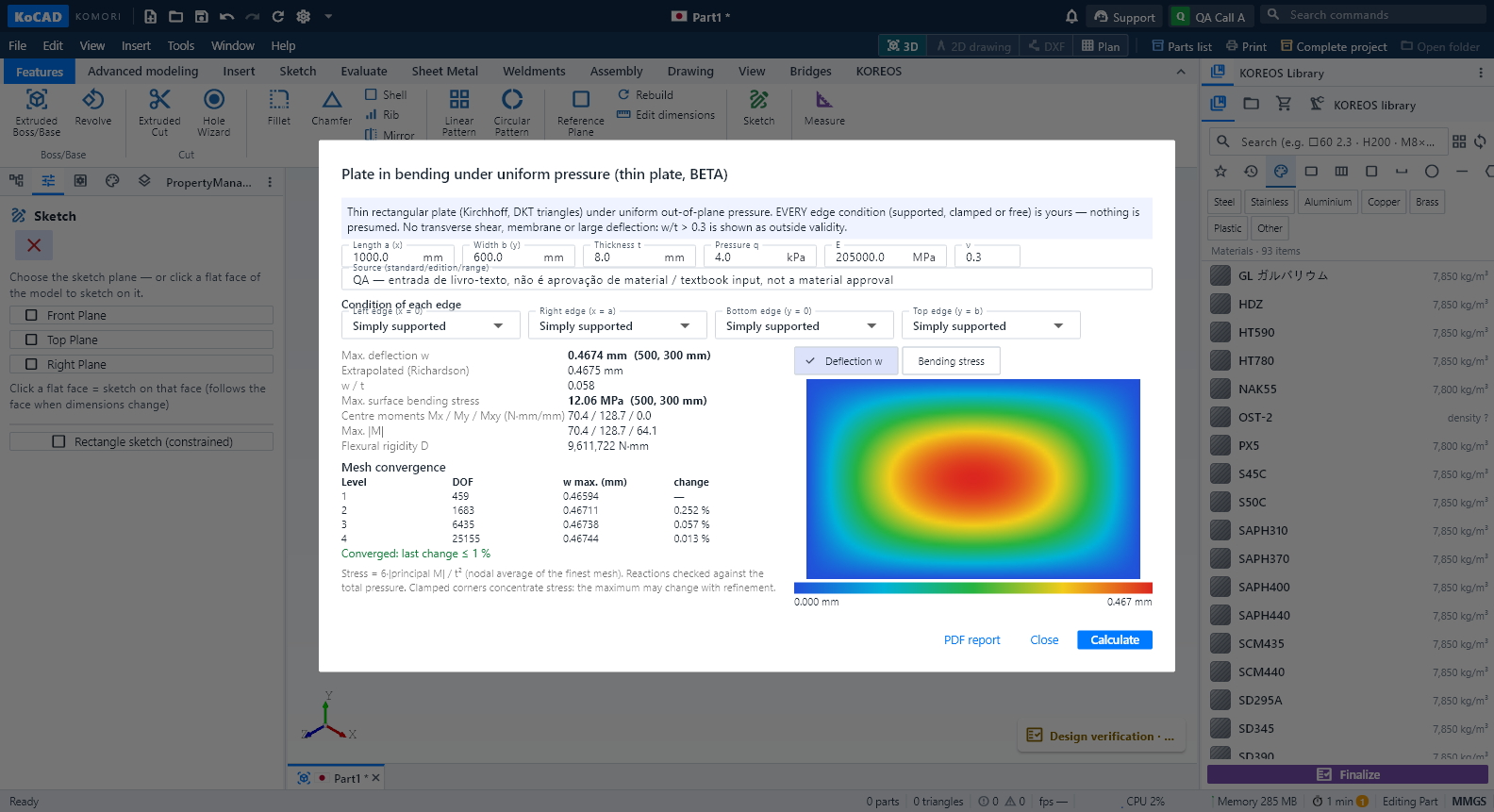 Engineering wave 4 (BETA): plate bending, heat and thermal stress, frame ΔT and the AI second opinionCalculations run in a separate program, only when you press Calculate, with Cancel. The result is bound to the document revision: editing the model during the run cancels it; editing it afterwards shows the result as OUT OF DATE and blocks the PDF until you calculate again. KoCAD 0.31 adds four studies, all BETA: a plate in bending under pressure, steady heat in a plate with thermal stress, a temperature change ΔT on frame members, and an AI second opinion on the whole project. None of them certifies capacity: the real engineering case is still pending and every result states its limits.
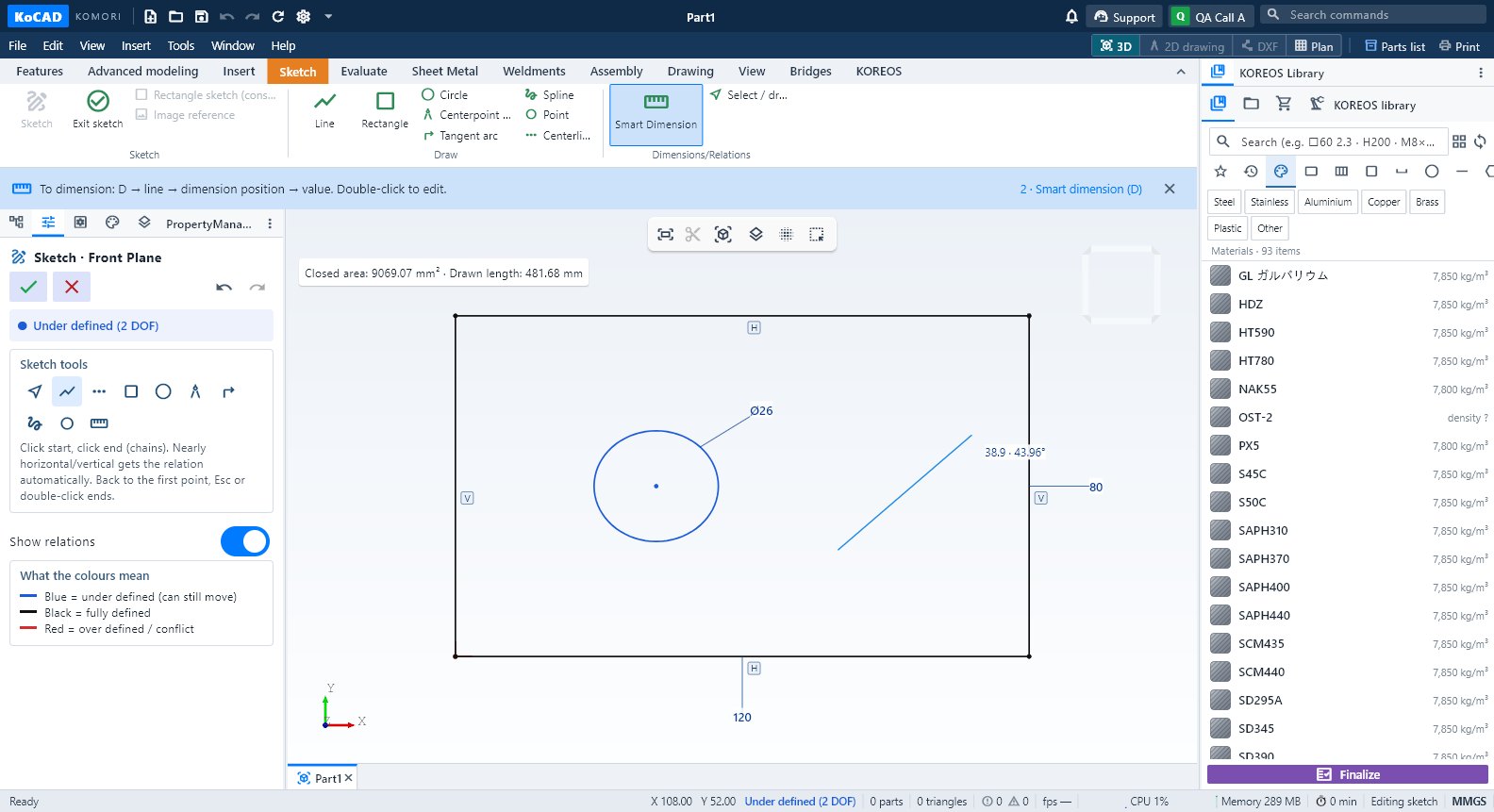 Getting started: your first part in 4 stepsSketch, Smart Dimension (D), extrude with depth and a 2D drawing — the shortest path from a new part to the shop drawing.
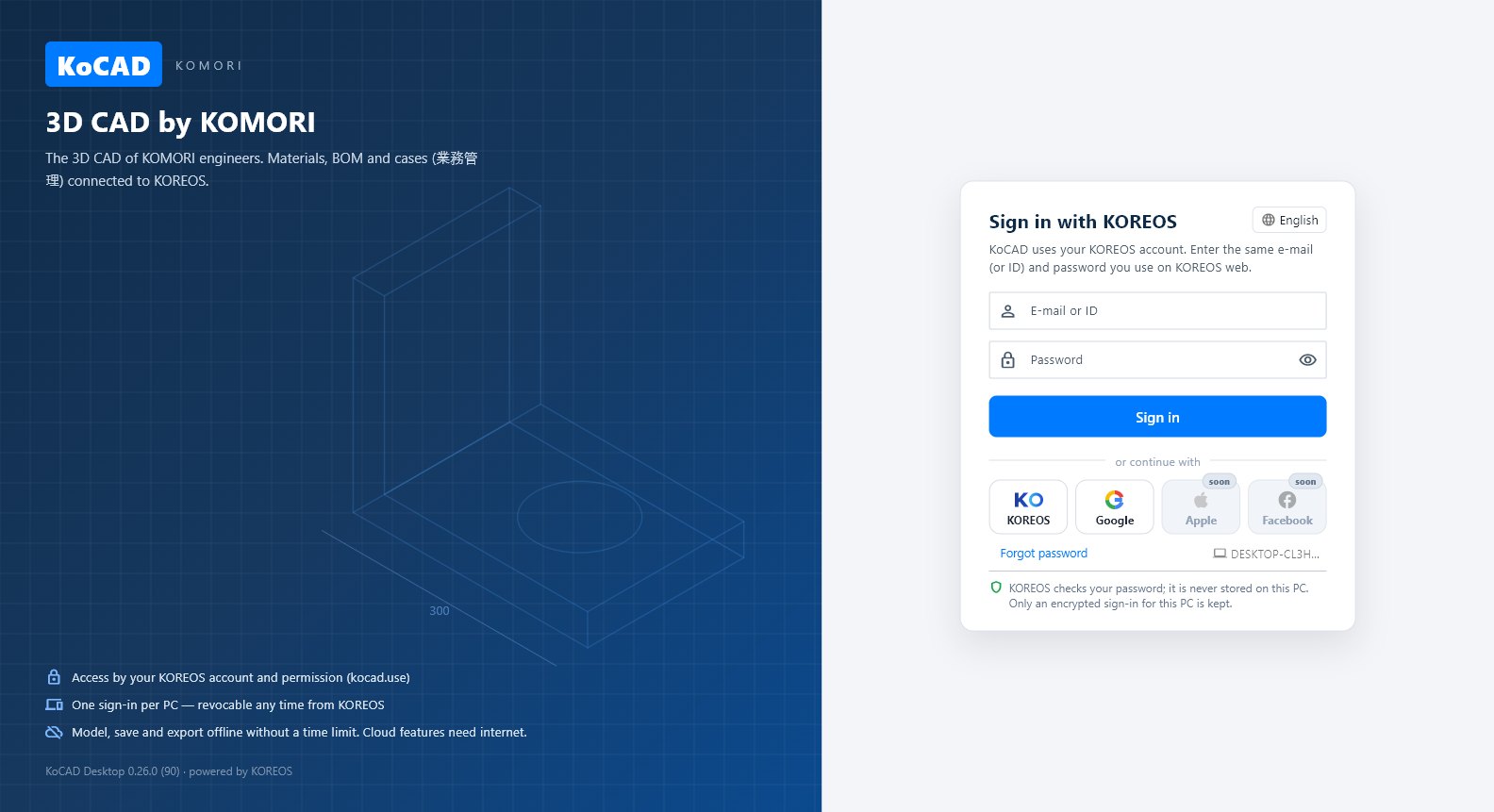 Install, sign in and work offlineWhere to download, how to sign in with your KOREOS account (ID/password, or KOREOS/Google in the browser), what works offline and how to see your PCs.
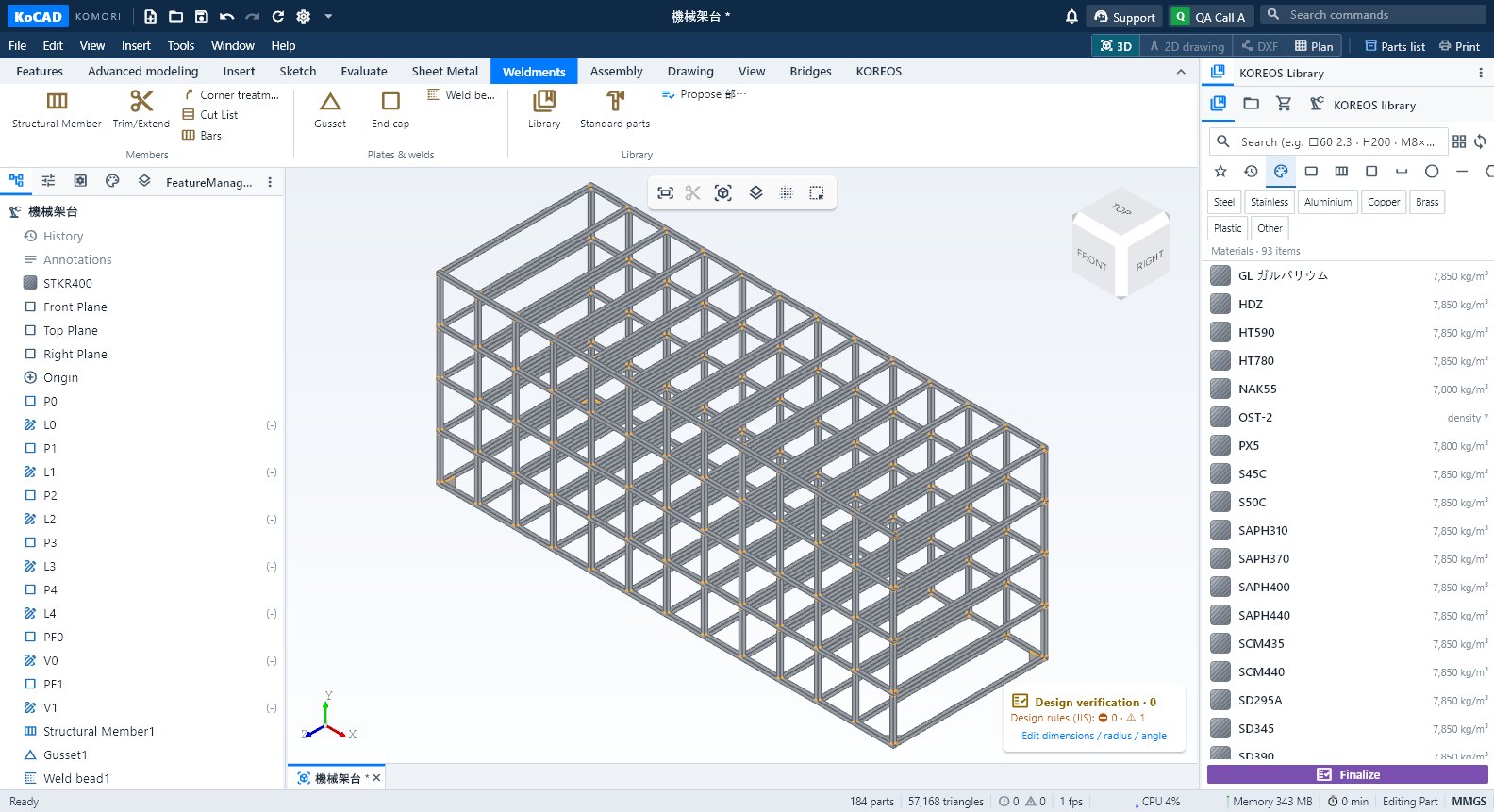 Weldments tab: members, gussets, welds and cut listStructural Member, Trim/Extend, Corner treatment, Cut List, Bars, Gusset, End cap, Weld bead, Library, Standard parts and Propose 部材表.
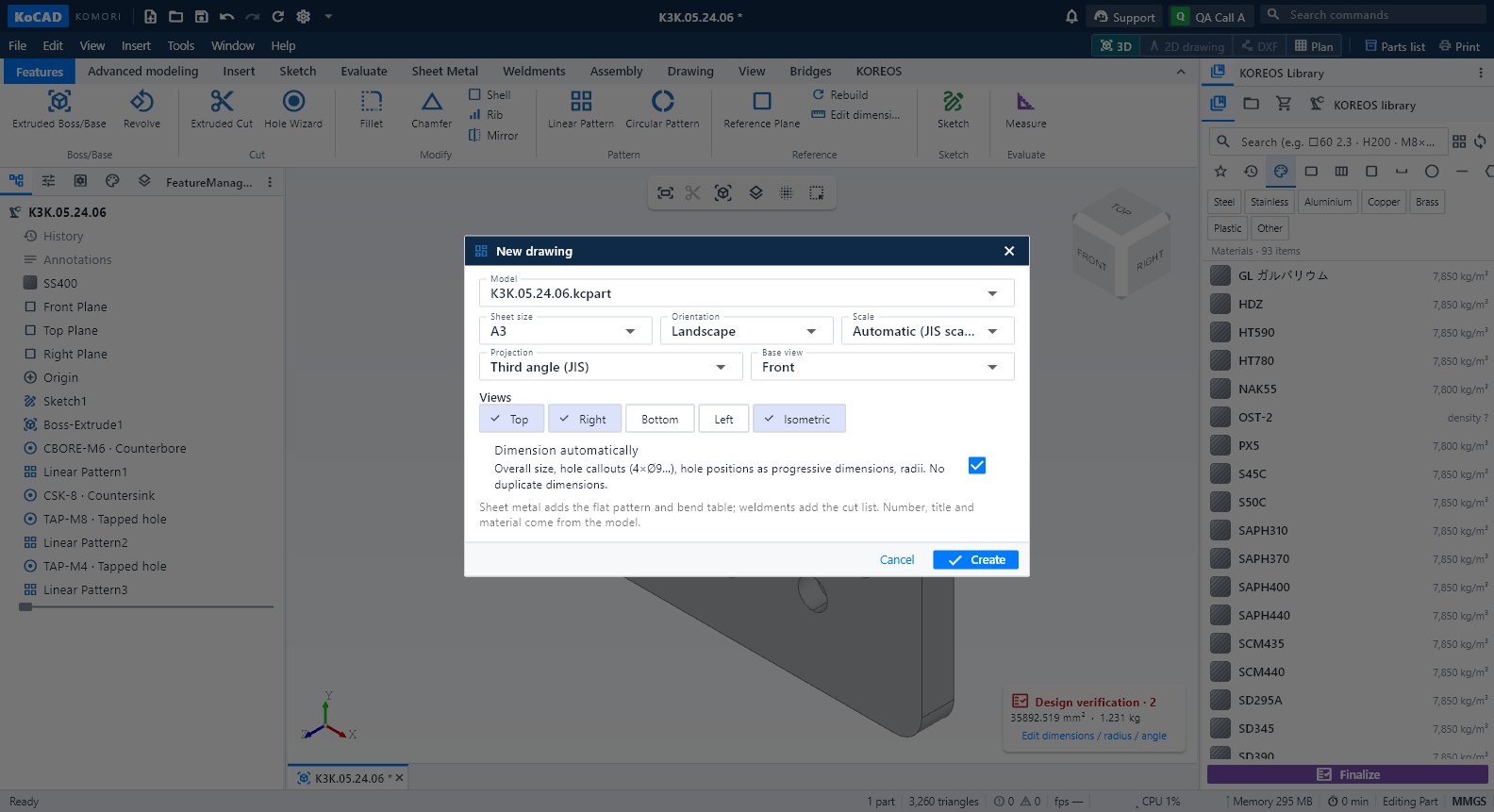 Drawing tab and the 2D drawing workspaceCreate a 2D drawing from this part, New 2D drawing, 3-view DXF, flat DXF and DWG; inside the drawing, the Drawing, Annotate, Draw, Modify, Sheet and Output tabs.
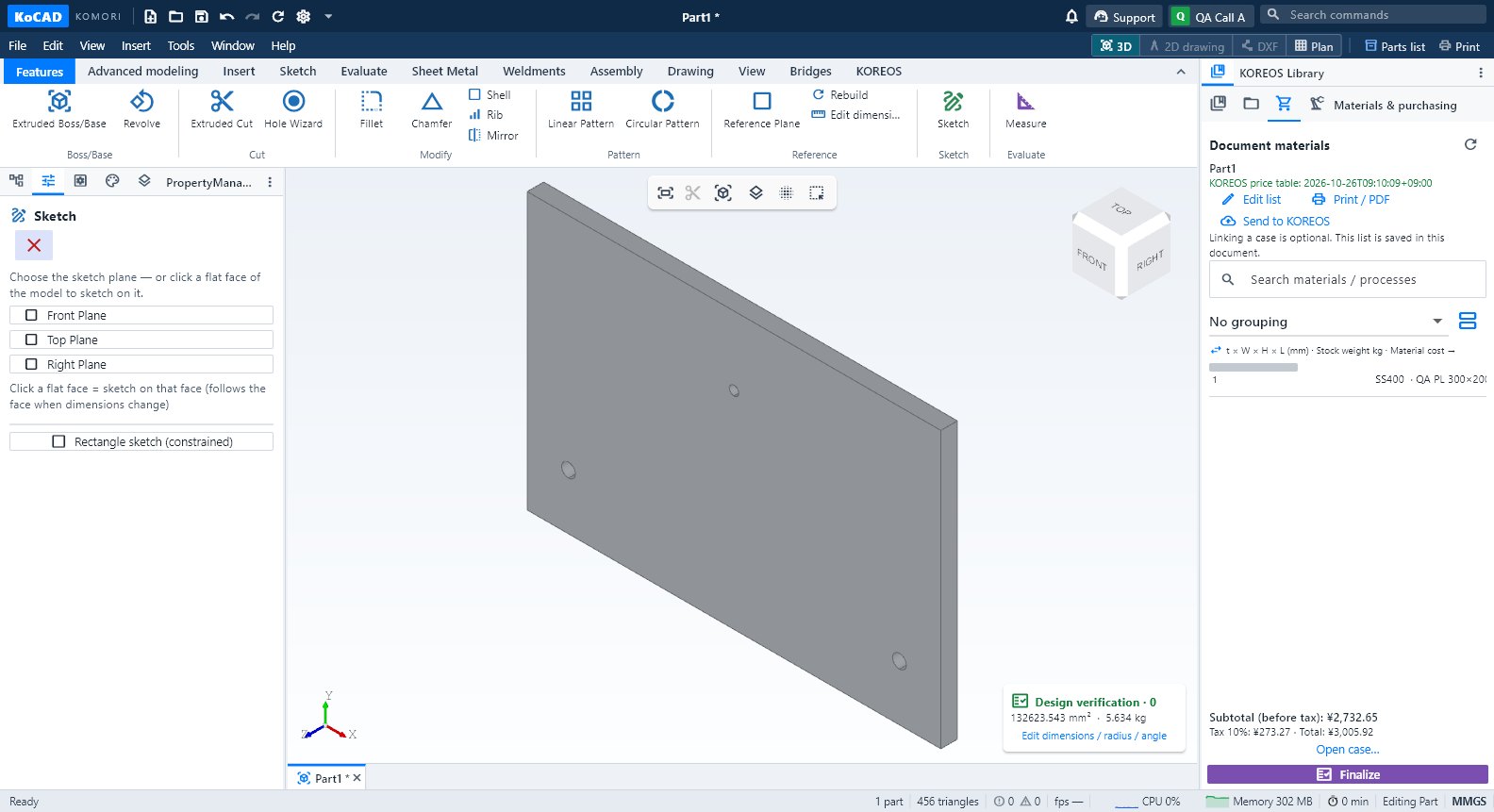 Materials & purchasing, Processes and the Finalize buttonThe document's materials list (edit, purchased items, prices), processes per part with the shop letters, and Finalize with what is missing and the printouts.
Older release notes
- [0.25.2] Open GLB assemblies safelyOpen GLB assemblies safely — KoCAD 0.25.2
- [0.25.1] Design rules (JIS): KoCAD flags the obvious before the shop floorDesign rules (JIS): KoCAD flags the obvious before the shop floor — KoCAD 0.25.1
- [0.25.0] Timeline movie: playback and exportTimeline movie: playback and export — KoCAD 0.25
- [0.24.1] Processes, auditable materials and FinalizeProcesses, auditable materials and Finalize — KoCAD 0.24
- [0.23.0] offline design, Bob, materials and printingContinue designing offline, reopen conversations and check A3/A4 print previews.
- [0.22.0] Bob thinks for you: drawing to 3D without stoppingKOIA helps read the drawing. Cascata KOMORI checks the image, dimensions and physical part counts and plans the 3D, even when the chat is set to “KOIA (default)”. An explicitly chosen personal connection is kept.
- [0.21.0] Open, synchronize and update a case in KoCADCases without native files become local projects with product data, the existing BOM and available drawings/documents. An available STEP can seed geometry. Review the local files list for references.
- [0.20.0] Bob engineering: from drawing to manufacturing filesReview editable assumptions before Generate. Suggested defaults include SS400, checker/plain plate t3.2, square tube legs 40×40×2.3 or available equivalent, M8 through bolts with Ø9 clearance and through openings. Explicit drawing dimensions take priority. Edit assumptions for your intended use.
- [0.19.0] AI queue and step-by-step constructionWaiting for the GPU means the image reader is busy. Generation is queued and retries automatically; position and retry count are visible. Use Cancel to stop waiting. The waiting limit is about six minutes; reaching it ends the request rather than claiming it is still queued.
- [0.18.0] document materialsOpen KOREOS Library → Materials & purchasing. The list belongs to the open document; linking a case is optional. It follows model changes and shows materials, sizes, quantities, weights and the factory’s process letters.
- [0.17.0] calibrated references, visible calculations and verificationDraw lines, circles and arcs over the reference. Dimensions remain editable; closed area subtracts holes and length follows the actual curves. Adjust opacity or use Calibrate by two points in the sketch panel. Recalibration changes only the image, so review existing geometry. Saving and reopening preserves the image and scale.
- [0.16.0] STEP parts, measurements and GYOUMU costWhen a welded bracket arrives as one fused solid, select it and choose Separate into parts in properties or the context menu. Confirm reconstruction of constant-thickness plate regions. The original STEP is preserved and Ctrl+Z undoes separation.
- [0.15.0] Bob agent: request, review the plan and execute on the modelDescribe the result and dimensions in mm. Bob reads the open model's tree, selection and view, then shows the steps. Check dimensions and operations before choosing Execute plan. Destructive changes show a separate preview; the original document changes only when you execute.
- [0.14.5] AI drawings and 2D → 3D reconstructionIn Generate with AI, attach the drawing, choose KOIA or Cascade and request “make a DXF matching the image”. Review the outlines, dimensions, openings and handle cutouts in the preview before applying the editable draft. Undo restores the previous state. DXF saves only the current draft profiles in separate layers, even with an existing solid in the document; the file can be reopened and edited. Missing thickness may prevent solids while still allowing known 2D profiles. A text-only answer triggers one drawing-format retry on the same engine. If it still fails, the input is preserved and the reason is explained.
- [0.14.1] Generate with AI: image → 2D sketch and parametric partAvailability on 21 Oct 2026: the server repair is live and compatible with KoCAD 0.12. The new screens below are prepared for the next desktop update; no new installer has been published. Function/Engine dropdowns identify the previous screen.
- [0.14.0] DXF, materials, working time and framesConvert DXFs, choose material targets, send case time and use company NAS frames.
- [0.13.0] Sheets, bars and bend rulesPrepare sheet and bar cutting plans, review remainders/cost and propose stock purchases.
- [0.12.0] VR/AR and filmOpen a part/assembly, then View → View in VR/AR. Choose a fixed file or live edits and create an expiring QR. Scan with Quest/phone. A Core KOREOS login or explicitly configured company network is required. Model coordinates are metres; initial scale is 1:1.
- [0.12] First steps: sketch, dimensions, extrusion and 2D drawingSketch: click New part and choose Front, Top or Right. Use Line, Rectangle or Circle in the Sketch tab. A solid extrusion requires a closed profile.
- [0.11.0] Modeling: parameters, sweep, loft and bodiesHow to use the 0.11.0 modeling tools, with examples and current limits.
- [0.10.1] Case (O.S.): open, save and send to 業務管理Case and O.S. are the same thing. On the KOREOS tab, the Case (O.S.) group opens the 業務管理 case, saves revisions, sends the GLB, shows the BOM and proposes the 部材表. The number is the gyoumu number (e.g. 1722-001).
- [0.10.1] Library: dragging a material or an itemDragging a MATERIAL only applies it to the part under the cursor (or the selected one). To draw, drag a plate, bar or profile of that material: it lands where you drop it, already selected.
- [0.9.1] Parts: properties and isolated previewSelect a part in 3D or in the tree. Open Properties in the side panel to see its name, material, mass, volume, area, bounding box, quantity and source file.
- [0.9.1] Mac and mouse: navigation and context menuOn Mac, two-finger click or Control+click selects the part and opens its context menu. Click outside, scroll, rotate or change windows to close it.
- [0.9.1] File previews and notificationsSelect a file in Project or Open ZIP to preview it. Excel XLSX/XLS and CSV show a bounded table of the first rows; PDF/images use the system; DXF and STEP have their own previews. Unsupported formats offer “Open in the default program”.