KoCAD · Screens & features
Engineering wave 4 (BETA): plate bending, heat and thermal stress, frame ΔT and the AI second opinion
Calculations run in a separate program, only when you press Calculate, with Cancel. The result is bound to the document revision: editing the model during the run cancels it; editing it afterwards shows the result as OUT OF DATE and blocks the PDF until you calculate again. KoCAD 0.31 adds four studies, all BETA: a plate in bending under pressure, steady heat in a plate with thermal stress, a temperature change ΔT on frame members, and an AI second opinion on the whole project. None of them certifies capacity: the real engineering case is still pending and every result states its limits.
KoCAD 0.31 adds four studies, all BETA: a plate in bending under pressure, steady heat in a plate with thermal stress, a temperature change ΔT on frame members, and an AI second opinion on the whole project. None of them certifies capacity: the real engineering case is still pending and every result states its limits.
Calculations run in a separate program, only when you press Calculate, with Cancel. The result is bound to the document revision: editing the model during the run cancels it; editing it afterwards shows the result as OUT OF DATE and blocks the PDF until you calculate again.
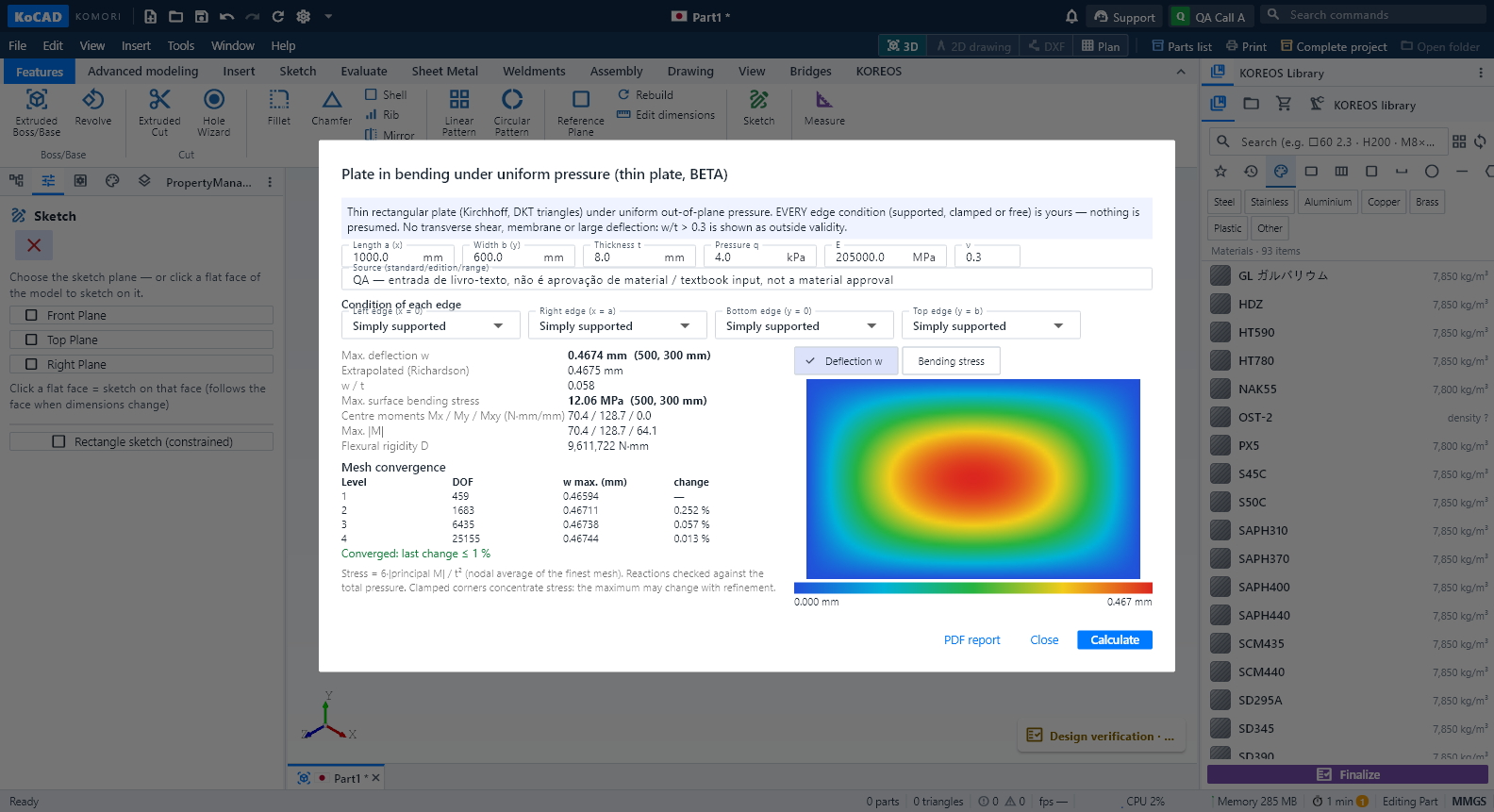
Plate in bending (Evaluate → Strength → Plate in bending). Enter length, width, thickness, pressure (kPa), E and ν with their source, and choose the condition of each edge: supported, clamped or free. Nothing is preselected. The result shows the maximum deflection and where it is, w/t (above 0.3 in red: outside small-deflection theory), moments, the surface bending stress, the mesh convergence table and the map (deflection or stress). PDF report writes the report in PT, JP or EN.
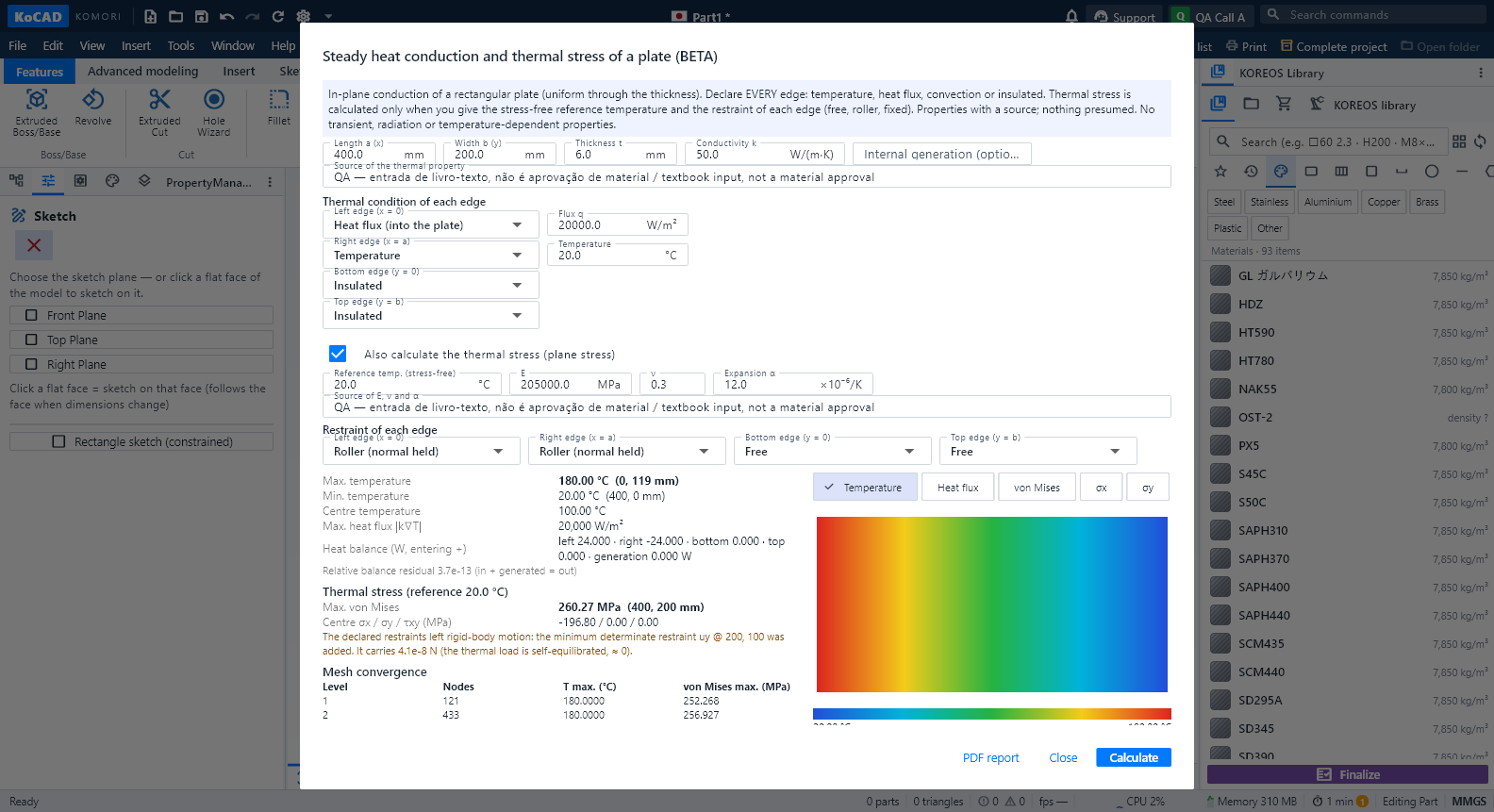
Heat + thermal stress (Evaluate → Strength → Heat + thermal stress). For each edge choose a temperature, a heat flux into the plate, convection (film coefficient h and fluid temperature) or insulated; internal generation is optional. At least one edge needs a temperature or convection. The result shows temperatures, heat flux, the heat balance per edge and the map. For the thermal stress tick the option and enter the stress-free reference temperature, E, ν, α (×10⁻⁶/K) with their source and the restraint of each edge (free, roller or fixed). When the restraints leave the plate loose, KoCAD adds the smallest possible restraint, names it and checks that it carries no force.
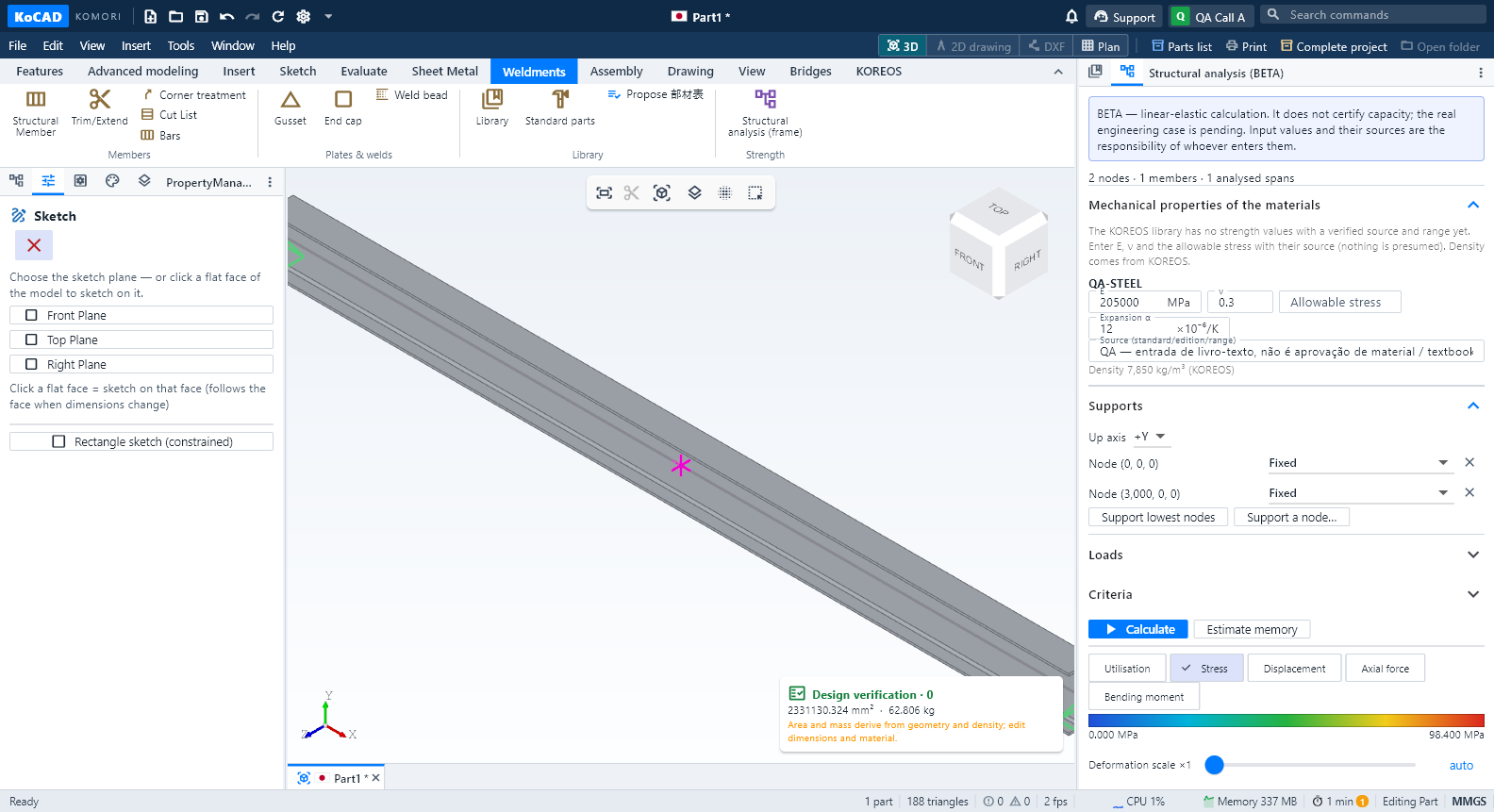
Frame ΔT (Structural analysis → Loads → + Temperature change ΔT). Applies a uniform ΔT to all, horizontal or vertical members. The α of each material is then requested; without it nothing runs. A member fixed at both ends shows σ = E·α·ΔT.
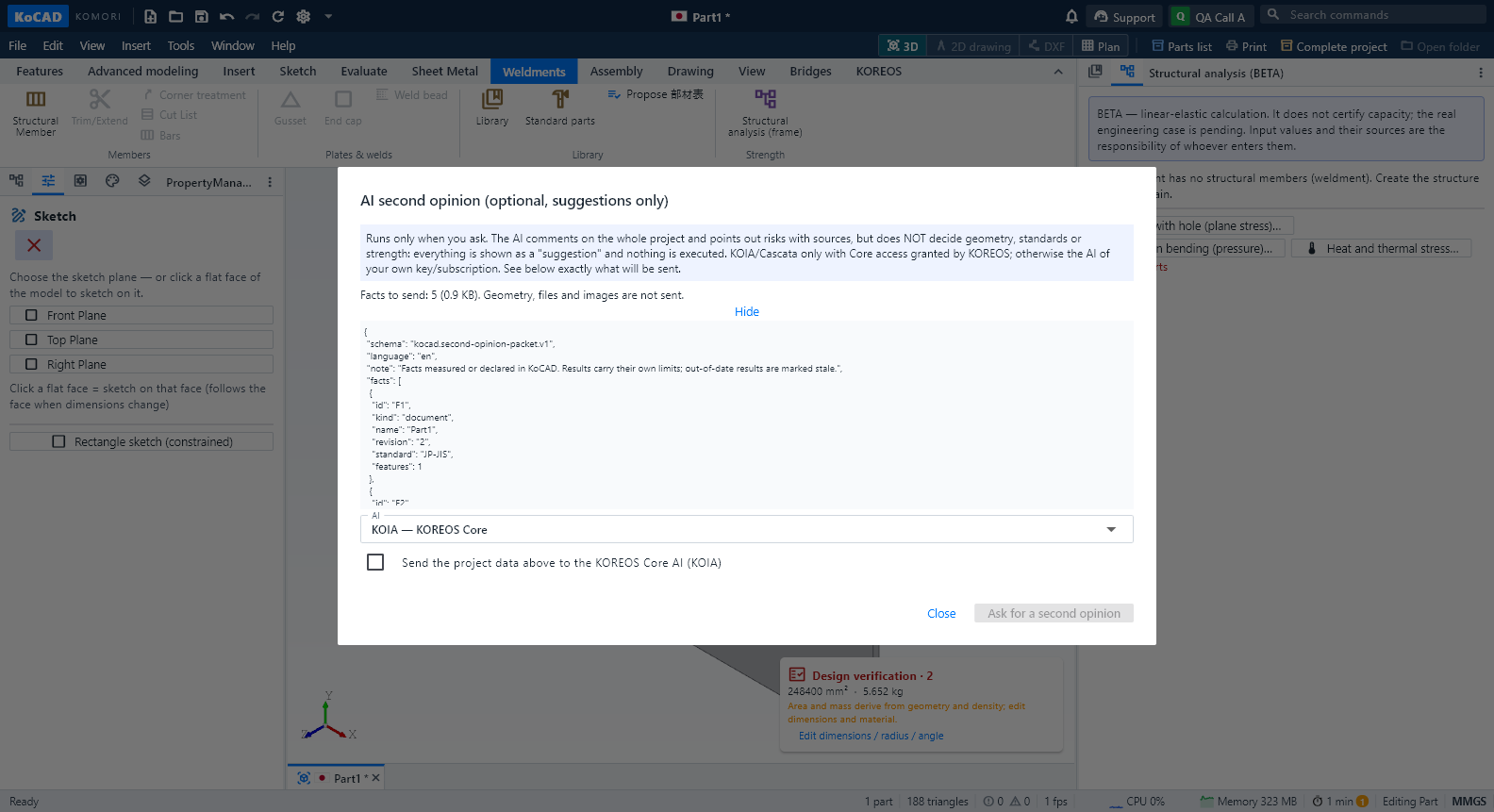
AI second opinion (Evaluate → Inspect → AI second opinion). Runs only when you ask. Before sending you see exactly what goes (project facts and KoCAD results; never geometry, files or images) and confirm the destination. KOIA and Cascata appear only for accounts with KOREOS Core access; otherwise use the AI of your own key or subscription (Connect AI). The reply is shown as SUGGESTIONS, each with a source; points without a source are discarded, nothing is executed and text that reads like an approval is flagged. The AI never decides geometry, standards or strength.
Bending tooling. The KOREOS registry (Modules → KoCAD → Bending tooling) now shows what is missing per kind, explains every dimension with a drawing and computes the SHA-256 of the STEP and the catalogue in the browser. Until a press brake, a punch and a V die are verified and have STEP, the bend sequence keeps answering "Missing data".