KoCAD · What’s new
[0.24.1] Processes, auditable materials and Finalize
Processes, auditable materials and Finalize — KoCAD 0.24
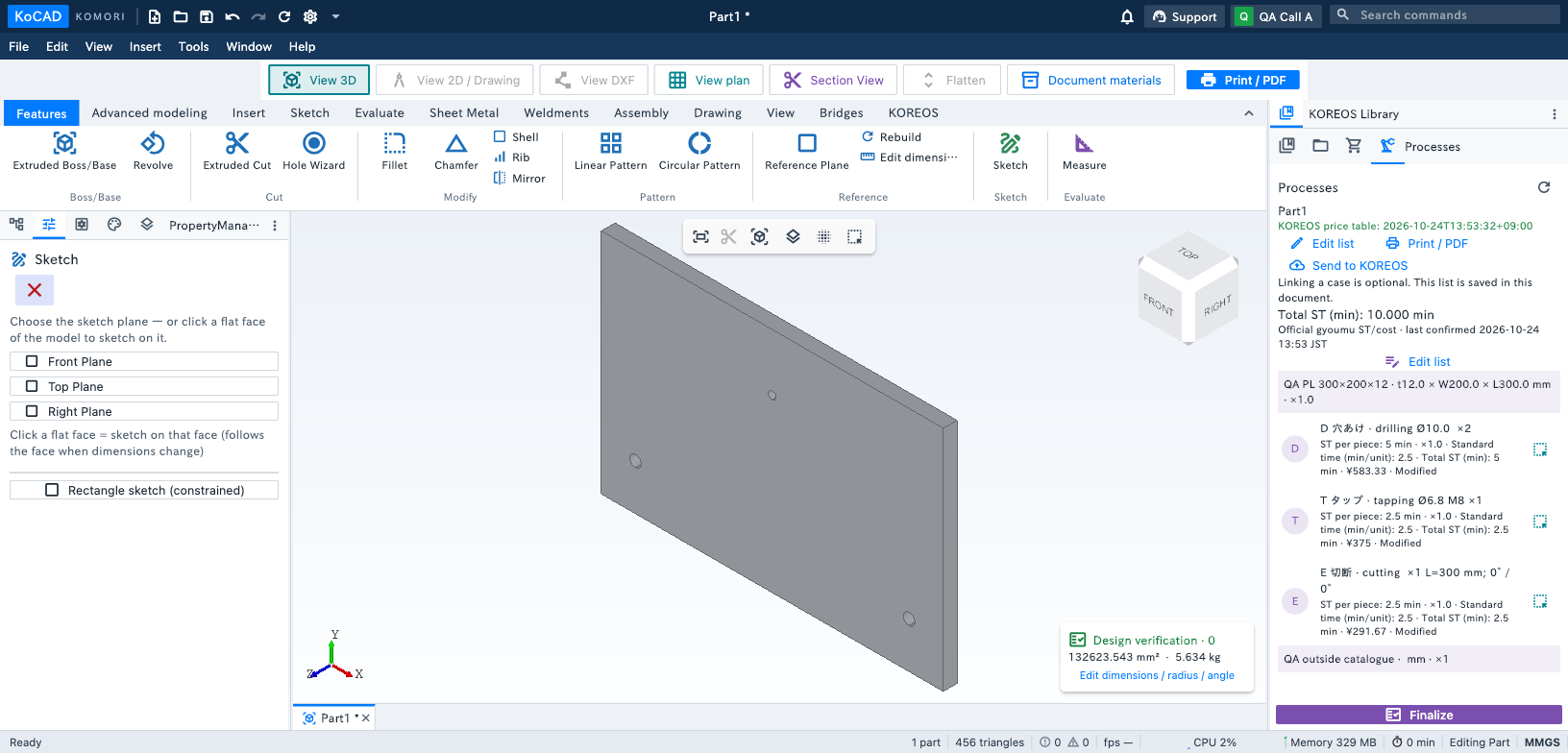
Open KOREOS Library → Processes, next to Materials & purchasing. Each part lists the cuts, holes/taps, bends and explicit welds present in its model. Factory letters come from the official master; per-piece and total ST come from the gyoumu server. Shared joints are identified. Use the target button to highlight the part, hole positions or weld geometry. Edit time, quantity or operations through the material editor; manual changes are marked.
The slim materials list shows stock, size, quantity, weight, cost and letters. The pencil means Modified; the red warning means Outside catalogue. Scroll horizontally to inspect every column; each item stays on one line. Open a row for details and a catalogue suggestion. A designer's part caption is independent of stock identity. Suggestions never replace data automatically.
The fixed Finalize button opens the checklist and BOM, purchase list, costs/ST, instructions, cutting labels and Kanban printouts. Linked online cases use the KOMORI template/authorized QR; offline output uses KoCAD. Review the official diff before sending the current model or each native model in the project folder. Every file needs its own case/part link; duplicate targets are rejected. Existing approved/production guards and revision checks remain active. Purchasing uses its existing explicit request workflow.
Standalone 2D creates proposals from closed straight outlines and inner circles. Confirm mm/unit scale, material, thickness and whether circles mean holes. Geometry/scale changes invalidate confirmation. Threads, welding and bends are never invented from raster pixels. Save the drawing to retain its materials. Use the existing drawing case picker/upload before reviewing linked materials. Offline values are dated exact-input snapshots; changed inputs stay pending until server confirmation.