KoCAD · Mga screen at feature
Engineering studies (experimental BETA): stability, clearance, motion and bend sequence — tooling not registered
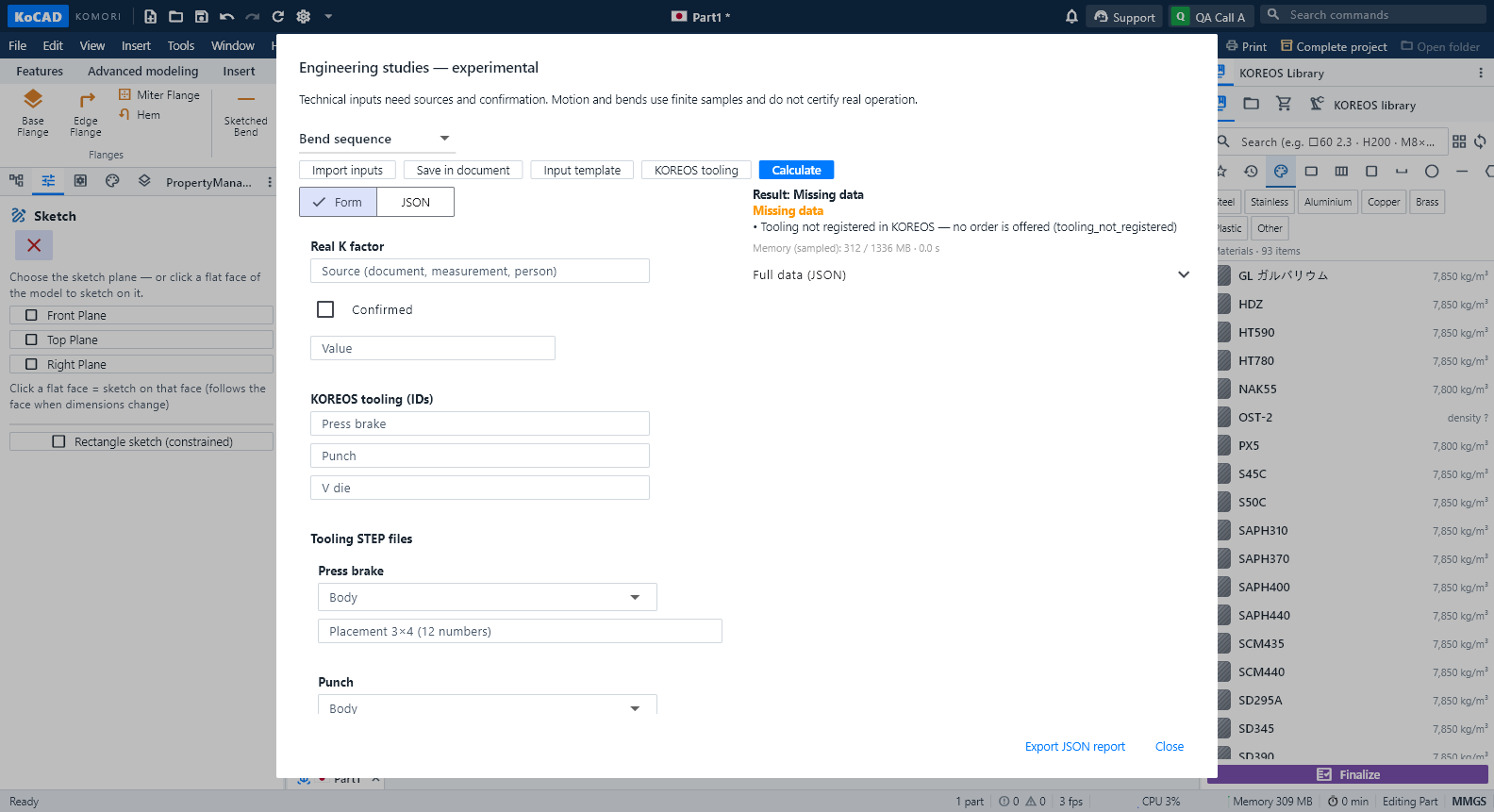
What it is. On-request checks on the open part or assembly: stability (tipping), clearance between bodies, rigid motion with contact, bend sequence with the tooling registered in KOREOS, and process rules (weld/tool access, stock allowance, bumping). It is experimental: every result states what it checked and what is missing; nothing here is a factory approval. Open it from Design verification → Experimental studies. Status (0.30, experimental BETA): TOOLING NOT REGISTERED. The KOREOS press-brake, punch and V-die registry is still empty — the real data was requested from the factory. So the bend sequence answers "Missing data" today and offers no order. No result on this screen is a factory approval.
Hindi pa naisasalin ang artikulong ito sa inyong wika: ipinapakita ang bersyong English.
Status (0.30, experimental BETA): TOOLING NOT REGISTERED. The KOREOS press-brake, punch and V-die registry is still empty — the real data was requested from the factory. So the bend sequence answers "Missing data" today and offers no order. No result on this screen is a factory approval.
What it is. On-request checks on the open part or assembly: stability (tipping), clearance between bodies, rigid motion with contact, bend sequence with the tooling registered in KOREOS, and process rules (weld/tool access, stock allowance, bumping). It is experimental: every result states what it checked and what is missing; nothing here is a factory approval. Open it from Design verification → Experimental studies.
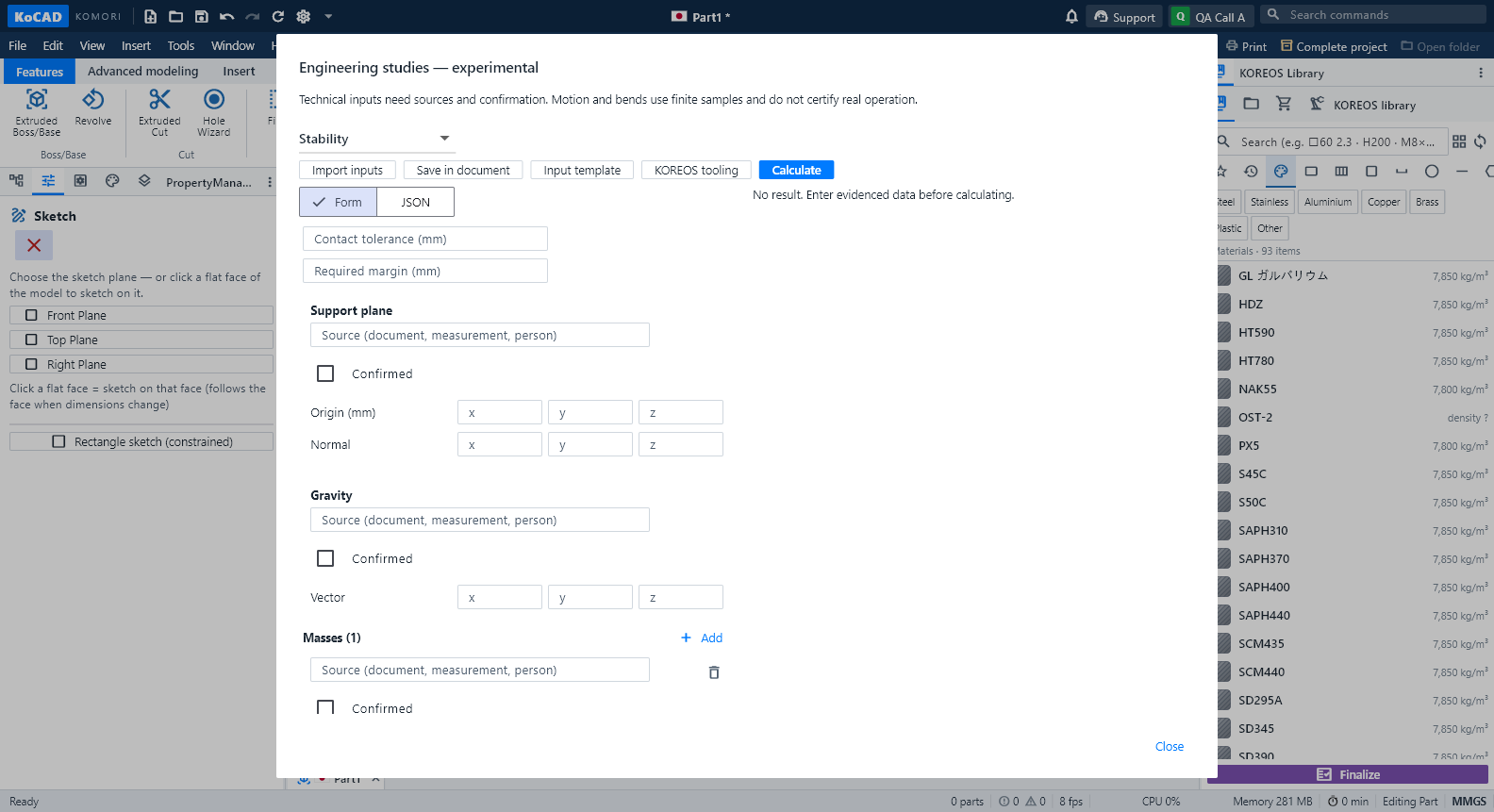
1. Entering data. Pick the study and press Input template. The panel opens on the Form: every field is named in your language, vectors have x/y/z, bodies are picked from a list. Every value needs a source and the Confirmed box — both start unchecked. An invalid value never becomes zero: the calculation refuses it and says why. The JSON tab shows exactly the same content; Save in document stores the inputs (undoable).
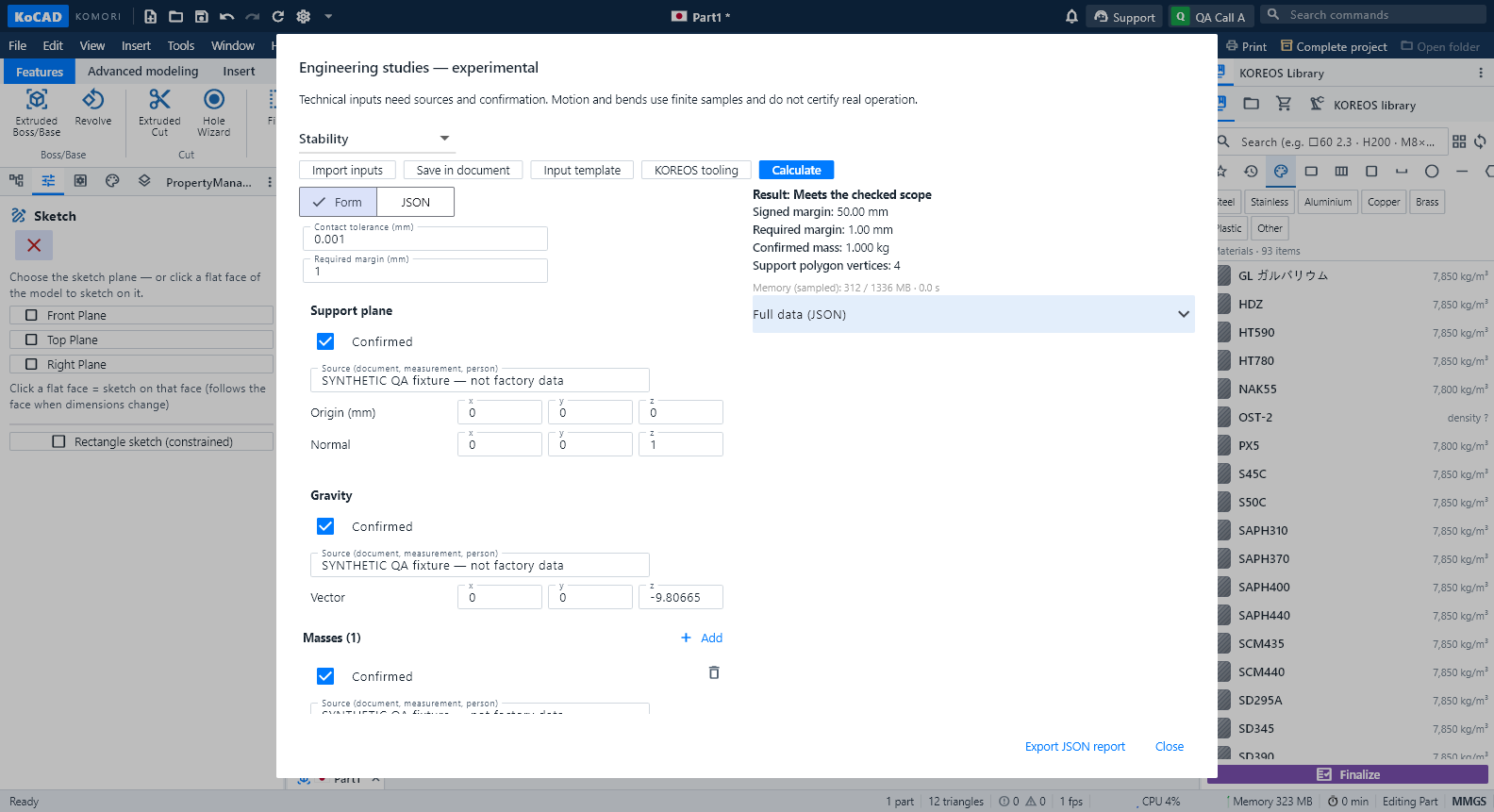
2. Stability. Enter the support plane, gravity, the confirmed mass of each body and the actual support points (touching the part). The result is the signed margin between the projected centre of mass and the edge of the support base; negative = it tips. The model's bounding box is never used as a base.
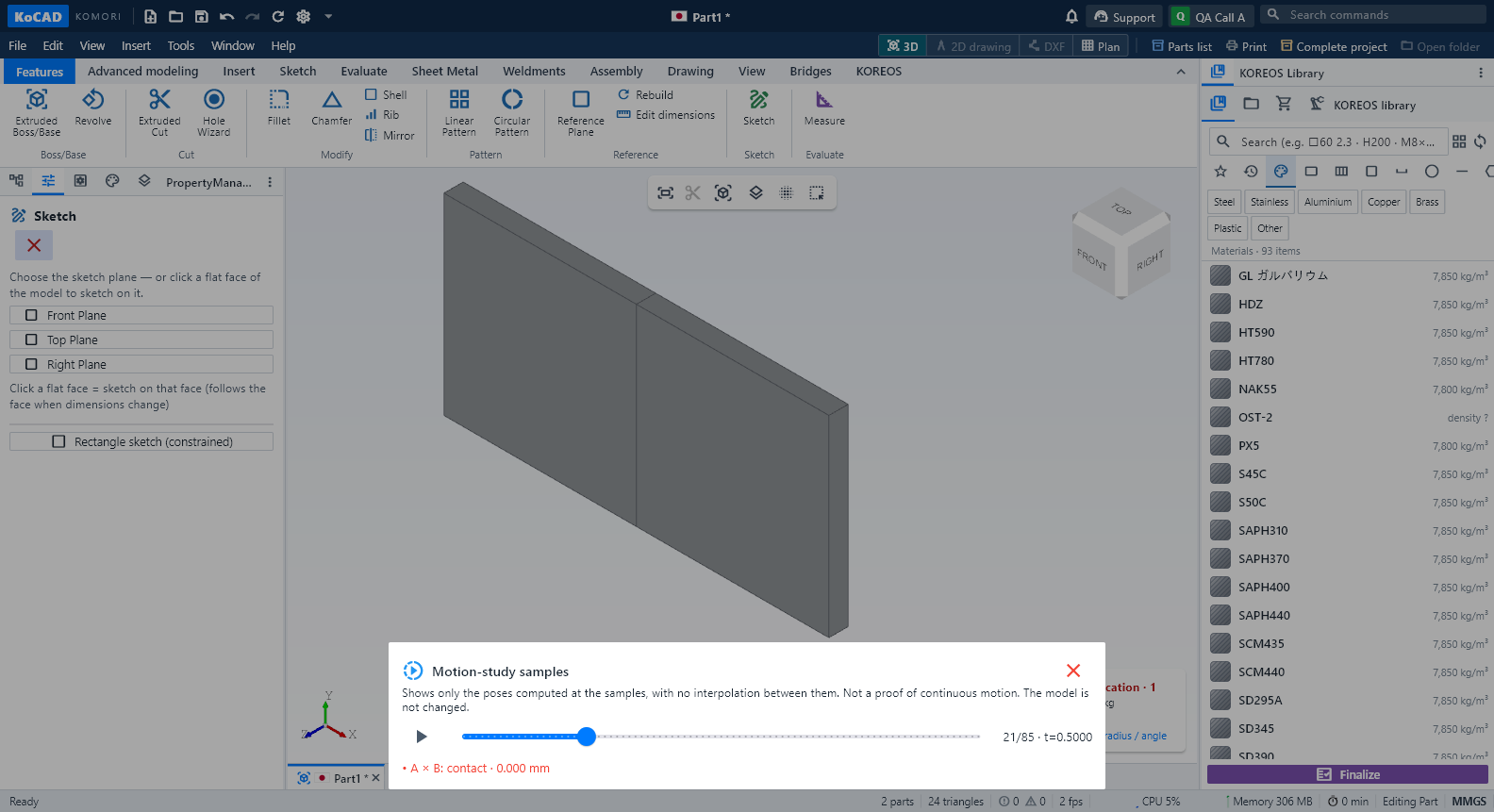
3. Clearance and motion. Choose the body pairs and the required clearance. For motion, the joint can be an already solved assembly mate (limit distance, or concentric + limit angle), a stretch of the XR storyboard, or a declared translation/rotation. The calculation uses finite samples refined near contact: not a continuous proof. Contacts show as "entry between … and …" intervals. Friction only with a given coefficient. Show samples on the model steps through exactly the computed poses in 3D, inventing no in-between positions; the model is not changed.
4. Bend sequence. Needs the real K with its source, the press, punch and V die registered in KOREOS (with source document and version) and the registered STEP files. Without registration it reads "Tooling not registered in KOREOS — no order is offered". With registration the search tries the declared orientations and lists each bend, orientation, reason and smallest distance; it rejects stroke/throat/free-height overruns, part × tool × press interference and flange against flange (the sheet interfering with itself). ↑/↓ change the order and re-check everything. The result is always a candidate: handling, springback, force and press-brake acceptance stay with the factory.
5. Limits and lightness. Every study has time, operation and memory limits and can be cancelled; when a limit is hit the result is "incomplete" with the reason. Nothing of this loads when KoCAD opens.