KoCAD · Mga screen at feature
Live AI generation: premises from the standard, real steps, ready to review
Engineering premises come from the project's country/standard and appear collapsed: "Premises: Japan · JIS standard (edit)" with chips (SS400, plate t3.2/t4.5, tube □40×40×2.3, M8 Ø9 hole…). Click to edit the text; "Back to default" restores it. In a US, Brazil, ISO or EN project the premises change (A36, UNC, NBR, S235…) and are marked to confirm while those standards have no catalogue.
Hindi pa naisasalin ang artikulong ito sa inyong wika: ipinapakita ang bersyong English.
Engineering premises come from the project's country/standard and appear collapsed: "Premises: Japan · JIS standard (edit)" with chips (SS400, plate t3.2/t4.5, tube □40×40×2.3, M8 Ø9 hole…). Click to edit the text; "Back to default" restores it. In a US, Brazil, ISO or EN project the premises change (A36, UNC, NBR, S235…) and are marked to confirm while those standards have no catalogue.
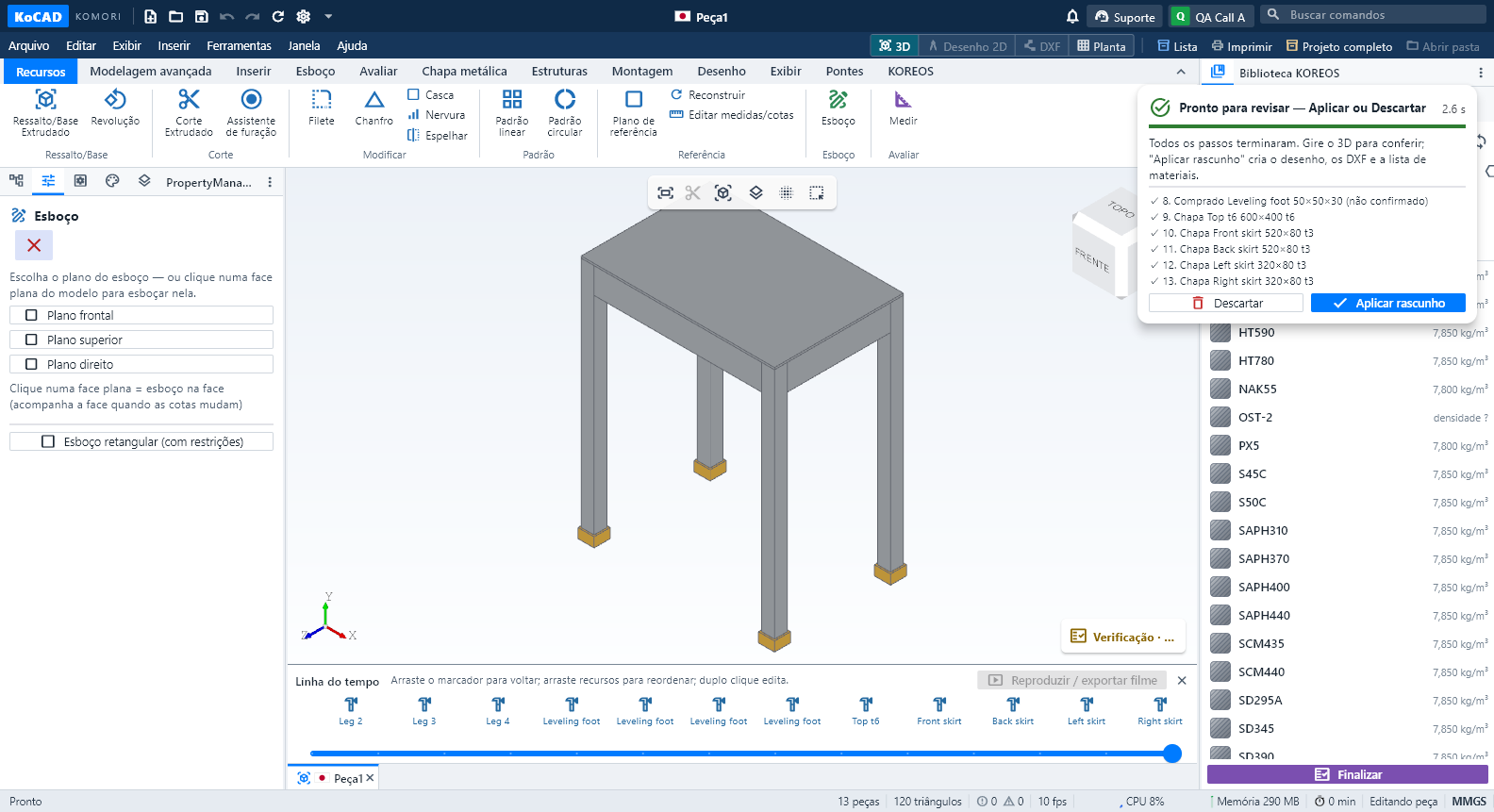
During the preview each step says what it builds — "Plate Base 200×120 t6 · cut-outs ×1", "Profile Leg □40×40×2.3 L700", "Purchased Foot 50×50×30" — with n/total and time. The part appears in 3D, the camera frames it (until you orbit), the timeline and status bar show the parts being made. Slow steps are grouped so the model is not rebuilt for every feature; default speed 2× (Options › General).
At the end the panel turns green: "Ready to review — Apply or Discard", with the clock stopped. Apply creates the drawing, DXFs and bill of materials in the project folder. Options › General has "Apply automatically when the AI preview ends". Inside the preview you can select and isolate parts to check them.
Feet are centred and seated under their legs automatically. A part with no contact with the assembly (more than 5 mm) is refused before the preview and goes back to the planner; the Verifier warns about gaps above 2 mm, with the measurement.