











Karta · Pantallas y funciones
Language, notifications, password and deletion
App settings are grouped into General, Language, Notifications, Account and privacy, and About.
Este artículo aún no está traducido a su idioma: se muestra la versión en English.
En esta página
What this is for
App settings are grouped into General, Language, Notifications, Account and privacy, and About.
Step by step
- Open Settings; use the top tabs on a phone or the side tabs on a tablet.
- Under Language, choose one of seven languages or Same as device.
- Review plan, limit and system notices under Notifications and check device permission too.
- For a standalone Karta password, use sign-in recovery or Security on the web.
- Before deleting, read the scope in Account and privacy; closing a company requires its owner and affects company data.
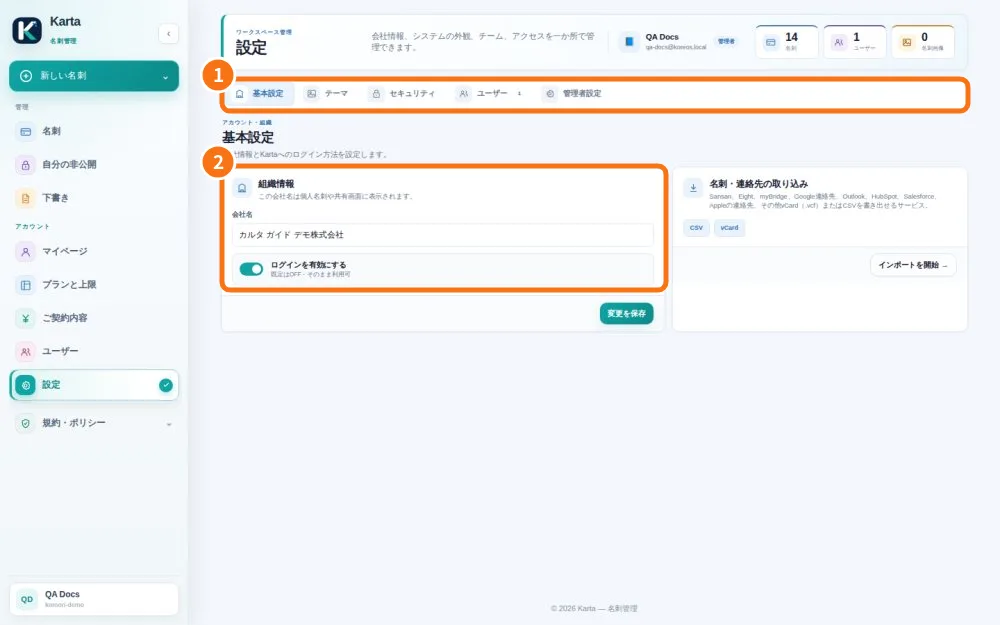
Demo screen. Numbered highlights mark the controls discussed; the image language may differ from yours.
Tip
If something goes wrong
If an option moved after an update, check the new tabs. Do not register again to recover a password.
Related articles
- FAQ: 20 answers