











Karta · Screens & features
Language, notifications, password and deletion
App settings are grouped into General, Language, Notifications, Account and privacy, and About.
On this page
What this is for
App settings are grouped into General, Language, Notifications, Account and privacy, and About.
Step by step
- Open Settings; use the top tabs on a phone or the side tabs on a tablet.
- Under Language, choose one of seven languages or Same as device.
- Review plan, limit and system notices under Notifications and check device permission too.
- For a standalone Karta password, use sign-in recovery or Security on the web.
- Before deleting, read the scope in Account and privacy; closing a company requires its owner and affects company data.
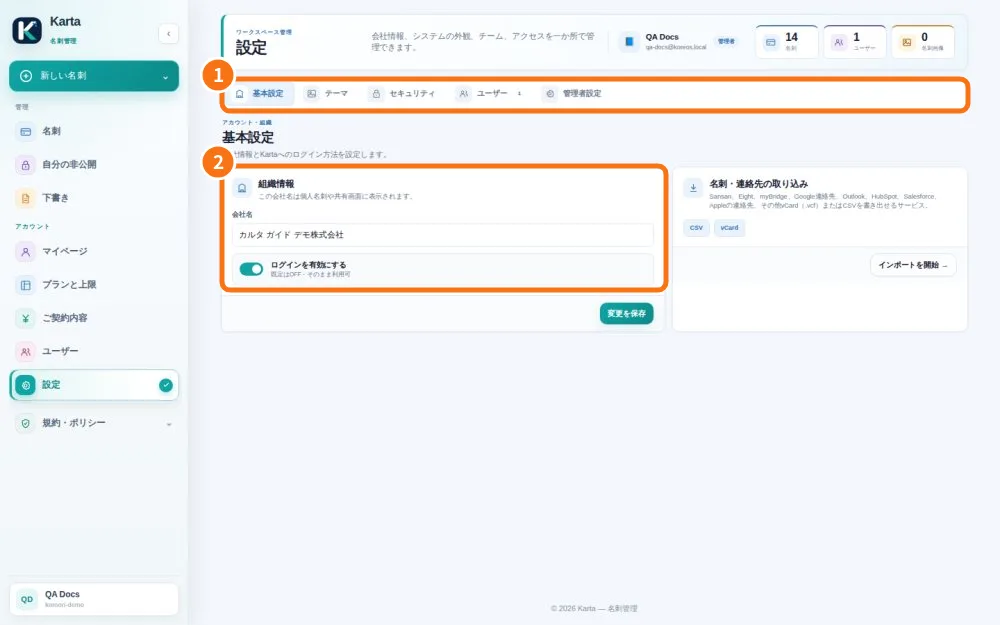
Demo screen. Numbered highlights mark the controls discussed; the image language may differ from yours.
Tip
If something goes wrong
If an option moved after an update, check the new tabs. Do not register again to recover a password.
Related articles
- FAQ: 20 answers