











Karta · Screens & features
Design and print your card
The card editor lets you prepare your card’s appearance and open printing.
On this page
What this is for
The card editor lets you prepare your card’s appearance and open printing.
Step by step
- Open design editing from My card.
- Adjust available elements, colors, backgrounds and images; avoid tiny text.
- Check the selected ratio and full preview.
- Save the design before leaving.
- Open Print and review paper, orientation and scale before confirming with your printer.
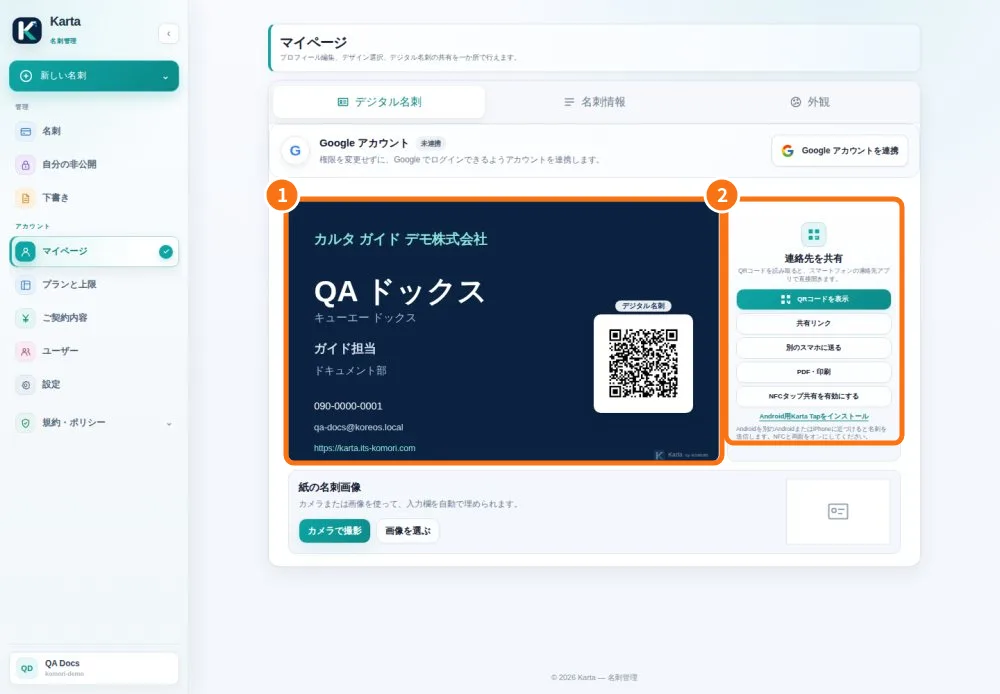
Demo screen. Numbered highlights mark the controls discussed; the image language may differ from yours.
Tip
If something goes wrong
If an image is missing, check its upload and save. If the print is cut off, check scaling and margins.
Related articles
- Prepare and share your digital card
- FAQ: 20 answers