











Karta · Screens & features
Card history and duplicates
See registration, edits, sharing, internal memo and merges for each card, and combine repeated cards of the same person.
On this page
View the history
- Open a card and tap the History (履歴) tab.
- Newest first: when, who and how it was registered (scan, manual, app, import), what changed (e.g. title 主任 → 課長), internal memo updates, introduction e-mails and merges. The memo text is not shown.
- Cards from before recording started (16 Nov 2026) show only what was already known, greyed out as pre-recording data.
- Internal accounts linked to KOREOS also see e-mails sent/received with the contact (subject, mailbox, link to open it in KOREOS webmail) and KOREOS links (partner, cases, DX, events, meetings) — only from mailboxes that person can see.
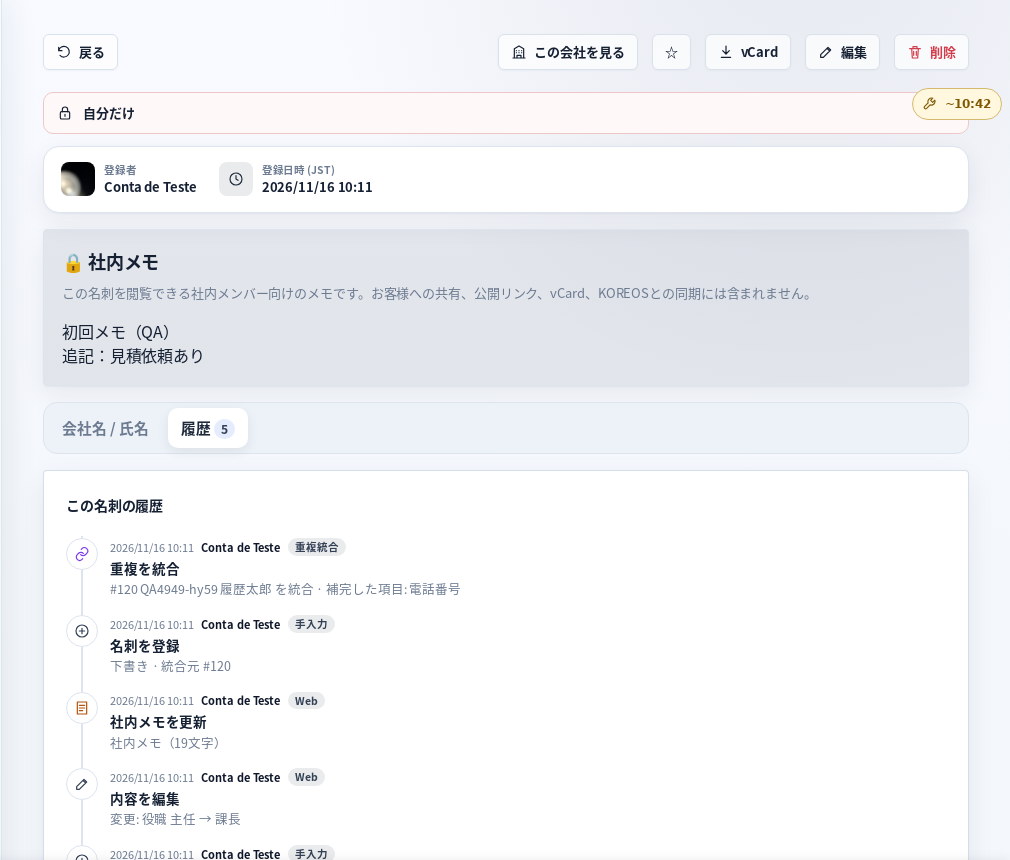
Tela de demonstração (dados fictícios) · デモ画面 · Demo screen
Duplicate warning when saving
If a card with the same name + company, or the same personal e-mail, already exists, Karta shows “この名刺はすでに登録されています”. Merge combines empty fields, front/back images, internal memo and history into the existing card; the new one is archived, not deleted. If it is someone else, choose Save anyway. Shared company addresses (info@…) or the same company alone are not duplicates.
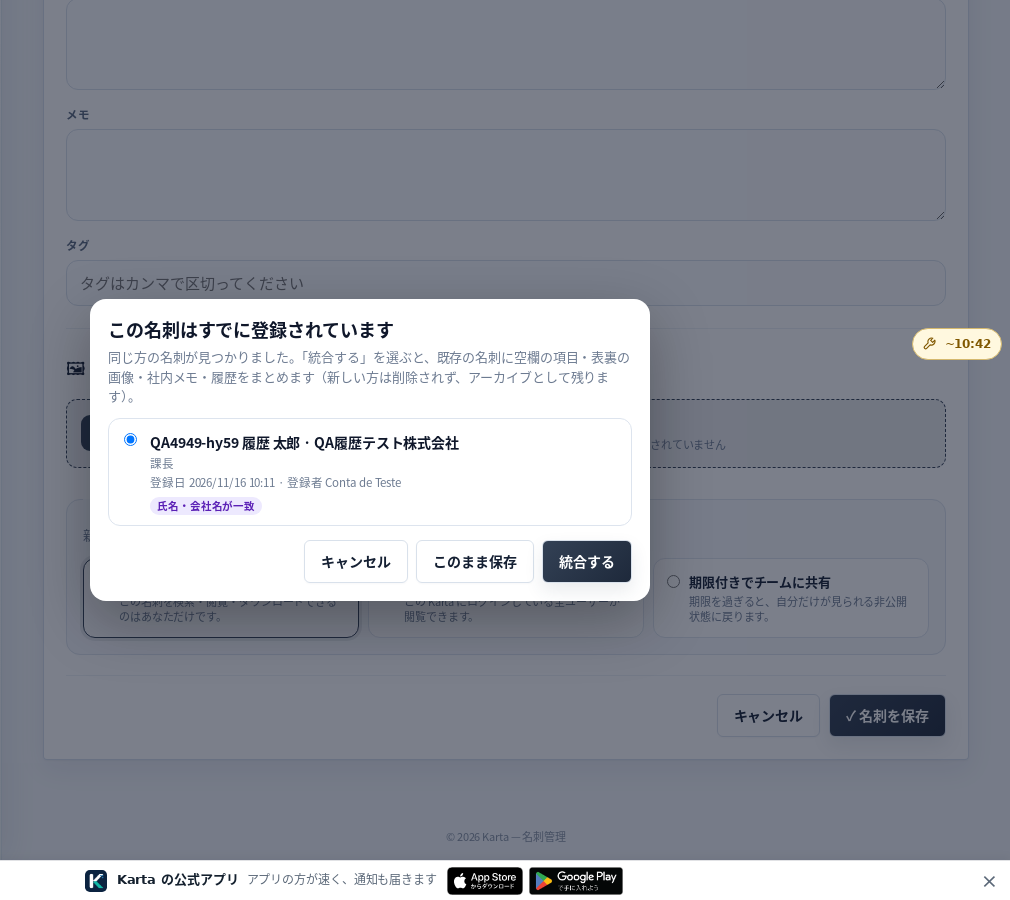
Tela de demonstração (dados fictícios) · デモ画面 · Demo screen
Duplicate review
From the card list, 重複の確認 shows pairs that look like the same person: choose which to keep and tap Merge, or Ignore. Whoever registered both cards, or an administrator, can merge.
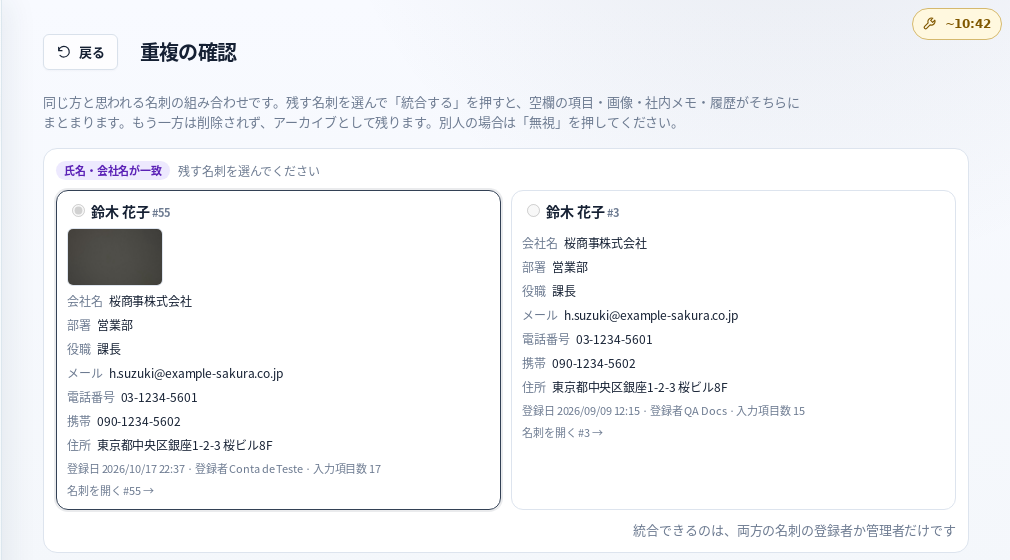
Tela de demonstração (dados fictícios) · デモ画面 · Demo screen
Privacy
History is internal and never included in vCard, public links or sharing. KOREOS partners are never deleted by a merge.
In the app, available after version 1.0.12 is released in the stores.