











Karta · Màn hình & chức năng
Card history and duplicates
See registration, edits, sharing, internal memo and merges for each card, and combine repeated cards of the same person.
Bài viết này chưa được dịch sang ngôn ngữ của bạn: đang hiển thị bản English.
Trong trang này
View the history
- Open a card and tap the History (履歴) tab.
- Newest first: when, who and how it was registered (scan, manual, app, import), what changed (e.g. title 主任 → 課長), internal memo updates, introduction e-mails and merges. The memo text is not shown.
- Cards from before recording started (16 Nov 2026) show only what was already known, greyed out as pre-recording data.
- Internal accounts linked to KOREOS also see e-mails sent/received with the contact (subject, mailbox, link to open it in KOREOS webmail) and KOREOS links (partner, cases, DX, events, meetings) — only from mailboxes that person can see.
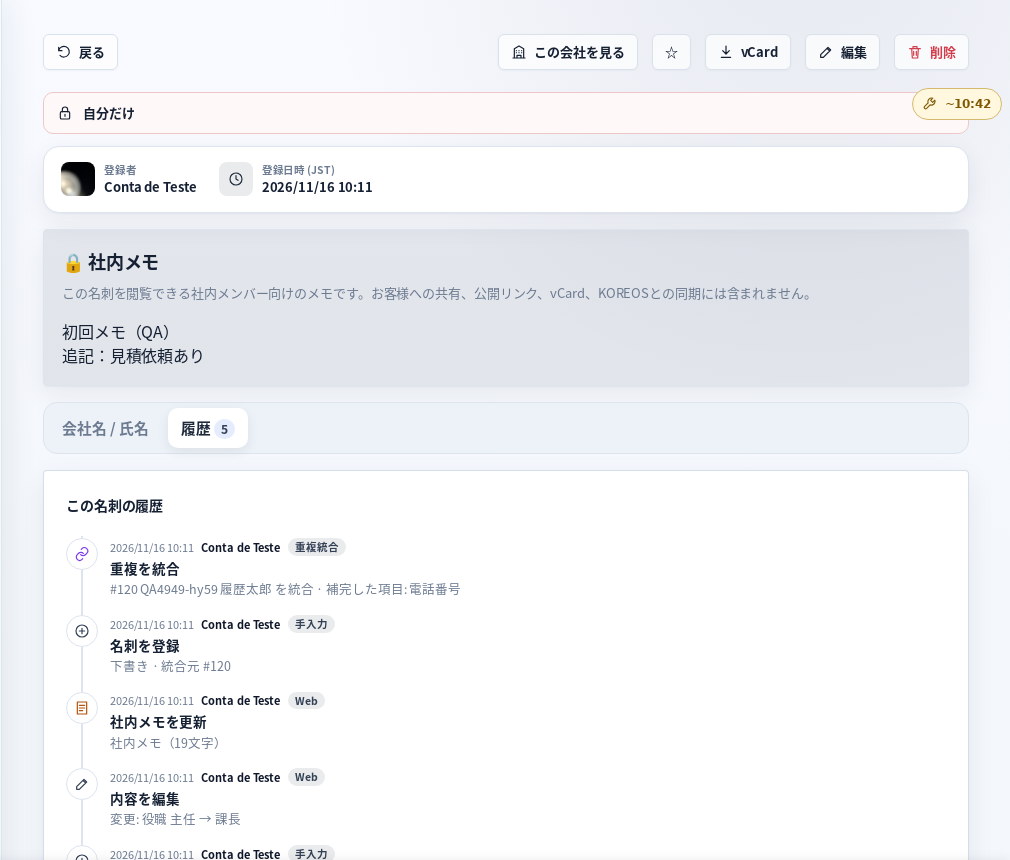
Tela de demonstração (dados fictícios) · デモ画面 · Demo screen
Duplicate warning when saving
If a card with the same name + company, or the same personal e-mail, already exists, Karta shows “この名刺はすでに登録されています”. Merge combines empty fields, front/back images, internal memo and history into the existing card; the new one is archived, not deleted. If it is someone else, choose Save anyway. Shared company addresses (info@…) or the same company alone are not duplicates.
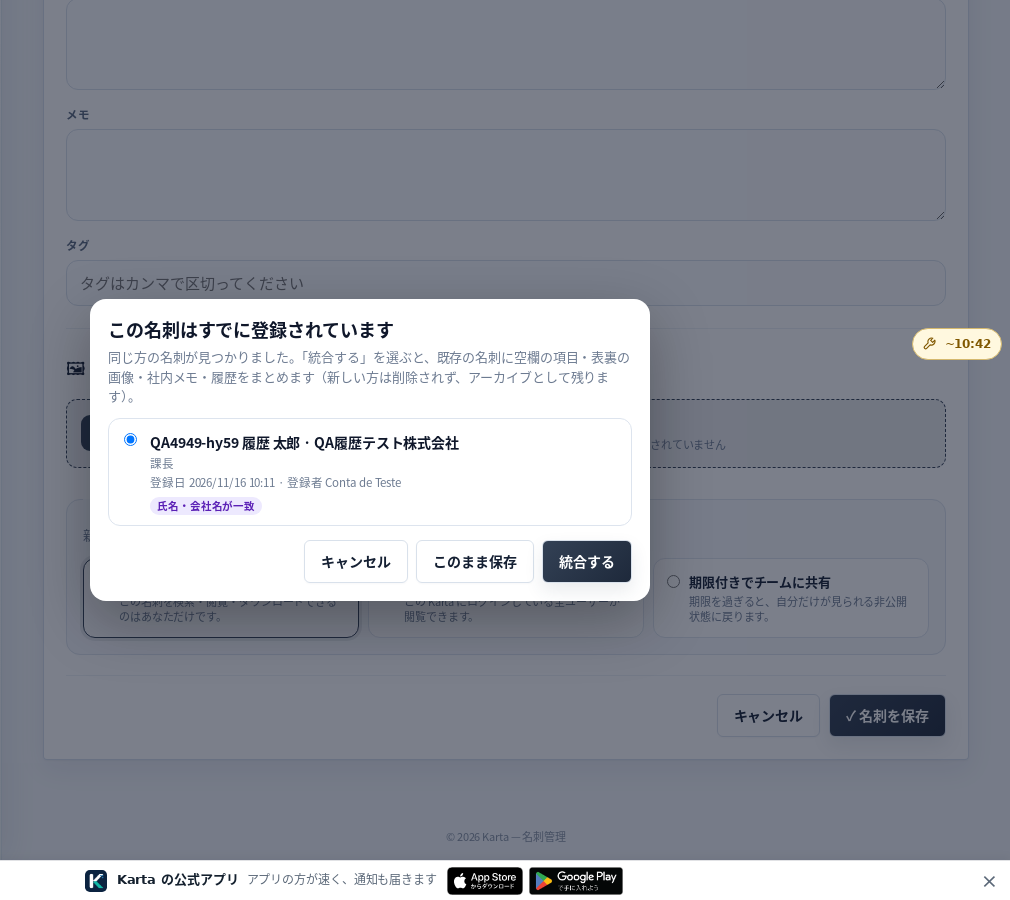
Tela de demonstração (dados fictícios) · デモ画面 · Demo screen
Duplicate review
From the card list, 重複の確認 shows pairs that look like the same person: choose which to keep and tap Merge, or Ignore. Whoever registered both cards, or an administrator, can merge.
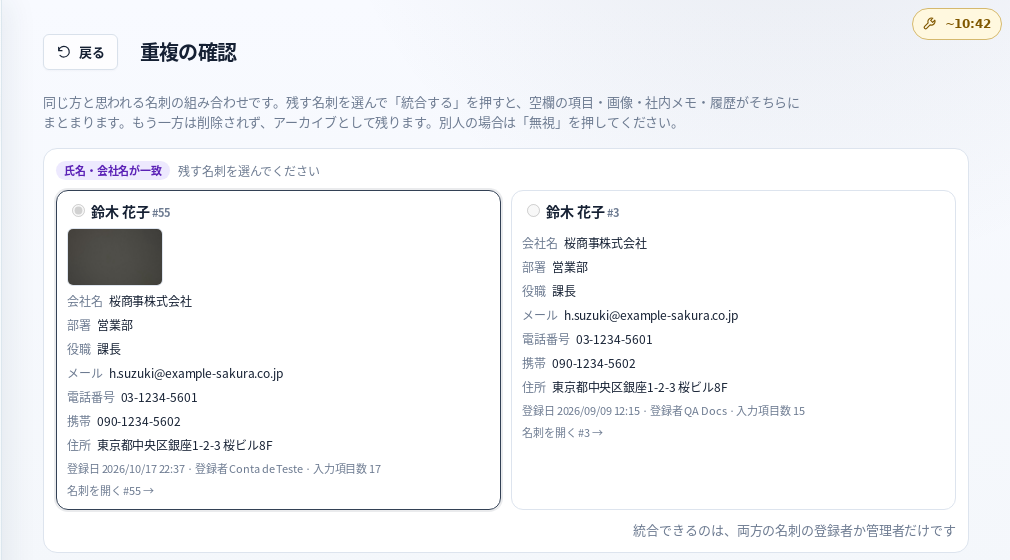
Tela de demonstração (dados fictícios) · デモ画面 · Demo screen
Privacy
History is internal and never included in vCard, public links or sharing. KOREOS partners are never deleted by a merge.
In the app, available after version 1.0.12 is released in the stores.