Karta · Pantallas y funciones
Card list and card details
Karta's first screen: search, filter and favorite cards, then open a card to see its details, download the vCard or edit it.
Este artículo aún no está traducido a su idioma: se muestra la versión en English.
En esta página
What this screen is for
This is the screen you see when you open Karta. It gathers every card you are allowed to see.
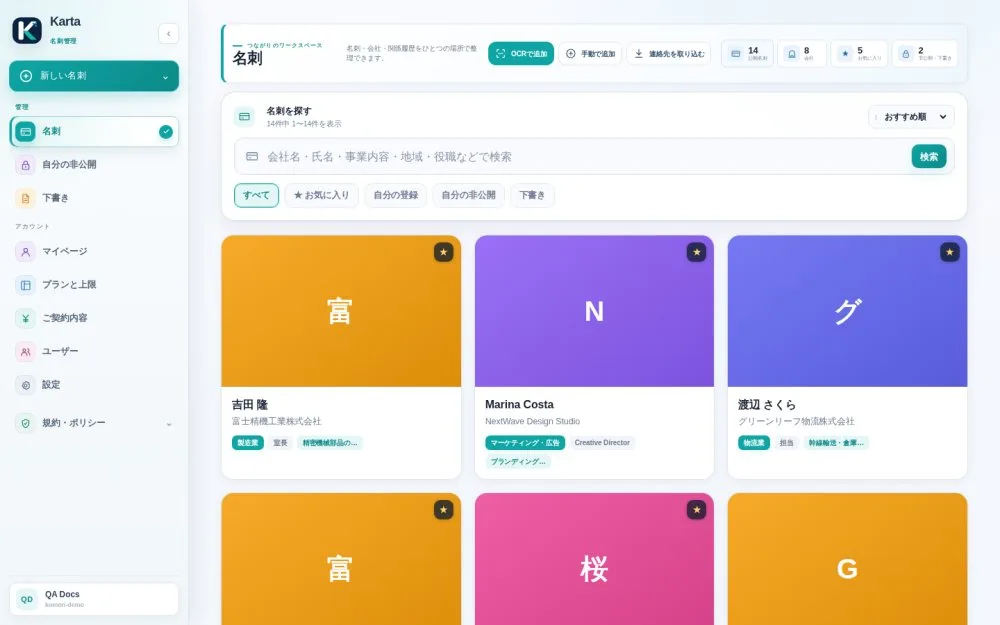
Search and filter
- In the search box at the top, type any word you remember: company name, person's name, line of business, area or job title.
- Use the tabs All / Favorites / My records / My private cards / Drafts to filter.
- Change the order (recommended, newest, oldest, by name, by company) in the dropdown at the top right.
Favorites, private cards and drafts
- The ★ star on a card's corner adds it to or removes it from favorites.
- My private cards shows only the cards you marked private. The rest of the team can't see them.
- Drafts are cards still being filled in that haven't been published.
Open a card
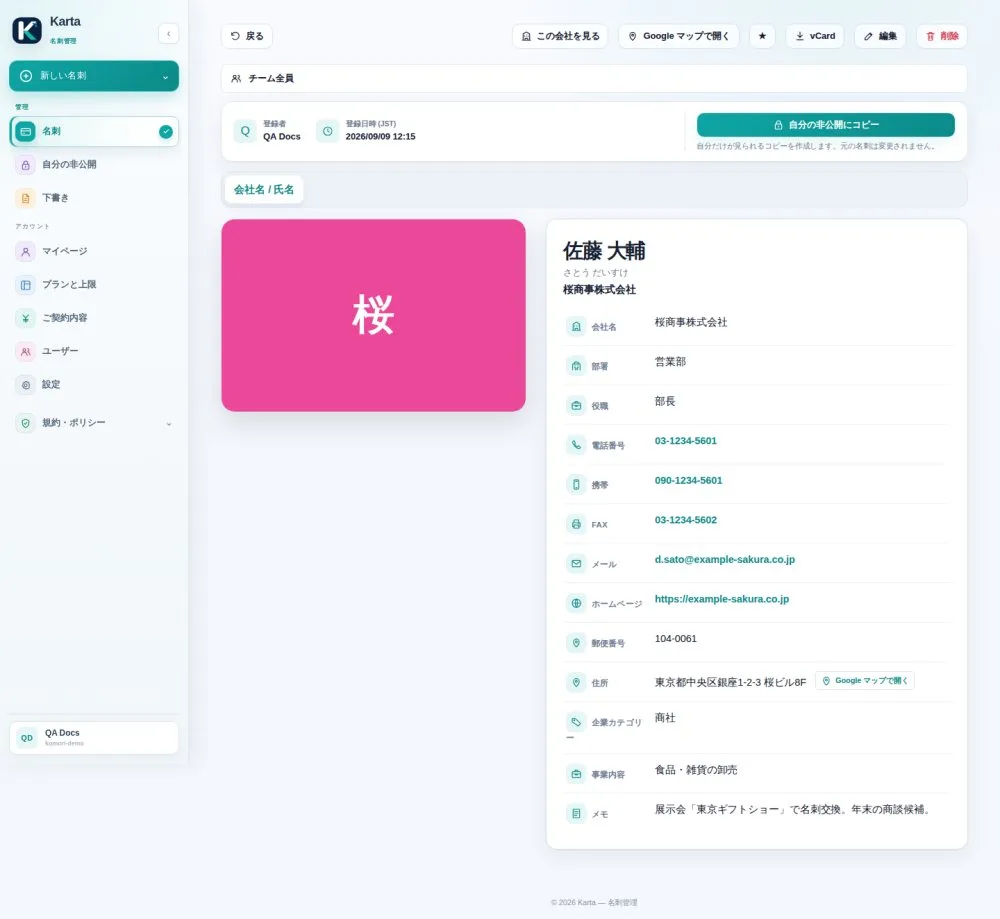
Tap a card to see company, department, title, phones, email and address in one place. On this screen you can:
- mark it as a favorite (★);
- download the vCard, a file your phone imports straight into contacts;
- open the address in Google Maps;
- edit the card, if you added it yourself or it is shared with the team.