Karta · Pantallas y funciones
Card companies and importing contacts
See cards grouped by company, and bring in many contacts at once from a vCard or CSV file.
Este artículo aún no está traducido a su idioma: se muestra la versión en English.
En esta página
Card companies
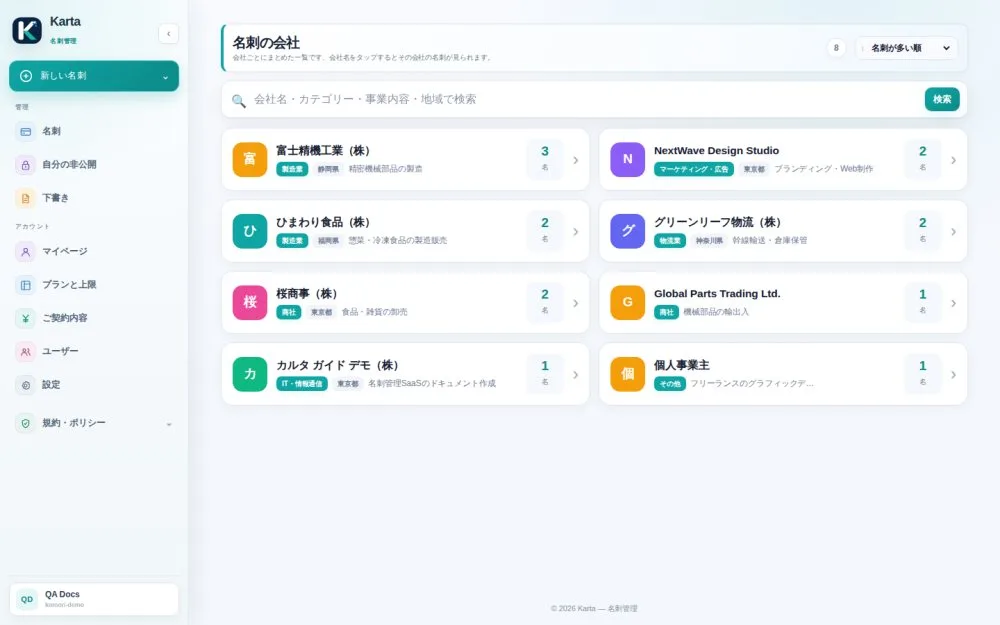
Karta builds a list of companies automatically from the cards on file, so you see everyone from the same company in one place.
- Open Card companies.
- Search by name, category, line of business or area, or change the order in the dropdown at the top right.
- Tap a company. At the top you get a summary of what is known about it (address, estimated size, when available); below, every card from that company, ordered by job title.
Import contacts from other services
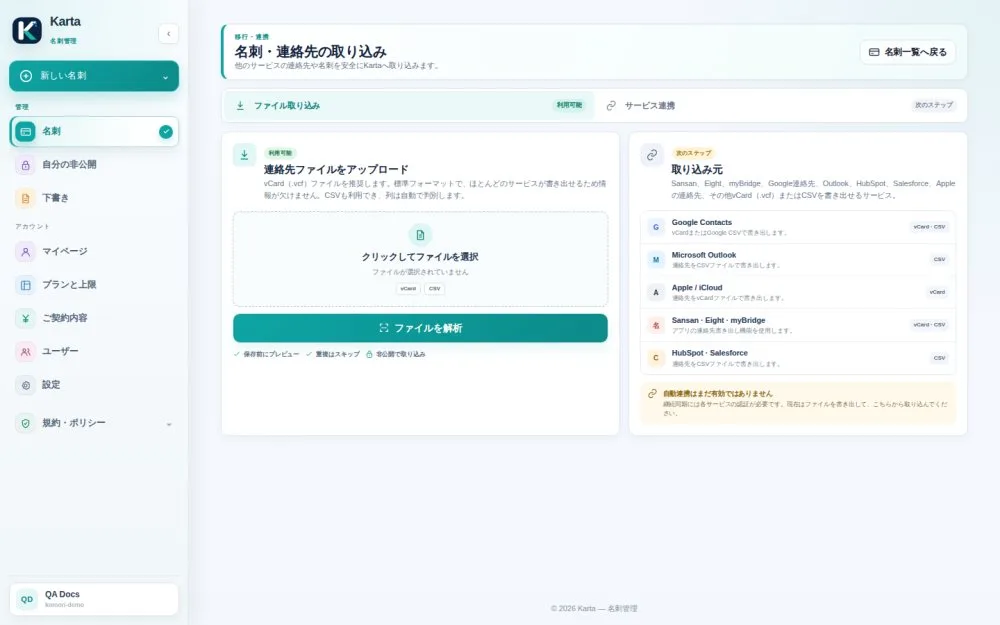
Bring in many contacts at once from a vCard (.vcf) or CSV file exported from another service (for example Google Contacts, Outlook, iCloud or another card manager).
- Export the contacts from the other service as vCard or CSV.
- In Karta, open the import screen and choose the file.
- Tap analyze. Nothing is saved yet: a preview shows what was recognized and what was ignored.
- Check only the contacts you want and review them.
- Tap Confirm. Only then do they become cards.