











KOLOGY Software Pro · Mga screen at feature
Sync and working offline
Pro saves to the computer first and syncs with the cloud when connected; without internet, work goes on.
Hindi pa naisasalin ang artikulong ito sa inyong wika: ipinapakita ang bersyong English.
Sa pahinang ito
KOLOGY Software Pro is “local first”: everything you do is saved on the computer before anything else. When your installation is linked to the KOLOGY Software Pro cloud (set up at deployment), changes are sent and received automatically. That is how drivers and customers in the browser and the office on Windows see the same data.
Where to see it
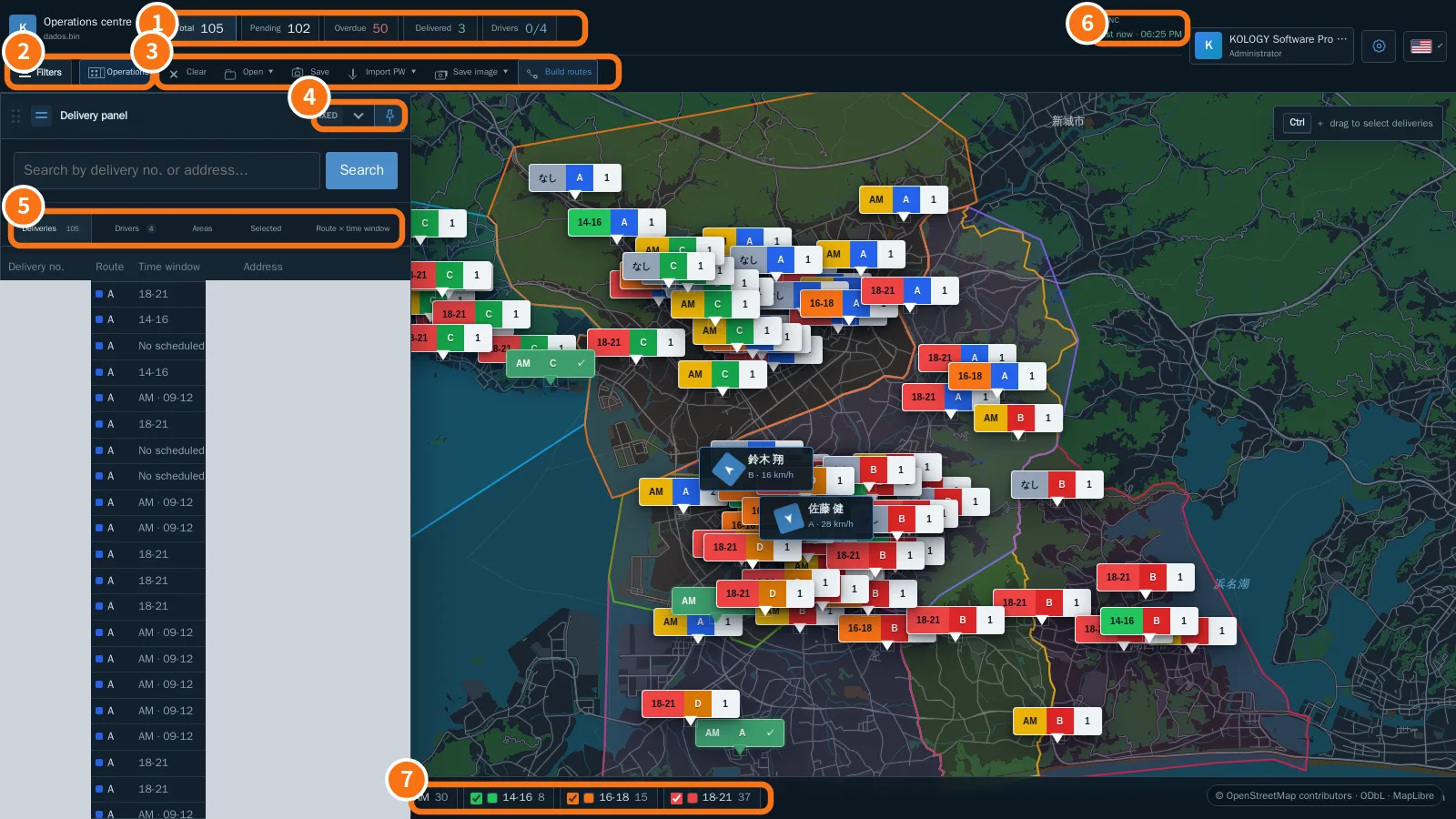
On the map, the Sync indicator at the top (⑥ in the image) shows “just now” when up to date, or “offline” when the internet is down.
How it works
- The program tries to sync every 15 seconds and right after creating external invitations.
- What travels: drivers, users, batches, deliveries, completions, photos, location, schedule, customers and invitations (and profile data).
- Each record has its own identifier, so resending the queue never duplicates deliveries or records.
- If the same information changes at the same time in two places, the already-synced version wins and the difference is logged.
- Passwords never travel in clear text, and first-access and recovery links work once and for one hour.
What to do when the internet drops
- Keep working on Windows: map, editing, import and office completions all work.
- The indicator shows “offline”. Nothing is lost: changes wait in a queue.
- When the connection returns, the queue is sent automatically. Check the indicator is back to “just now”.
- Completions and photos recorded by drivers in the browser reach the office after both sides have synced.
Common mistakes
- Stays “offline” while the internet works: a company firewall or proxy may be blocking it. Ask IT to allow the program.
- A driver's completion is late: the driver's phone may have no signal; it arrives when they reconnect.
Related questions
- Operations centre
- Backup, restore and safe updates
- Pro common problems