











KoCAD
Lightweight 2D/3D manufacturing CAD linked to KOREOS cases.
Mga screen at feature
LahatMga daloy ng trabaho 13Pagsisimula 1Mga screen · ribbon tab 11Mga screen · panel, window at menu 6Engineering 3
Mga daloy ng trabaho
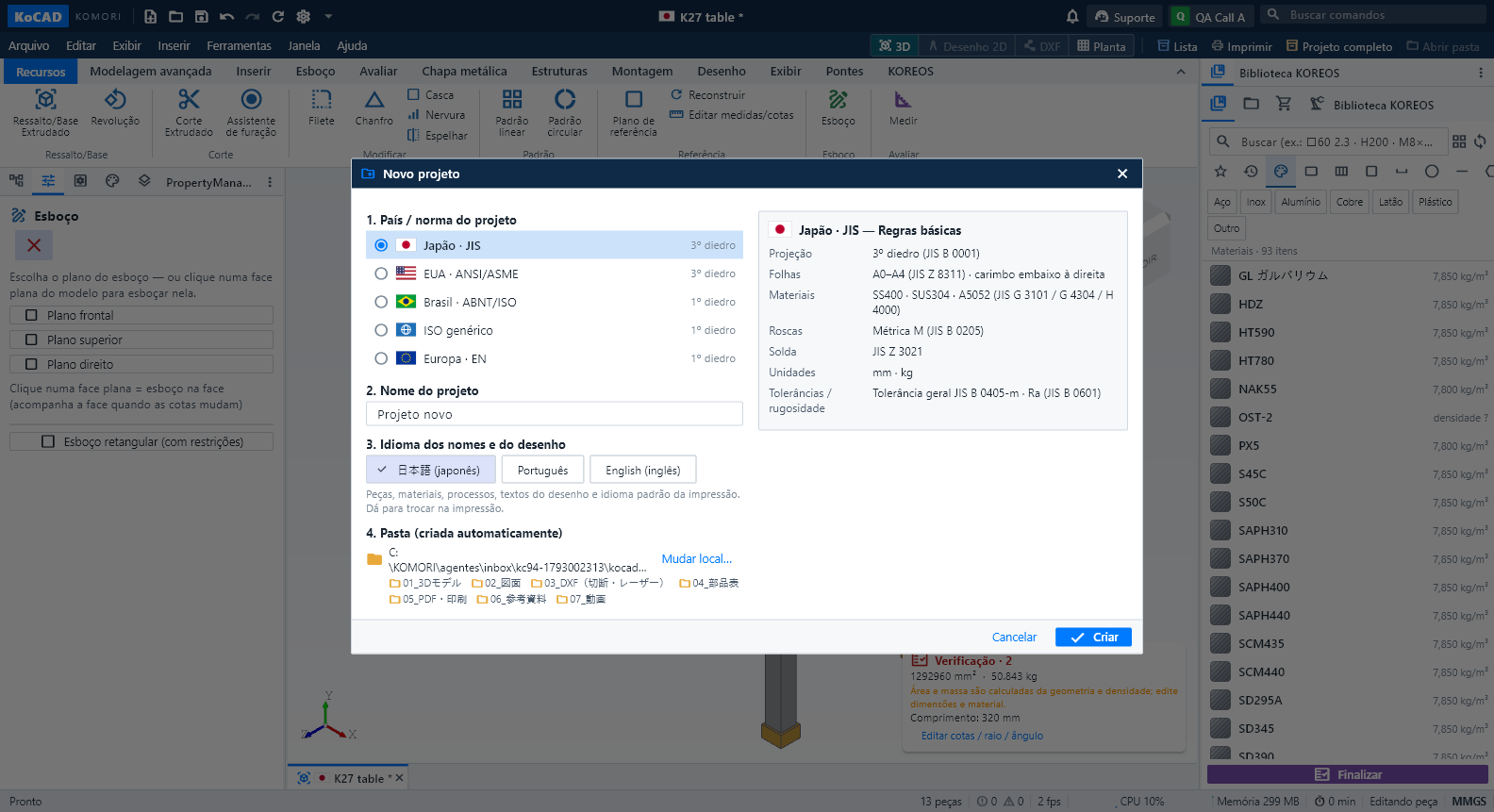 Projects start with country/standard, automatic folder, DXF always, live print previewNew (Ctrl+N), New assembly and New drawing start with the same question: the country / standard of the project — Japan · JIS, USA · ANSI/ASME, Brazil · ABNT/ISO, generic ISO or Europe · EN. A second column summarises its basic rules: projection (JIS and ASME third angle; ABNT, ISO and EN first angle), sheets, materials, threads, welding, units and tolerances. Only JIS has a material catalogue for now; for the others KoCAD says so and never uses JIS data unless you choose it.English
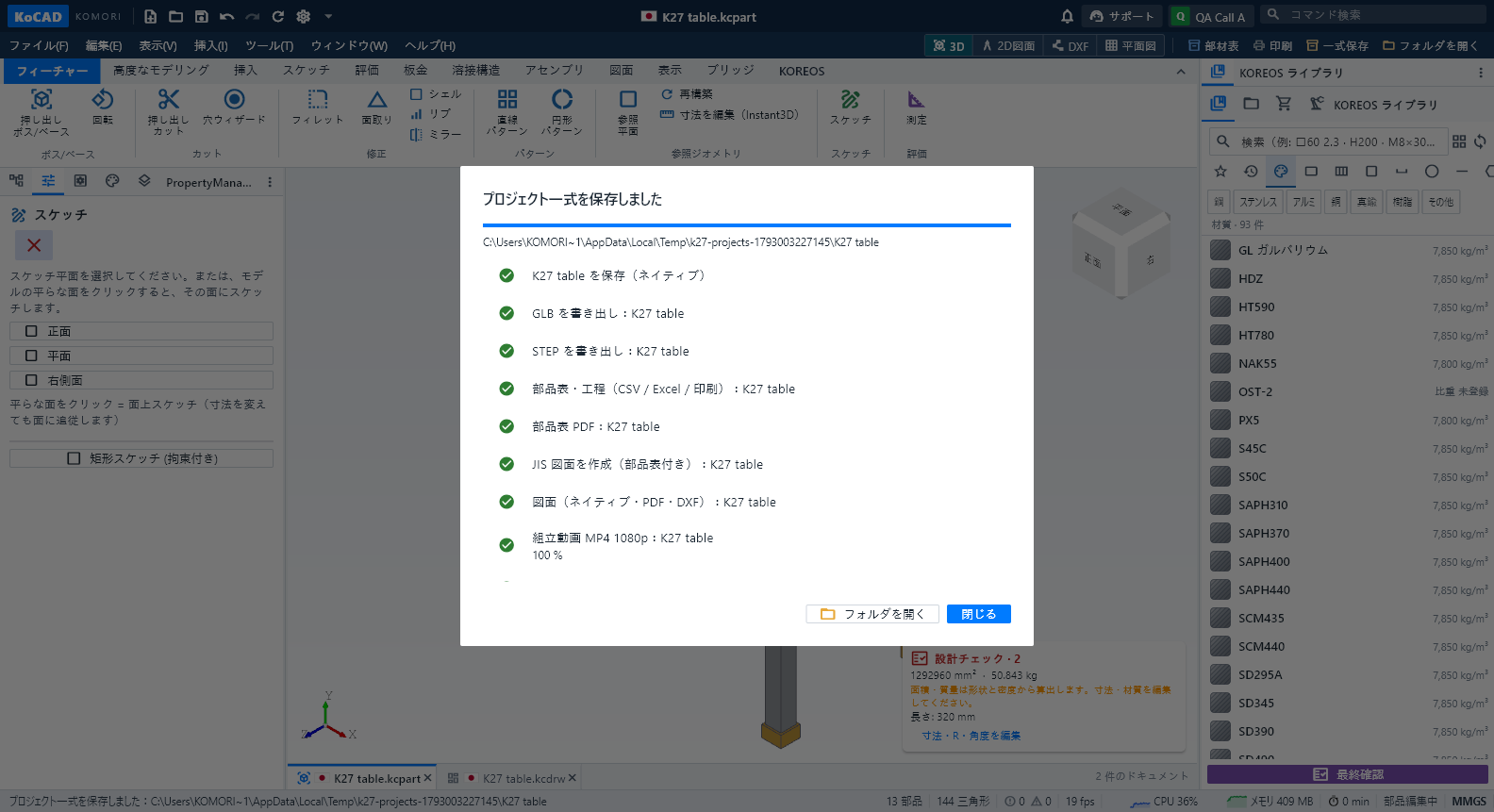 Save and open the complete project (every file, always current)File › Save complete project (or the "Complete project" button next to Print and Open folder) writes everything into the project folder: native parts and assemblies in 01_3Dモデル (with GLB and STEP), native 2D drawings in 02_図面 with their PDF in 05_PDF・印刷, the drawing DXF and each sheet part's cutting/flat DXF in 03_DXF(切断・レーザー), bill of materials and processes as CSV, Excel, PDF and prints in 04_部品表, and the construction film as MP4 1080p in 07_動画 (plus the exploded-view filmEnglish
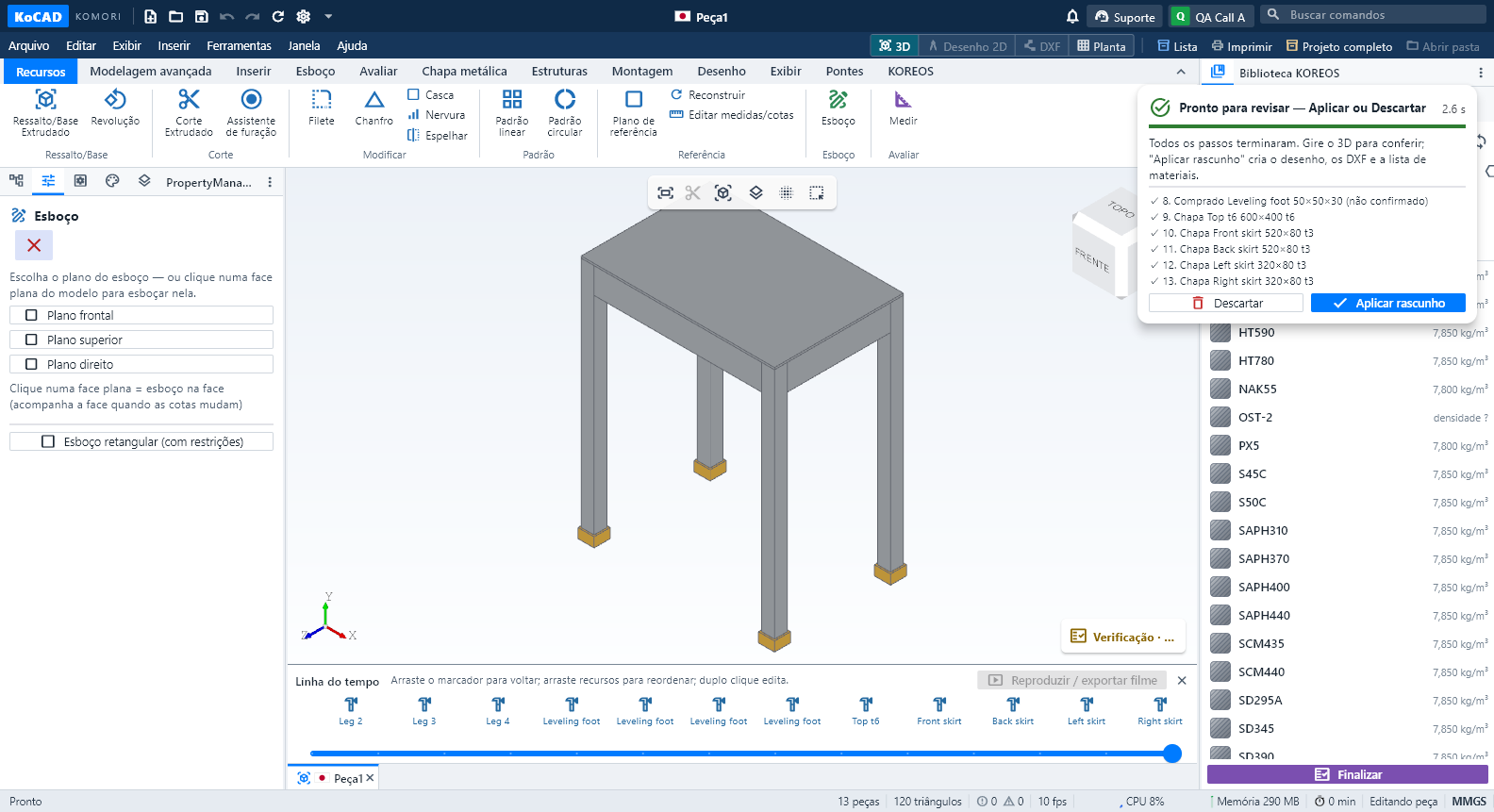 Live AI generation: premises from the standard, real steps, ready to reviewEngineering premises come from the project's country/standard and appear collapsed: "Premises: Japan · JIS standard (edit)" with chips (SS400, plate t3.2/t4.5, tube □40×40×2.3, M8 Ø9 hole…). Click to edit the text; "Back to default" restores it. In a US, Brazil, ISO or EN project the premises change (A36, UNC, NBR, S235…) and are marked to confirm while those standards have no catalogue.English
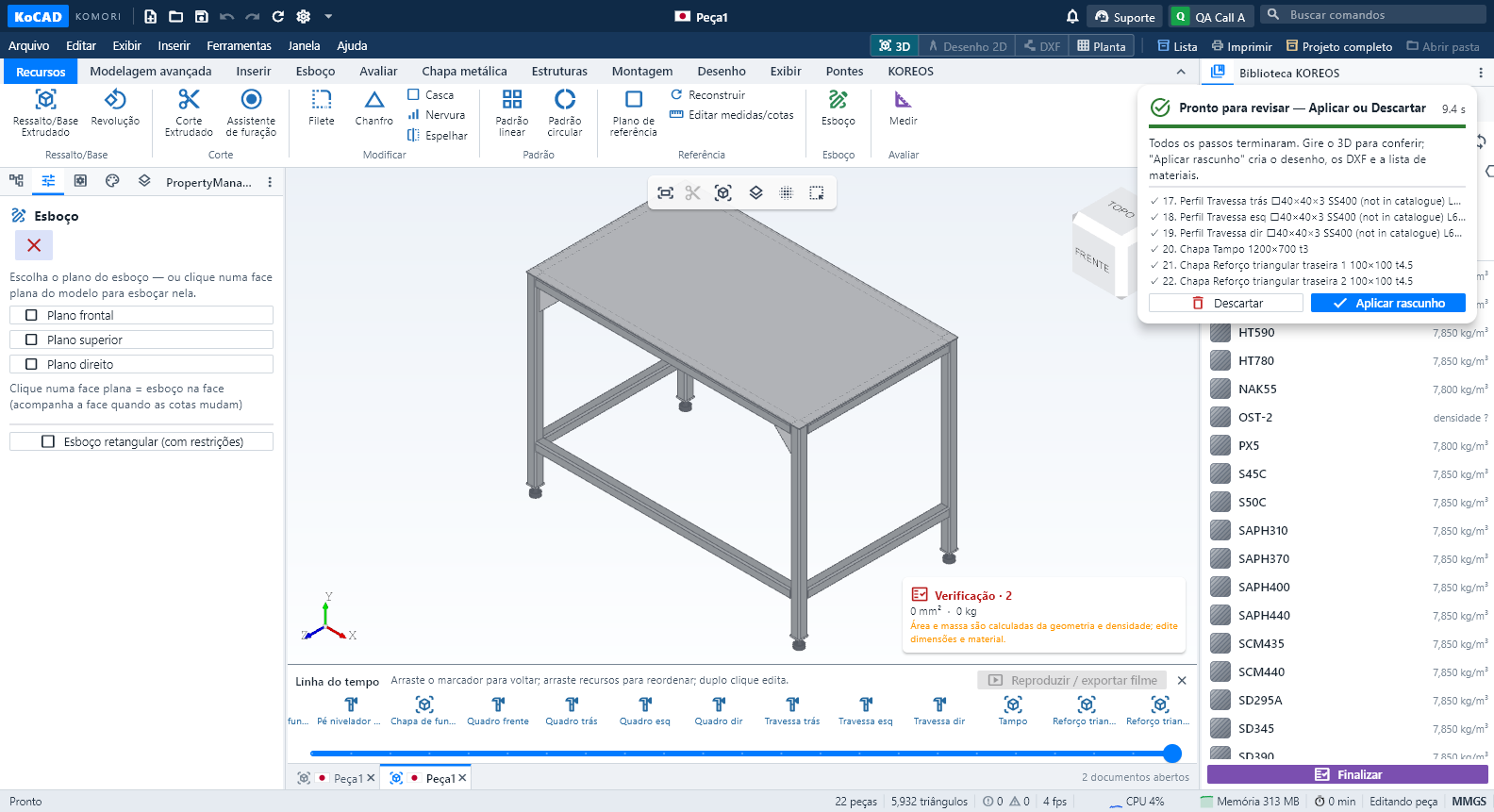 Generate with AI like an engineer: premises, patterns and real-model inspectionIn Generate with AI (or by asking Bob), write the request as usual, for example: "Welded workbench 1200 × 700 × 850 mm total height with feet, SS400, 4 legs 40×40×3 tube, top frame, rails 200 mm from the floor, braces in the rear corners, 3 mm top plate, 4 leveling feet".English
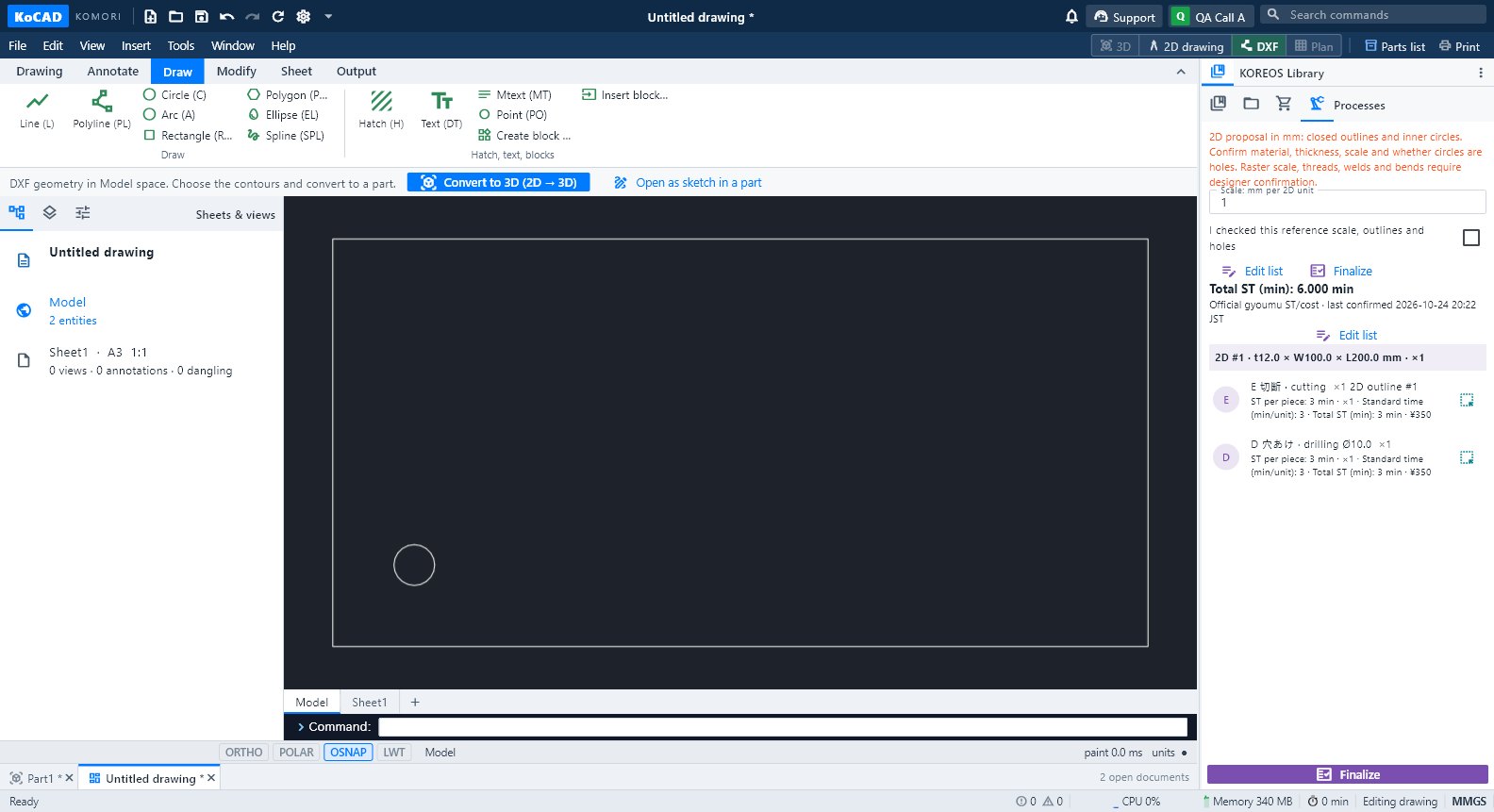 Daloy: mula drawing (larawan, PDF, DXF, DWG) hanggang 3D na modeloTatlong paraan: i-trace ang larawan, i-convert ang DXF/DWG (2D → 3D) o hilingin sa AI — laging may preview bago i-apply.
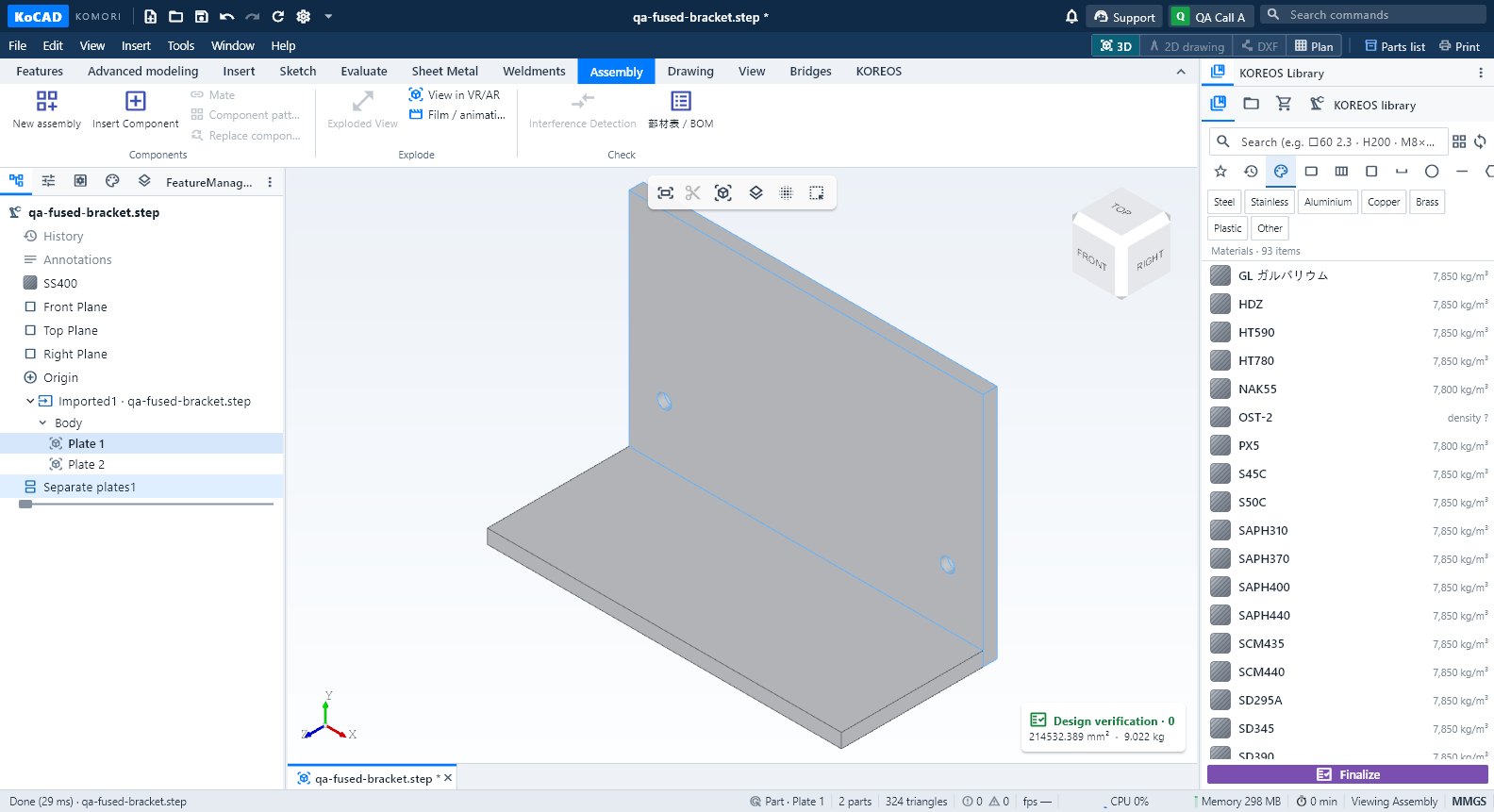 Daloy: mag-import ng STEP, SolidWorks o GLB at paghiwalayin ang mga piyesaBuksan ang STEP assembly, suriin ang bawat piyesa, hatiin ang isang welded solid sa mga piyesa, at ang pagkakaiba ng GLB/OBJ/STL.
 Daloy: sheet metal → flat pattern → DXF ng laser → nestingSheet rules (K = 0.44), Flatten, flat DXF para sa laser (AM_0/AM_3/AM_5) at Sheets: ilang plate ang bibilhin at ang cutting package.
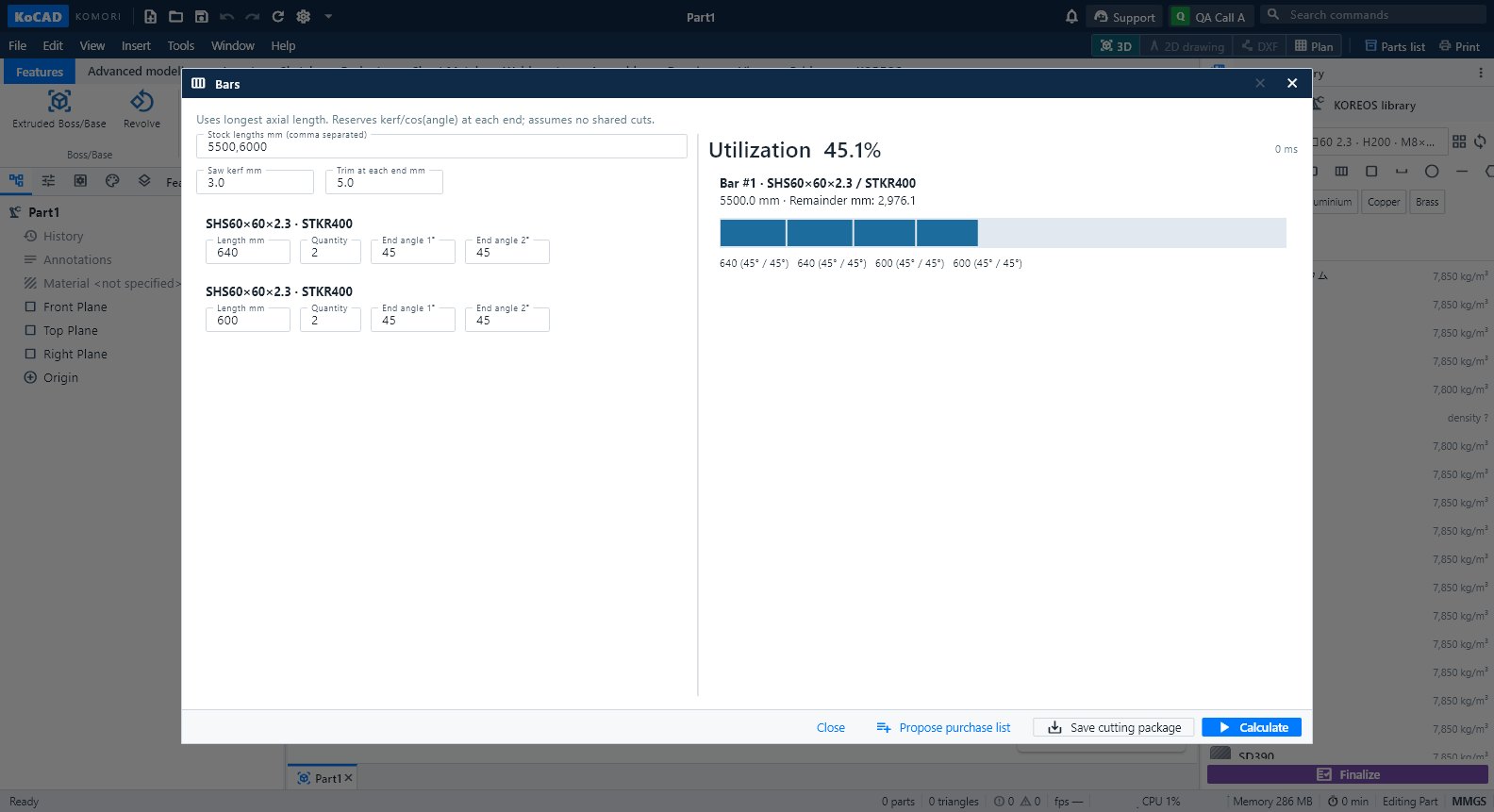 Daloy: weldment → cut list → mga bar na bibilhinMga member mula sa katalogo, kanto, gusset at weld; cut list na may anggulo; Bars para sa bilang ng 5.5/6 m na bar; proposal sa 部材表.
 Daloy: mag-assemble, mag-explode at gumawa ng drawing ng assemblyNew assembly → insert → mate → pattern → exploded view → BOM → drawing ng instruction na may balloons.
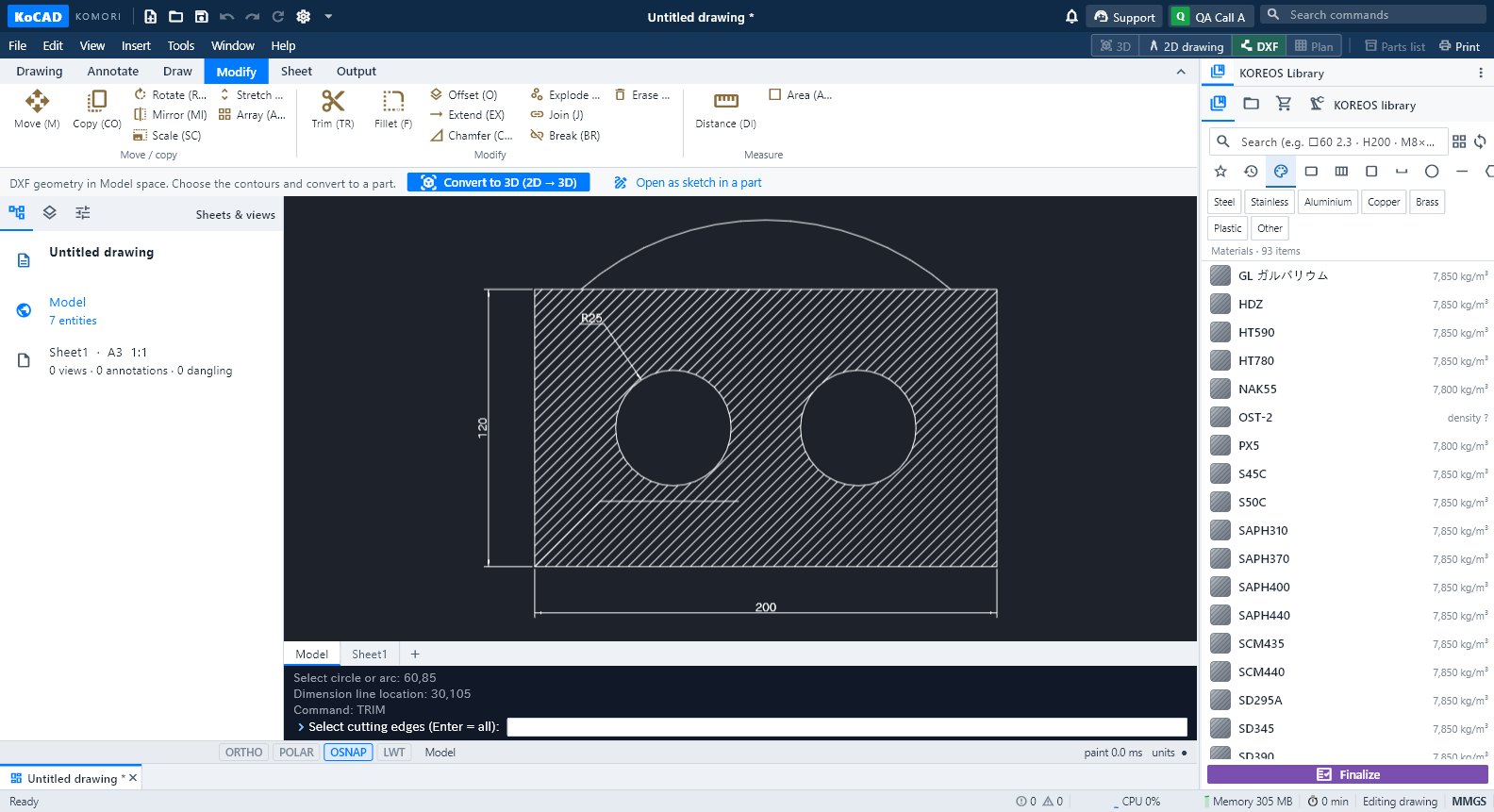 Daloy: JIS shop drawing hanggang PDF, DXF at printMula modelo hanggang sheet: view, auto dimension, hole callout, title block, Check, PDF/DXF/DWG, 1:1 na print at pag-save sa kaso.
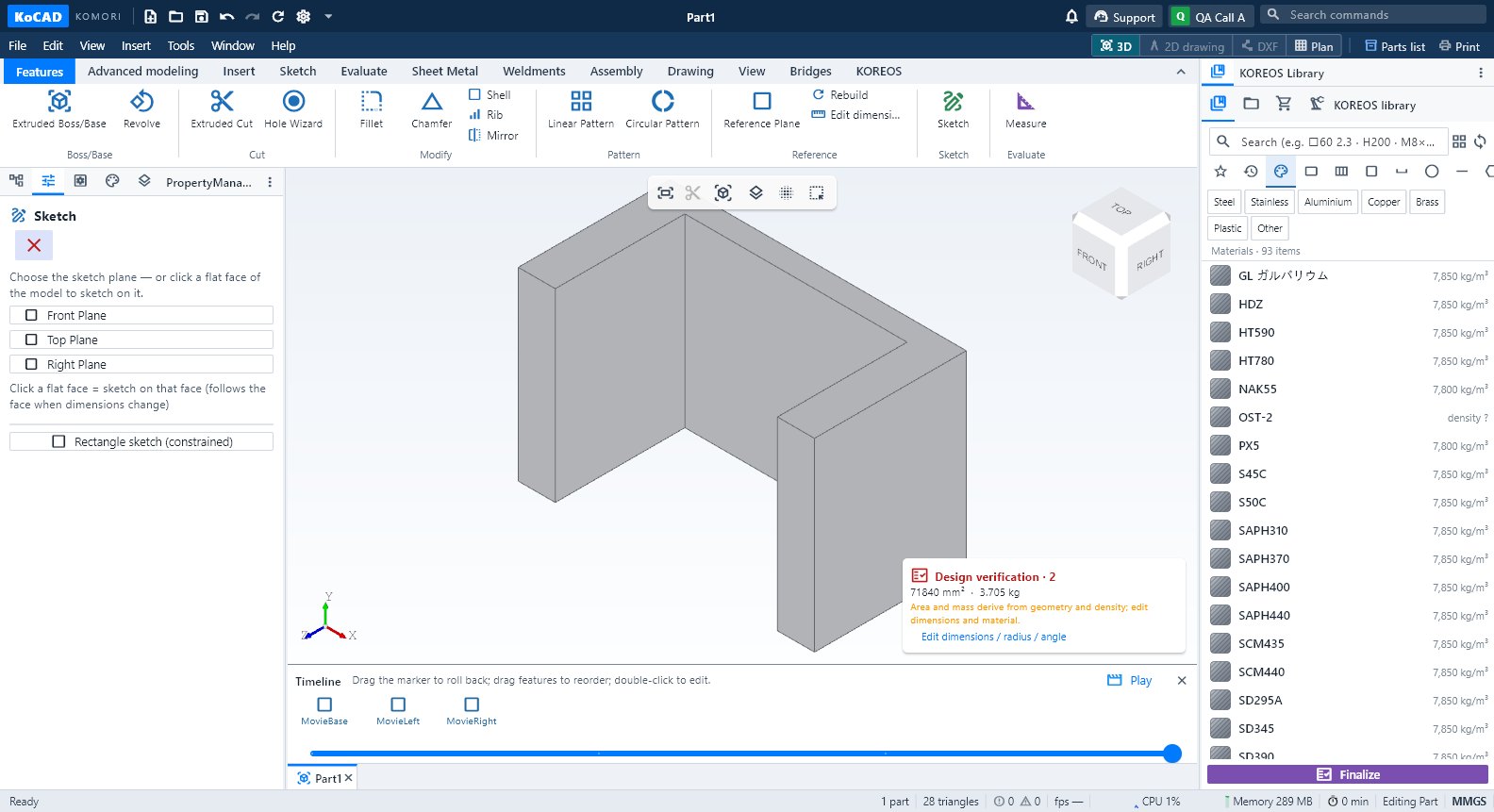 Daloy: pelikula ng pagbuo o ng assembly (MP4 / GIF)Timeline → Play: pagbuo bawat feature, exploded view o assembly; i-export ang MP4 720p/1080p o GIF, kahit offline.
 Daloy: tingnan sa VR/AR gamit ang QR at ang animation studioView in VR/AR: QR na may takdang oras para sa Quest o telepono, totoong laki 1:1, File o Live mode, studio at pag-revoke ng link.
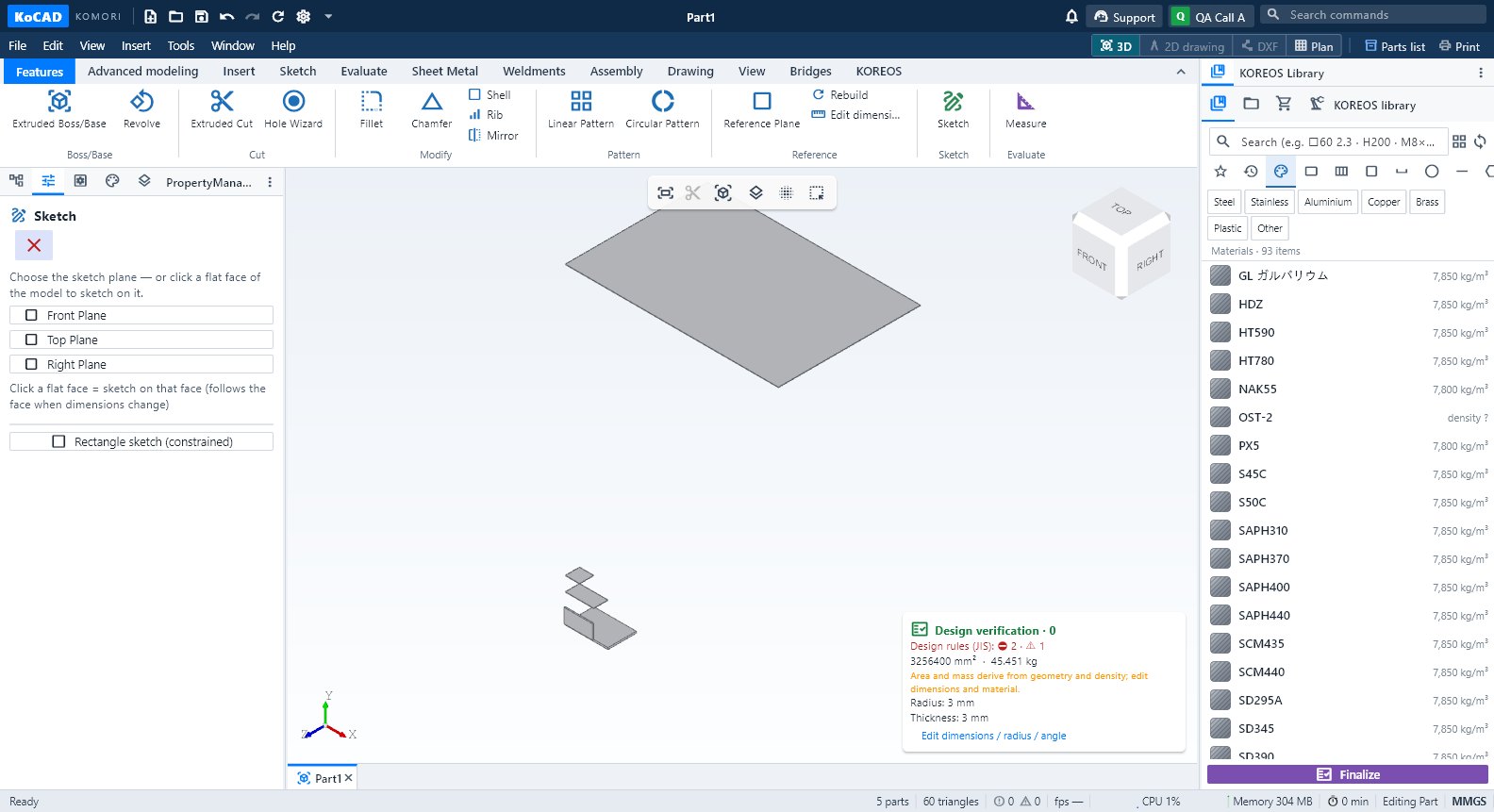 Daloy: suriin ang design rules (JIS) bago ang pagawaanDesign verification → design rules: butas, gilid, bolt, weld, materyal, guard rail at hagdan; Choose fastener; hinaharang ng Finalize ang error.
Pagsisimula
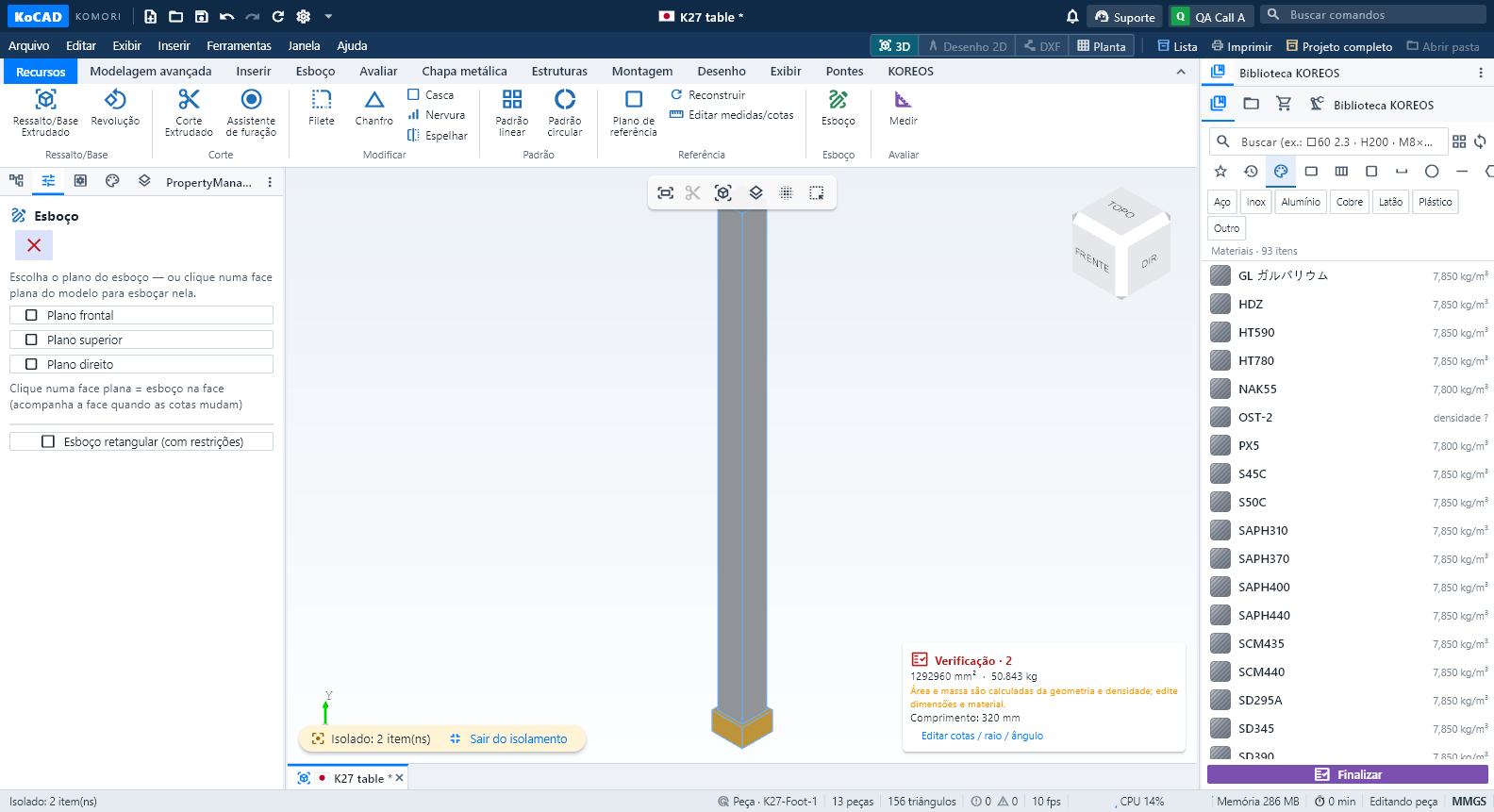
Mga screen · ribbon tab
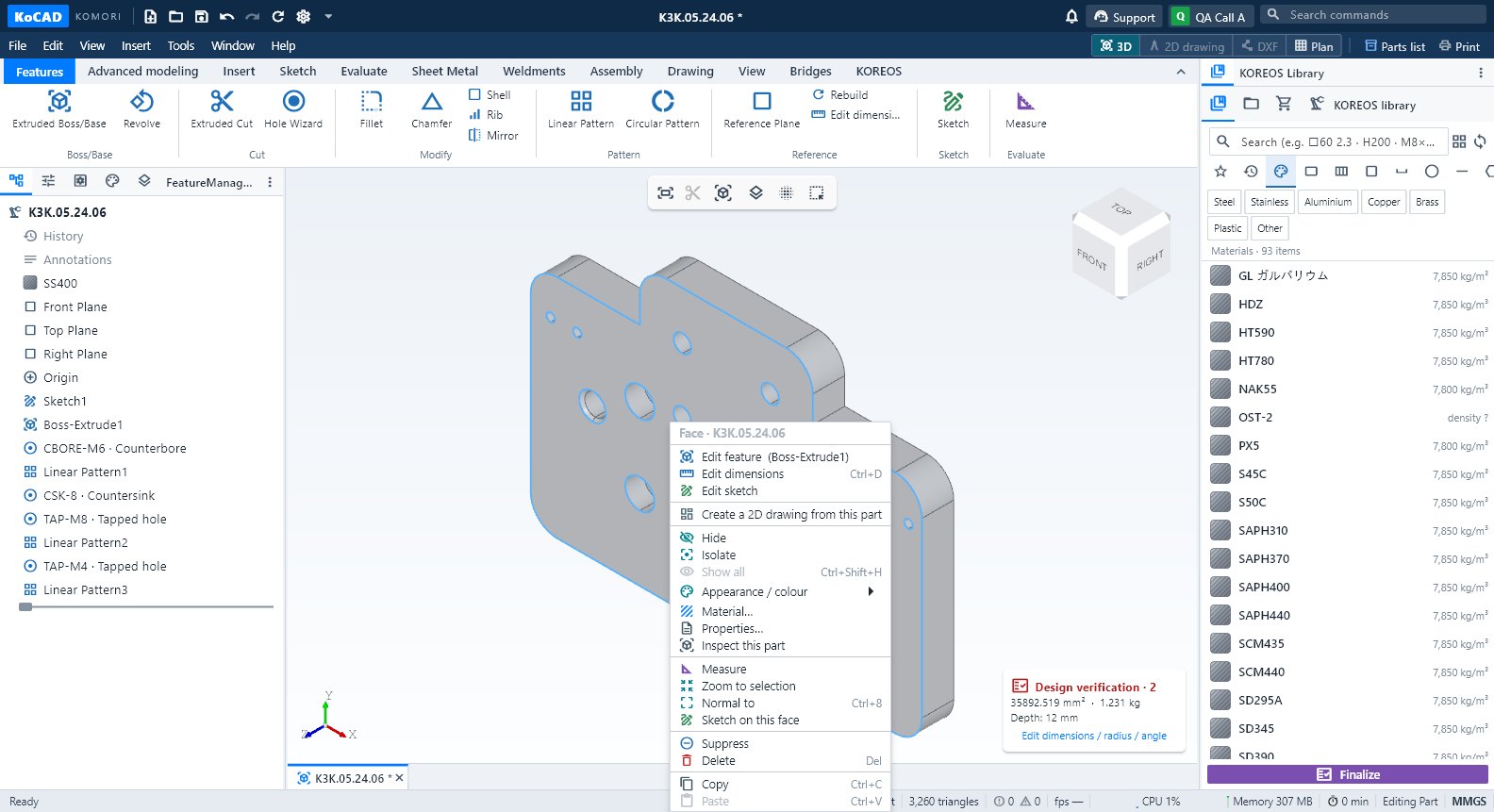 Tab na Features: extrude, cut, butas, fillet at patternPang-araw-araw na command: Extruded Boss/Base, Revolve, Extruded Cut, Hole Wizard, Fillet, Chamfer, Shell, Rib, Mirror, Pattern at Reference Plane.
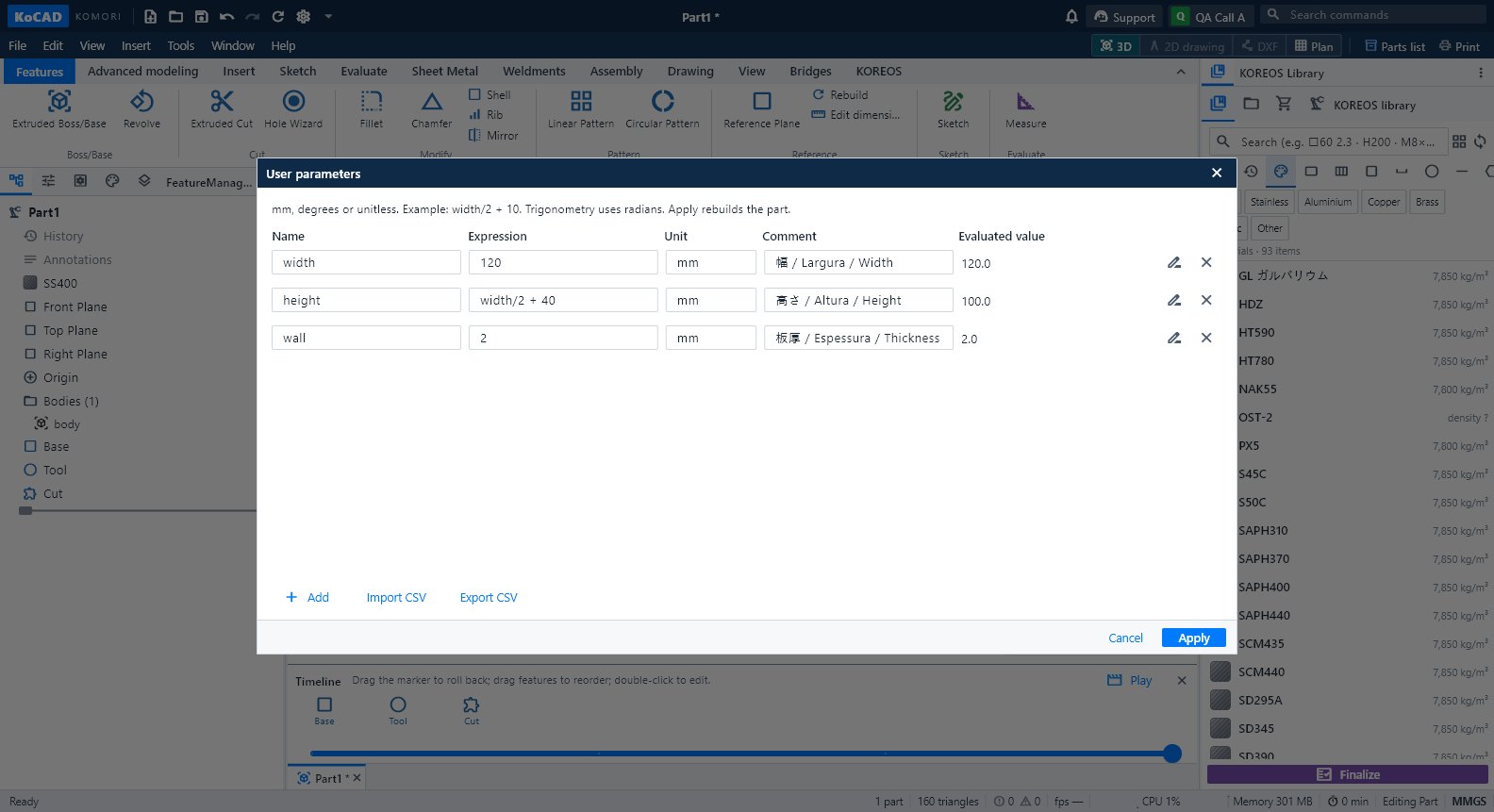 Tab na Advanced modeling: parameter, timeline, body at AIUser parameters na may formula, Timeline, Sweep, Loft, combine/move/split body at grupong Generate with AI.
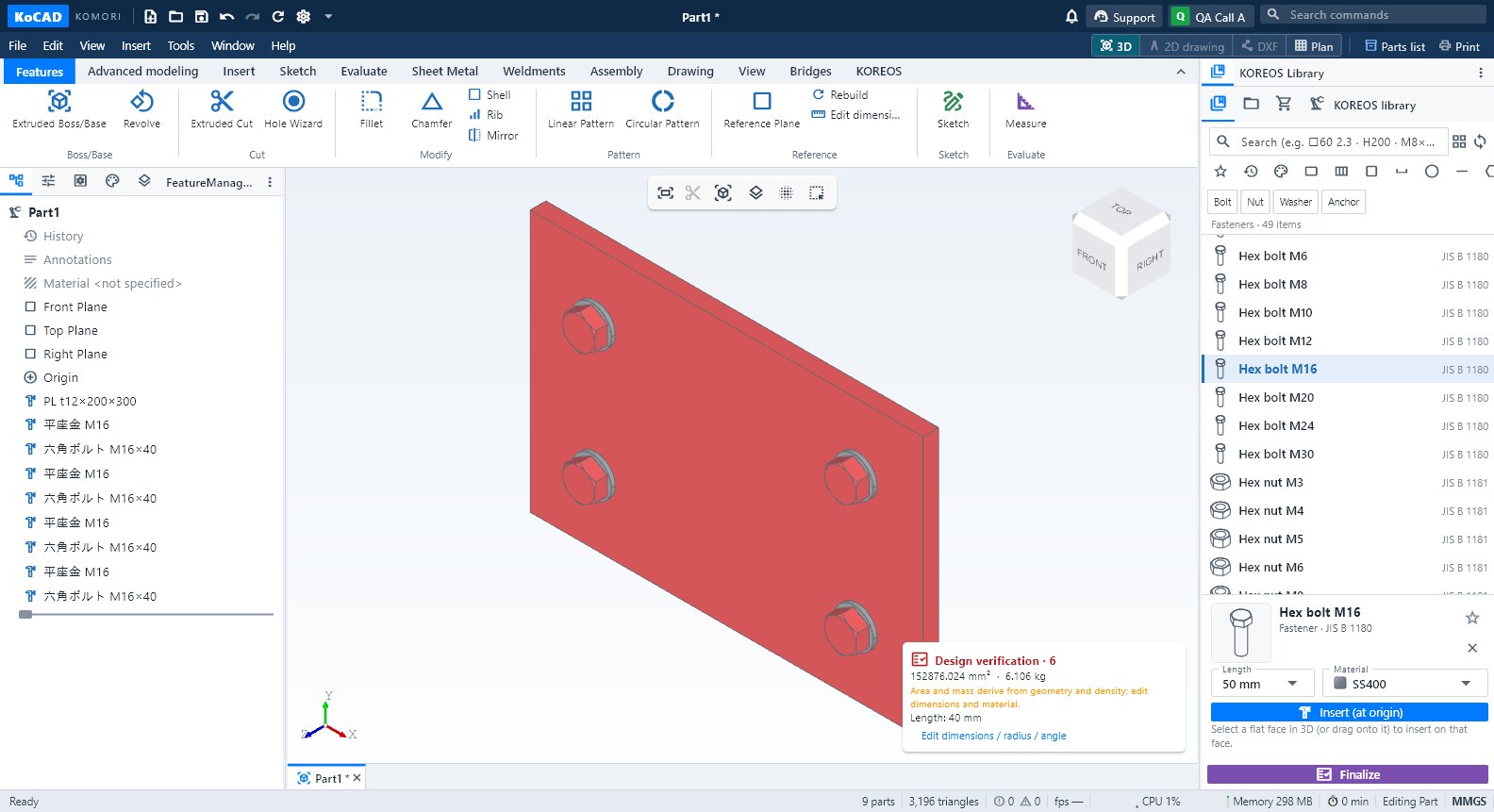 Tab na Insert: standard parts, materyales at memberStandard parts (bolt, nut, washer, bearing…), KOREOS Materials at Structural Member mula sa library ng kumpanya.
 Tab na Sketch: gumuhit, sukatin at mag-trace ng larawanLine, Rectangle, Circle, arc, Spline, Point, Centerline; Smart Dimension (D); Rectangle sketch (constrained); Image reference na naka-calibrate sa dalawang punto.
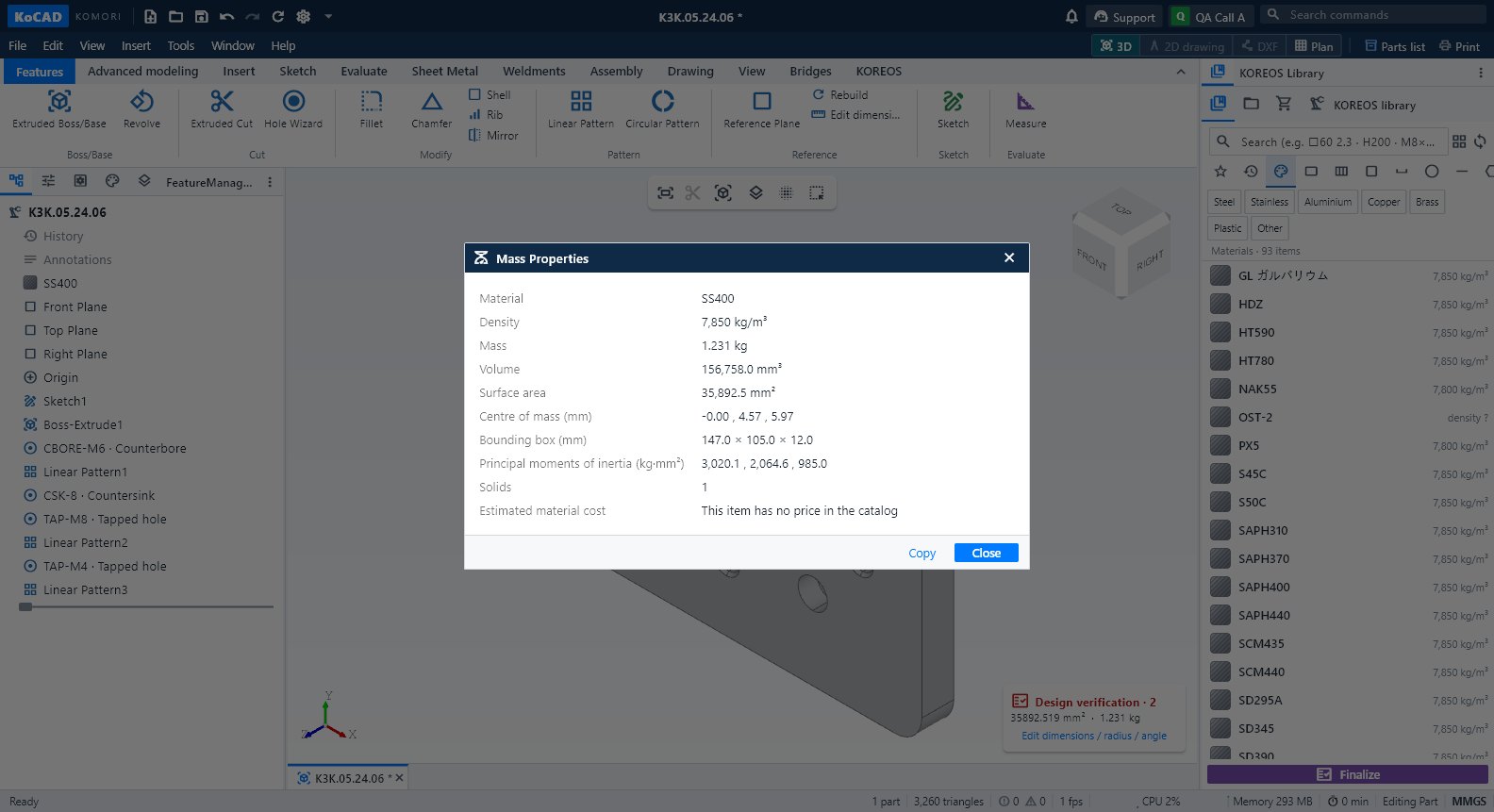 Tab na Evaluate: sukat, mass, verification, interference at gastosMeasure, Mass Properties, Design verification, Section View, Interference Detection, sheet-metal check at Process cost.
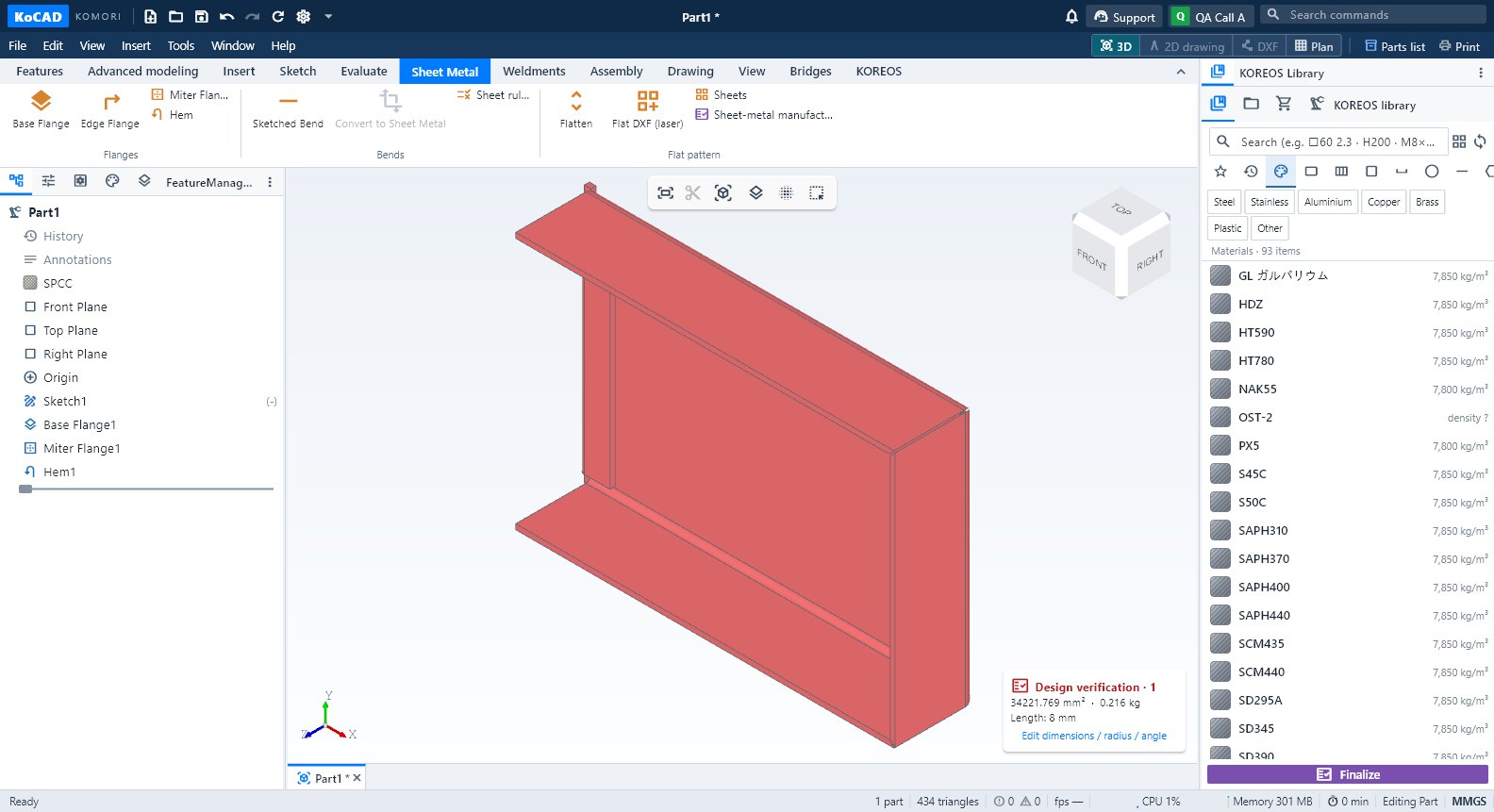 Tab na Sheet Metal: flange, bend, flat pattern at DXF para sa laserBase/Edge/Miter Flange, Hem, Sketched Bend, Convert to Sheet Metal, Sheet rules (K = 0.44), Flatten, Flat DXF (laser), Sheets at manufacturability.
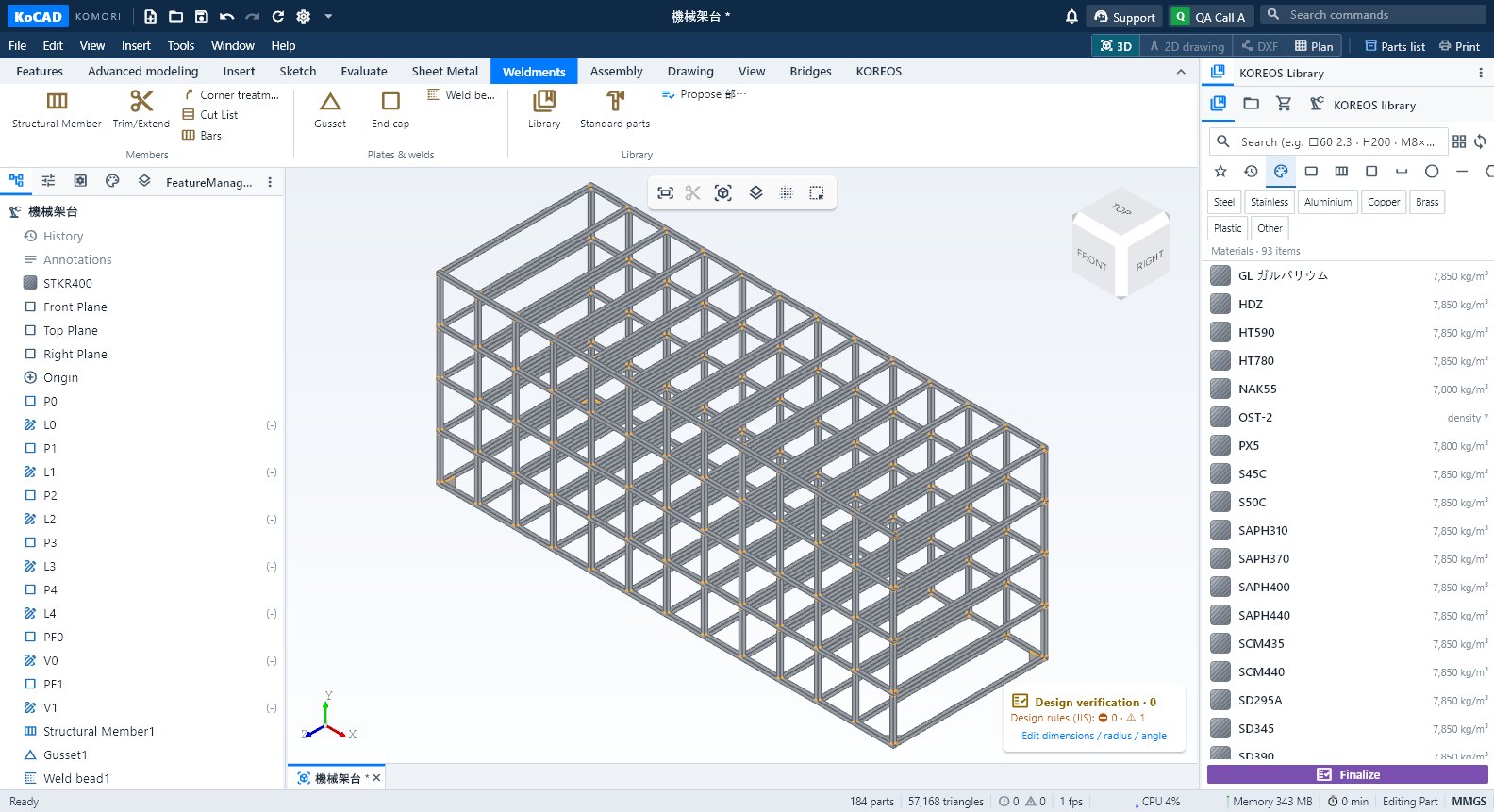 Tab na Weldments: member, gusset, weld at cut listStructural Member, Trim/Extend, Corner treatment, Cut List, Bars, Gusset, End cap, Weld bead, Library, Standard parts at Propose 部材表.
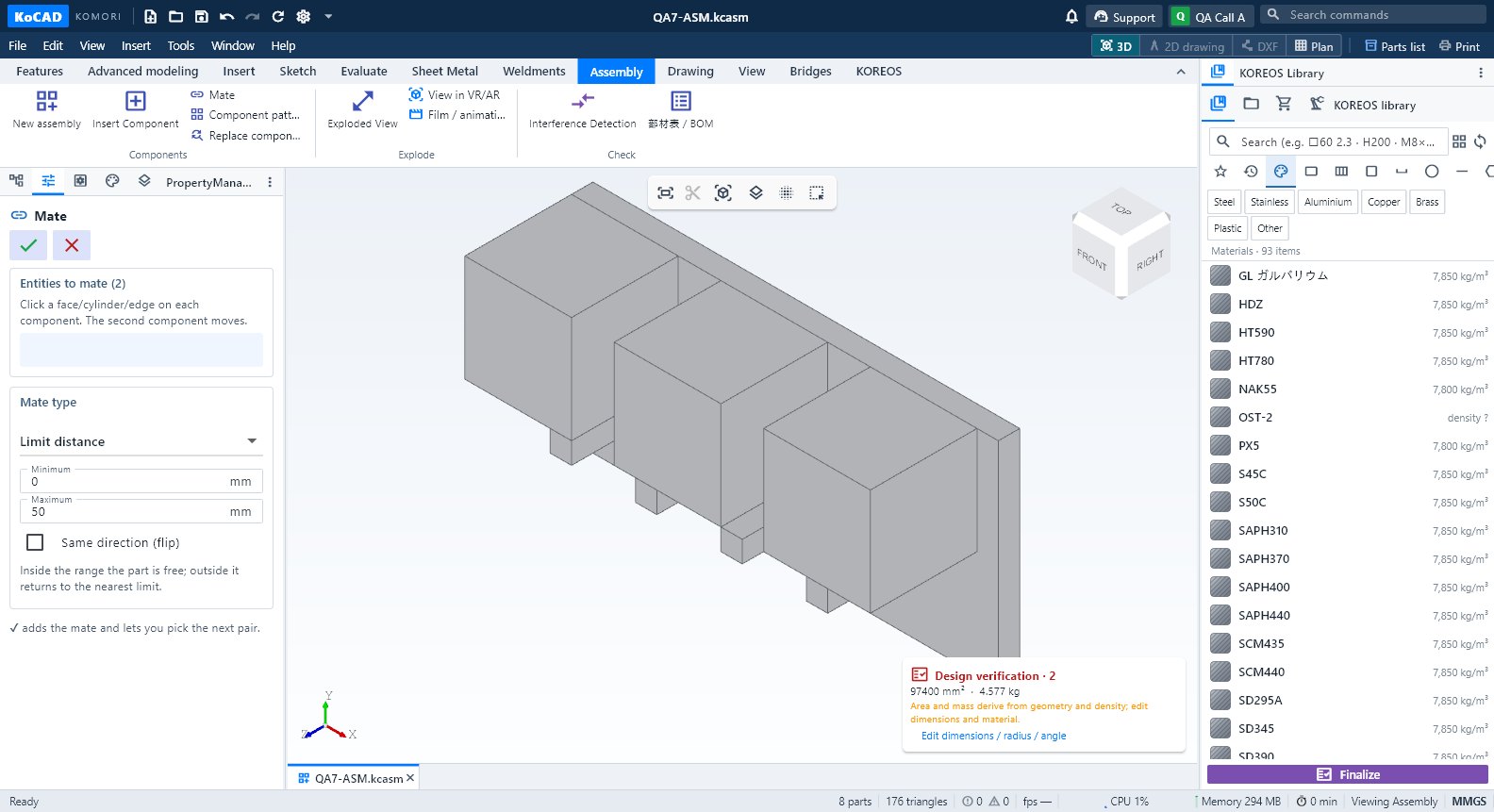 Tab na Assembly: component, mate, exploded view at BOMNew assembly, Insert Component, Mate, Component pattern, Replace component, Exploded View, VR/AR, Film, Interference at 部材表/BOM.
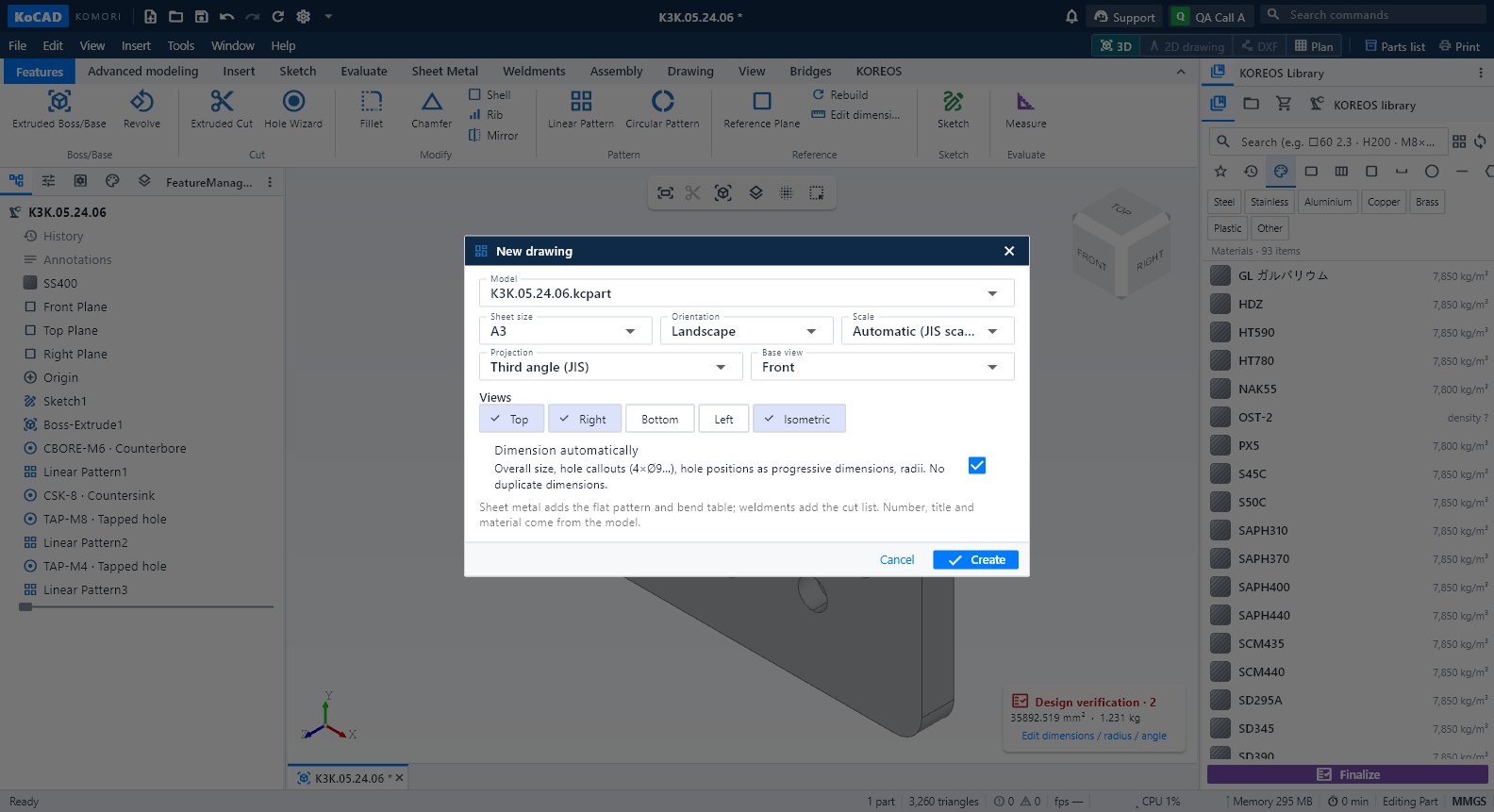 Tab na Drawing at ang 2D drawing workspaceCreate a 2D drawing from this part, New 2D drawing, 3-view DXF, flat DXF at DWG; sa loob ng drawing: Drawing, Annotate, Draw, Modify, Sheet at Output.
- Tab na View: oryentasyon, estilo, visibility at windowZoom to Fit (F), Normal to, mga standard view (Ctrl+1…7), display style, Section View, Hide/Isolate/Show all, detach, layout at dark theme.
 Tab na Bridges: SolidWorks, project folder at ibang programaOpen SolidWorks (.sldprt/.sldasm/.slddrw), Open project folder, STEP to SolidWorks at All bridges — opsyonal.
Mga screen · panel, window at menu
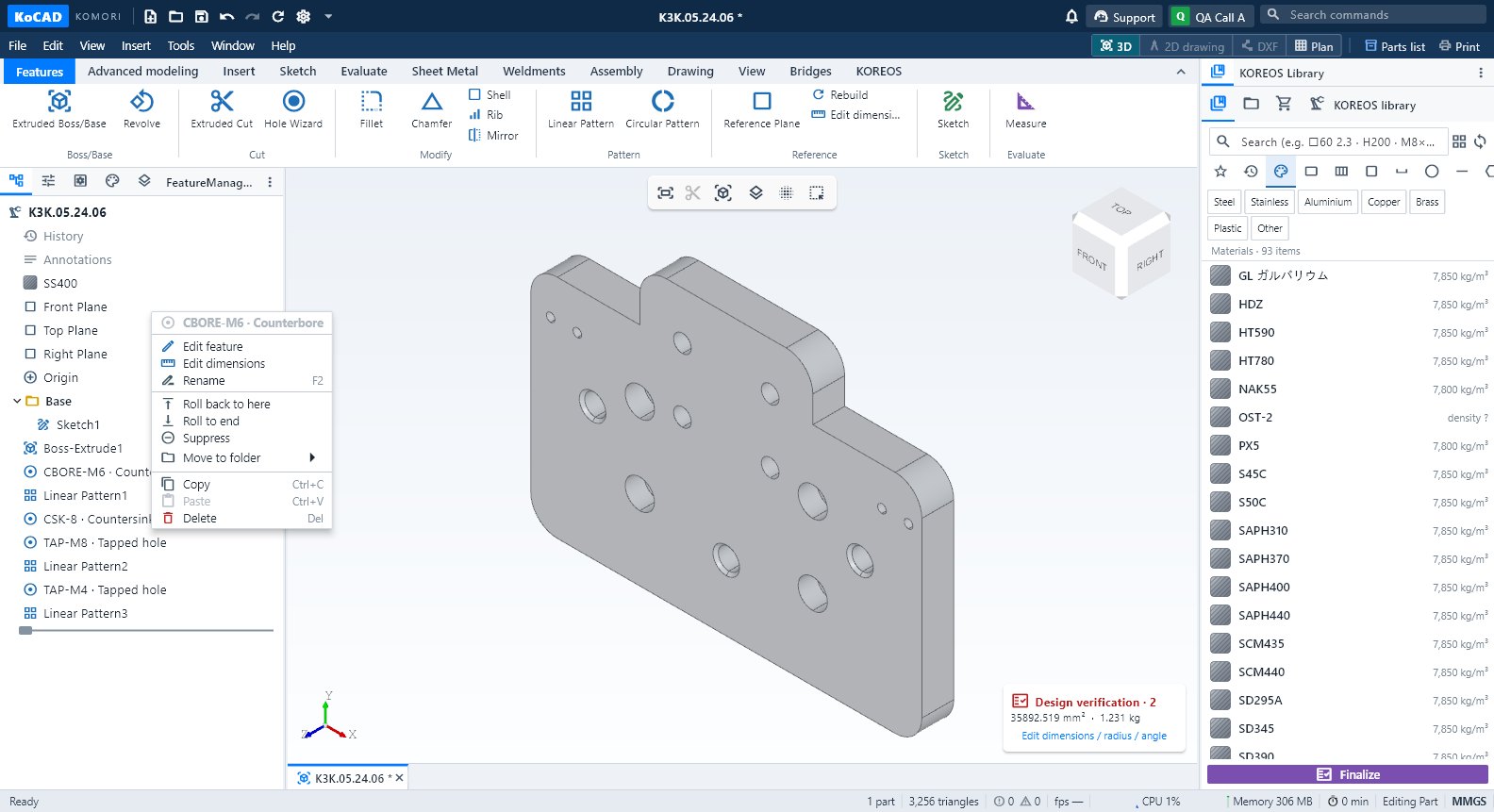 Design tree, PropertyManager at properties ng piyesaKaliwang panel: feature tree (edit, rename, roll back, suppress), PropertyManager, Configurations, DisplayManager at Layers.
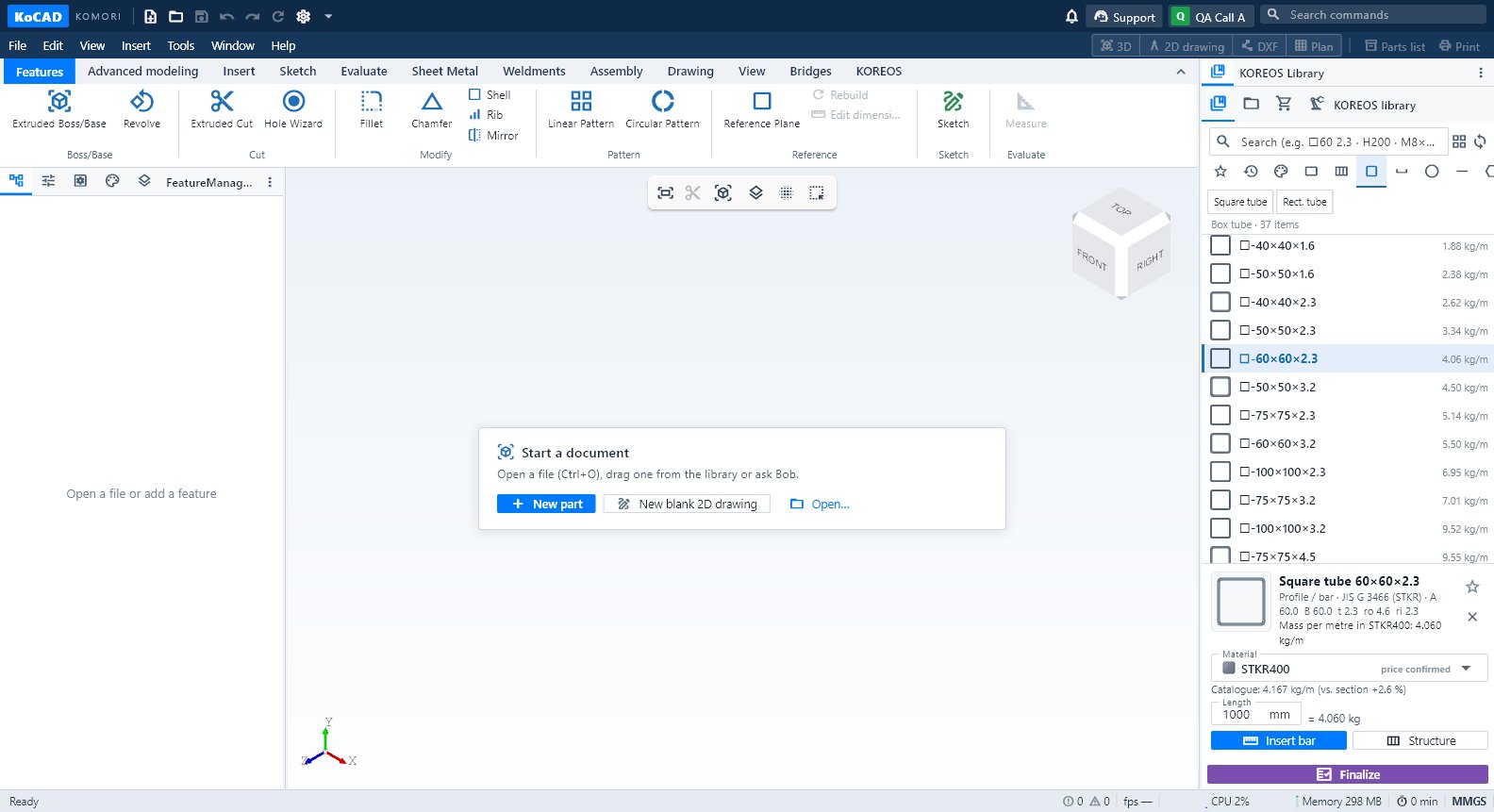 KOREOS Library: materyales, profile, piyesa at pag-drag sa modeloKanang panel: hanapin ang materyal, plate, bar, profile o bolt sa katalogo ng KOMORI at i-drag sa piyesa o sa 3D.
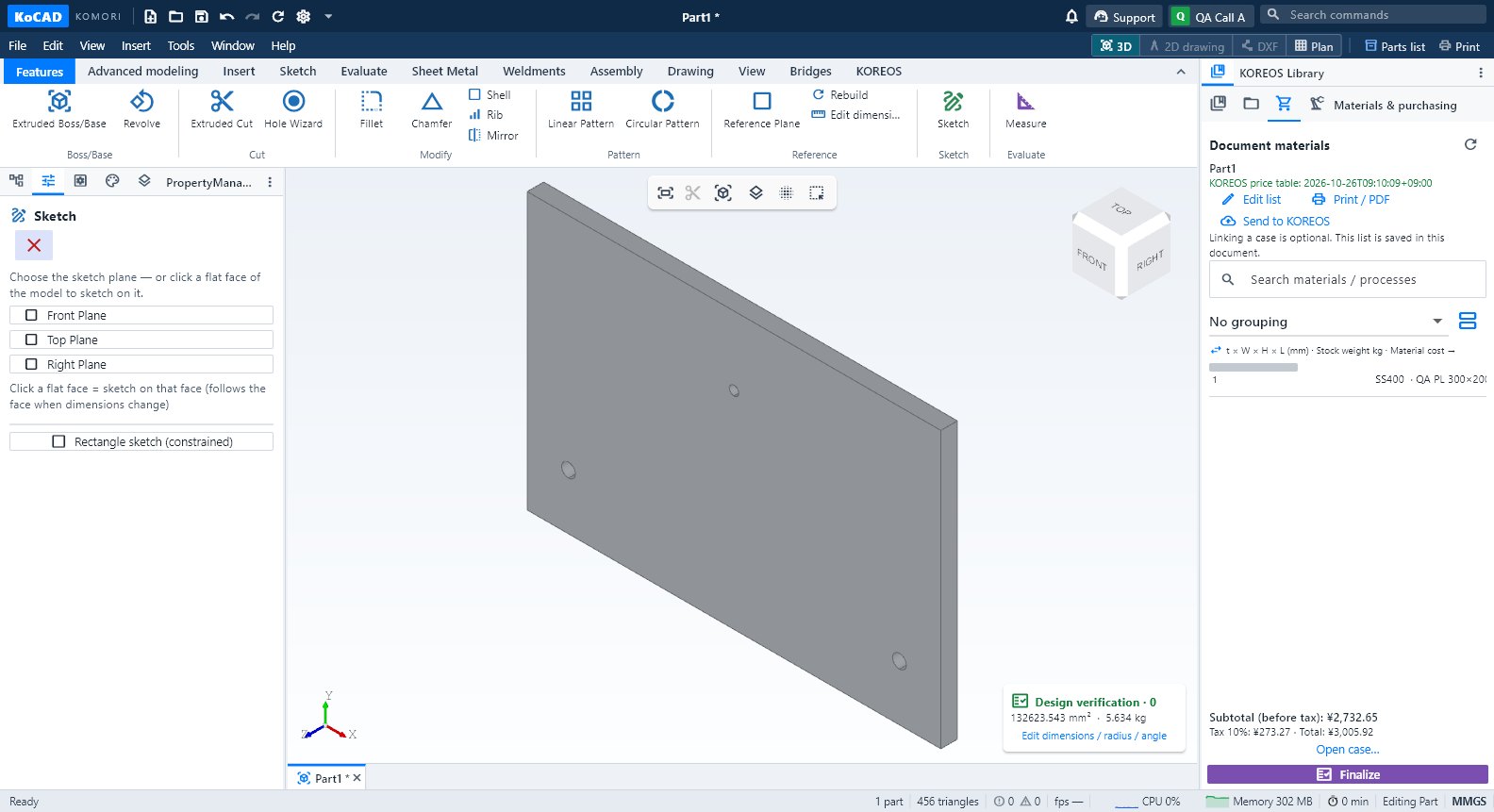 Materials & purchasing, Processes at ang button na FinalizeListahan ng materyales ng dokumento (edit, binili, presyo), proseso bawat piyesa at Finalize na may kulang at mga printout.
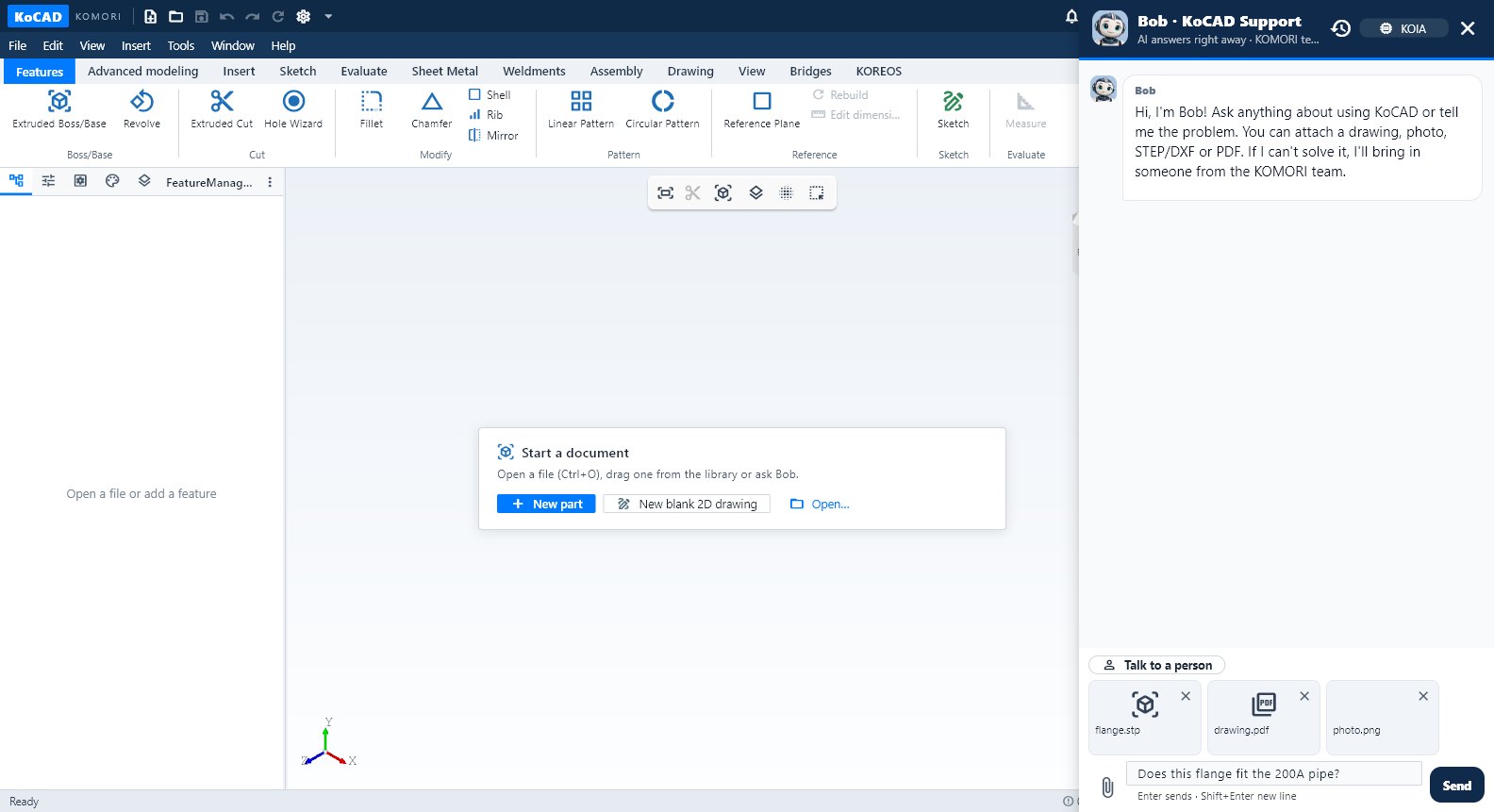 Si Bob at ang Support chatSumasagot si Bob gamit ang Wiki na ito, binabasa ang bukas na modelo, gumagawa ng planong masusuri at isinasagawa sa CAD.
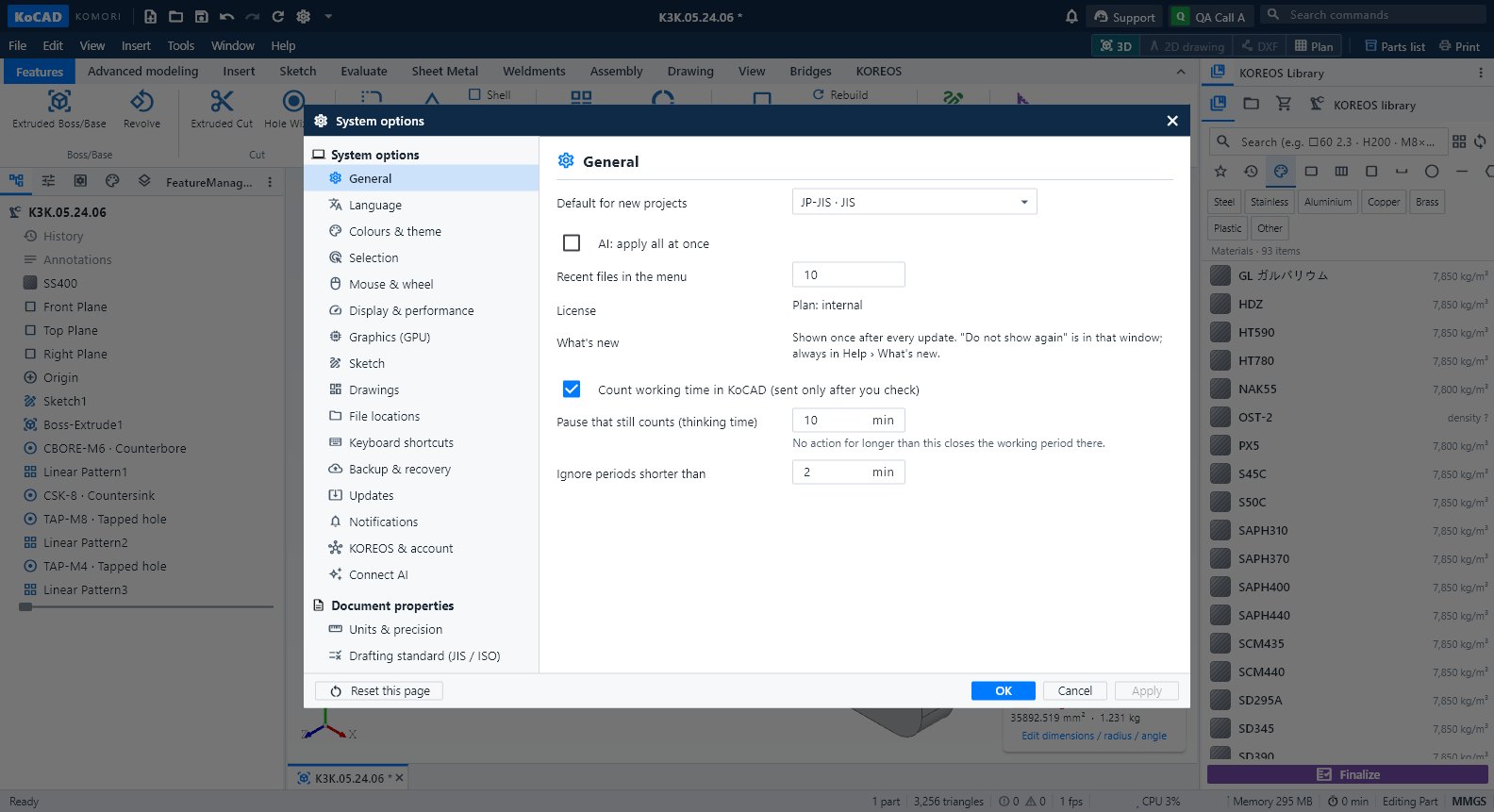 Options (Settings) ng KoCADTools → Options… (Ctrl+,): General, Language, Colours, Selection, Mouse, Display, GPU, Sketch, Drawings, Files, Shortcuts, Backup, Updates (Wiki/Guide), Notifications, KOREOS, Connect AI, Units at Standard.
- Mga menu, format ng file at Print / PDFLaman ng bawat menu, mga file na nabubuksan at nai-e-export ng KoCAD, at paano mag-print o gumawa ng PDF.
Engineering
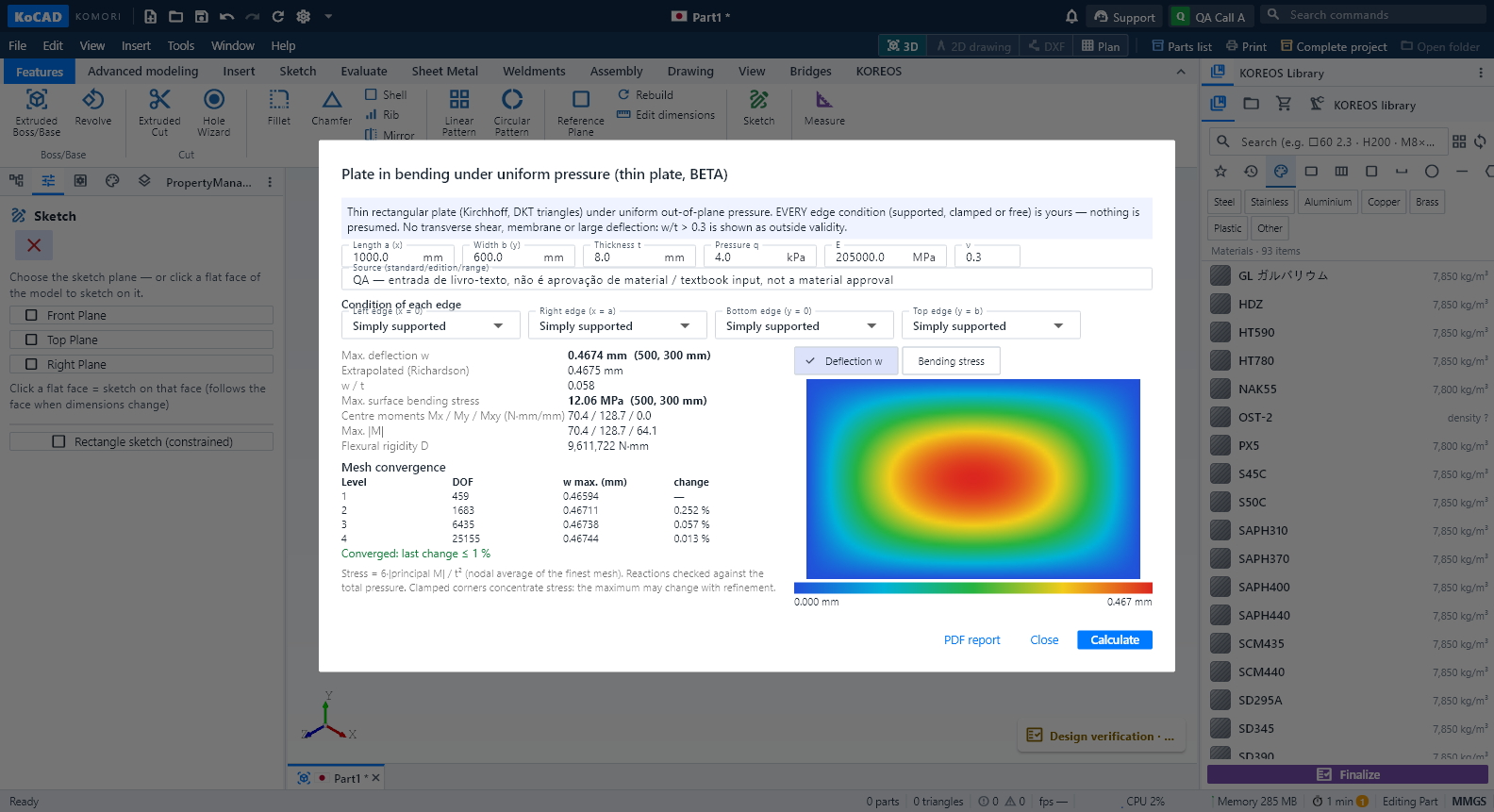 Engineering wave 4 (BETA): plate bending, heat and thermal stress, frame ΔT and the AI second opinionCalculations run in a separate program, only when you press Calculate, with Cancel. The result is bound to the document revision: editing the model during the run cancels it; editing it afterwards shows the result as OUT OF DATE and blocks the PDF until you calculate again. KoCAD 0.31 adds four studies, all BETA: a plate in bending under pressure, steady heat in a plate with thermal stress, a temperature change ΔT on frame members, and an AI second opinion on the whole project. None of them certifies capacity: the real engineering case is still pending and every result states its limits.English
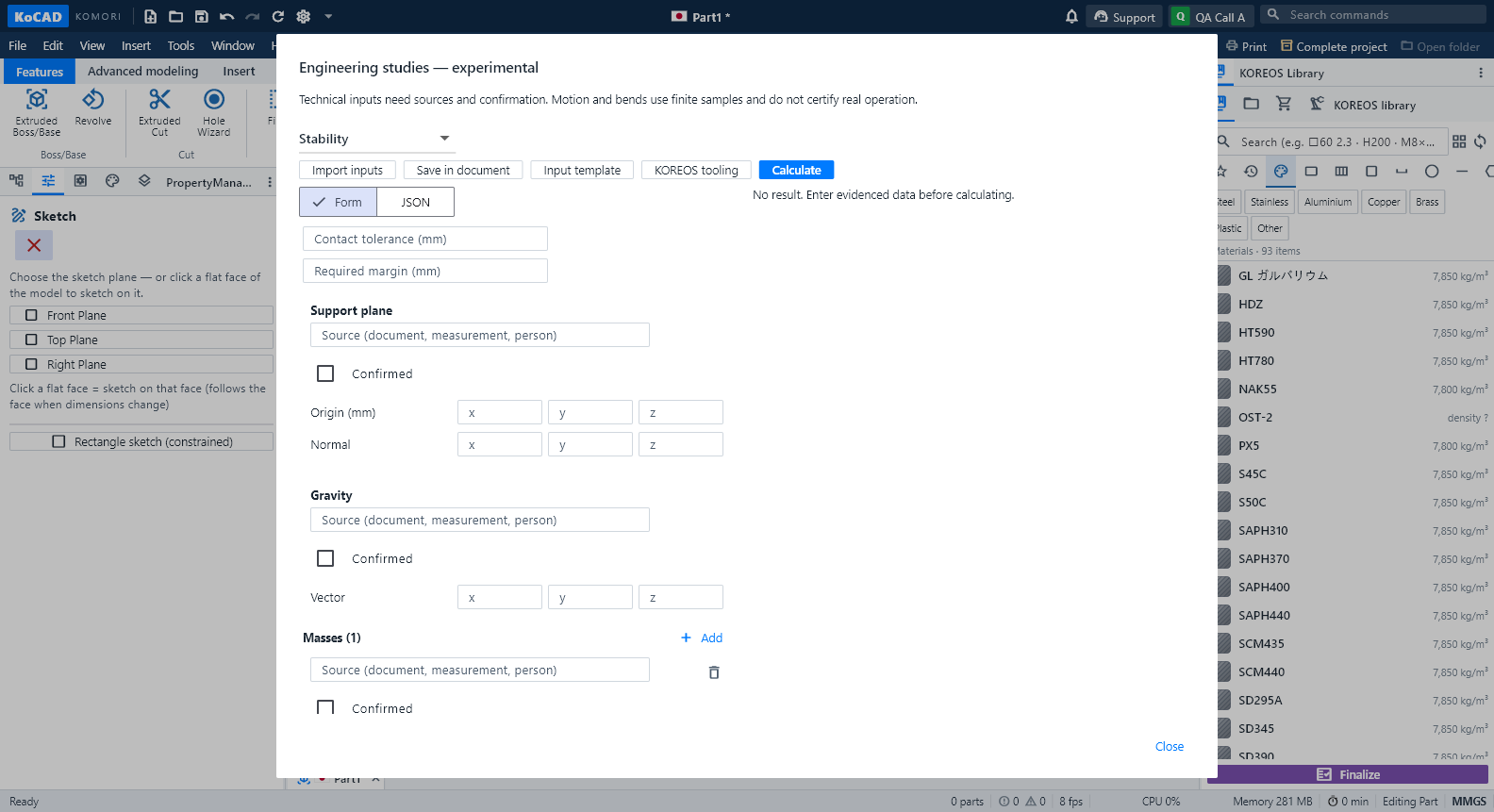 Engineering studies (experimental BETA): stability, clearance, motion and bend sequence — tooling not registeredWhat it is. On-request checks on the open part or assembly: stability (tipping), clearance between bodies, rigid motion with contact, bend sequence with the tooling registered in KOREOS, and process rules (weld/tool access, stock allowance, bumping). It is experimental: every result states what it checked and what is missing; nothing here is a factory approval. Open it from Design verification → Experimental studies. Status (0.30, experimental BETA): TOOLING NOT REGISTERED. The KOREOS press-brake, punch and V-die registry is still empty — the real data was requested from the factory. So the bend sequence answers "Missing data" today and offers no order. No result on this screen is a factory approval.English
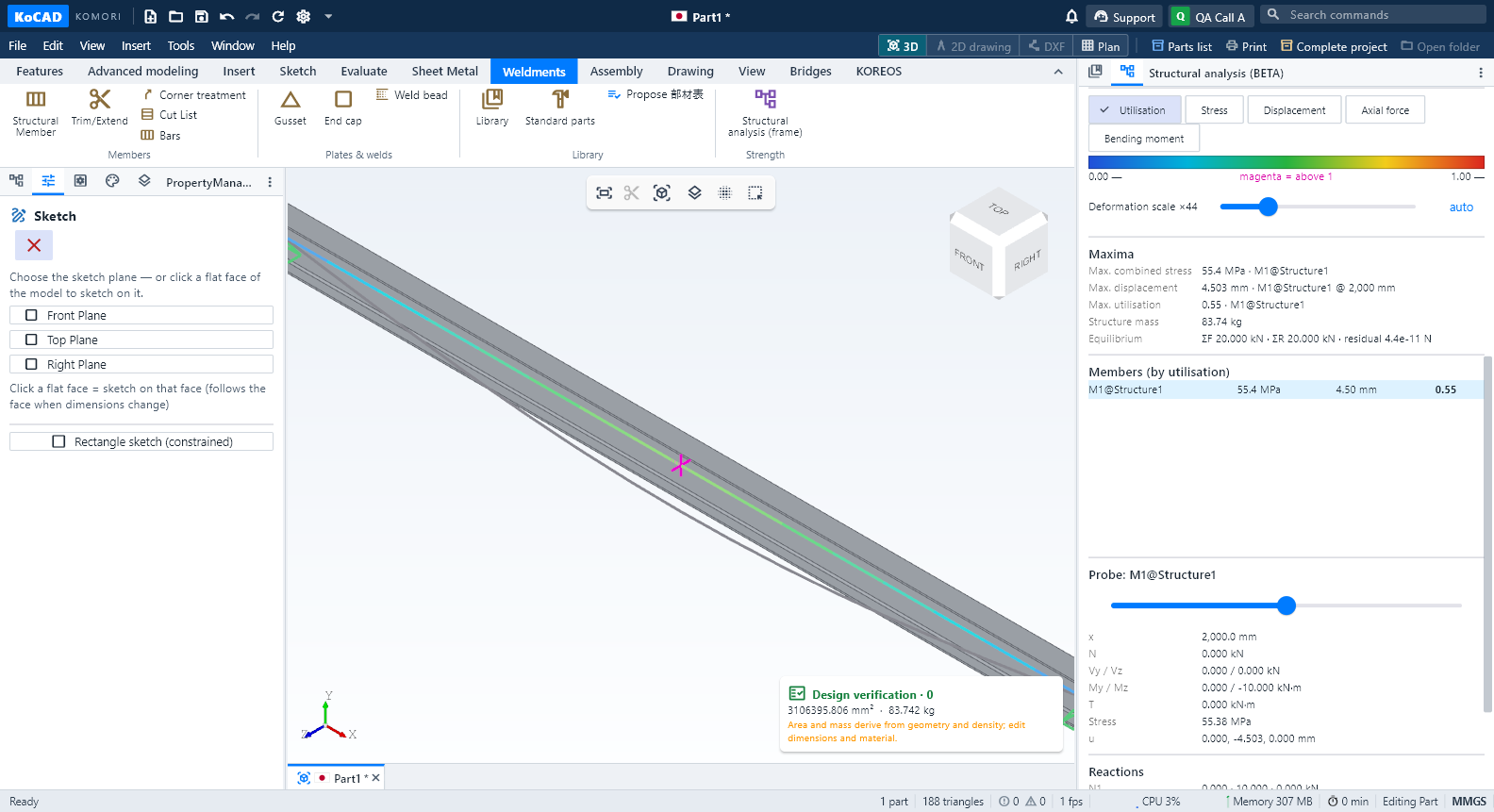 Structural analysis (BETA): stress, deflection, modal, buckling and lightest JIS profileWhat it is. A quick check of strength and deformation of the welded frame drawn in KoCAD (JIS profile members from the KOREOS library). It shows stress, deflection and utilisation in colour in the 3D view, natural frequencies and linear buckling, and suggests the lightest JIS profile that still meets the criteria. It is BETA: a linear-elastic calculation that does not certify capacity; the real engineering case (the 新200m³ base) is still pending. The decision to fabricate stays with engineering.English