KoCAD · Tính năng mới
[0.18.0] document materials
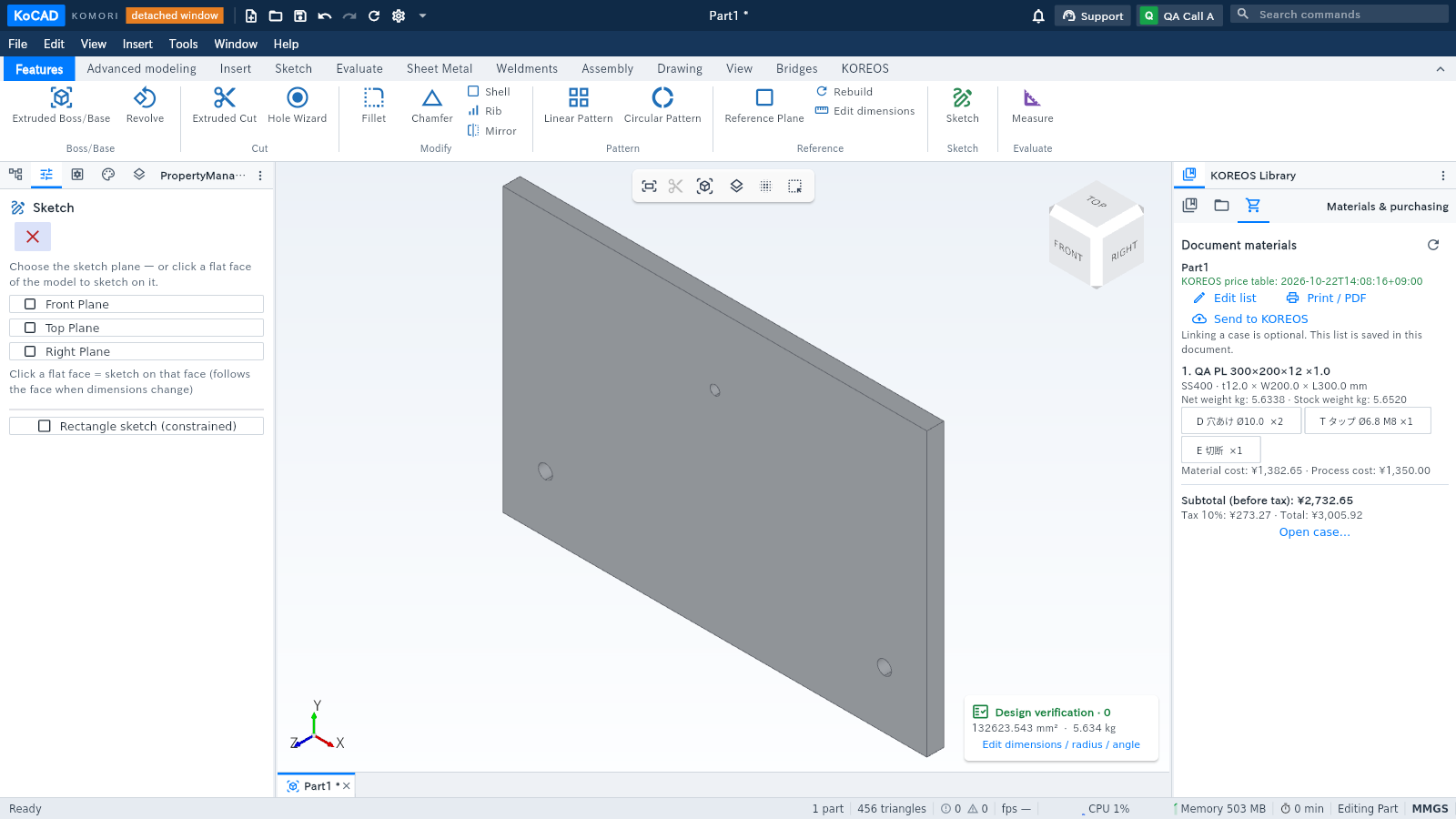
Open KOREOS Library → Materials & purchasing. The list belongs to the open document; linking a case is optional. It follows model changes and shows materials, sizes, quantities, weights and the factory’s process letters.
Bài viết này chưa được dịch sang ngôn ngữ của bạn: đang hiển thị bản English.
Open KOREOS Library → Materials & purchasing. The list belongs to the open document; linking a case is optional. It follows model changes and shows materials, sizes, quantities, weights and the factory’s process letters.
Choose Edit list to select catalogue type, profile, material and size. Edit quantities, process chips, hole diameters/counts and thread sizes. Add purchased item creates bolts or ready-made parts, with an optional unit price.
Apply to document, then save the document. Manual changes are marked and survive geometry changes. Changed or missing sources are flagged for review. Restore model row clears that row’s override.
Online prices come from KOREOS. Offline prices use the last downloaded table and show its date. Missing/unconfirmed prices and zero standard process times remain pending. Subtotal includes known amounts only; 10% tax is added separately at the end.
Print/PDF opens a KoCAD-branded preview. Use its Print button to select a printer or Save as PDF. Material lists, Kanban cards, cut labels and process instructions are available, along with UTF-8 CSV and Excel XML.
Use Open case to link an existing case, or Send to KOREOS to review creation of a new project case. Review and apply differences in the case sync section. Automatic sync on save remains optional; conflict and approved/in-production protections still apply.
Factory forms use data already saved to the case and the existing gyoumu templates. Sync before printing; sign in to KOREOS in the browser if requested. Opening this tab or printing never submits a purchase request; purchasing keeps its existing permission checks and confirmation.