











KoCAD · Bắt đầu
Mouse, trackpad and keyboard shortcuts
Orbit, pan and zoom like SolidWorks, Fusion or Blender; factory shortcuts and how to change any of them.
Bài viết này chưa được dịch sang ngôn ngữ của bạn: đang hiển thị bản English.
Trong trang này
Mouse (SolidWorks style)
- Wheel: zoom at the cursor.
- Middle drag: rotate. Ctrl + middle: pan. Shift + middle: zoom.
- Middle double-click or key F: zoom to fit.
- Alt+click or double-click: one level down in an assembly. Right-click → Select other: picks the part behind.
Keyboard (factory shortcuts)
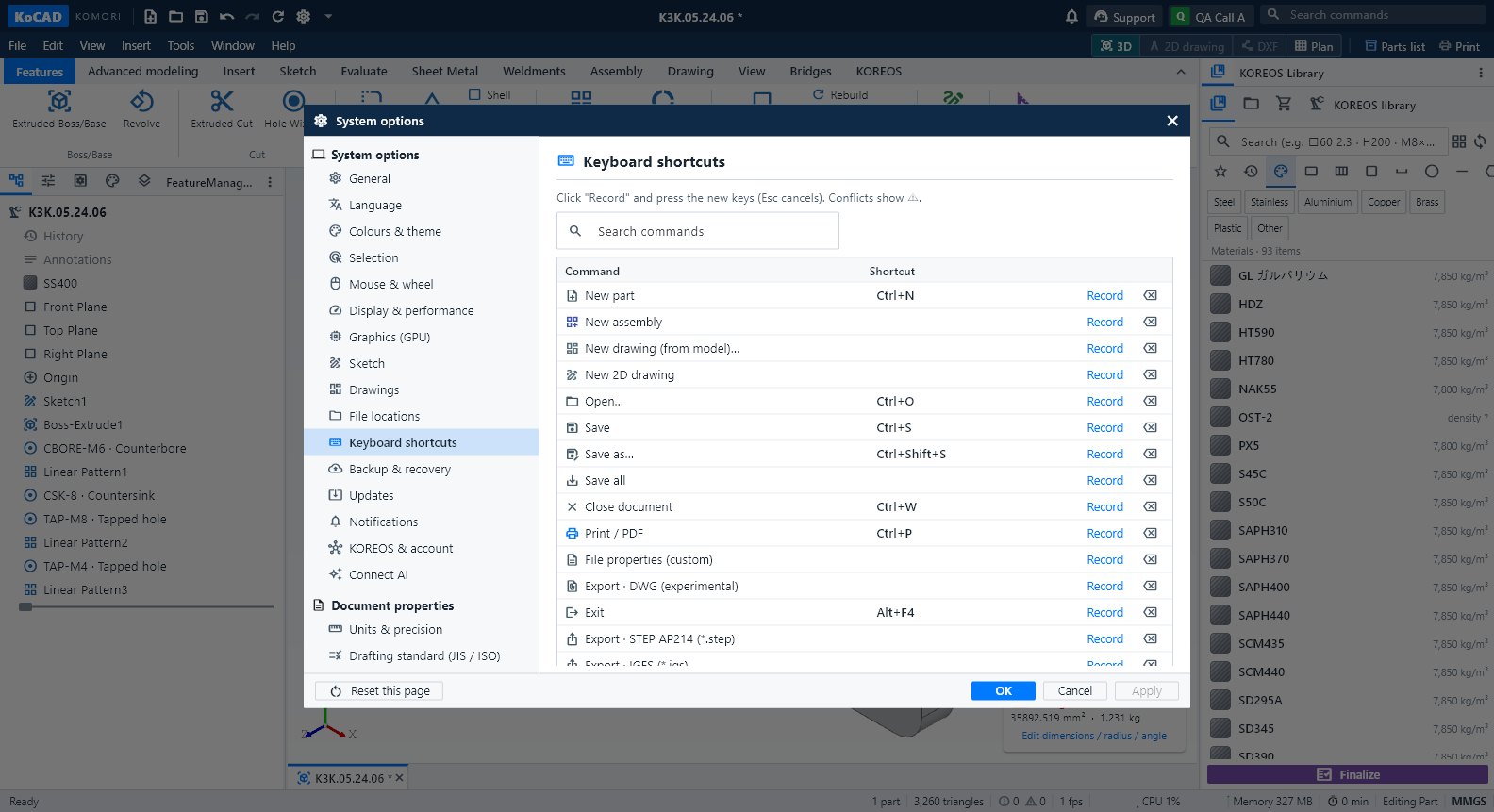
- Ctrl+N new part · Ctrl+O open · Ctrl+S save · Ctrl+Shift+S save as · Ctrl+P print/PDF · Ctrl+W close document.
- Ctrl+Z undo · Ctrl+Y redo · Ctrl+B rebuild · Ctrl+D edit dimensions.
- Ctrl+1…7: front, back, left, right, top, bottom, isometric · Ctrl+8: normal to.
- Arrows: rotate 15° · Shift+arrows: 90° · Ctrl+arrows: pan · Z / Shift+Z: zoom out / in.
- D: smart dimension (in a sketch) · S: shortcut bar · F1: shortcut list · Ctrl+,: Options.
Step by step: change the style and the shortcuts
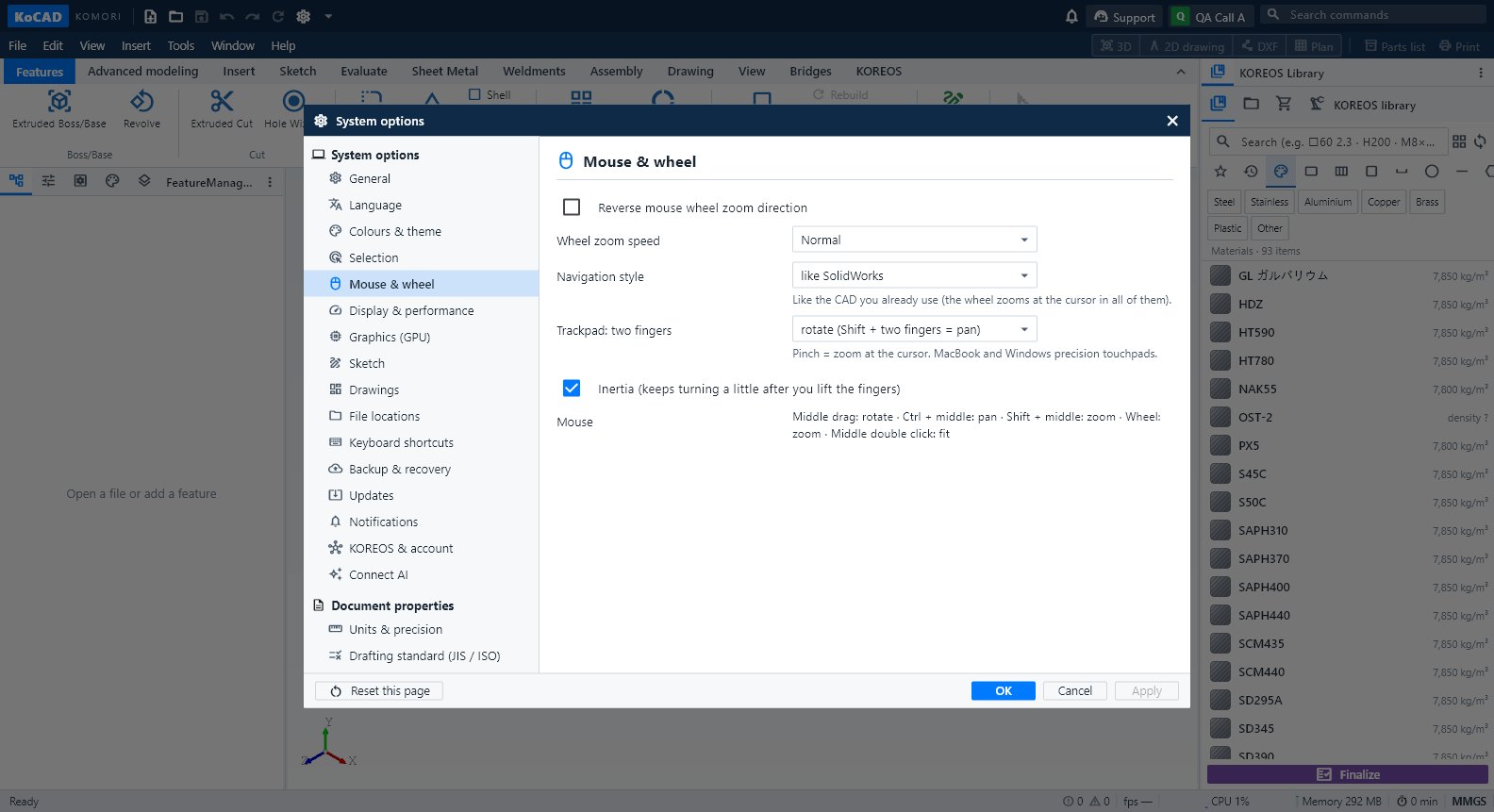
- Tools → Options… → Mouse & wheel. Under Navigation style pick *like SolidWorks*, *Orbit with Shift + middle button* (Fusion) or *like Blender*.
- Trackpad (MacBook or Windows precision touchpad): choose whether two fingers rotate or pan; Shift swaps. Pinch = zoom at the cursor. Inertia can be turned off.
- Shortcuts: Options → Keyboard shortcuts (or Tools → Customize). Click Record and press the new keys; Esc cancels. Conflicts show ⚠.
Tips
- On Mac: Control+click or two-finger click = right click.
- "Reverse mouse wheel zoom direction" and the wheel zoom speed are on the same page.
Common mistakes
- A shortcut does nothing inside a text box: on purpose (the field receives the letters).
- Two commands with the same keys: ⚠ shows it; clear one with Clear shortcut.