











KoCAD · Màn hình & chức năng
Advanced modeling tab: parameters, timeline, bodies and AI
User parameters with formulas, Timeline, Sweep, Loft, combine/move/split bodies and the Generate with AI group.
Bài viết này chưa được dịch sang ngôn ngữ của bạn: đang hiển thị bản English.
Trong trang này
What it is
Specialised operations: parameter tables, a timeline history, several bodies in one part and the AI tools.
Groups and buttons
- User parameters: User parameters · Timeline.
- Bodies: Sweep · Loft · Combine bodies · Move/copy body · Split body.
- Generate with AI: 2D → 3D · Generate with AI · Appearance and textures · AI texture.
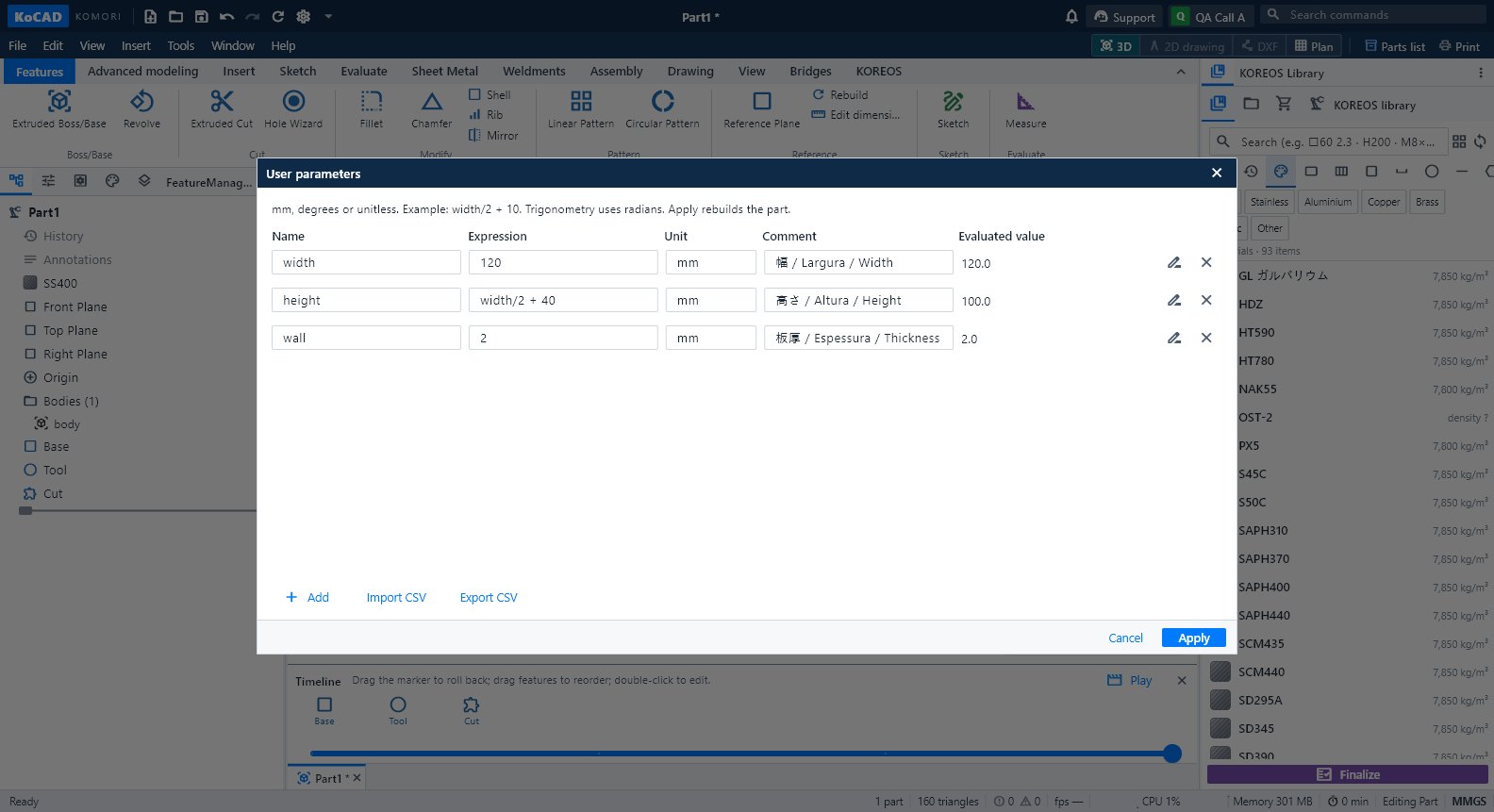
Step by step: a parametric part
- Click User parameters. Add name, formula, unit (mm, deg or empty) and comment. E.g. width = 120, height = width/2 + 40.
- Click Apply. Type the parameter name in a sketch dimension or a feature's numeric field.
- Change the value in the table: the whole part updates. The formula is stored in the .kcpart.
- To rename a name already in use, use Rename with references (editing the Name column alone does not update dimensions).
Sweep, Loft and bodies
- Sweep: a closed sketch (profile) + a continuous path. The profile starts at the start of the path. For a tube draw two concentric circles. A helical path (radius, pitch, turns) is available.
- Loft: closed profiles on different planes, ticked in transition order (1, 2, 3…). Profiles with holes need the same number of inner loops.
- Bodies: "New body" keeps the previous ones. Combine = Union, Cut, Intersect. Split uses a plane (create an offset plane to choose the height).
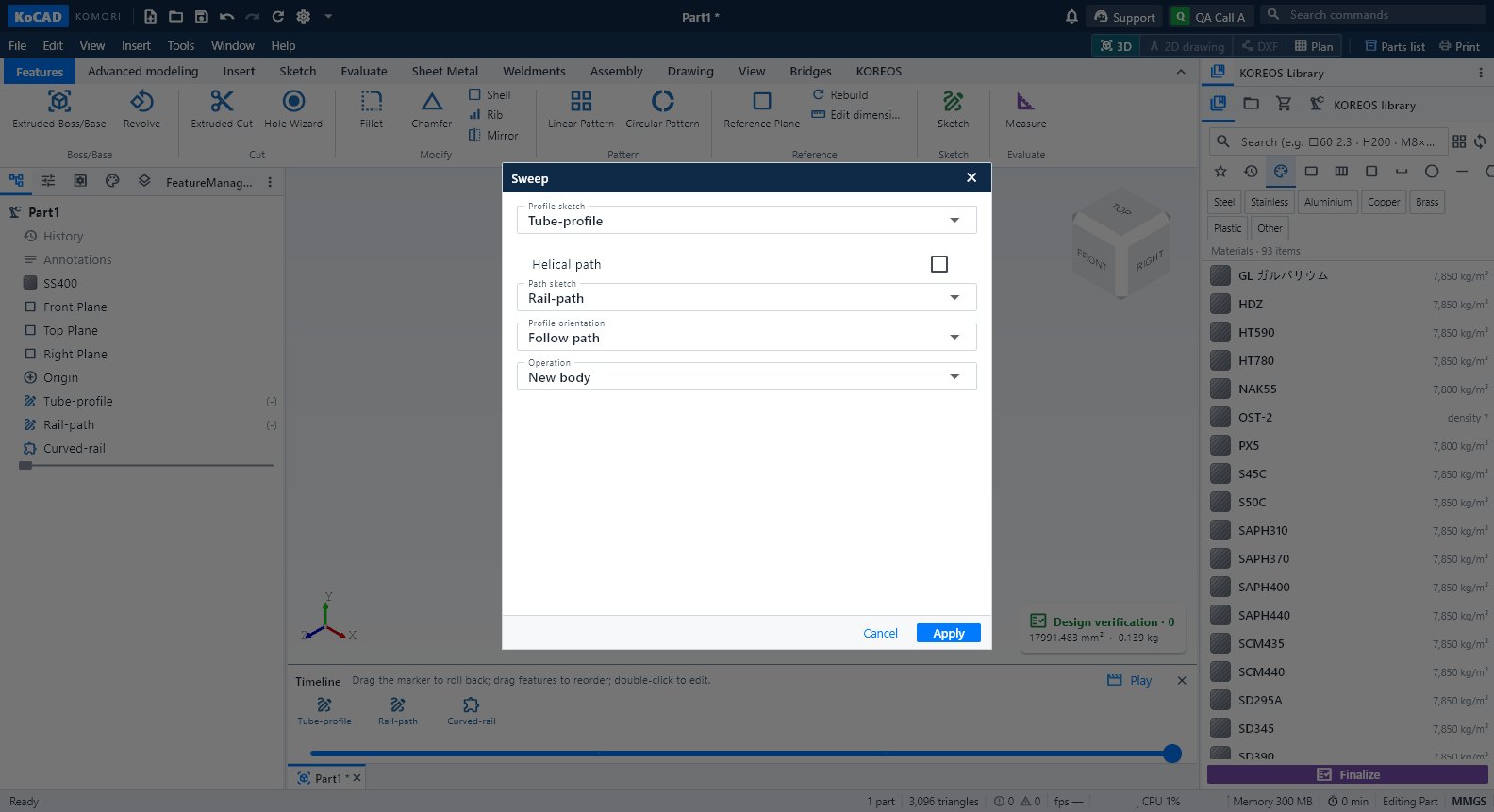
Timeline
The Timeline button turns on the bottom bar. Drag the marker to roll back; drag an icon to reorder (KoCAD refuses an order that breaks references and says why). Double-click opens the editor. Play makes the build film (see "Film of the timeline").
Common mistakes
- Circular reference in parameters: KoCAD shows the chain and keeps the previous part. Fix the formula.
- Parameter CSV: use UTF-8 and a dot as decimal separator (header name,expression,unit,comment).