











KMR · 入门
Path — Manager: scheduling, team, and reports
The articles for who organizes the team, in the right order.
此文章暂无您的语言版本,以English显示。
Follow in order. Each step names the manual article that explains it in detail — search the title in the Wiki.
- Roles in KMR: staff, manager, administrator and free account — Who sees what in KMR: field staff, manager, company administrator and people with a free account.
- Managers on the phone: tabs, Home and Menu — How managers use the app: the five tabs, the Home screen with the whole day, the person card and the full Menu.
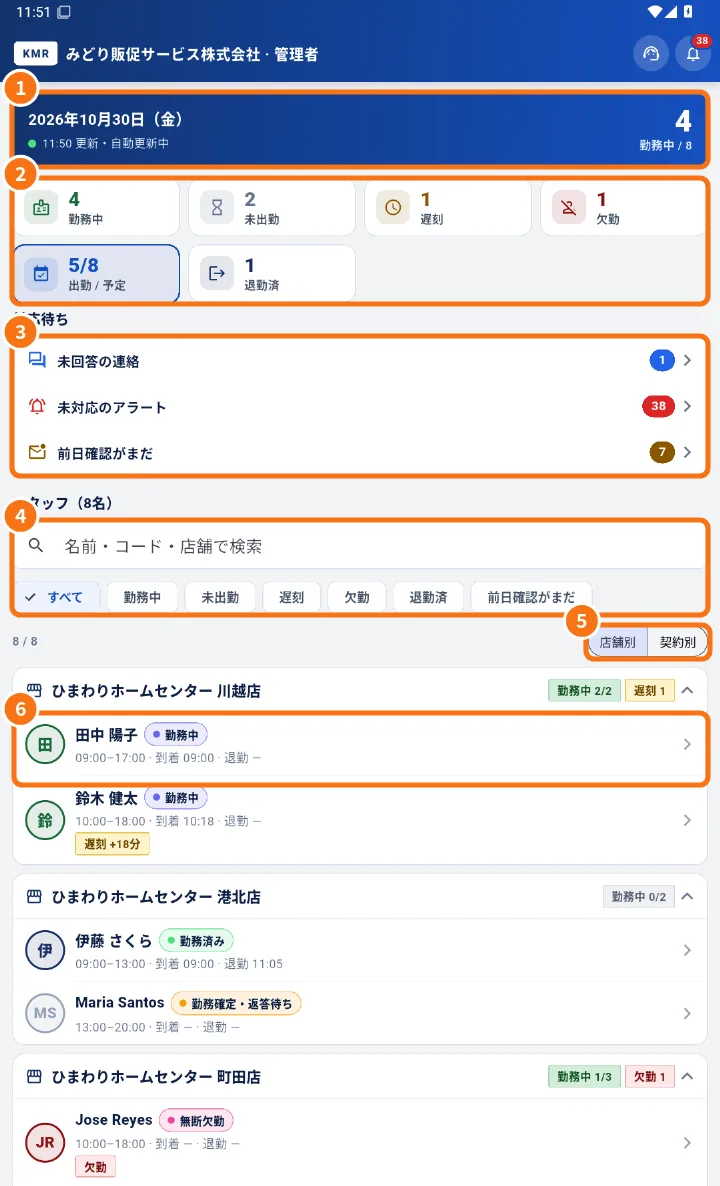
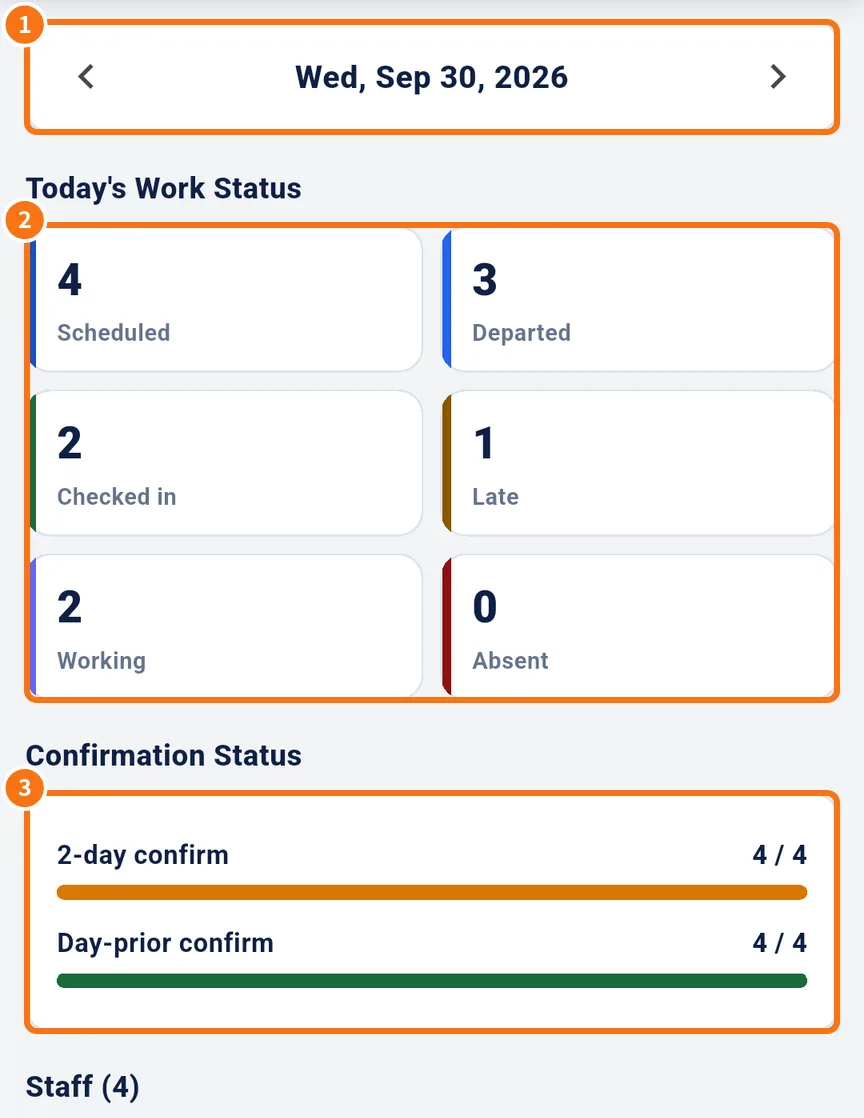
- Today in detail and Live map — Today's attendance by hour and confirmation, and the map showing where the team is and how each shift is going.
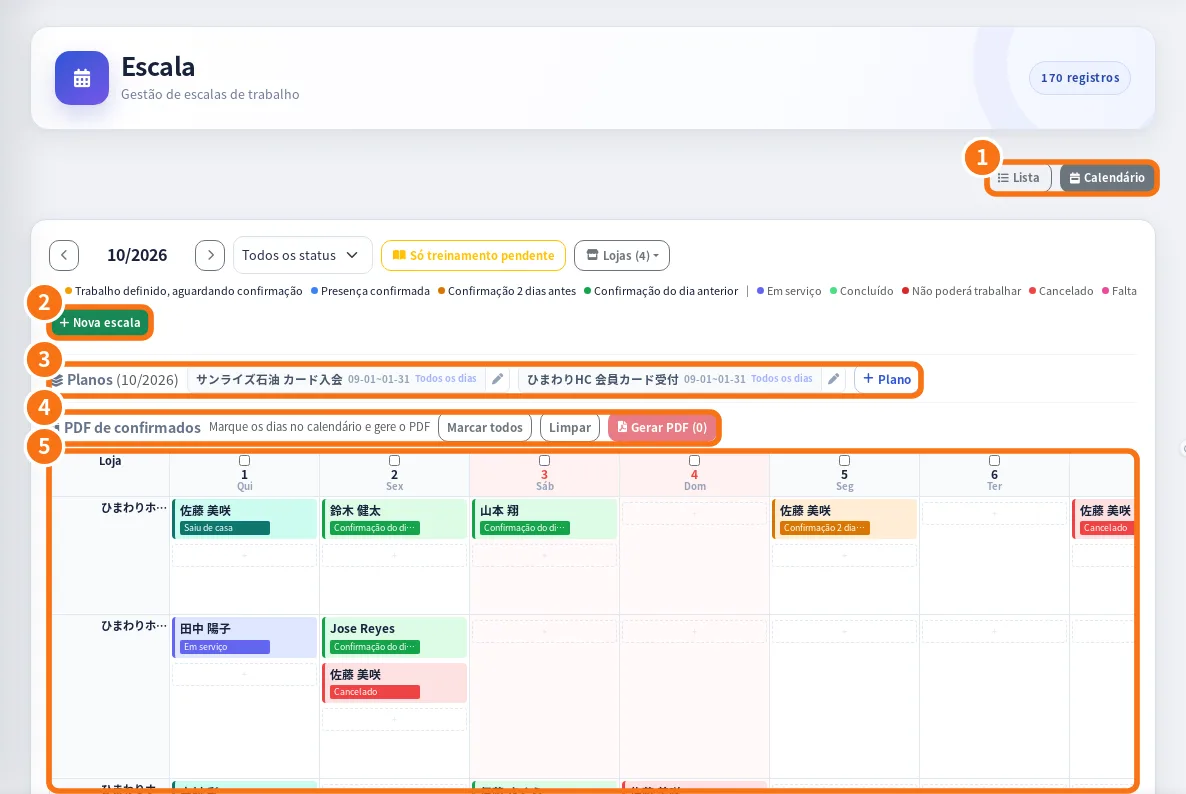
- Manager shifts: create, change, confirm and cancel — How managers create shifts, change date or store, resend reminders, mark as confirmed, cancel and make the confirmed-shifts PDF.
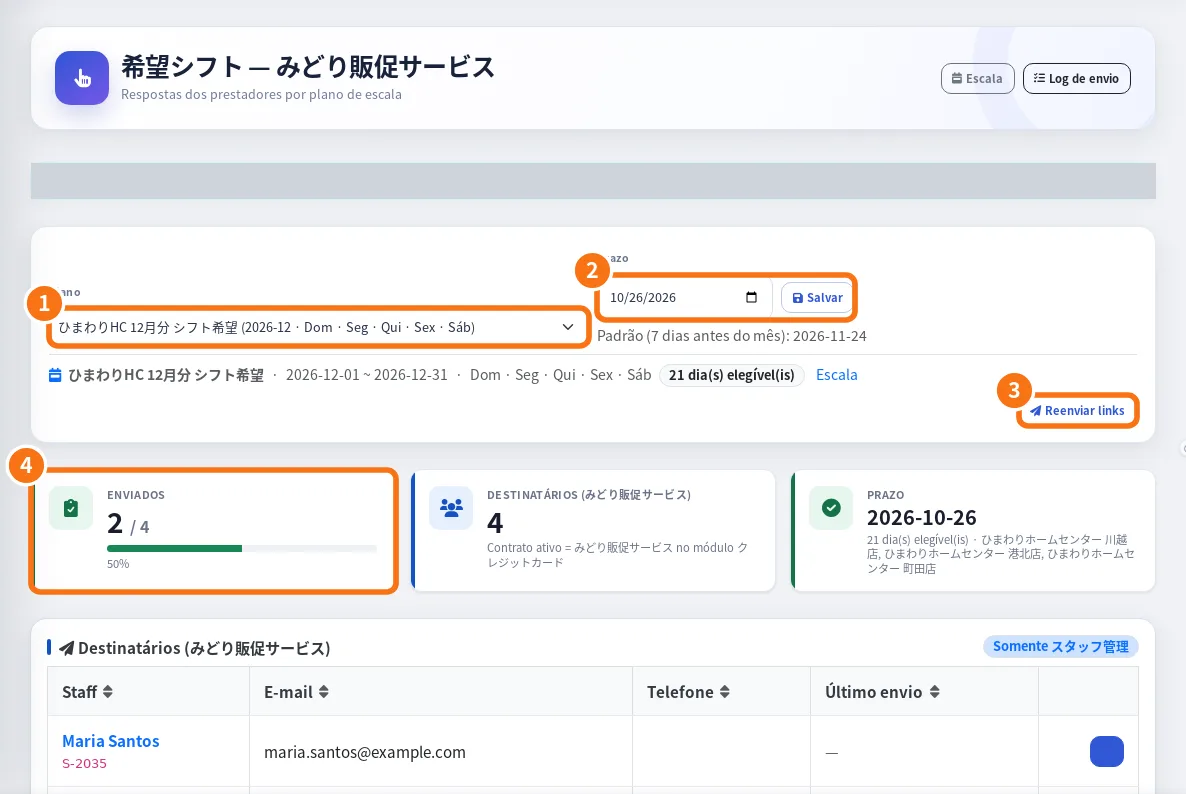
- Shift preferences (希望シフト): request, follow and apply — How managers follow the team's answers, generate a schedule draft and apply it to the schedule, notifying each person.
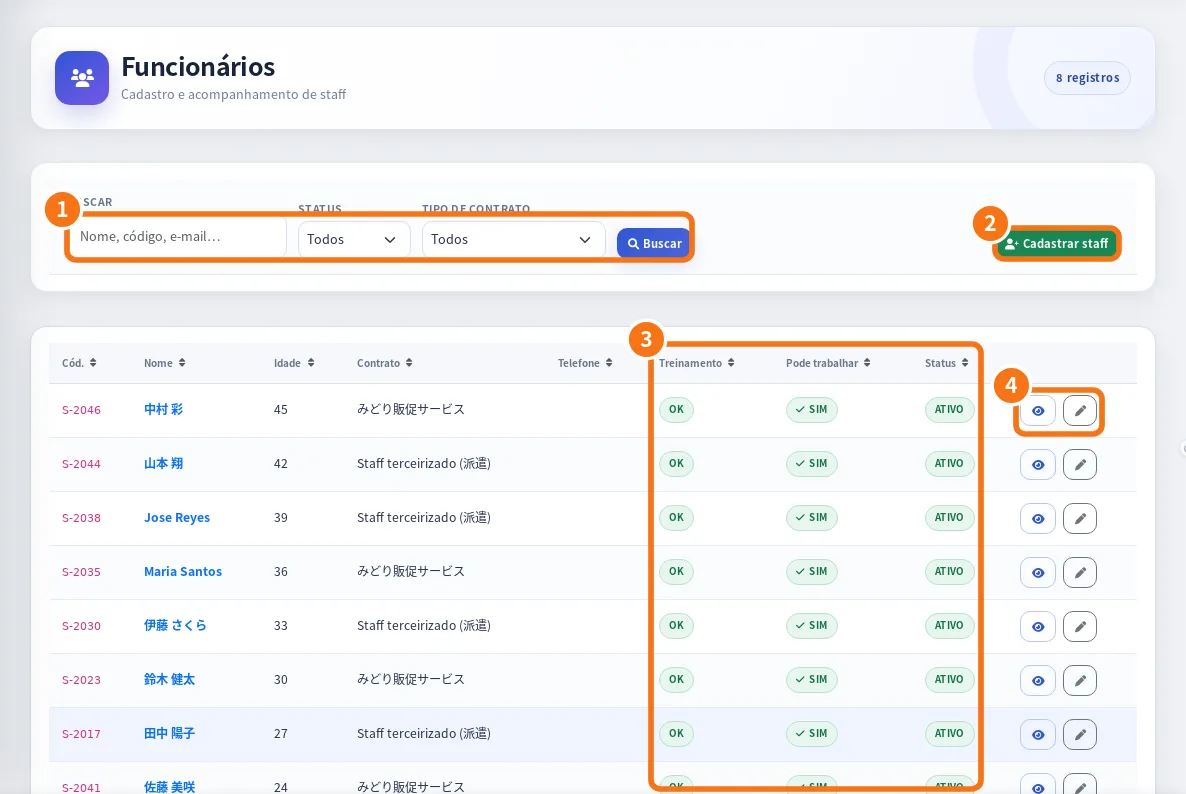
- Staff and staff documents: records, profile and review — How to register and edit staff, see the profile with performance and training, give portal access and review documents.
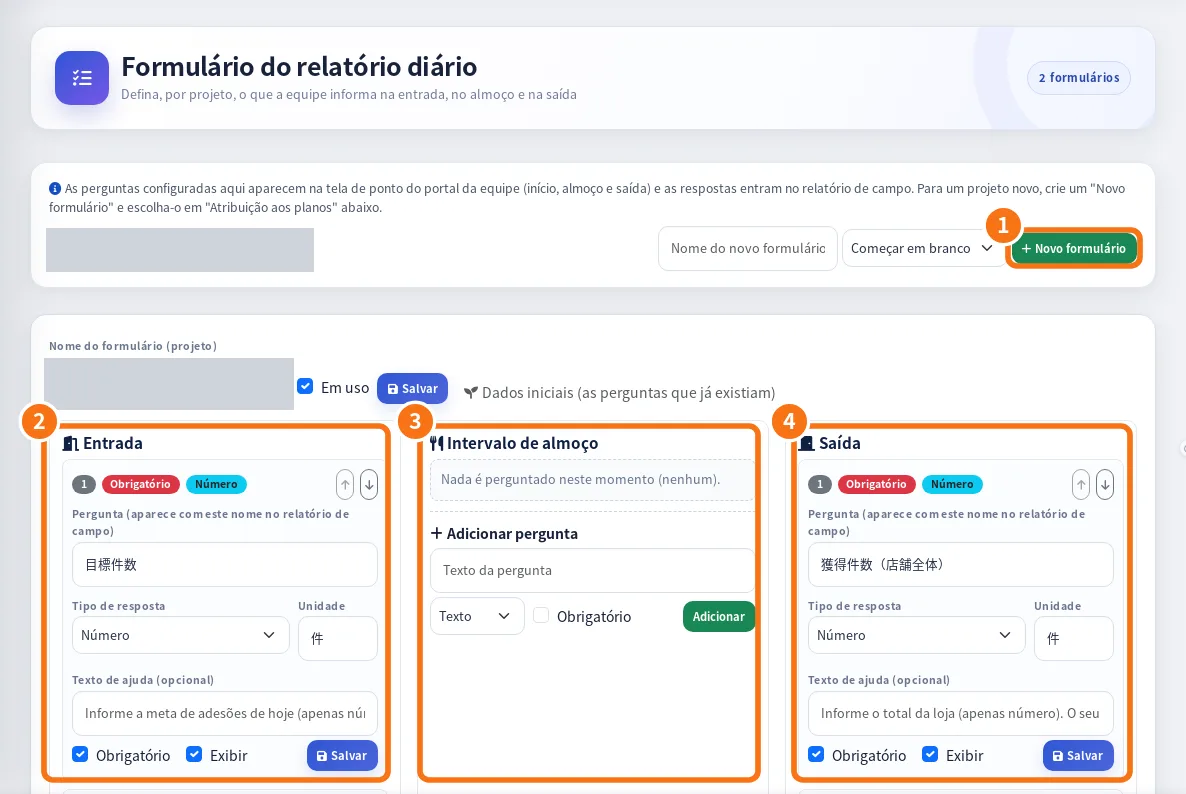
- Daily reports, report forms, field reports and report management — How managers generate and check daily reports, set each project's questions, view field reports and publish reports for the client.
- Manager payment statements: generate, approve and send — How to generate the month's statements, fix lines, approve with stamps, send to the staff portal and follow through to payment.