











KMR · 界面与功能
Managers on the phone: tabs, Home and Menu
How managers use the app: the five tabs, the Home screen with the whole day, the person card and the full Menu.
此文章暂无您的语言版本,以English显示。
本页目录
What it is for
People who manage a team sign in with the Manager profile (same e-mail and password as the web panel) and follow everything on the phone. The first tab, Home, shows the whole day on one screen; the rest of the web panel is in the Menu, with the same names.
The five tabs
- Home: today, to-dos and the team by store.
- Dashboard: the month summary, goals and charts.
- Shifts: shift calendar and shift preferences.
- Messages: conversations with the team and notices.
- Menu: everything else. At the top, the bell opens Alerts and the headset opens support.
Home screen
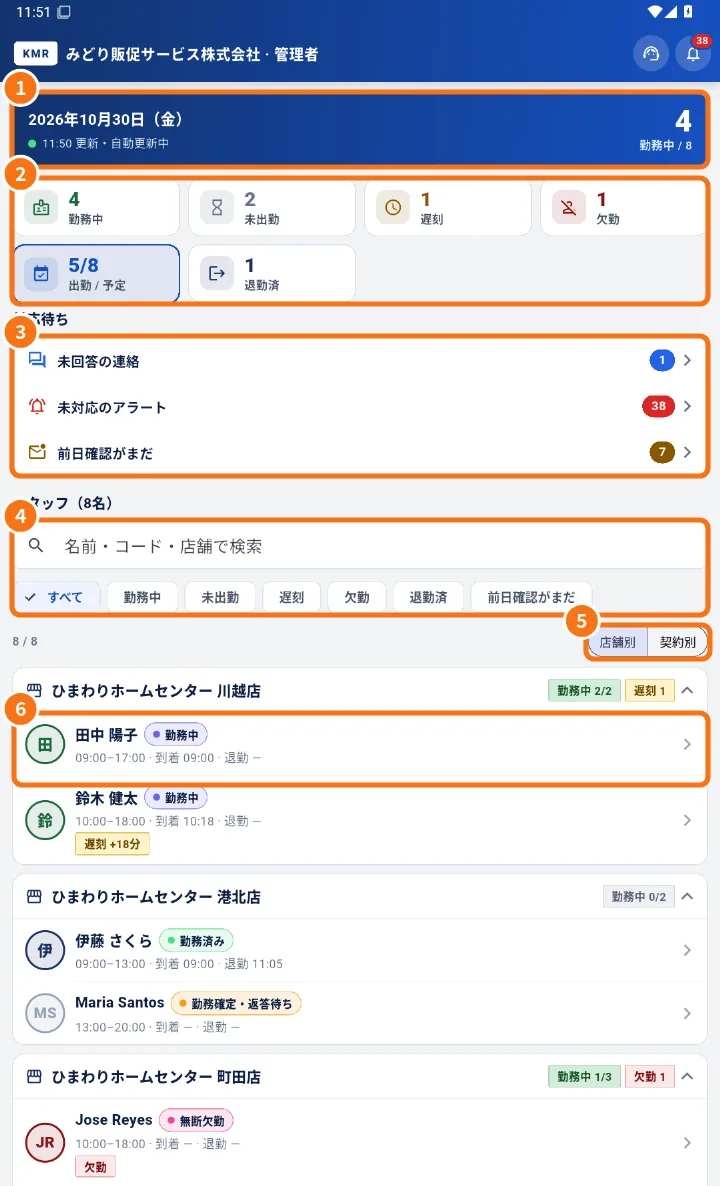
- At the top (①), the date and “Updated … · live”: the screen updates by itself.
- The day tiles (②): On duty, Not in yet, Late, Absent, In / total and Finished. Tap a tile to filter the list.
- To do (③): Payslips to approve, Unanswered messages, Open alerts and Not confirmed (day before). Tap to open.
- Staff (N) (④): search in Search by name, code or store and use the filters.
- Group By store or By contract (⑤).
- Tap a person (⑥) to open their day card, with photo when registered, and the Call, Message, Map, Shift and Profile buttons.
Further down are the shortcuts Today in detail (hourly, confirmations) and Live map.
Menu
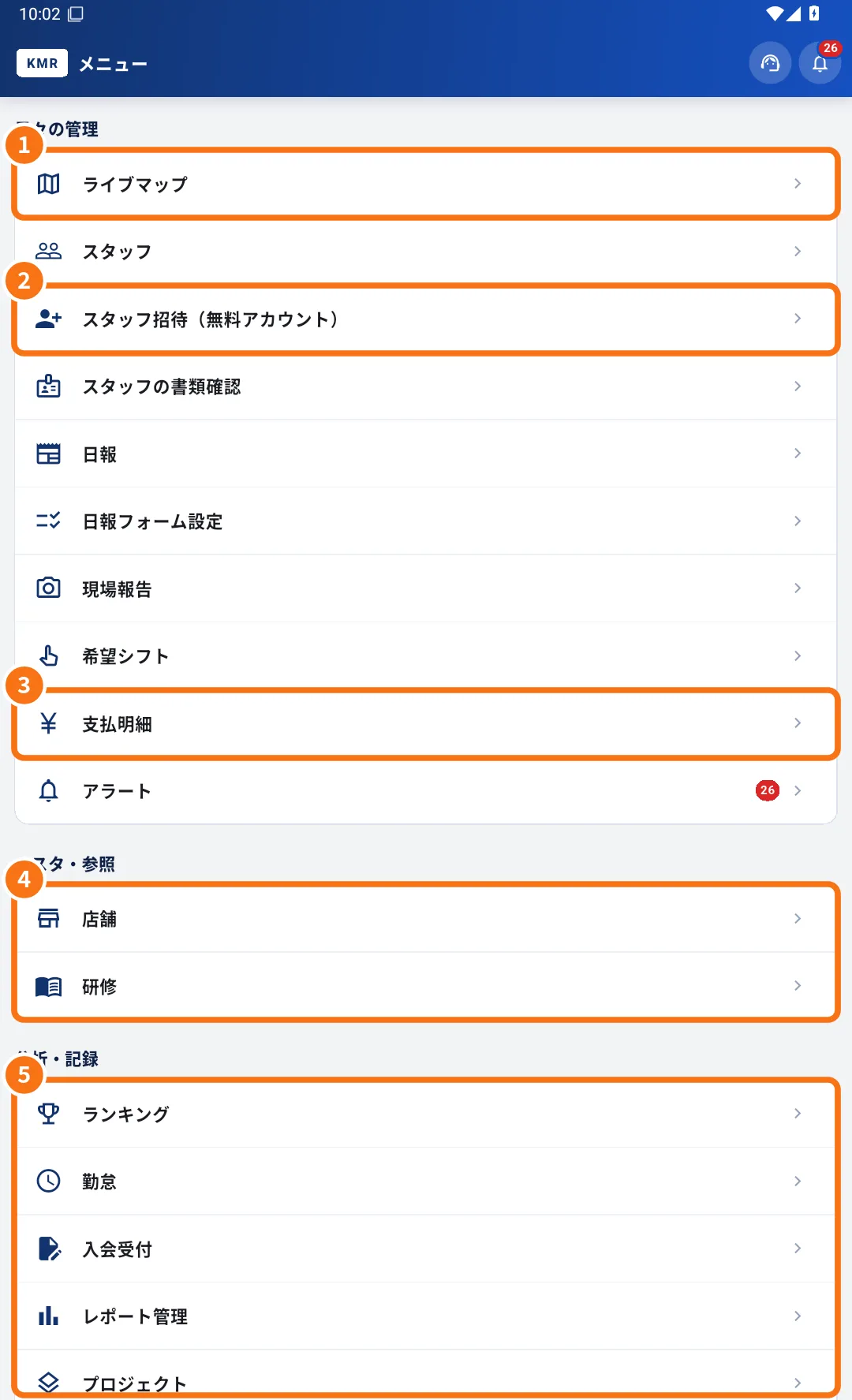
- Daily work: Live map (①), Staff, Invite staff (free account) (②), Staff documents, Daily reports, Daily report forms, Field reports, Shift preferences, Payment statements (③) and Alerts.
- Reference (④): Stores and Training.
- Analysis & records (⑤): Ranking, Attendance, Applications, Report management and Projects.
- Accounts (administrators only): Admin accounts, Worker accounts and Company plan.
- My account: Settings and, when there is a worker record with the same e-mail, Worker mode.
Common mistakes
- “No phone number registered” on the card: add the phone in Staff → Edit staff.
- A Menu item is missing: your account does not have the permission. Ask your administrator.
Related questions
- Today in detail and Live map
- Monthly dashboard: results, goals and charts
- How to follow the team's day on your phone
- Roles in KMR: staff, manager, administrator and free account