











Kenten · 界面与功能
Finish a shared form with a signature
The person doing the inspection identifies themselves at the end.
此文章暂无您的语言版本,以English显示。
本页目录
What this is for
The person doing the inspection identifies themselves at the end.
Step by step
- The responsible user opens the sharing option and provides the authorized link or QR code. Follow any access step shown by that link.
- After answering, select your name from the team or type your own name when the form allows it.
- Draw your signature on the screen with a finger or stylus, then finish and wait for the saved confirmation. Clear and redraw if necessary.
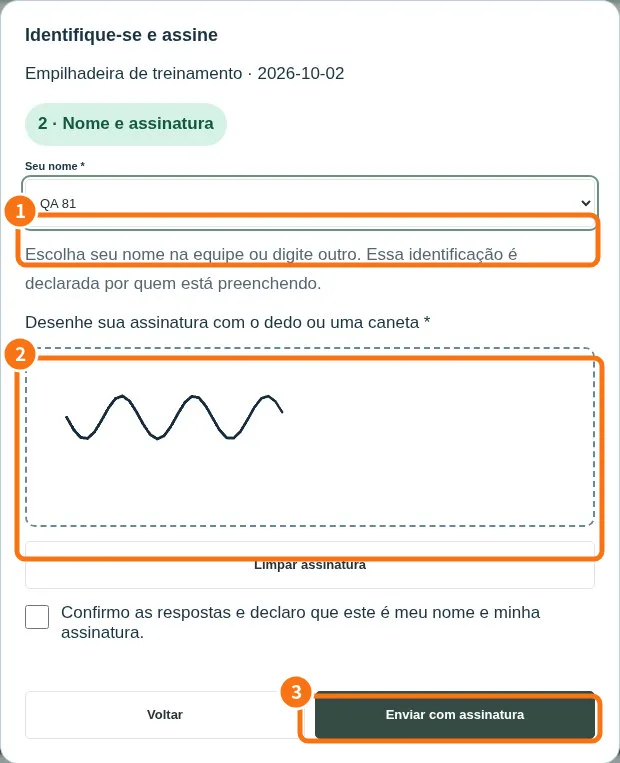
Demo screen. Numbered highlights mark the controls discussed; the image language may differ from yours.
Tip
If something goes wrong
If tools are missing, check viewing mode and plan. Changing appearance does not grant permission.
Related articles
- FAQ: 20 answers