











Kenten · 界面与功能
Use a paper form
Review imported answers before saving.
此文章暂无您的语言版本,以English显示。
本页目录
What this is for
Review imported answers before saving.
Step by step
- From the item or daily flow, use the paper-form option and print the generated sheet with its identification code.
- Fill the paper clearly, then use Import paper to send its image for reading when available.
- Check the recognized item, date and every answer. Correct recognition mistakes before saving the record.
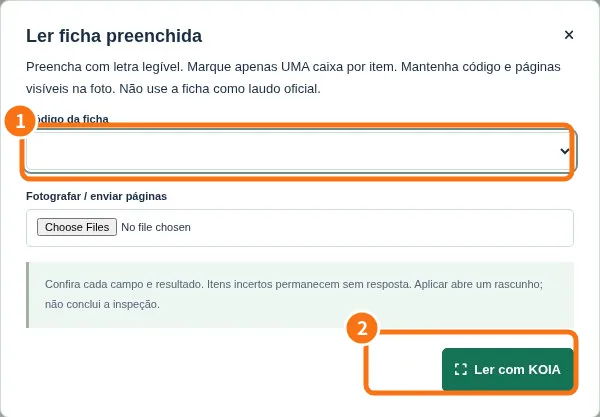
Demo screen. Numbered highlights mark the controls discussed; the image language may differ from yours.
Tip
If something goes wrong
Correct the preview if recognition differs from the paper. Do not confirm a different item or date.
Related articles
- FAQ: 20 answers