











Kenten · 界面与功能
Choose when the inspection happens
One-time, daily, weekly or monthly.
此文章暂无您的语言版本,以English显示。
本页目录
What this is for
One-time, daily, weekly or monthly.
Step by step
- In the editor, find Frequency. Choose One-time for a single inspection or Daily for a repeated routine.
- Open the other frequency options for weekly, monthly or longer intervals when needed.
- Save the change. When continuing a routine, confirm the item, source questionnaire and inspection date before answering.
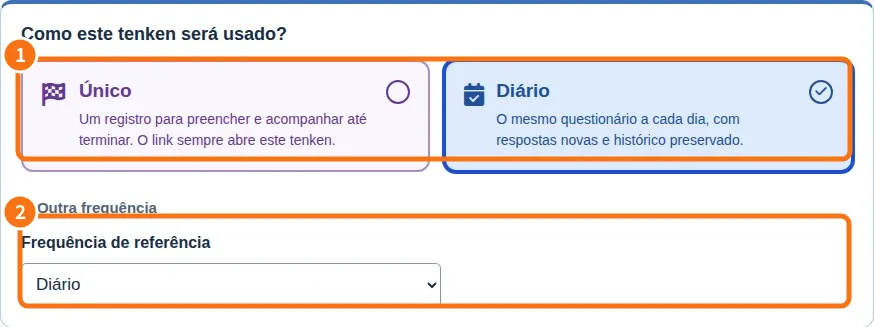
Demo screen. Numbered highlights mark the controls discussed; the image language may differ from yours.
Tip
If something goes wrong
If tools are missing, check viewing mode and plan. Changing appearance does not grant permission.
Related articles
- FAQ: 20 answers