











Kenten · Screens & features
Manager: set up the routine, hand it to the team and review the month
For whoever organises a team’s inspections. You create the questionnaire once, set the frequency, give access to the right people and, at month end, read the calendar and print or download the PDF. Team functions and full templates require a paid plan.
On this page
What this is for
For whoever organises a team’s inspections. You create the questionnaire once, set the frequency, give access to the right people and, at month end, read the calendar and print or download the PDF. Team functions and full templates require a paid plan.
Step by step
- Open Items and register the vehicle, machine or place with a fixed name and code; search first to avoid duplicates.
- Choose New tenken, select a template for your field or a blank list, and link it to the registered item.
- Review the questions: correct the text, use Add question and deactivate what does not apply; keep at least one active.
- In Reference frequency, choose One-off, Daily or another frequency and save.
- On the web, open team management: build teams and create invitations choosing the role (viewer reads, inspector records, administrator manages).
- For people without a login, generate the link or QR code of the shared form; it asks for name and signature at the end.
- During the month, follow the monthly sheet: empty days mean no tenken recorded, not approval.
- Click a cell to see that visit and its notes; change answers only with a reason and record it in the note.
- At month end, use Print monthly sheet or PDF; for next month on paper, use the blank sheet.
- If something was deleted by mistake, open Trash and use Restore; to see who changed what, check the Audit log.
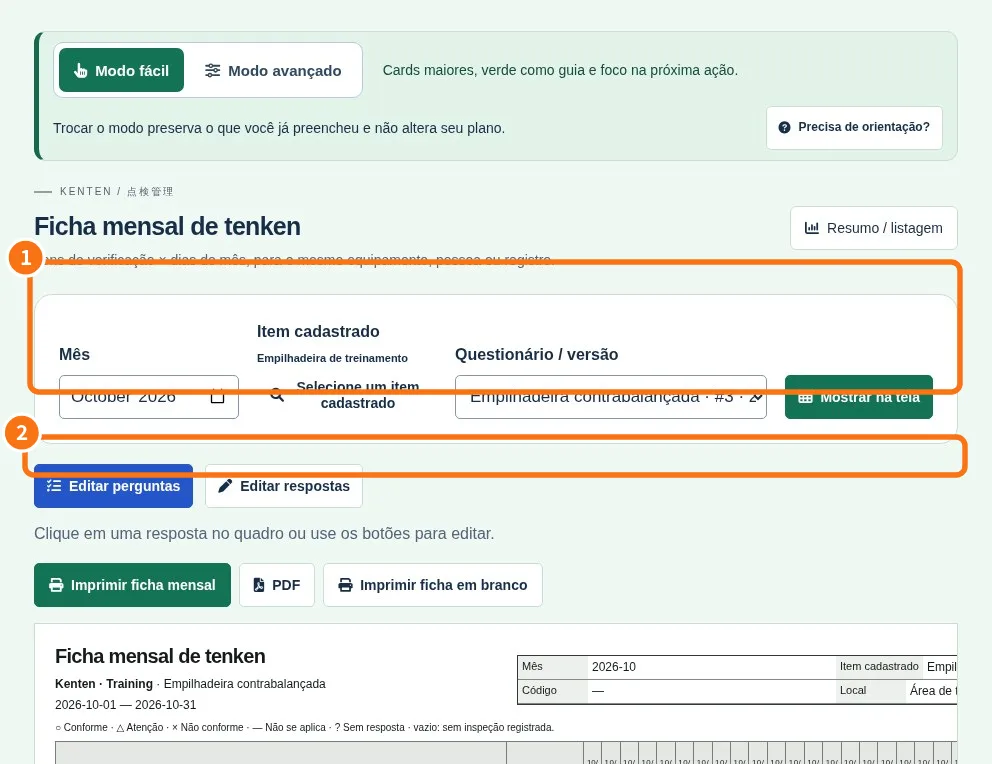
Demo screen. Numbered highlights mark the controls discussed; the image language may differ from yours.
Tip
If something goes wrong
Cannot delete a question: it already has answers; deactivate it. Invitation not received: check the email typed and send again. No team buttons or full templates: the plan is Free; the owner checks Plan. Extra user: on paid plans it costs ¥500 per month including tax; not available on Free.
Related articles
- FAQ: 20 answers