











Kenten · Screens & features
Edit questions from the calendar
Stay on the monthly page.
On this page
What this is for
Stay on the monthly page.
Step by step
- Click Edit questions above the calendar. A window opens with the selected list.
- Correct the text, add questions, or activate and deactivate them. A locked trash button means the question has recorded answers and cannot be deleted.
- Click Save changes. The calendar refreshes. Previous visits keep their answers; inactive answered questions remain visible in the historical report.
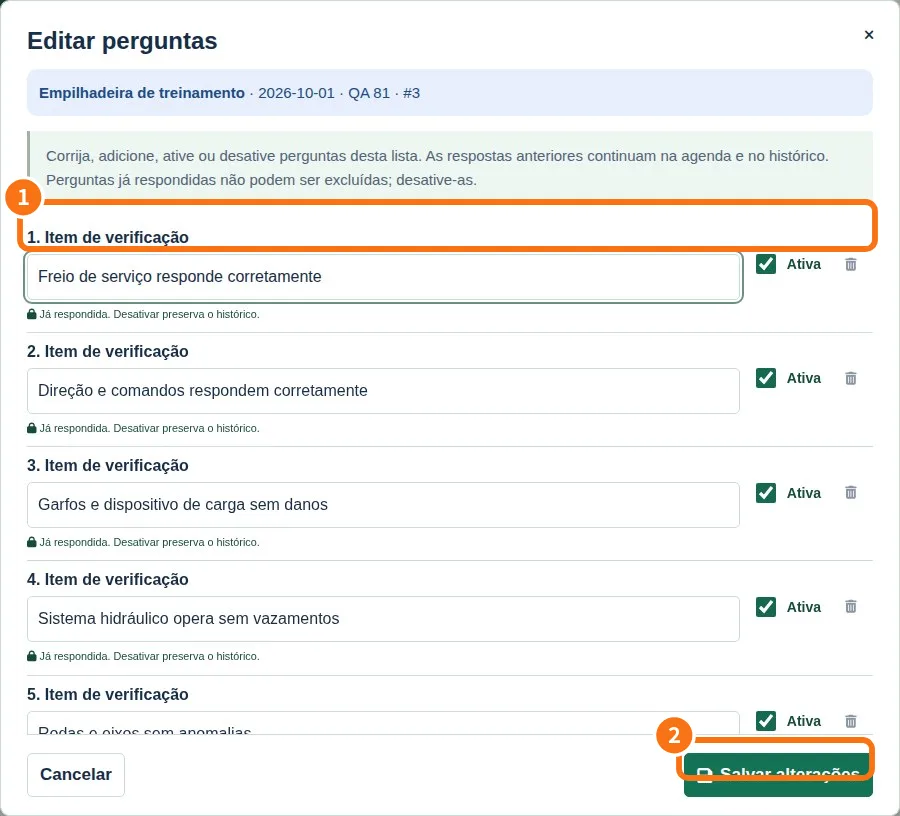
Demo screen. Numbered highlights mark the controls discussed; the image language may differ from yours.
Tip
If something goes wrong
If tools are missing, check viewing mode and plan. Changing appearance does not grant permission.
Related articles
- FAQ: 20 answers