











Kenten · Pantallas y funciones
Print or download a PDF
Choose the sheet that matches your task.
Este artículo aún no está traducido a su idioma: se muestra la versión en English.
En esta página
What this is for
Choose the sheet that matches your task.
Step by step
- In the monthly calendar, choose Print monthly sheet or PDF for the recorded results and observations.
- Choose Print blank monthly sheet when you need an empty form. It includes active questions without saved answers or signatures.
- Check the print preview, month, paper size and orientation before printing. In Reports, use filters to limit the records you want.
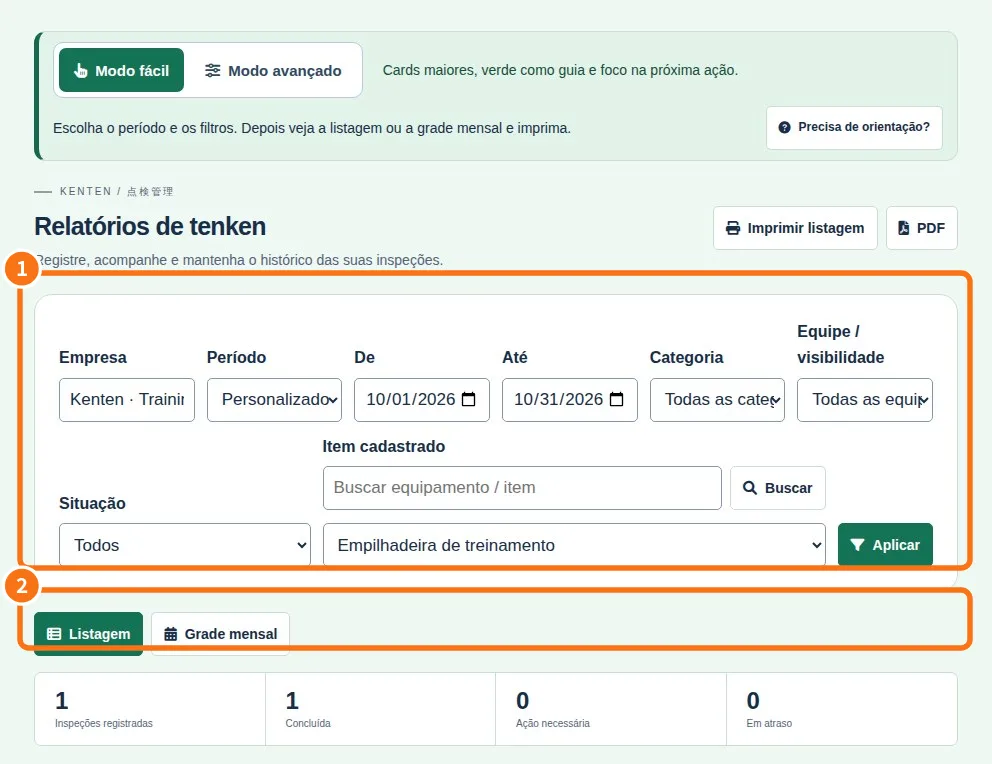
Demo screen. Numbered highlights mark the controls discussed; the image language may differ from yours.
Tip
If something goes wrong
If tools are missing, check viewing mode and plan. Changing appearance does not grant permission.
Related articles
- FAQ: 20 answers