











Kenten · Pantallas y funciones
Explain what is wrong
Describe the problem and what happened next.
Este artículo aún no está traducido a su idioma: se muestra la versión en English.
En esta página
What this is for
Describe the problem and what happened next.
Step by step
- When you choose Attention or Not OK, use the fields that appear under that question.
- Write the reason and explain what was done or what remains to be done. Keep it concise but include enough detail to understand the situation.
- Use the general observation for information about the whole inspection. Review any required correction, responsible person and deadline before saving.
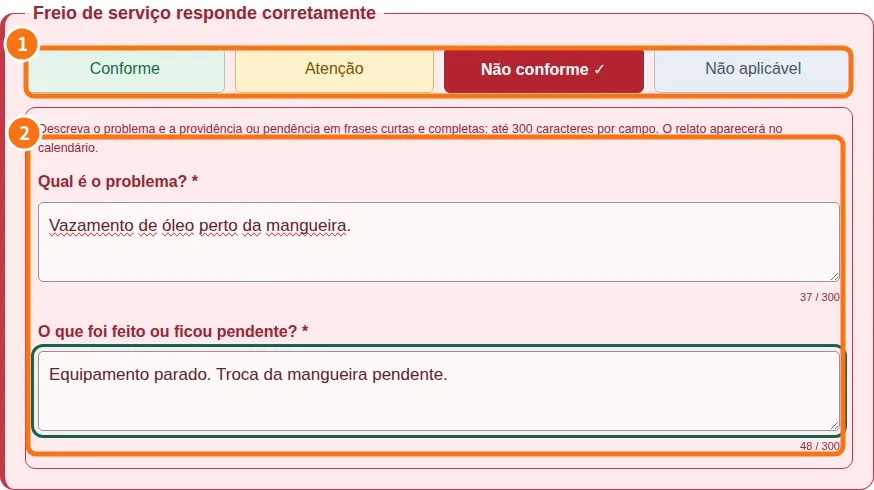
Demo screen. Numbered highlights mark the controls discussed; the image language may differ from yours.
Tip
If something goes wrong
If tools are missing, check viewing mode and plan. Changing appearance does not grant permission.
Related articles
- FAQ: 20 answers