











Kenten · Pantallas y funciones
Create an inspection
Start from a ready template or a blank list, choose the frequency and adjust the questions when needed.
Este artículo aún no está traducido a su idioma: se muestra la versión en English.
En esta página
What this screen is for
Here you build the checklist for a vehicle, machine, site or other item. Once created, it is used every day without registering everything again.
Create the inspection
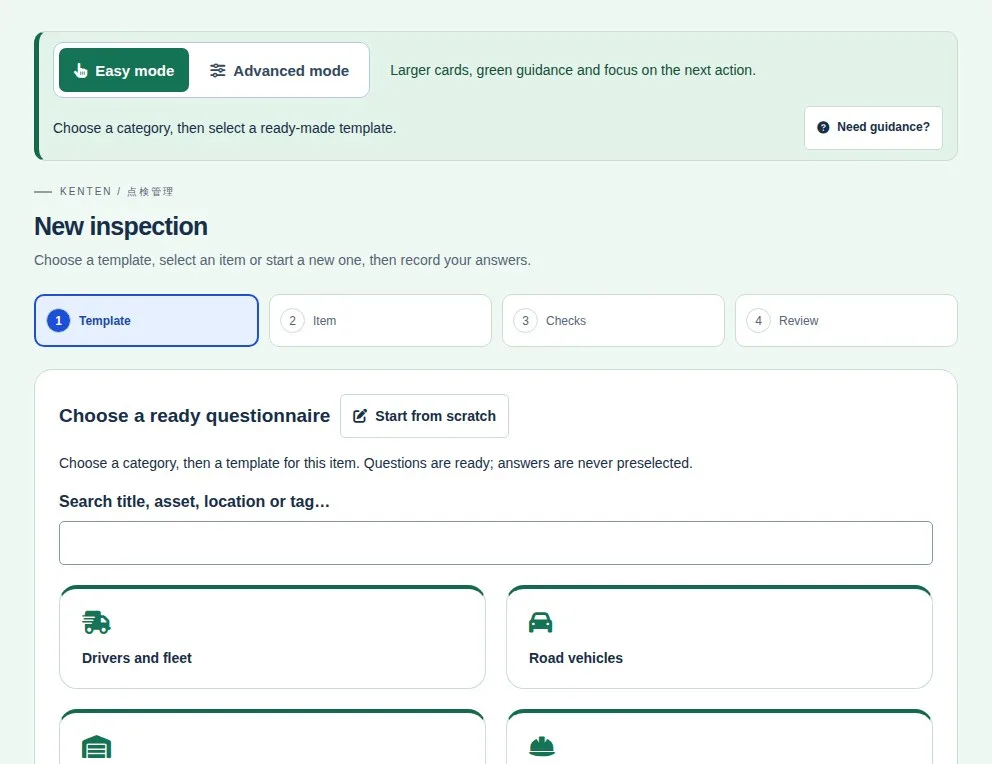
- Tap New inspection. The screen has 4 steps: template, item, checks and confirm.
- Choose a category and the ready questionnaire for your work, or start from scratch with a blank list.
- Identify the item (vehicle, machine, site…). If it is already registered, reuse that registration.
- Review the questions, choose the frequency and save. If the list is not ready yet, save a draft.
Choose the frequency
- In the editor, find the reference frequency field.
- Choose a one-time inspection or a daily routine. Other options cover weekly, monthly or longer intervals.
- Save the change.
The frequency describes the routine; it does not fill in answers or mark an inspection as done.
Fix and organize the questions
- Open the inspection and choose Edit questions. Fix the text right in the list.
- Add a question for a new check.
- Deactivate a question that should no longer appear; activate it again when you need it.
- Save. Keep at least one active question.