










- NewBusiness plan: Open Draw on map from Home, then choose an inspection or create a new one. Move and erase marks, undo changes and use the zoom buttons. Drawings save automatically; failed saves show the reason and keep a draft on the device.
- NewSettings in tabs: System settings now splits everything into General · Language · Account & privacy · About. On phones the tabs are at the top (swipe to switch); on tablets, on the side. No option was removed — they just moved (Delete my account is under Account & privacy).
- New7 languages: besides Japanese, Portuguese, English and Filipino, Kenten now speaks Simplified Chinese (简体中文), Vietnamese (Tiếng Việt) and Spanish (Español). Pick it in Settings › Language or with the globe on the sign-in screen; "Same as device" recognizes these languages too.
- NewOpen Draw on map from Home, then choose an inspection or create a new one. Move and erase marks, undo changes and use the zoom buttons. Drawings save automatically; failed saves show the reason and keep a draft on the device.
- FixedFixed: the app no longer opens twice after an update or when coming back from the browser (sign-in or payment).

Inspections and checklists
Kenten
Record inspections, photos and procedures. Keep each equipment history close at hand.
Start here
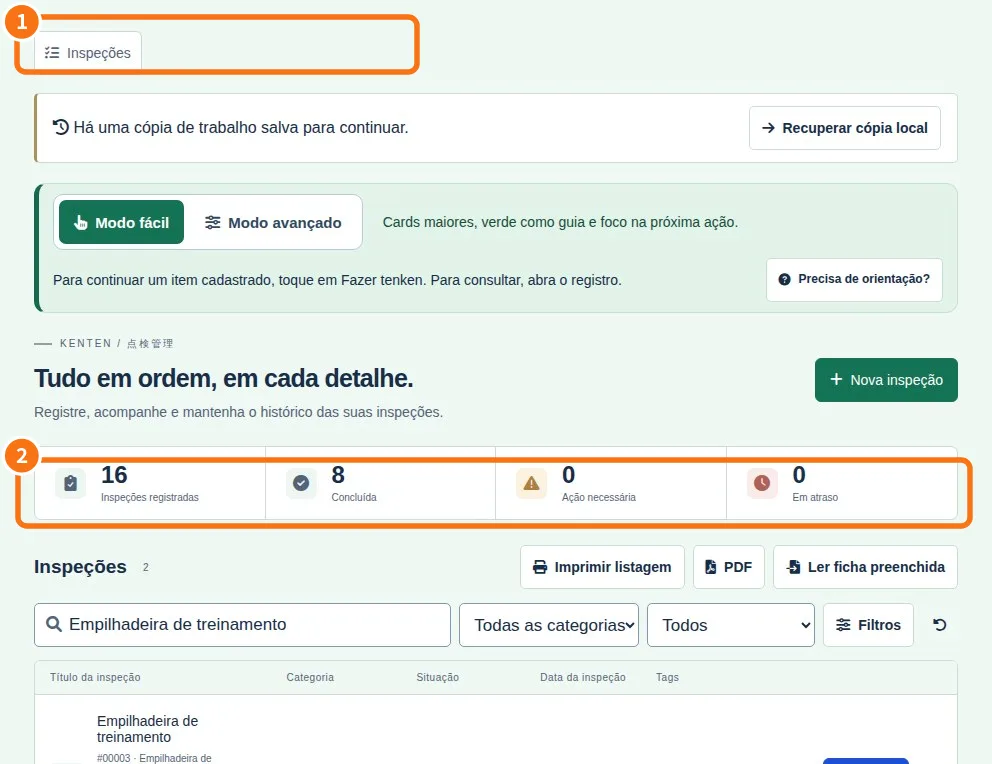 Start here: learn KentenA path for each person, with the right articles in the right order.
- Path — Inspector: the daily tenkenThe articles for who performs the inspection, in the right order.
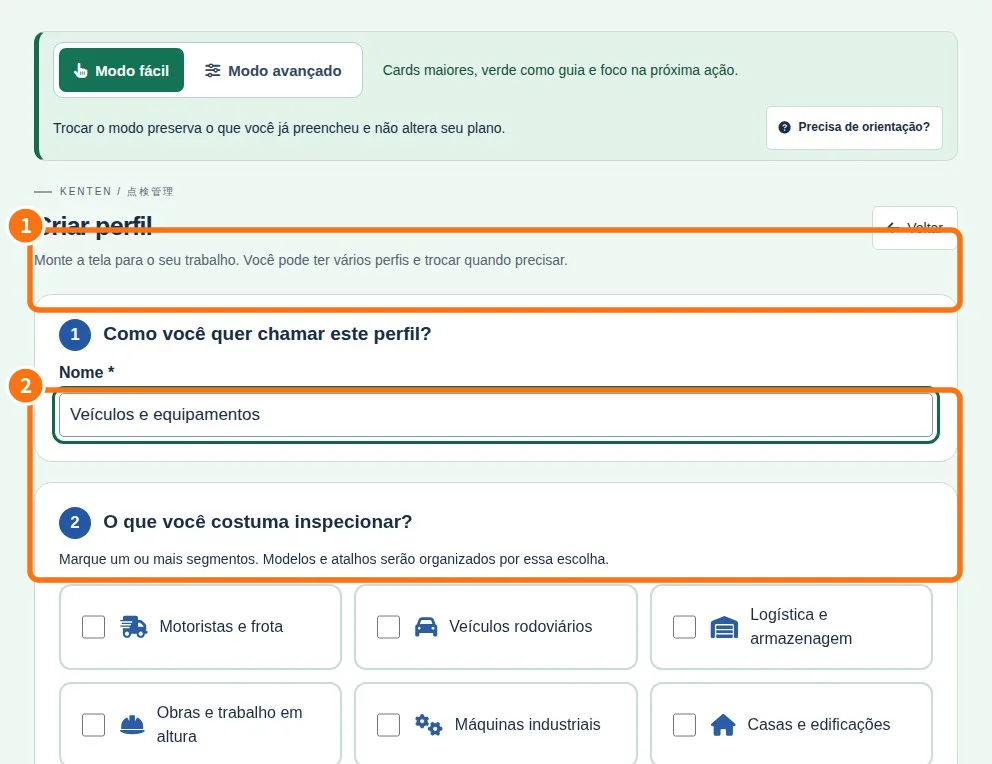 Path — Manager: set up the routine and review the monthThe articles for who creates forms and reviews them, in the right order.
- Kenten simple glossaryThe words you see in the app, explained in one line.
- Start with the easy modeFind the essentials without hunting through menus.
Screens & features
See all (24) →- Make the app fit your workShow the segments you actually use.
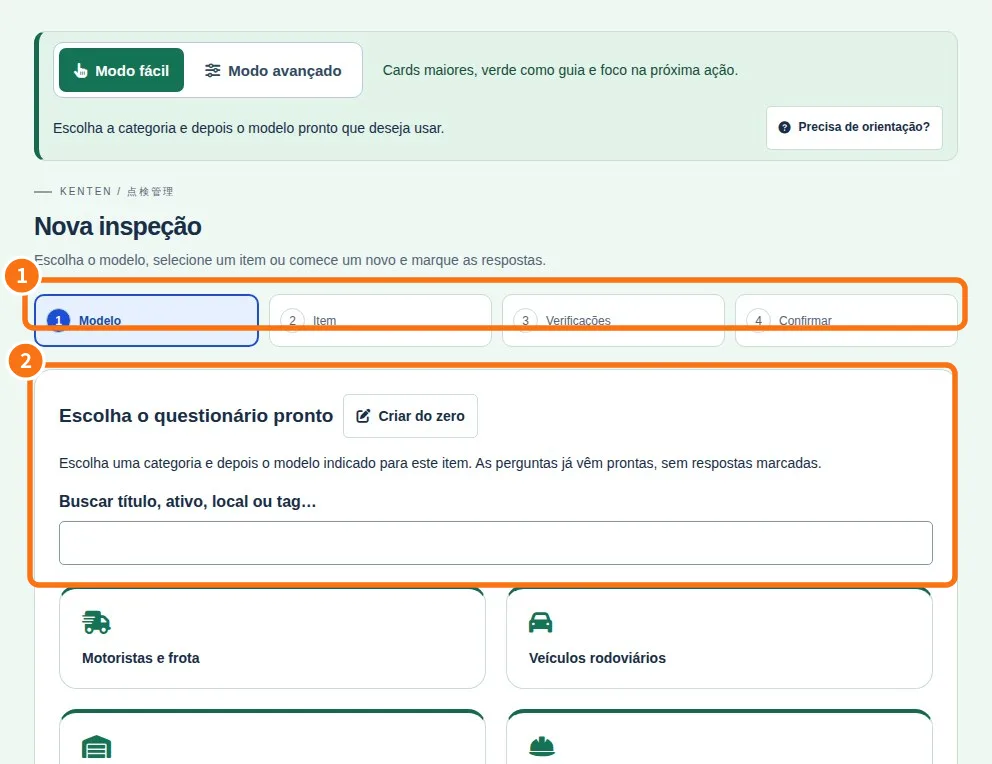 Create your tenkenStart from a ready model or a blank list.
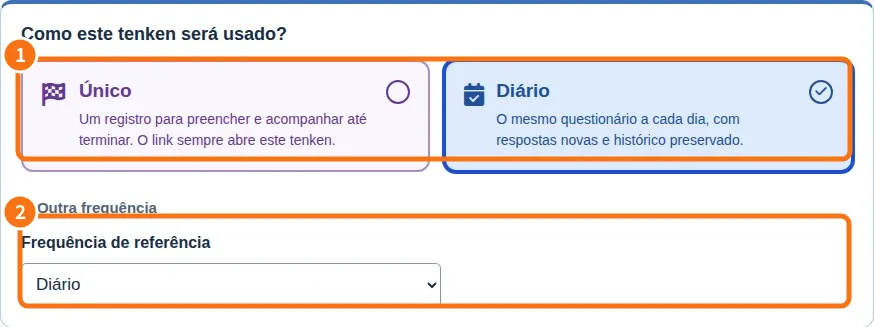 Choose when the inspection happensOne-time, daily, weekly or monthly.
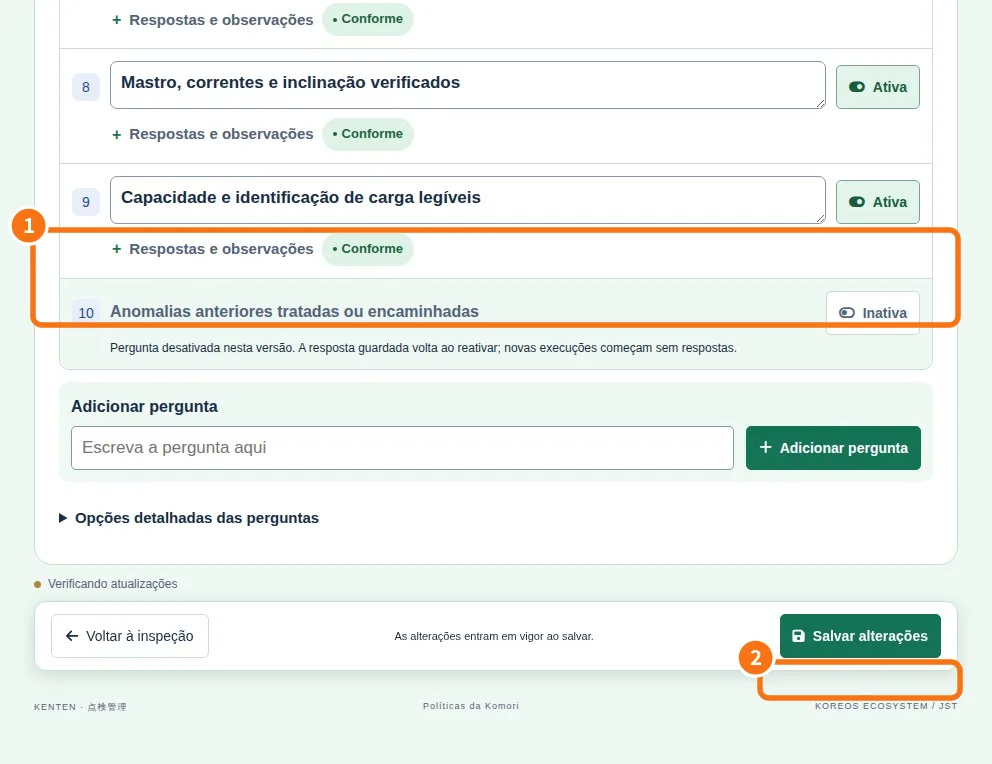 Correct and organize questionsEdit the list without choosing the model again.
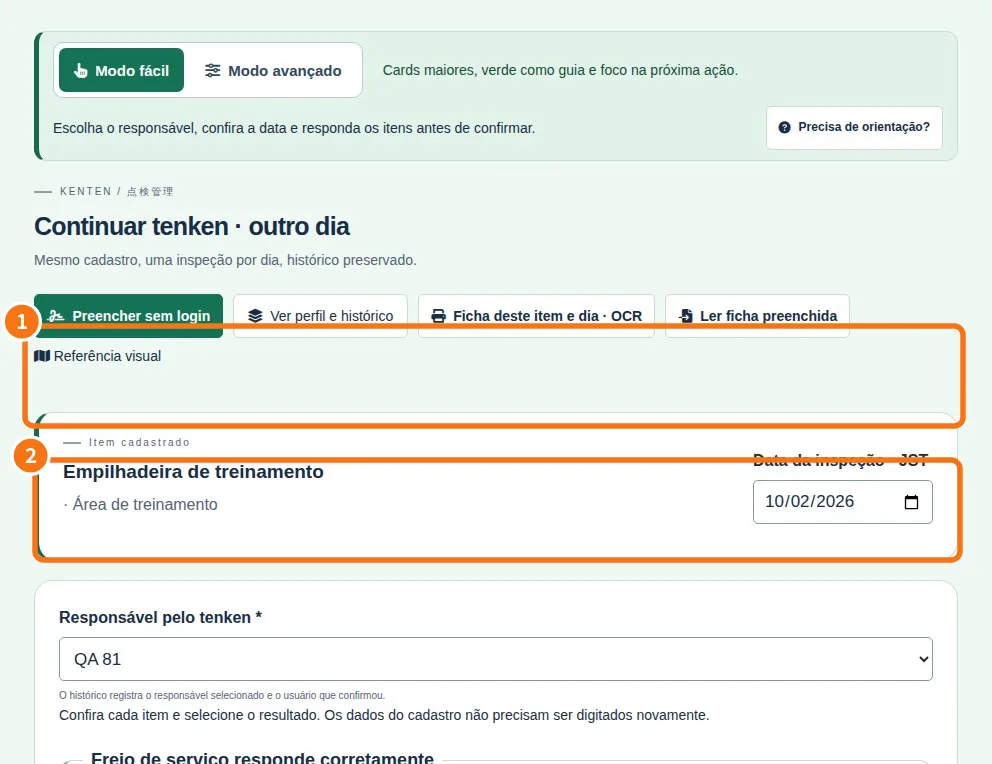 Answer the inspectionRead one question and choose its result.
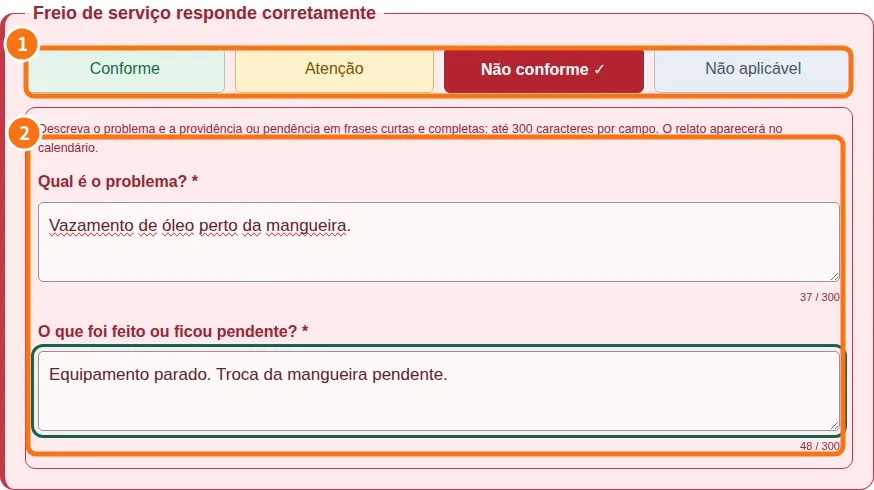 Explain what is wrongDescribe the problem and what happened next.