











KOREOS MENT · Pantallas y funciones
Cases: from request to approval
Create a case, assign it, record work, quotes and orders, submit completion and approve.
Este artículo aún no está traducido a su idioma: se muestra la versión en English.
En esta página
Each case follows: request → assignment → work/quotation → order → receipt → completion report → approval. Repairs without purchases can skip quoting and ordering.
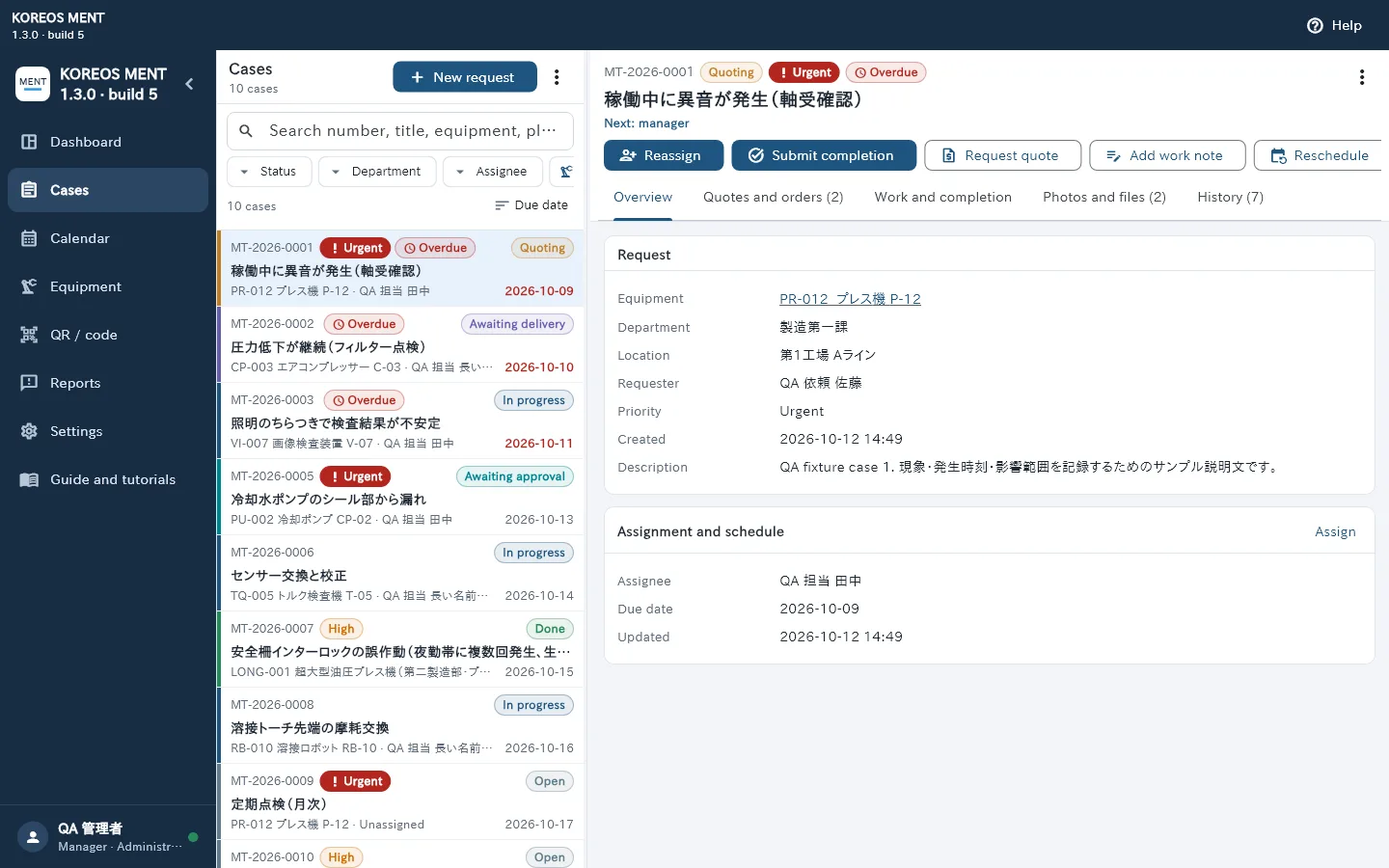
On the screen
- On the left, the case list with search and filters for status, department, assignee and equipment.
- On the right, the details: Overview, Quotes and orders, Work and completion, Photos and files, and History.
- Action buttons change with the stage and your role: only permitted actions appear.
Step by step
- Requester: tap “New request”, describe the issue and choose priority, location, department and equipment.
- Manager: open the case and use “Reassign” to set the staff member and deadline.
- Staff: use “Add work note” to record progress. If a part or contractor is needed, use “Request quote”.
- Manager: in Quotes and orders, record the price and supplier and update quote → order → receipt.
- Staff: when the work is done, tap “Submit completion”.
- Manager: review it and tap “Approve completion”, or “Return to work” if something is missing.
Stages
- Stage · What is needed next
- Open · Assign a staff member
- In progress · Staff perform and record the work
- Quoting · Record and decide on quotes
- Awaiting delivery · Receive the ordered items
- Awaiting approval · Manager reviews the completion
- Done · Work approved