











KS
KOMORI Software catalog (KŌLOGY brand)
KOLOGY Software Pro
Full logistics on PC with cloud (KŌLOGY, KOMORI Software catalog).
Screens & features
AllDispatch map 5Schedule 1Deliveries and completion 2Drivers and completion 4Import data 1Customers 2Areas and bases 2Sign-in and profile 2Backup, updates and settings 4How to — operator 3How to — administrator 3How to — driver 1Plans and limits 1
Dispatch map
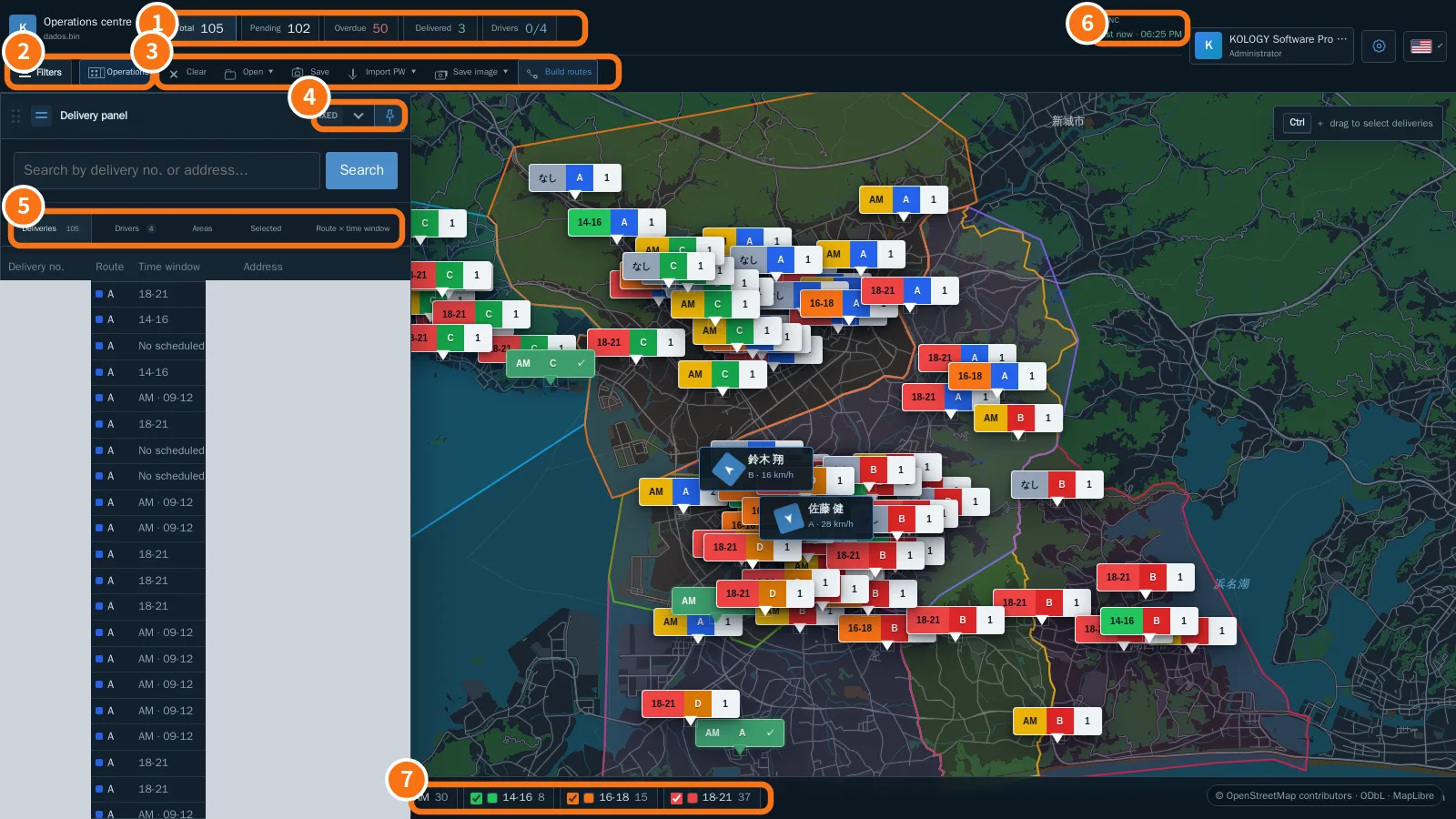 Operations centre: the Pro mapBatch indicators, Filters, the Operations menu, fixed or accordion delivery panel, the Drivers tab and the Sync indicator.
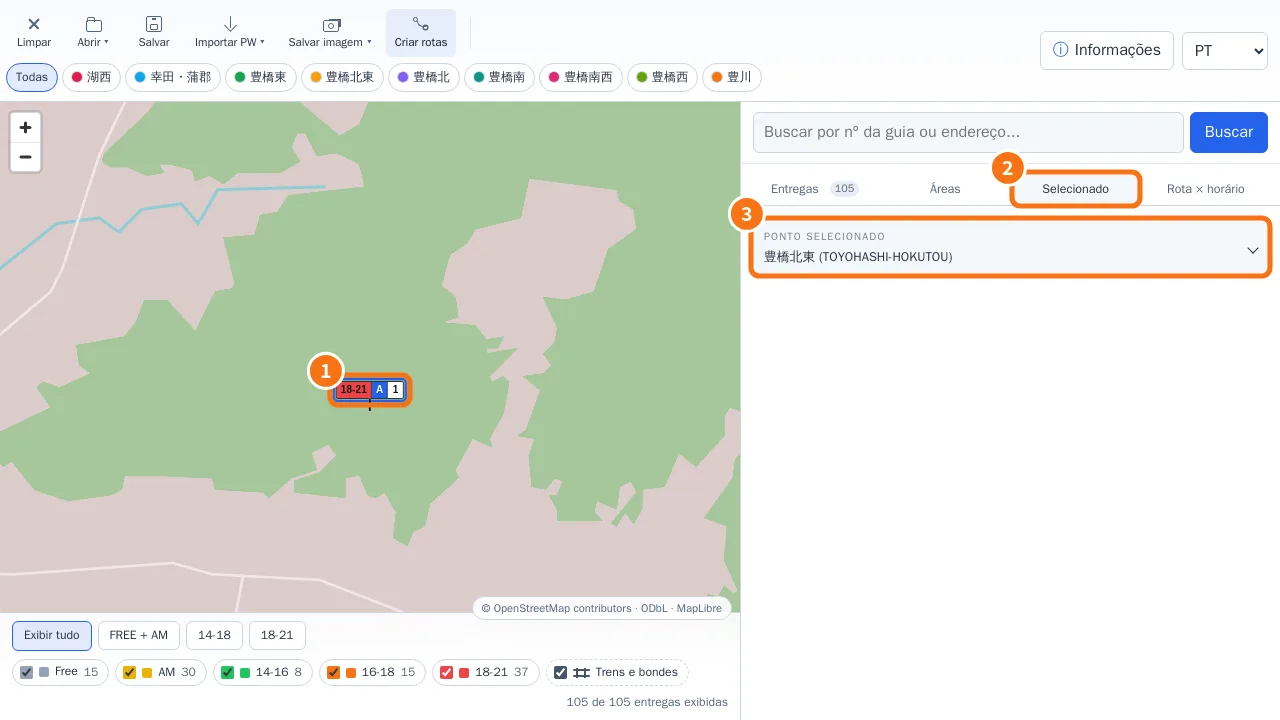 Edit a delivery from the mapQuick editor on pin click, Full edit, AM/PM period with exact time, and the Selected tab.
- Right-click menu, markers and manual driversThe right-click menu changes with what you click: map background, delivery, marker or driver.
- Distance and street routeMeasure between two points or build an accumulated route with Ctrl + click; the calculation runs on your own computer.
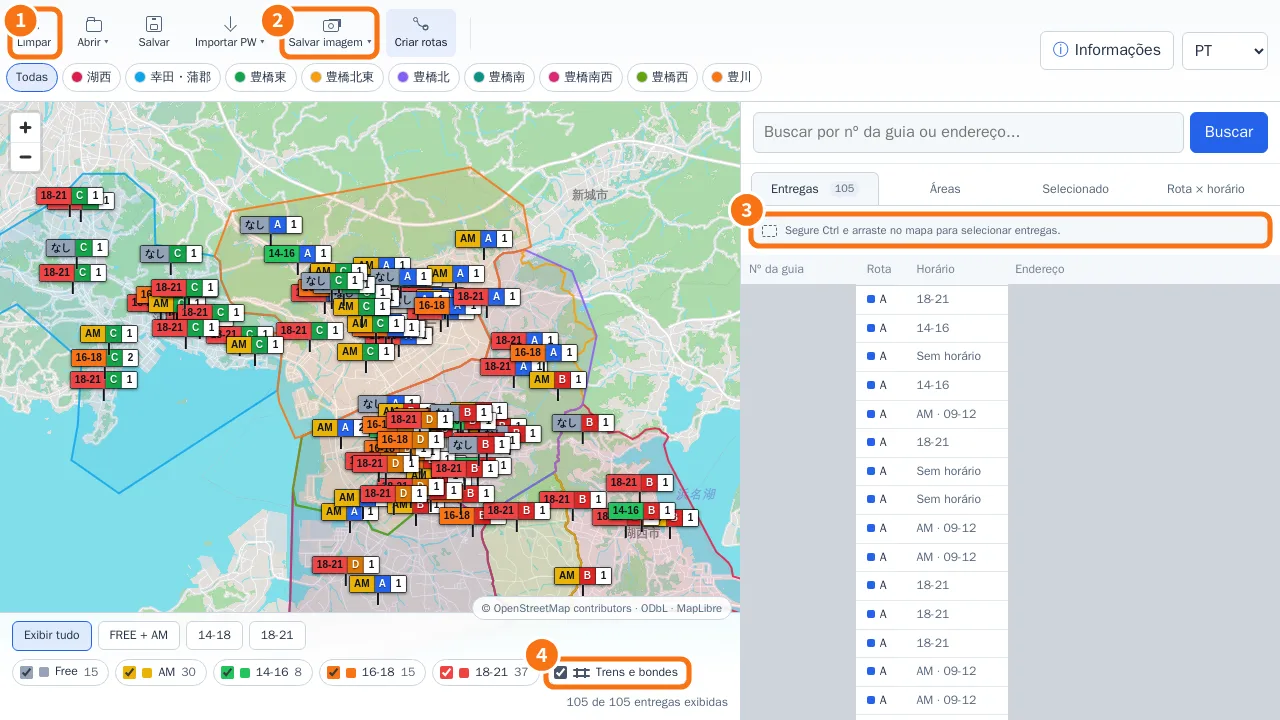 Ctrl selection, Save image (JPG/PDF) and layersSelect only the deliveries inside a rectangle, export the visible map as JPG or A4 PDF, and show or hide rail and tram lines.