











KoLite · Pagsisimula
Landas — Sino ang nagko-kontrata: mula sa katalogo hanggang sa unang pag-access
Ang mga artikulo para sa ang pumipili at nagko-kontrata ng sistema, sa tamang pagkakasunod.
Sundan nang sunod-sunod. Bawat hakbang ay may pangalan ng artikulong nagpapaliwanag — hanapin ang title sa search ng Wiki.
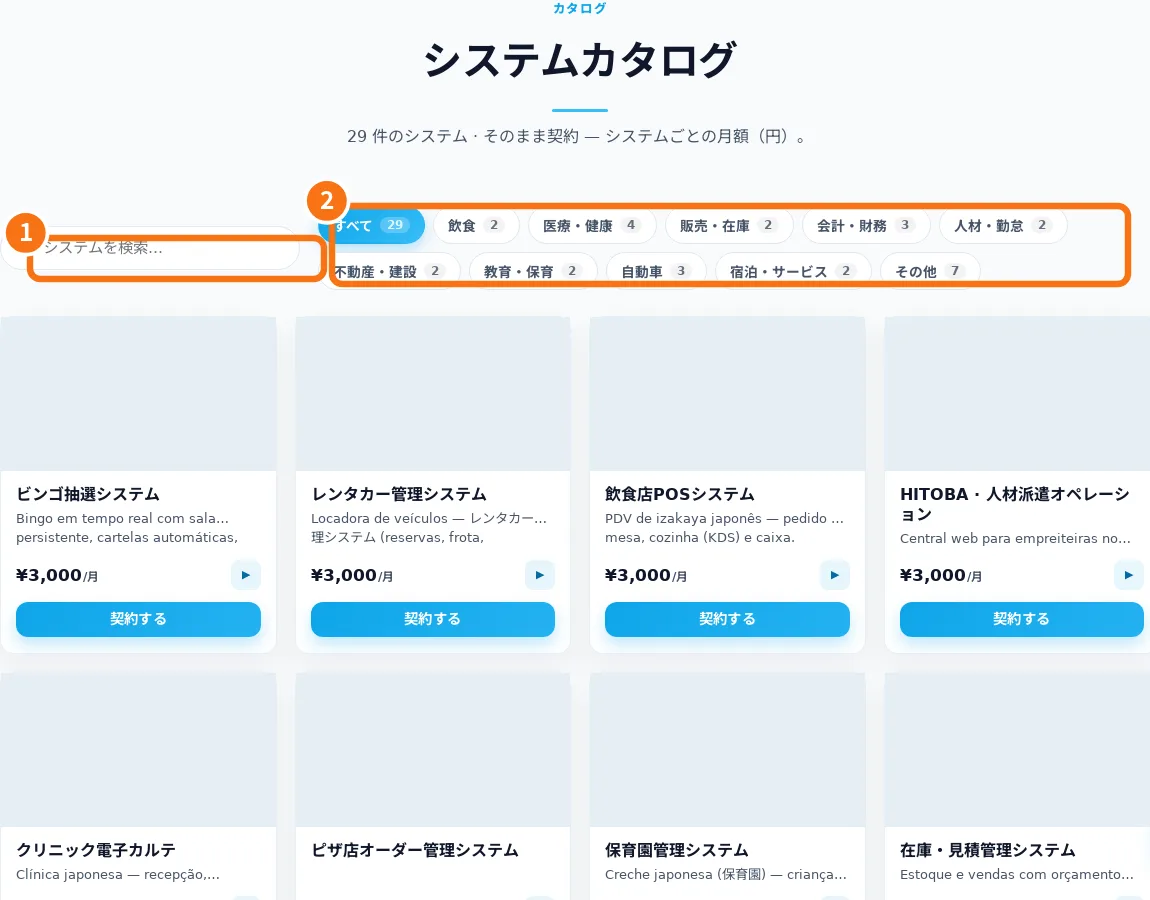
- Find the right system in the catalog — The catalog groups systems by industry. The store currently uses Japanese; this manual explains the screen labels.
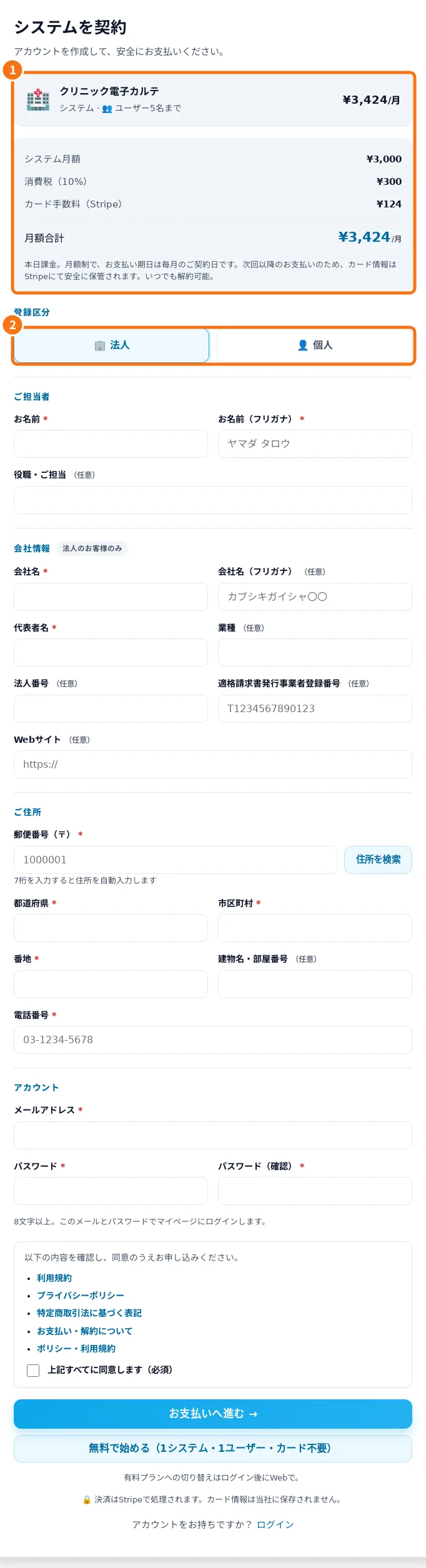
- Mag-rehistro at suriin ang Libre o bayad na serbisyo — Ang pagrehistro ay nagpapakilala sa contact at nagpapakita ng napiling sistema at opsyon ng serbisyo bago kumpirmahin.
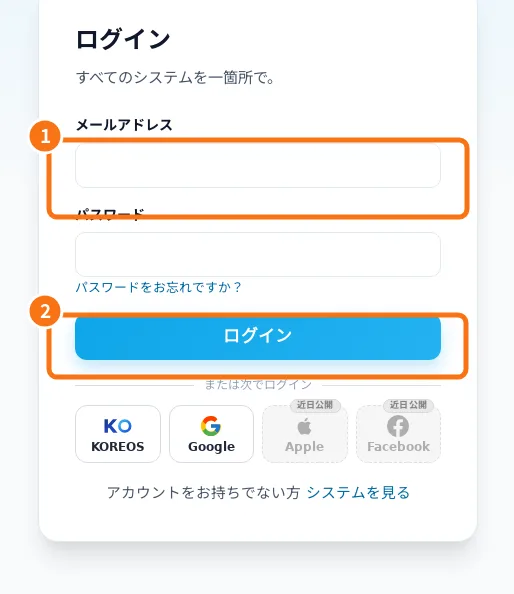
- Sign-in, password recovery and Google linking — Sign-in opens your systems dashboard. Google must be linked to the correct account.
- Dashboard: opening systems and reading status — The dashboard groups subscriptions and distinguishes awaiting payment, preparing, live, suspended and removed service.
- Owner: subscribe, open and follow your system — A route for whoever subscribes to a KoLite system for a company or for themselves. From the catalog to the first access: choose the right model, fill in the sign-up, follow the status in the dashboard and enter the system. The site is in Japanese; button names appear with the translation in brackets.
- Limits, billing, cancellation and help — KoLite provides ready-made systems under the displayed signup terms. Aya offers guidance, not transaction confirmation.