











KoLite · Bắt đầu
Path — Who hires: from catalog to first access
The articles for who picks and hires the system, in the right order.
Bài viết này chưa được dịch sang ngôn ngữ của bạn: đang hiển thị bản English.
Follow in order. Each step names the manual article that explains it in detail — search the title in the Wiki.
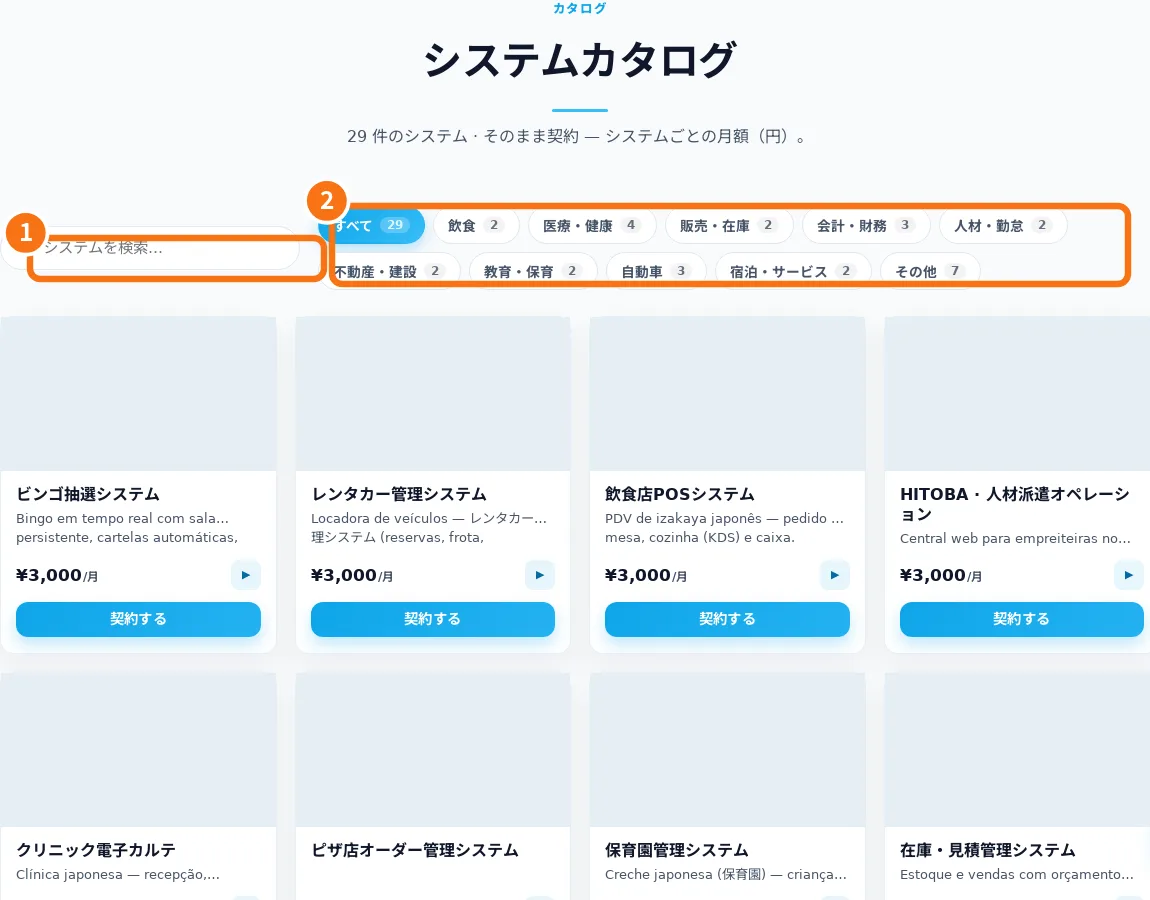
- Find the right system in the catalog — The catalog groups systems by industry. The store currently uses Japanese; this manual explains the screen labels.
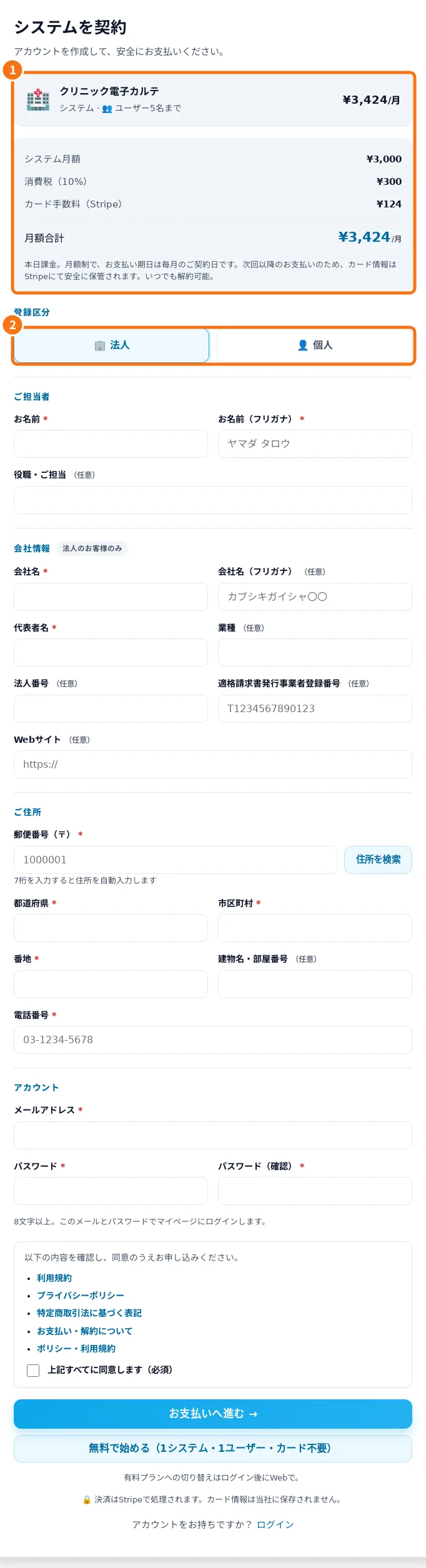
- Register and review Free or paid service — Registration identifies the contact and shows the selected system and service option before confirmation.
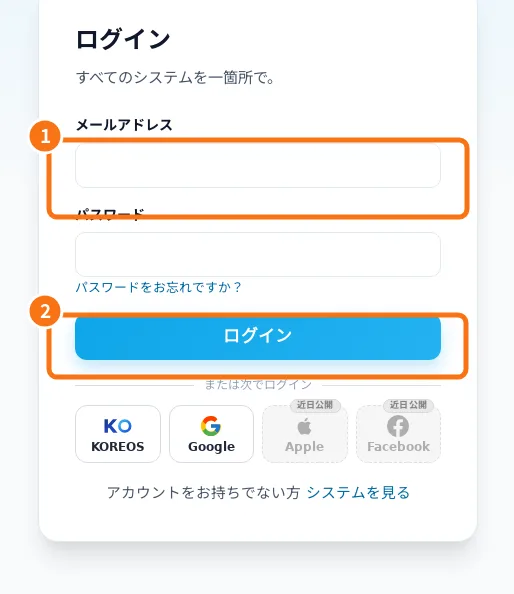
- Sign-in, password recovery and Google linking — Sign-in opens your systems dashboard. Google must be linked to the correct account.
- Dashboard: opening systems and reading status — The dashboard groups subscriptions and distinguishes awaiting payment, preparing, live, suspended and removed service.
- Owner: subscribe, open and follow your system — A route for whoever subscribes to a KoLite system for a company or for themselves. From the catalog to the first access: choose the right model, fill in the sign-up, follow the status in the dashboard and enter the system. The site is in Japanese; button names appear with the translation in brackets.
- Limits, billing, cancellation and help — KoLite provides ready-made systems under the displayed signup terms. Aya offers guidance, not transaction confirmation.