











KoChiken · 界面与功能
Manager panel: invite drivers, approve receipts, register from PDF
How a company manager uses kochiken.its-komori.com to add and invite drivers, approve receipts and register an operation from the schedule PDF.
此文章暂无您的语言版本,以English显示。
本页目录
Today
Even on days without an operation, the Shortcuts card goes straight to Drivers, Invite, Register from PDF, Approve receipts and Problem reports, with pending counts.
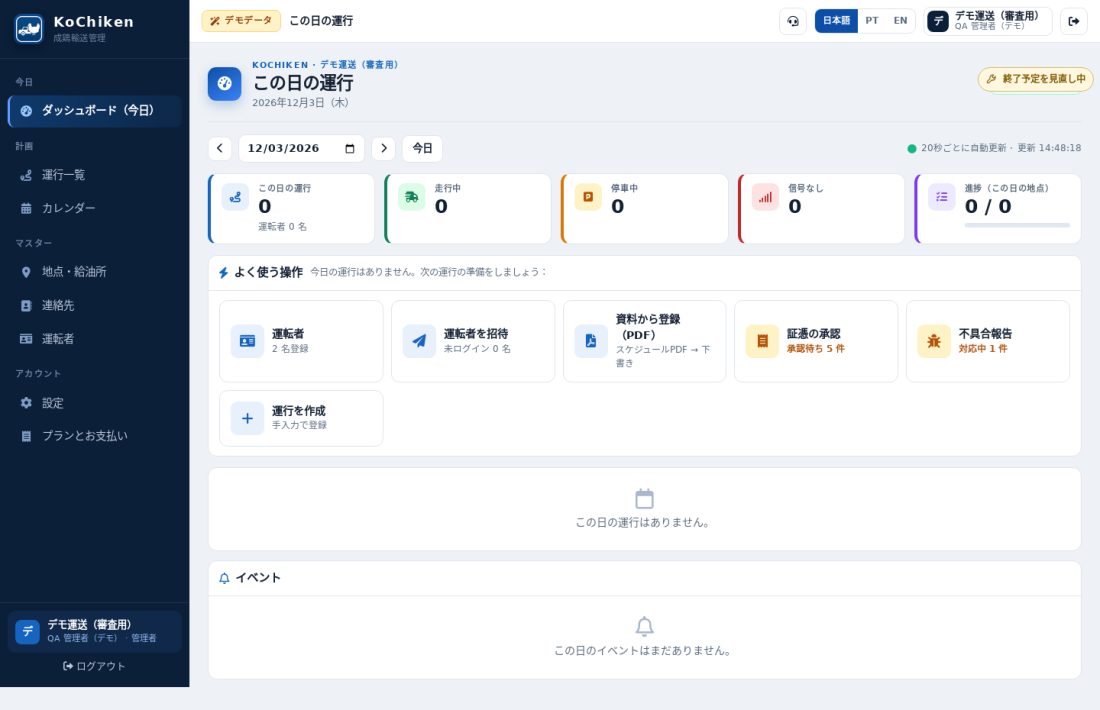
Add and invite a driver
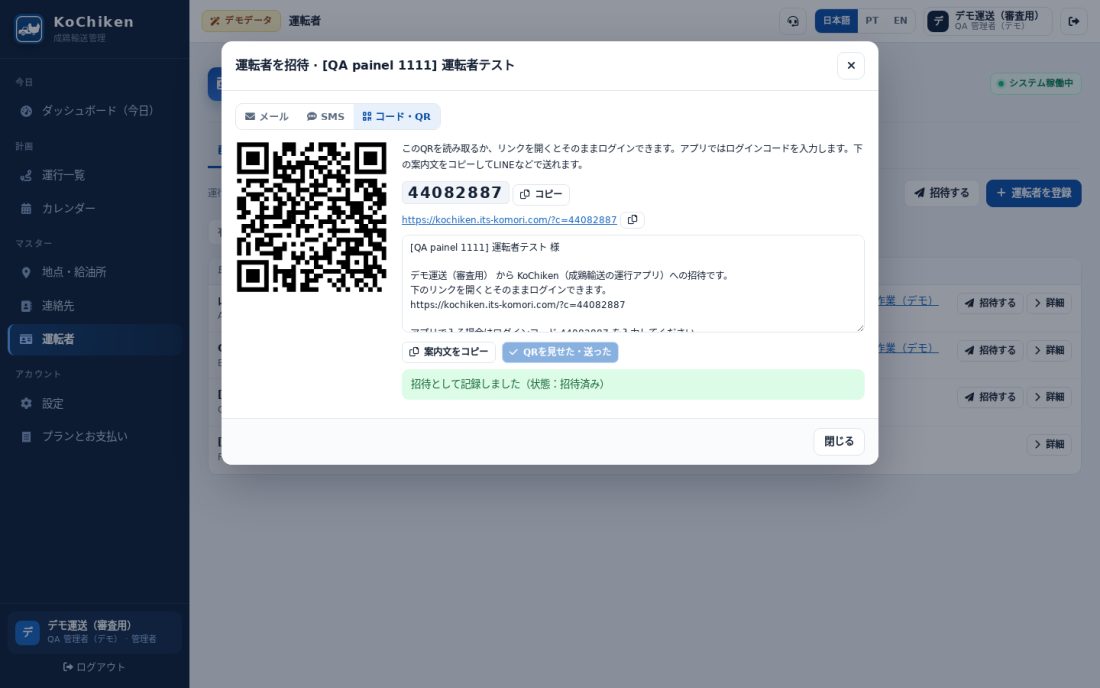
- Menu Drivers → Add driver: name, phone, e-mail, save (no assignment needed).
- On the driver page, Invite by e-mail, SMS or Code / QR (copy the message and send it via LINE/WhatsApp).
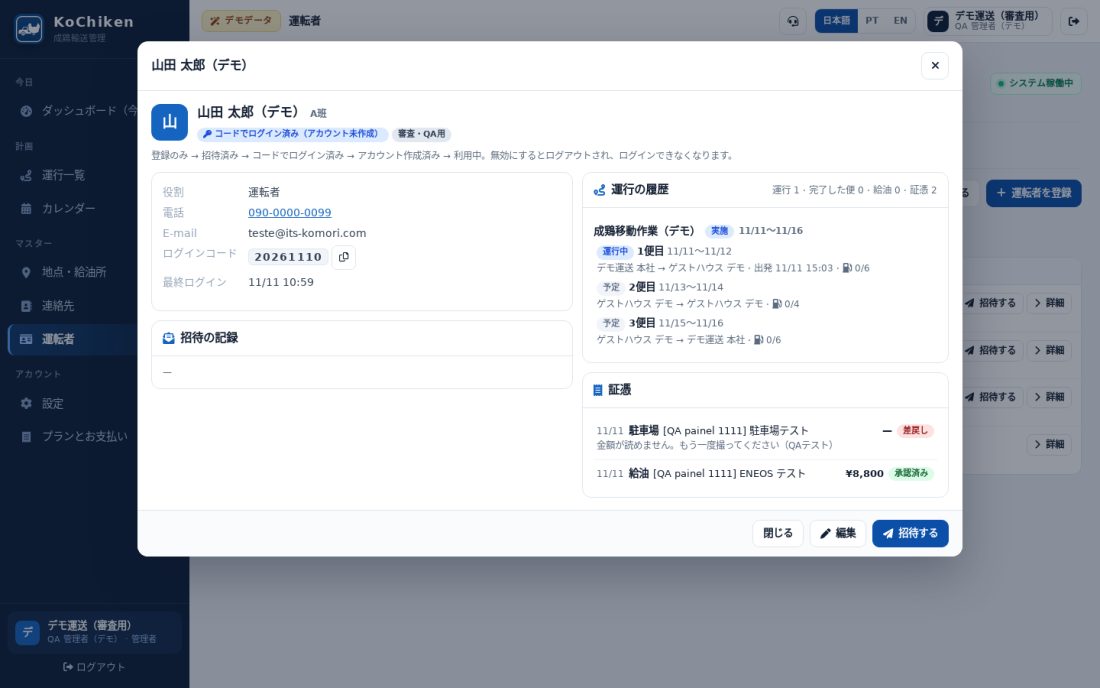
- Status: Registered → Invited → Signed in with code → Account created → Active.
The driver page shows the trip history, receipts and invites. Edit fixes details; Deactivate removes access (history is kept).
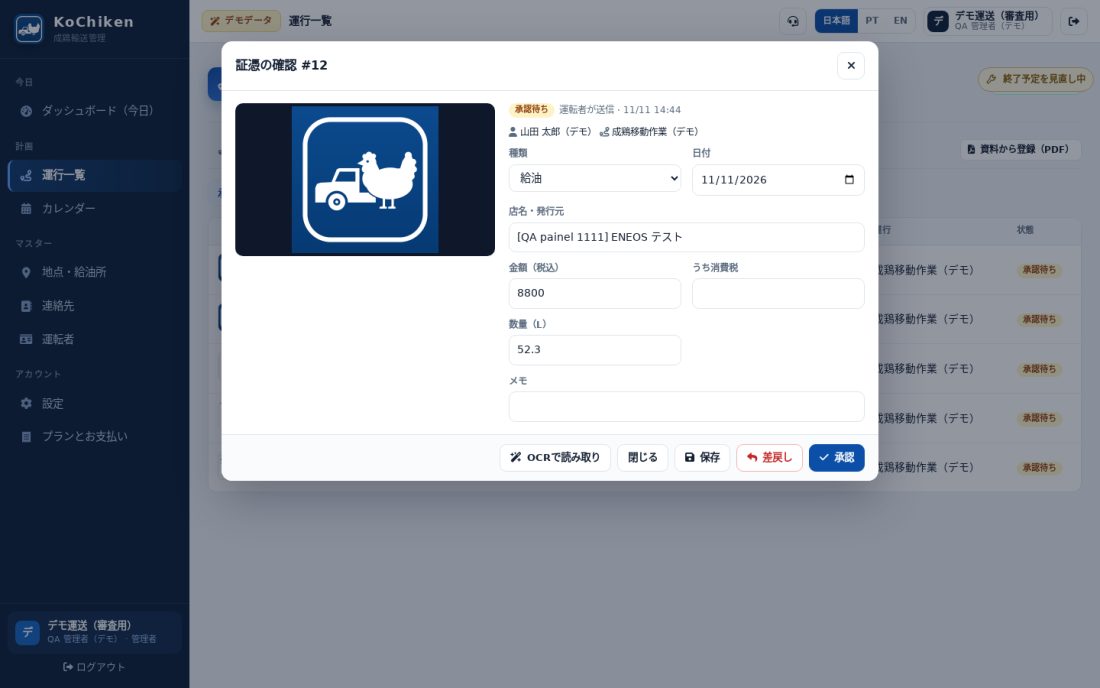
Approve or return a receipt
- Operations → Receipts tab opens on To approve.
- Open a row to see the photo and fields; fix the amount and Save (Read with OCR fills empty fields).
- Approve to finish, or Reject → write the reason → Return. The driver sees the reason in the app.
The Problem reports tab lists what drivers sent from the app. Reply via the group chat or phone.
Register from PDF
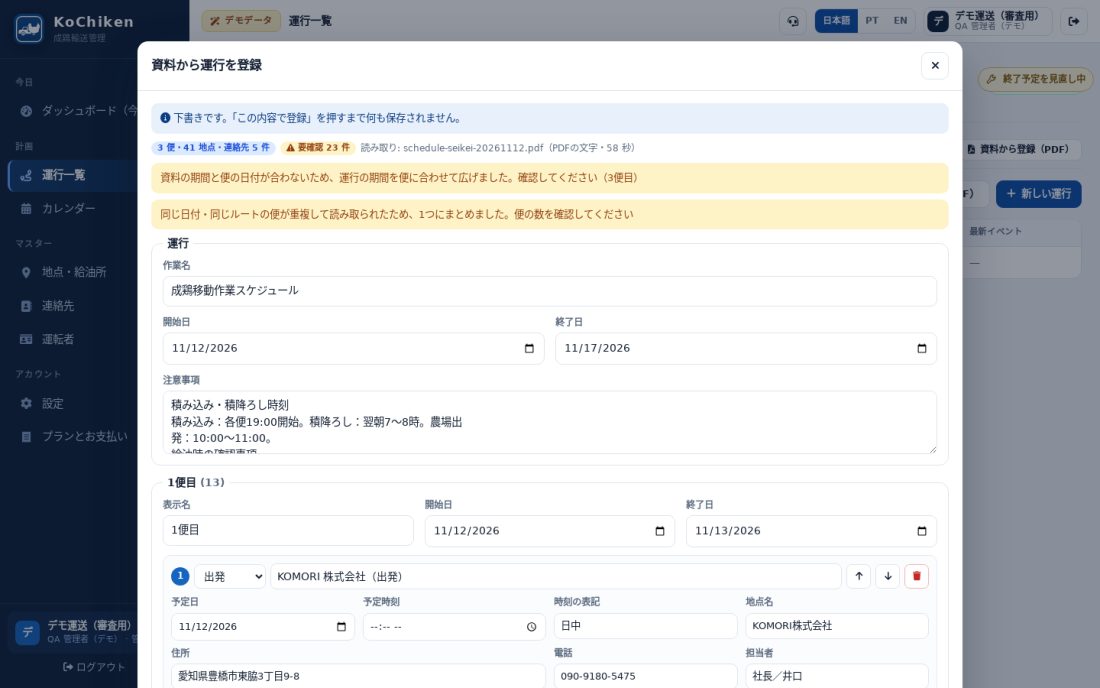
- Operations → Register from PDF, choose the schedule PDF and click Read document (about a minute).
- A draft with trips, stops, times and contacts appears. Check the yellow stops (to check).
- Nothing is saved until you click Register this. The operation is saved as a draft; check it and set it to Active.
KoChiken consultations in KOREOS
From the KOREOS menu, open Logistics → KoChiken. Filter operations, schedule, staff and receipts; tap a row for available details. The schedule is a dated list, not the full manager calendar. Creation, editing, invitations, photos, OCR, receipt approval, map and groups remain on the web under existing permissions. This consultation does not replace the KoChiken driver app.
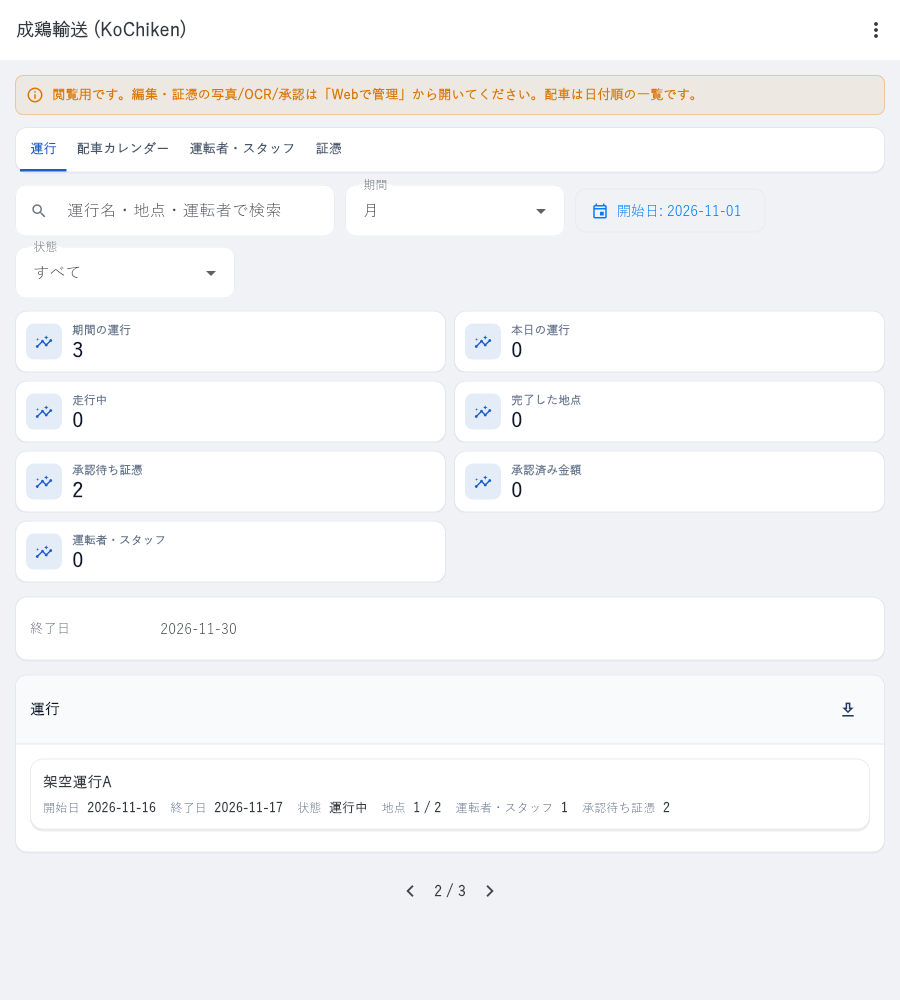
Example with fictional data and Japanese interface.