KoCAD · Screens & features
Generate with AI like an engineer: premises, patterns and real-model inspection
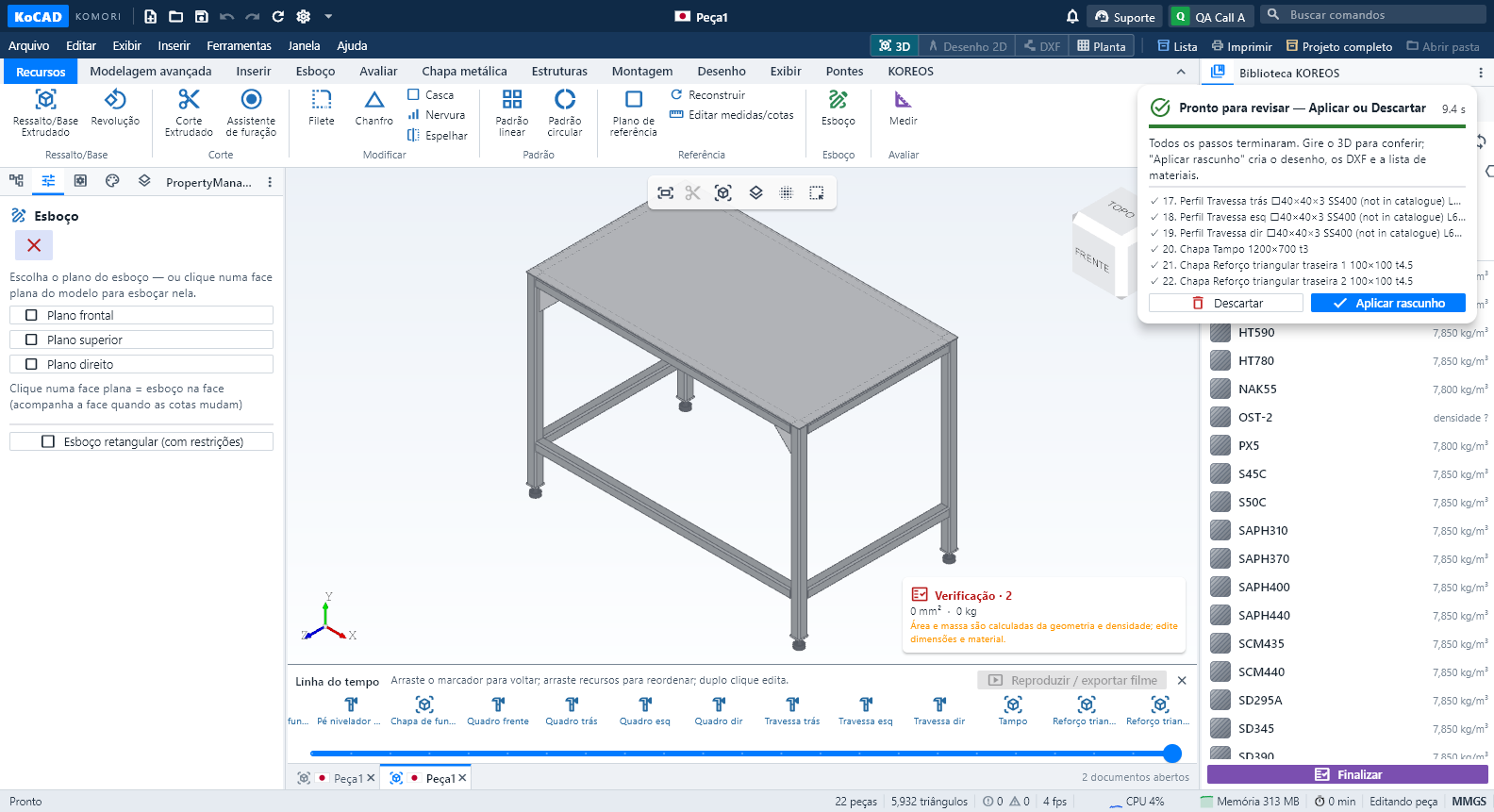
In Generate with AI (or by asking Bob), write the request as usual, for example: "Welded workbench 1200 × 700 × 850 mm total height with feet, SS400, 4 legs 40×40×3 tube, top frame, rails 200 mm from the floor, braces in the rear corners, 3 mm top plate, 4 leveling feet".
In Generate with AI (or by asking Bob), write the request as usual, for example: "Welded workbench 1200 × 700 × 850 mm total height with feet, SS400, 4 legs 40×40×3 tube, top frame, rails 200 mm from the floor, braces in the rear corners, 3 mm top plate, 4 leveling feet".
Before generating, the "Request interpretation (editable premises)" box appears: one line per item — type, overall size (and whether the height includes feet and top), legs, frame, rails (axis height and sides), braces (where), top and feet. If something is wrong, fix that line (e.g. "sides: left, right, front, rear" or "Braces: none"). "Read the request again" returns to the automatic reading.
These premises bind every engine: KOIA, Cascata KOMORI or your own key. The creation rules come from the KoCAD server (version shown in the box) and are the same for all; when KOMORI updates a rule it applies at the next generation, with nothing to install.
After the engine answers, KoCAD applies its engineering patterns: a real leveling foot (pad, nut and threaded stem) concentric with the leg, the stem entering the tube through the welded end cap; rails cut at the leg faces, at the requested height and sides; the top resting on the frame; triangular bracing only where requested; identical legs; exact overall box. Requested sections missing from the catalogue (e.g. 40×40×3 tube, t3 plate) are kept and marked "to confirm".
Then KoCAD inspects the REAL model (not the engine's numbers): it measures every part in the 3D kernel, checks contacts, interferences and loose parts and compares them with the premises. If a critical criterion fails, the request goes back to the engine with the exact list of failures (up to 4 rounds). If it still fails, KoCAD says what is wrong and does NOT mark it as done.
The review shows the premises, the automatic corrections (pattern · part · before → after) and the report "Real model inspection: N of N criteria passed". Orbit the 3D, check it and click Apply: the JIS drawing, DXFs and bill of materials come from the same model. The report is stored in the document and in Bob's history.
Limits: load and structural approval are not calculated; codes and prices of leveling feet and off-catalogue sections stay pending. A requested diagonal is made as a triangular plate in the opening.