









Cards and contacts
Karta
Digitize business cards and organize professional contacts.
Start here
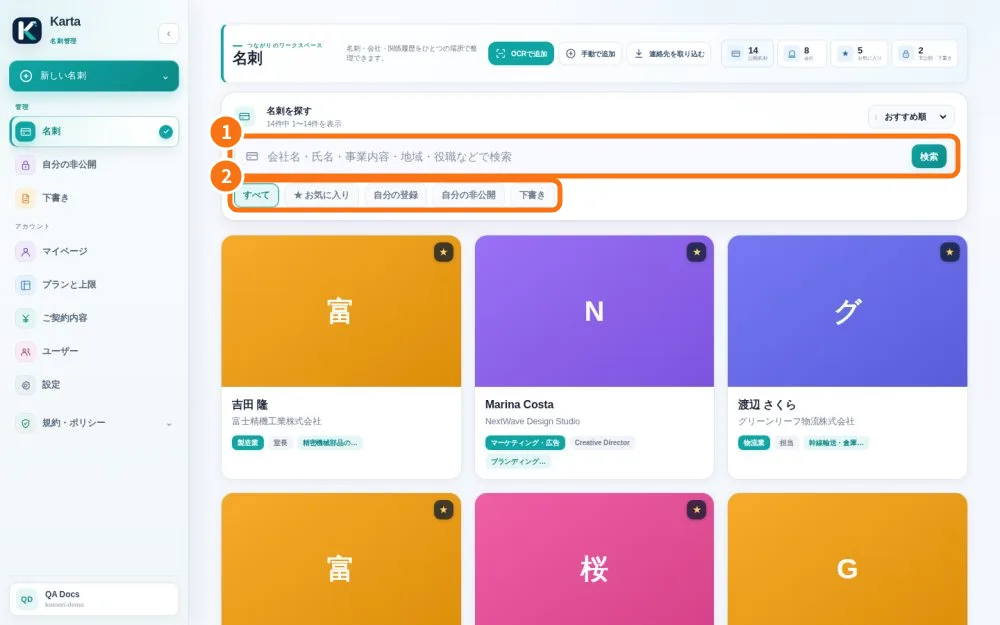 Start here: learn KartaA path for each person, with the right articles in the right order.
- Path — User: from received card to saved contactThe articles for who receives and hands out cards, in the right order.
- Path — Admin: set up your companyThe articles for who sets up Karta for the team, in the right order.
- Karta simple glossaryThe words you see in the app, explained in one line.
- Start with the right accountOrganize business cards and contacts. Your company has its own workspace; web and app use the same data.
- Install the app and sign in to your companyKarta works in the browser and in the official Android and iPhone app. Web and app show the same cards for the same company, so you can scan on the phone and review on a computer. This article covers installation and first sign-in only; to create a new company, see Getting started.
Screens & features
See all (18) →- Internal memos on cardsKeep business context within your team, away from public links and vCards.
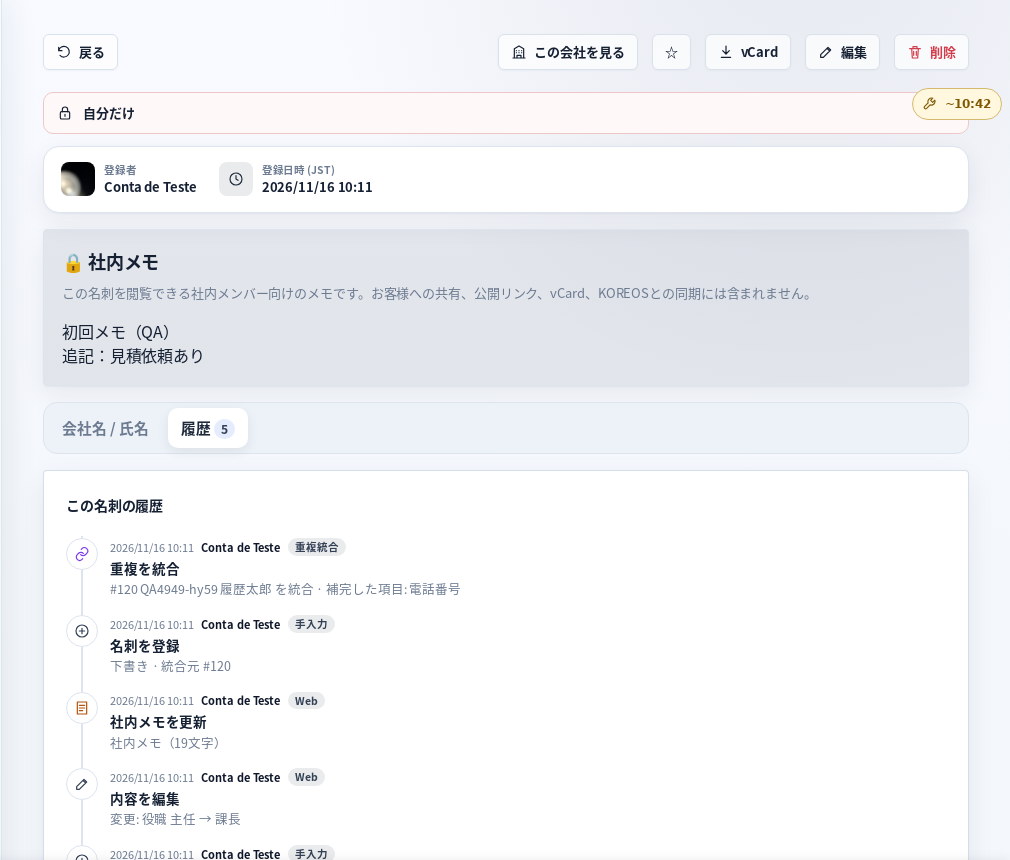 Card history and duplicatesSee registration, edits, sharing, internal memo and merges for each card, and combine repeated cards of the same person.
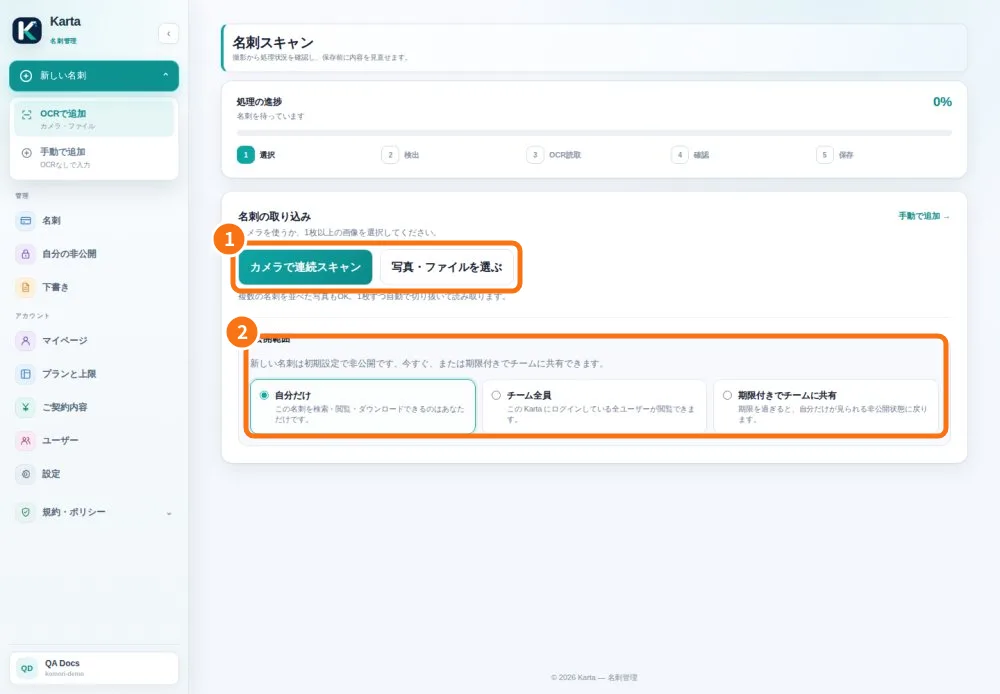 Capture the front and backThe camera captures the image; text recognition fills fields for review before saving.
- Review a batch and recover pending cardsIn the app, each scan becomes a draft. A batch holds up to 10 cards and reports each save result.
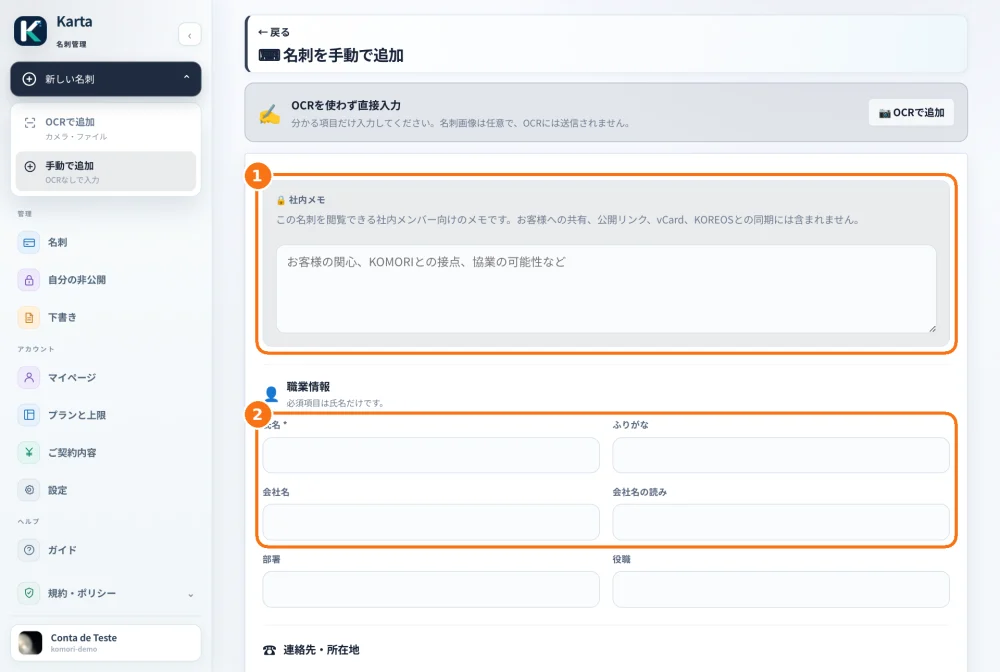 Add or correct a contactUse manual entry without a photo, or edit an existing saved card.
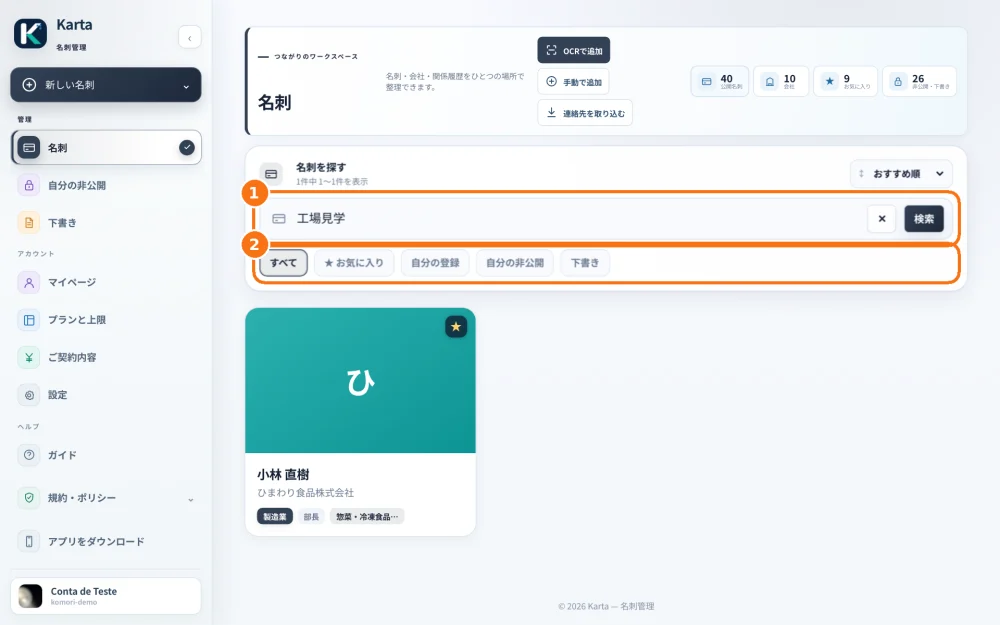 Find, filter and export a cardThe list helps find contacts without creating duplicates; the detail screen provides contact actions.