











KOREOS HOME · Pantallas y funciones
Free, Family Plus and Family Pro
The cloud plan defines shared modules and household member capacity.
Este artículo aún no está traducido a su idioma: se muestra la versión en English.
En esta página
What this is for
The cloud plan defines shared modules and household member capacity.
Step by step
- Check the plan, owner and displayed limits in Account.
- Free includes calendar, tasks and shopping with a member cap.
- Plus adds belongings, car, equipment, money and goals.
- Pro adds forecast comparisons separating estimates from actual costs.
- The owner manages the subscription through the available web channel and verifies the returned status.
Create the Free account (1.2.2)
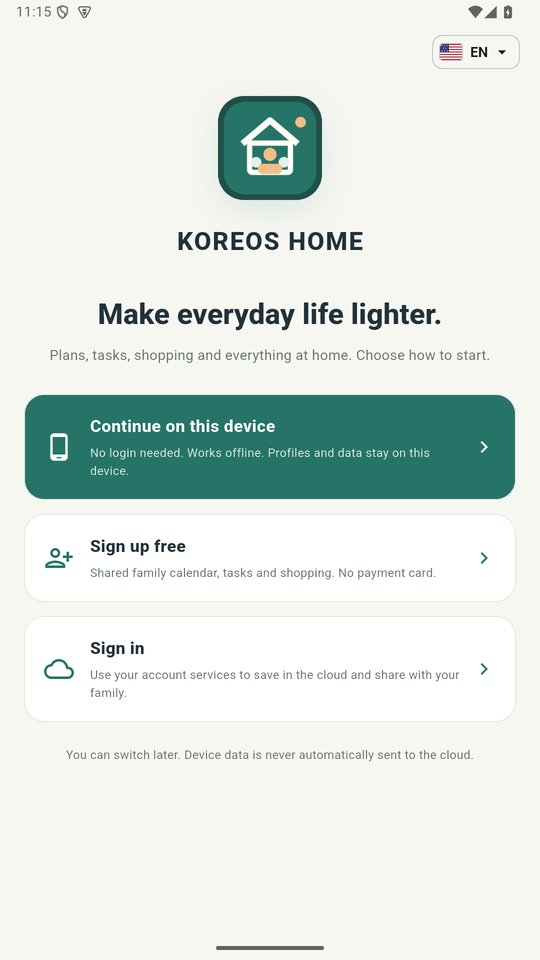
- On the app's first screen, tap Sign up free.
- Enter e-mail, password (12 characters minimum) and household name, tick the terms agreement and tap Continue.
- Confirm your e-mail with the link we send. The account starts on the Free plan.
Tip
If something goes wrong
If invitations hit the cap, the owner checks members and plan. Do not duplicate accounts to enlarge the same household.
Related articles
- FAQ: 20 answers