











KoLite · Getting started
Path — Who uses: day-to-day in the system
The articles for who works in the hired system, in the right order.
Follow in order. Each step names the manual article that explains it in detail — search the title in the Wiki.
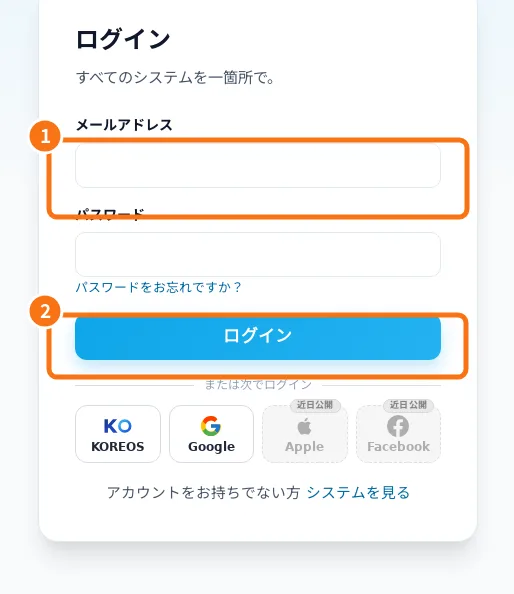
- Sign-in, password recovery and Google linking — Sign-in opens your systems dashboard. Google must be linked to the correct account.
- Navigate, add and verify a record — Each model has its own menus. Dashboards summarize, lists open records, and forms change data.
- Staff: the daily routine inside the subscribed system — For people who use the system every day: reception, service, stock or administration. Each model has its own menus, but the safe way of working is the same: open the right system, search before adding, save and check. Reports help close the day.