











KoChiken · Pagsisimula
Driver account (create, history, delete)
Sign in with your code once and create an account; then use e-mail/Google. See your trip history, receipts and profile, and delete the account.
Sa pahinang ito
Create the account
- Sign in with the 8-digit code from your company (article “Sign in”).
- The Create account screen opens: enter your e-mail and a password (8+ characters) and tap Create account. To use your Google account, tap Continue with Google.
- Not now? Tap Later. The code works until you create the account. You can create it later under More → Account → Create account.
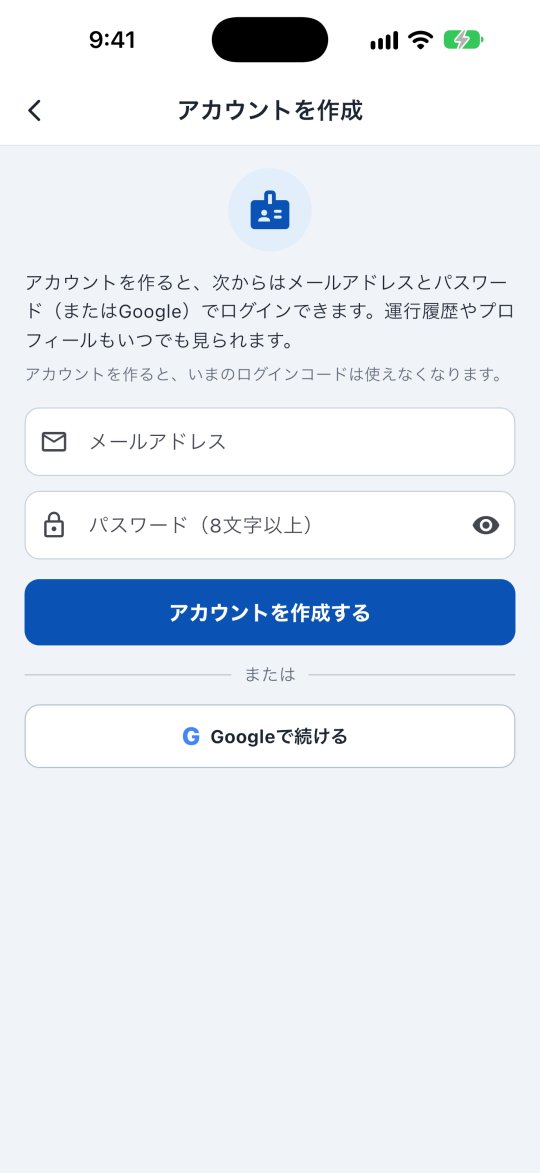
Once the account exists, the old code stops working (you see “This code already has an account”).
Signing in next time
On the sign-in screen tap I'm a driver (login code) → Sign in with email and use your e-mail and password (or Google).
Trip history and profile
Open More → Account.
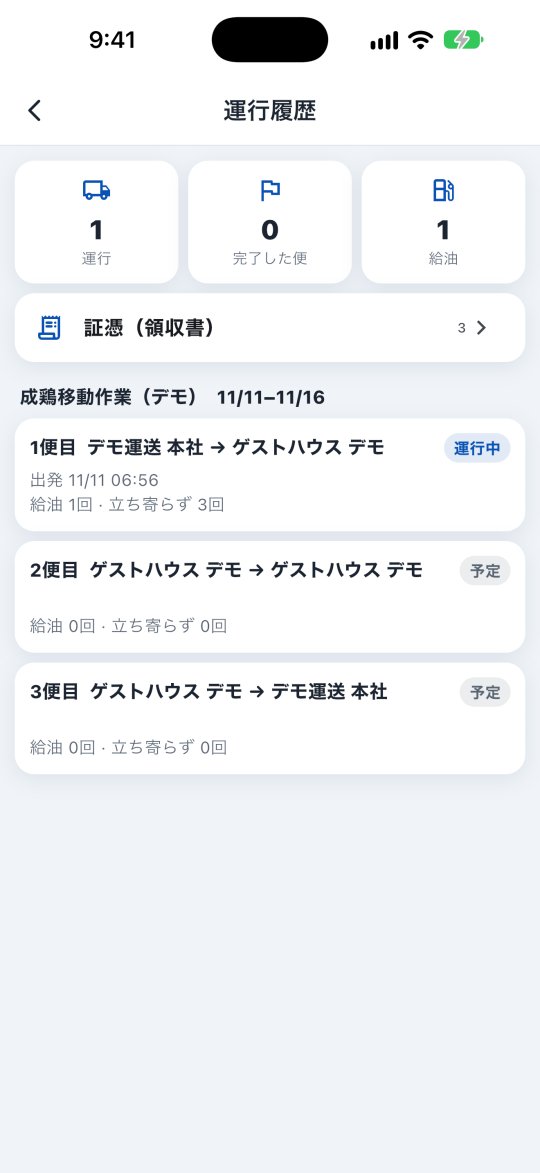
- Trip history: your operations, completed trips and fuel stops, and the receipts you sent (waiting, approved, returned).
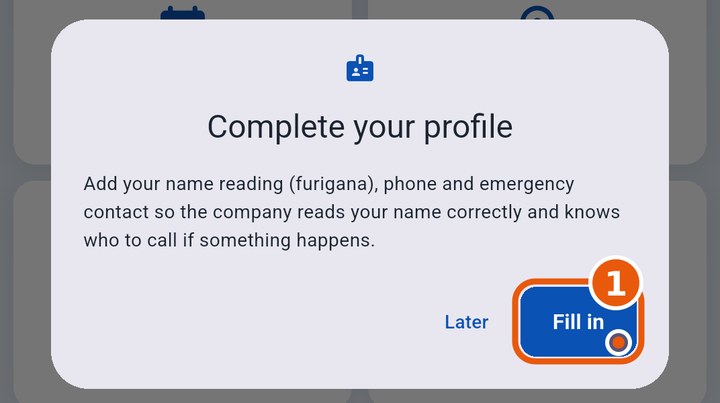
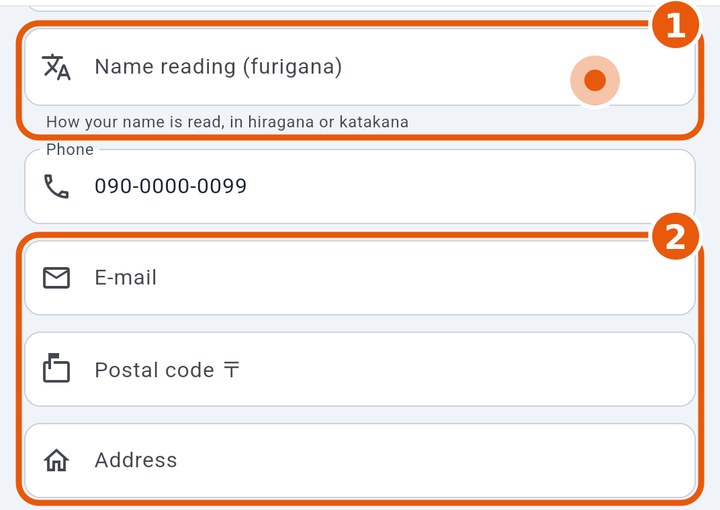
- Profile: change photo, name, name reading (yomi / furigana), phone, e-mail and password. The reading accepts hiragana or katakana, so the office can read your name correctly. If your profile is incomplete, the app reminds you once.
Driver roster (名簿)
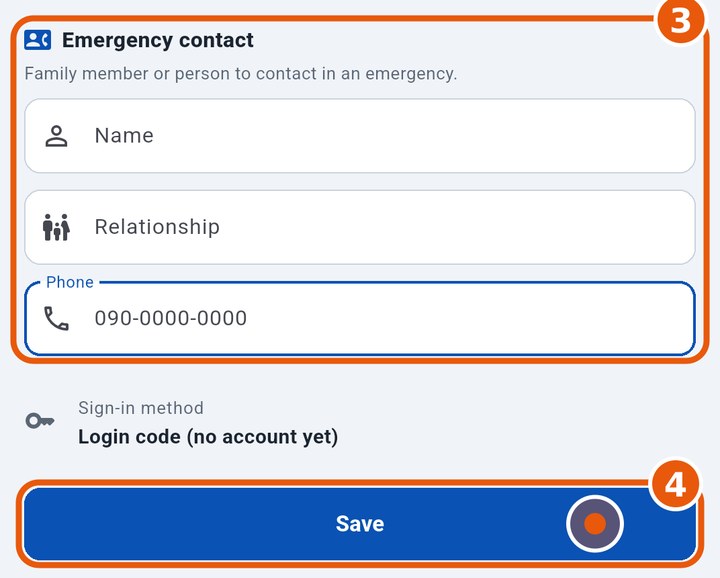
Further down in Profile, fill in Basic info (e-mail, postal code, address) and the Emergency contact (name, relationship, phone) and tap Save. Only what you change is sent to the company.
Forgot your password
Ask your manager for a new code. Sign in with it and set a new password in Profile.
Delete the account
More → Account → Delete account. Your personal data (name, phone, e-mail, photo…) is deleted. Trip records (departure, arrival, fuel, receipts) stay with the company without your name. This cannot be undone.
Managers
Drivers can be registered and invited without being assigned to an operation (KOREOS, the kochiken.its-komori.com panel, e-mail/SMS/link/QR). The list shows the status (invited, account created, deleted…).