











KOREOS · Mga screen at feature
Employee directory: how to use
From registering a person to managing documents and setting a resignation date.
Hindi pa naisasalin ang artikulong ito sa inyong wika: ipinapakita ang bersyong English.
Sa pahinang ito
What it is
The Employee directory keeps each person’s basic data, department, employment type and documents in one place. What you register here is the basis for permissions, schedules, attendance and other features.
Who it is for
HR and administration teams use it to register and update people. Anyone with permission can search the list and check each person’s status.
Step by step
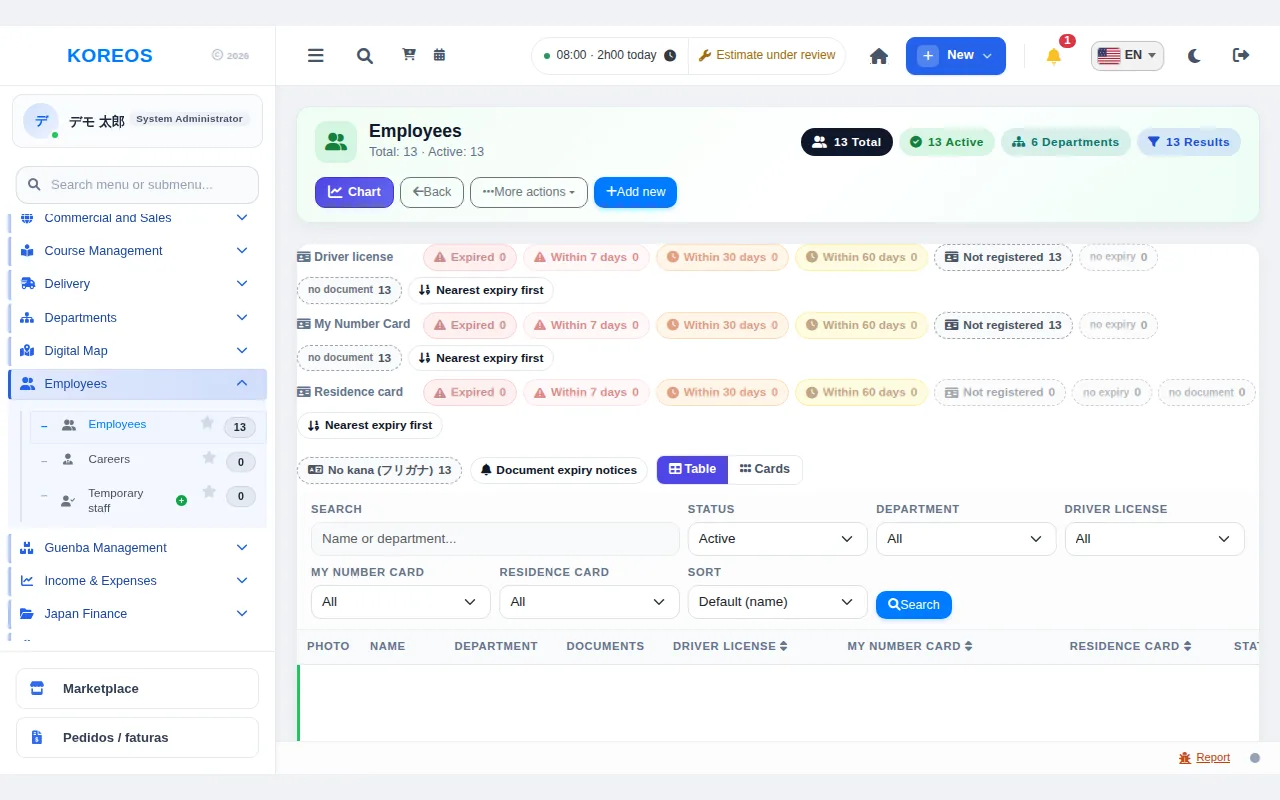
- In the menu, open "Employees" to see the list of registered people.
- To register someone, click "Add new".
- Fill in full name, romaji, kana name (katakana), department, email, admission date and employment type. The email is used for login. Add a photo if you like.
- In the "Documents" section, upload an image or PDF; you can check the preview before saving.
- Click "Save". The QR code is created automatically on save.
- In the list, use the "Name or department..." search to filter. "Edit" changes the data and "Activate/Deactivate" changes the person’s status.
- When you set a resignation date, the person’s access to the system is suspended automatically on that date. No data is deleted.
Tips
- The kana name can be typed in hiragana: the system saves it in katakana.
- The employment type can be changed at any time; the QR code and the other data stay the same.
- Use "List mode" or "View list as cards" to pick the layout you prefer.
- You can sort by nearest document expiry so deadlines are not missed.
Common questions
Does deleting an employee erase the history?
The system asks for confirmation before deleting. If you only want to stop use, choose "Deactivate": the data stays stored.
What is the email used for?
For the person’s login. Register an email that is not repeated for another employee.
Where do I create departments?
In "Departments". You then pick them here in the person’s record.
Availability and plan: see the Marketplace article.