











KOREOS MENT · Mga screen at feature
Dashboard and calendar
See pending work, deadlines and your queue, and organize cases by date.
Hindi pa naisasalin ang artikulong ito sa inyong wika: ipinapakita ang bersyong English.
Sa pahinang ito
Dashboard
The Dashboard shows pending work and what is waiting for you, so you can choose the next task.
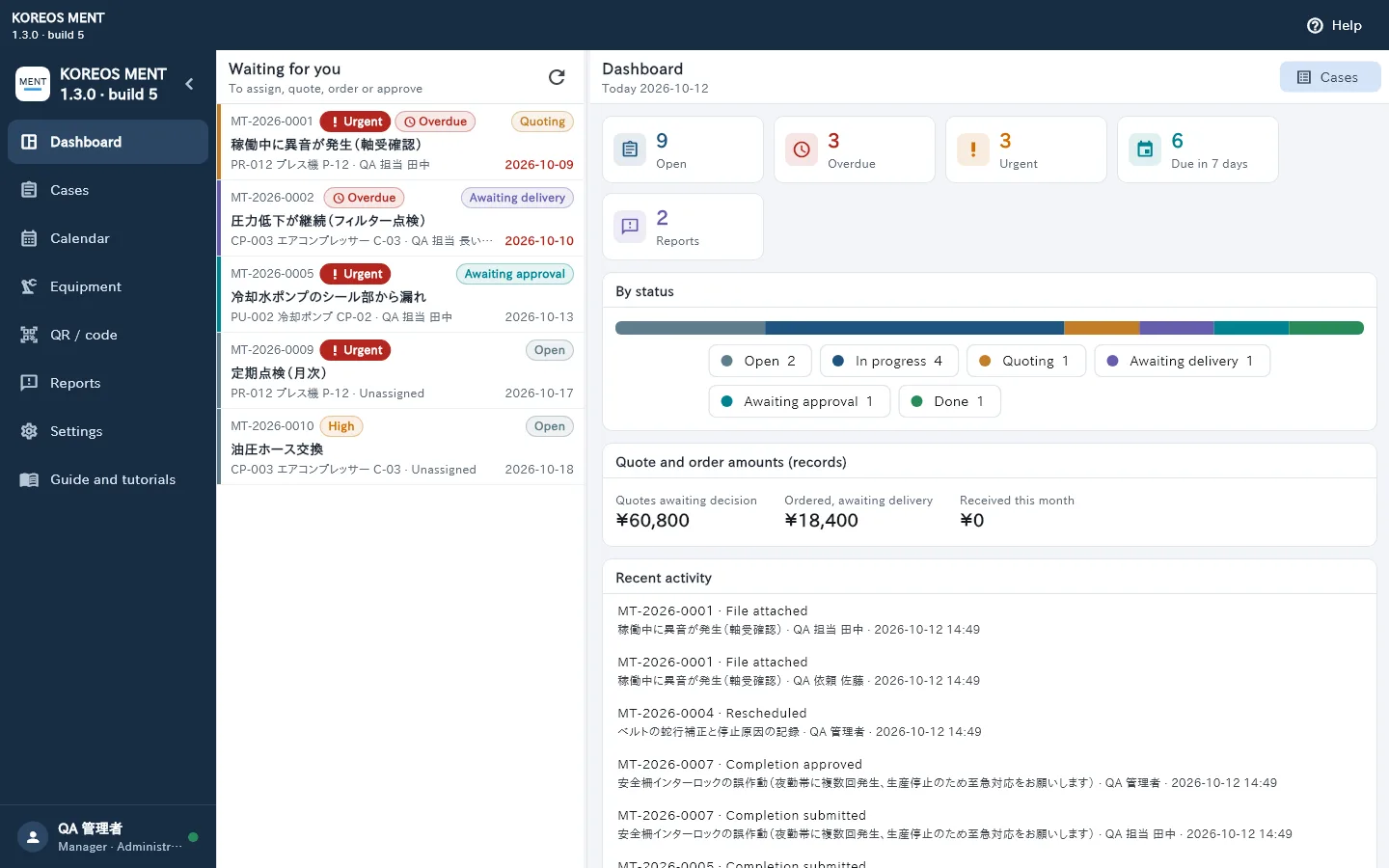
- Waiting for you: cases that need your action (assign, quote, order, approve).
- Indicators: open, overdue, urgent, due within 7 days and reports.
- By status: how many cases are at each stage.
- Quote and order amounts and Recent activity.
- Tap a case in the queue to open its details and see the next action, the person responsible and the deadline.
- Content depends on your role: staff see their own queue; managers also see what needs approval.
Calendar
The Calendar shows cases by scheduled date and deadline.
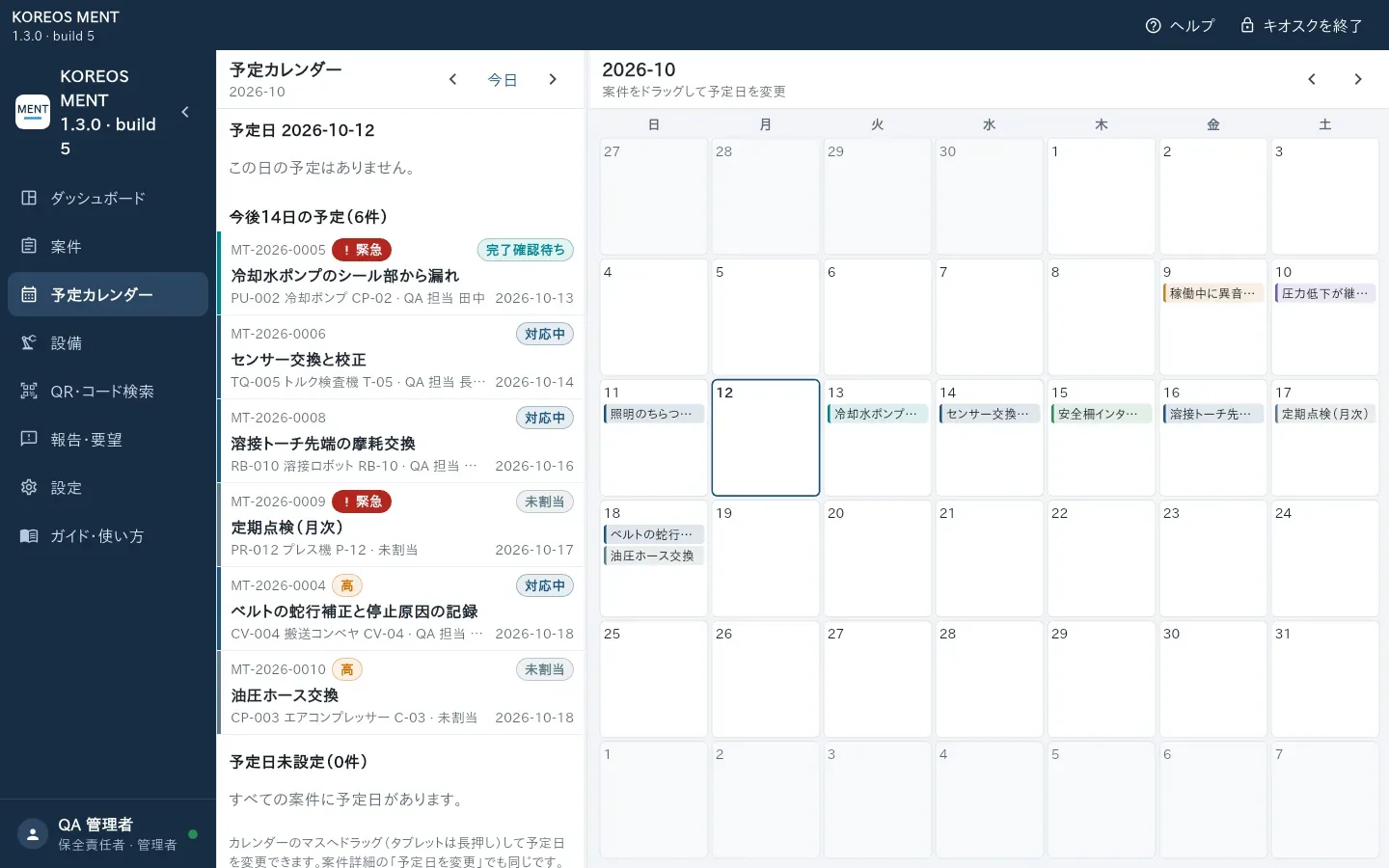
- Move between months and tap a day to see its cases.
- To change a date, drag the case to another day (on the tablet, touch and hold). You can also use “Reschedule” in the case details.
- Dates and times are in Japan time (JST).