











KOREOS MENT · Screens & features
Dashboard and calendar
See pending work, deadlines and your queue, and organize cases by date.
On this page
Dashboard
The Dashboard shows pending work and what is waiting for you, so you can choose the next task.
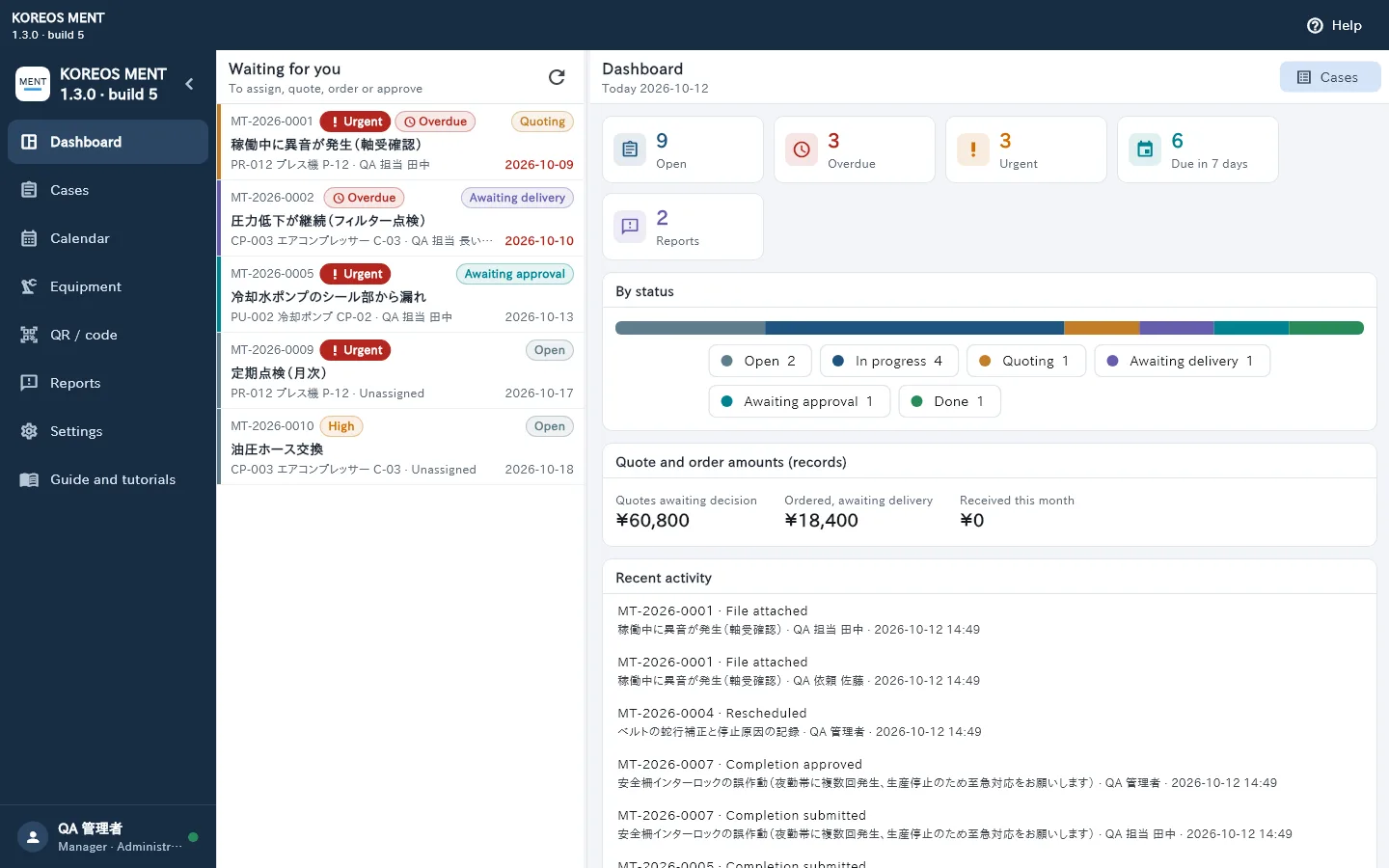
- Waiting for you: cases that need your action (assign, quote, order, approve).
- Indicators: open, overdue, urgent, due within 7 days and reports.
- By status: how many cases are at each stage.
- Quote and order amounts and Recent activity.
- Tap a case in the queue to open its details and see the next action, the person responsible and the deadline.
- Content depends on your role: staff see their own queue; managers also see what needs approval.
Calendar
The Calendar shows cases by scheduled date and deadline.
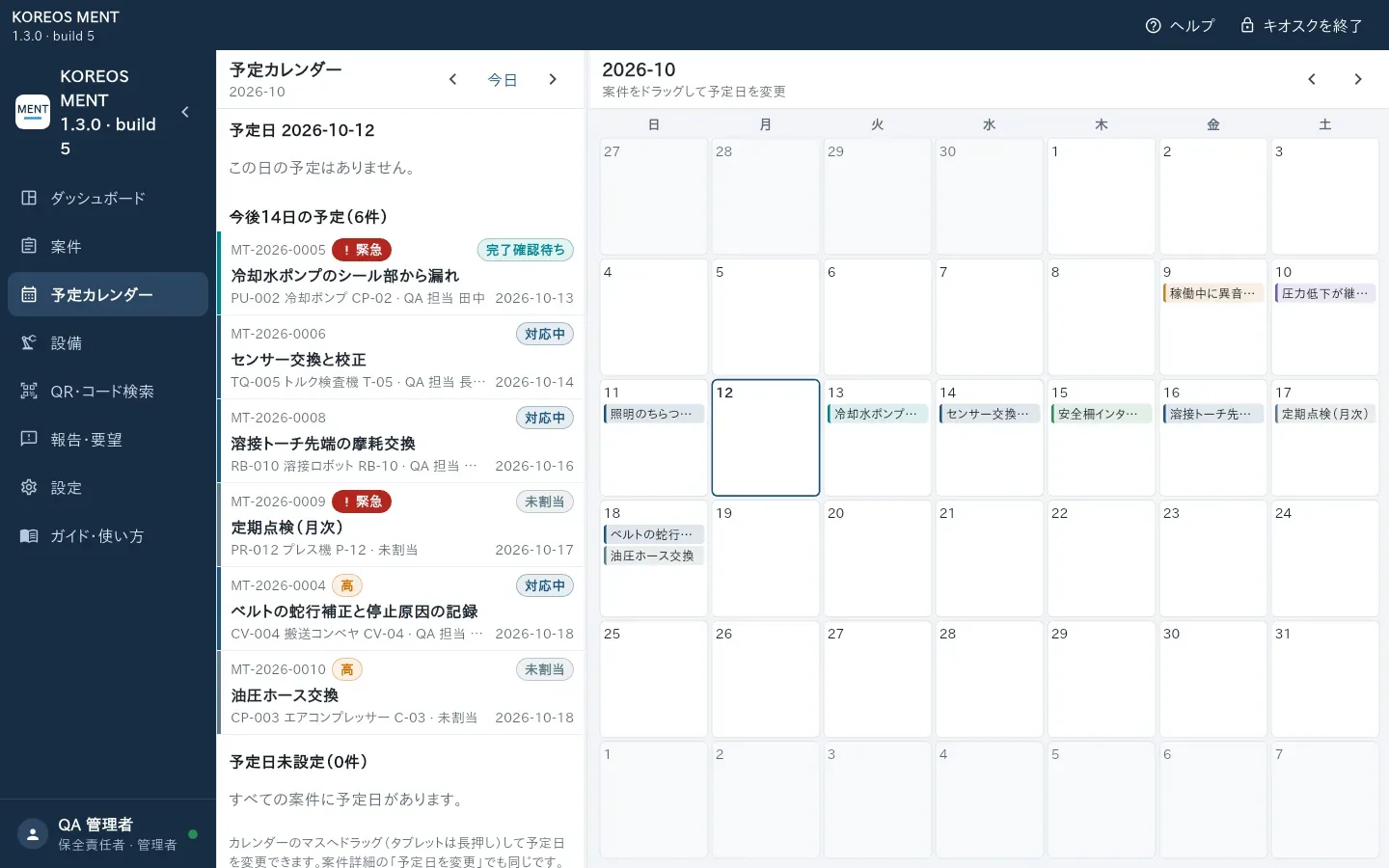
- Move between months and tap a day to see its cases.
- To change a date, drag the case to another day (on the tablet, touch and hold). You can also use “Reschedule” in the case details.
- Dates and times are in Japan time (JST).