











KOLOGY Software Pro · 界面与功能
My profile: personal and work details
Update display name, employee code, company, department, job title, phones and address, kept apart from sign-in credentials.
此文章暂无您的语言版本,以English显示。
本页目录
My profile holds the details of the person using the account. They identify you on screens and in operation records. Credentials (sign-in email, recovery email and password) live on a separate Security tab.
Where it is
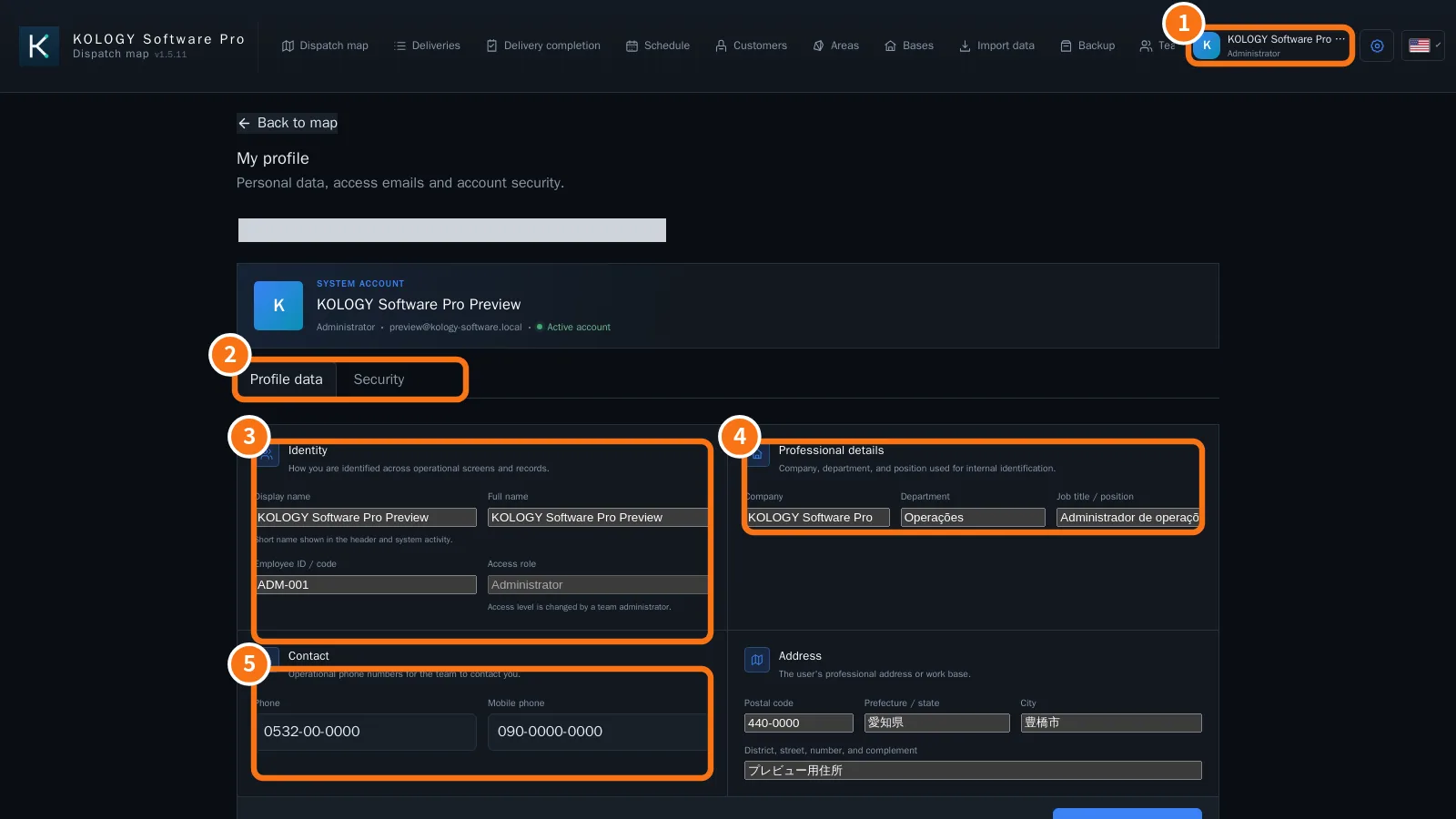
Click the user card at the top right (①) → My profile. Every role has this screen.
What is on the screen
At the top, the account summary: name, access role, email and “Active account”. Below, the Profile data and Security tabs (②).
- Identity: Display name (short name in the header and actions), Full name, Employee ID / code and Access role (only an administrator changes the role).
- Professional details: Company, Department and Job title / position.
- Contact: Phone and Mobile phone.
Next to it is the Address block: Postal code, Prefecture / state, City and District, street, number, and complement (work address or base).
Step by step
- Open My profile → Profile data.
- Change the fields you need.
- Click Save profile details. “Profile updated.” appears.
Common mistakes
- “Enter a valid phone number using only digits and dialing symbols.”
- “Check the submitted data.” A field has an invalid format.
- I cannot change the Access role: a team administrator changes it.
Why keep the profile up to date
- The Display name shows in the header and identifies who did each action.
- Phones and job title help the team know whom to contact.
- The profile belongs to the access account. The driver record (vehicle, route, licence) lives in Team and is kept by the office.
Related questions
- Sign-in, first access and password recovery
- Team: drivers, users and email