











- 新功能In More → Account → Driver's license, upload the front and back and set the expiry date. Check whether the license is expiring soon or expired.
K
KoChiken
KoChiken 使用方法
新功能
- 修复Fixed: guide images (ガイド・Wiki) sometimes showed up broken — blocky or noisy — and stayed that way. Each image is now saved only when it has fully downloaded.
- 修复Today's schedule: a fuel stop you haven't done yet now shows just the pump, without a ✓. The ✓ appears after you tap "I refuelled".
- 新功能Driver roster in your profile: e-mail, postal code and address under Basic info, plus an Emergency contact (name, relationship and phone). Only what you change is sent.
- 改进Receipts: when you pick the receipt photo, the amount read from it is filled in for you, with a note to fix it if it's wrong. An amount you already typed is never replaced.
- 修复Today's schedule: after tapping "Arrived", the stop shows the real arrival time instead of the planned time.
- 新功能After tapping "I refuelled" at the station, the app asks if you want to send that fuel receipt. Receipts are also under More › Receipts.
- 新功能Driver account: after signing in with your code, create an account with e-mail and password (on Android you can also use Google) and use it next time. Under More › Account you can see your trip history and edit your profile (photo, name, phone).
- 改进Report a problem now sends straight from the app (text and an optional photo) and shows "Received" with the report number. No e-mail app needed.
- 修复Schedule times and notes ("En route", "Daytime", loading start…) now show in the app language and update right away when you switch languages.
- 新功能New sign-in screen, the same as KŌLOGY: e-mail and password, KOREOS and Google accounts (Apple coming soon), "Forgot your password?" and free sign-up for transport managers.
- 新功能Drivers: tap "I'm a driver (login code)" and sign in with the same 8-digit code as before. You can also delete your account from the sign-in screen.
- 新功能For managers: the home screen lists the company's operations with progress (stops done and drivers).
- 新功能Open an operation to see drivers and stops on the map, and each stop with its time and the latest messages on the timeline.
- 改进More detailed maps: the KoMap layer now shows on top of every map screen.
- 新功能Introducing KoChiken, the app for chicken transport drivers. Sign in with the 8-digit code (or e-mail) sent by your company.
- 新功能Today: the day's stops and times on a timeline; the blue button records departure to the next stop.
- 新功能Route/Navigation: map, distance and arrival time to the next stop; opens in Google Maps or Apple Maps.
- 新功能Fuel: at the planned station choose to stop or skip; in a hurry, search the nearest stations.
- 新功能Driver app for poultry transport. Sign in with the 8-digit company code and use today's plan, route/navigation, fuel guide, nearby gas stations, group chat and contacts.
最近更新
- Frequently asked questions (KoChiken)Quick answers about signing in, creating an account, fueling, receipts and reporting problems.English
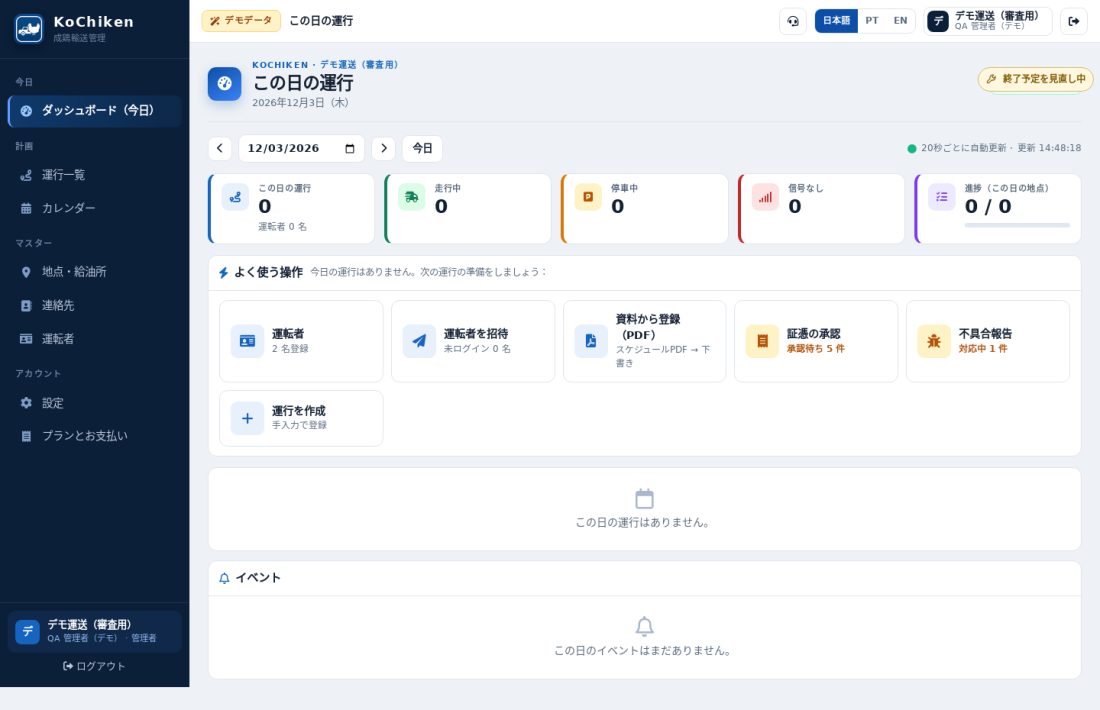 Manager panel: invite drivers, approve receipts, register from PDFHow a company manager uses kochiken.its-komori.com to add and invite drivers, approve receipts and register an operation from the schedule PDF.English
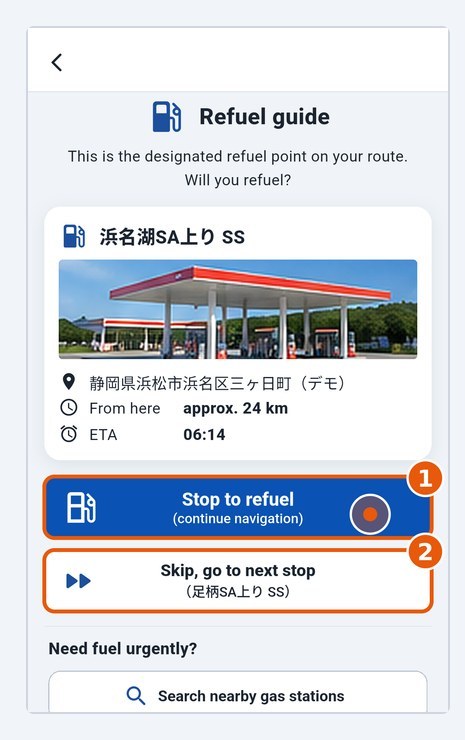 Fuel stop: stop or skipAt a planned fuel stop, choose whether to stop; after refuelling, tap I refuelled.English
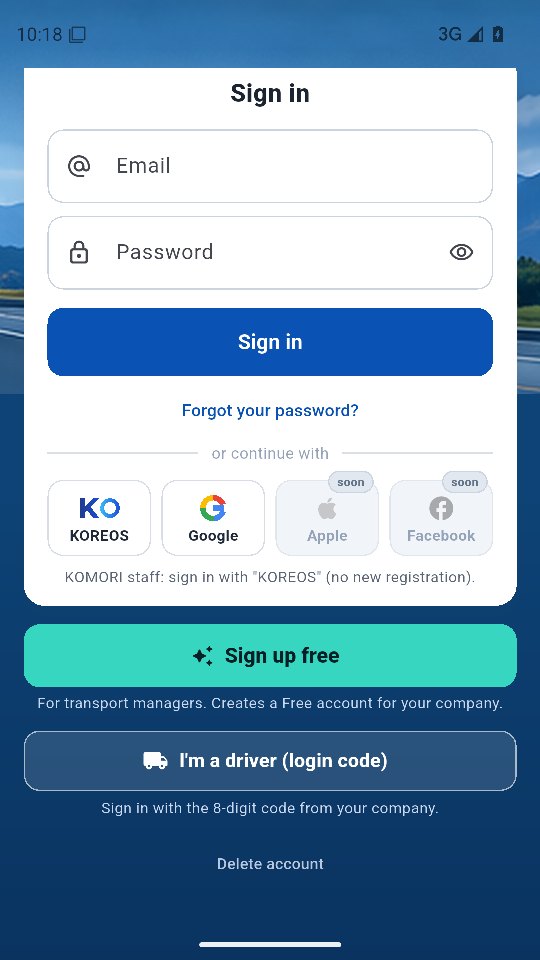 Sign inDrivers: 8-digit code. Managers: e-mail, KOREOS or Google.English
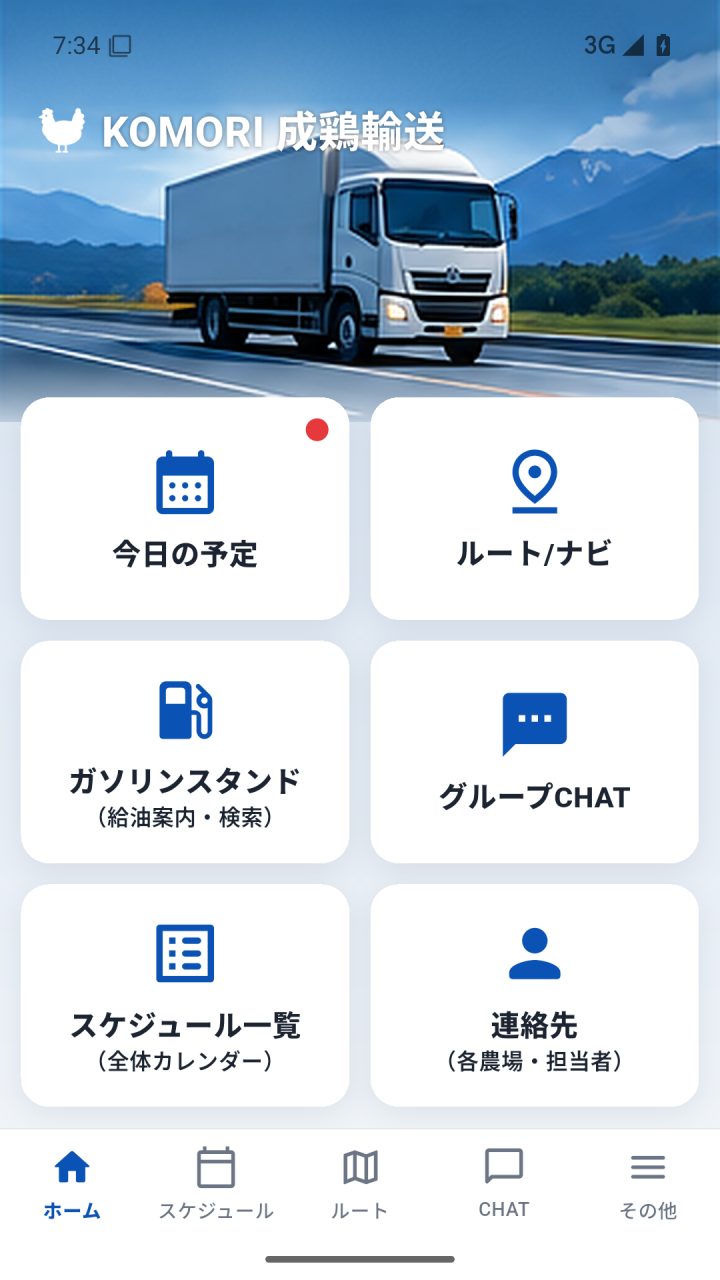 Driver app manual (complete, with pictures)Every screen and button of the driver app, step by step: sign-in, profile, the 6 home buttons, departure, navigation, refuelling, receipts, arrival, chat and FAQ.English
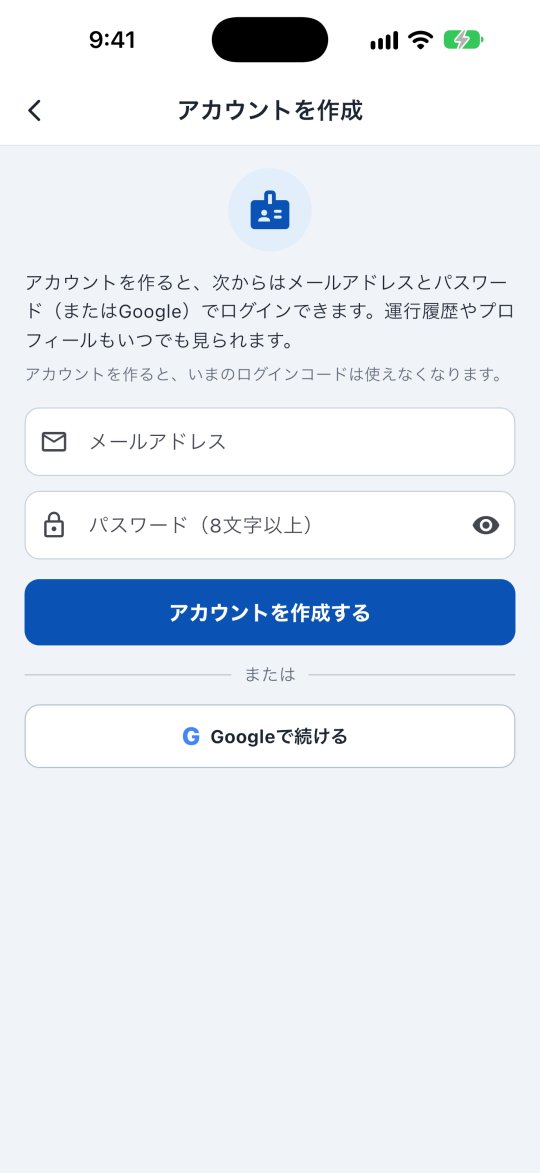 Driver account (create, history, delete)Sign in with your code once and create an account; then use e-mail/Google. See your trip history, receipts and profile, and delete the account.English