











KOCHAT · Getting started
Getting started with KOCHAT
Sign in with your company account and get to know the home screen: tabs, new chat and settings.
On this page
Sign in
- Open KOCHAT.
- Type the e-mail and password of your company account (the same as KOREOS) and tap Sign in. You can also use the KOREOS, Google, Apple or Facebook button if your account is linked to them.
The home screen
- Chats: your conversations, newest on top.
- Status: team photos, videos and texts that disappear after 24 h.
- Groups and People: company groups and your contacts.
- The pencil at the top starts a new chat.
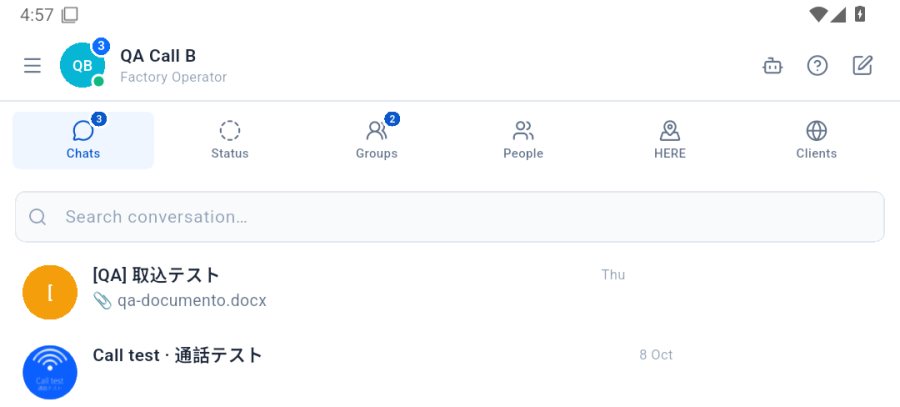
Settings (language, notifications, account) are in the ☰ menu at the top left › Settings.