











Kenten · Màn hình & chức năng
Make the app fit your work
Show the segments you actually use.
Bài viết này chưa được dịch sang ngôn ngữ của bạn: đang hiển thị bản English.
Trong trang này
What this is for
Show the segments you actually use.
Step by step
- Open Usage profiles and create a profile. Give it a short name, then select your segments, such as vehicles or construction.
- Choose your usual routine, Easy or Advanced mode, and text size. Age is optional and only suggests display settings.
- Save and activate the profile. You can keep several profiles, edit them, or switch back to viewing all segments.
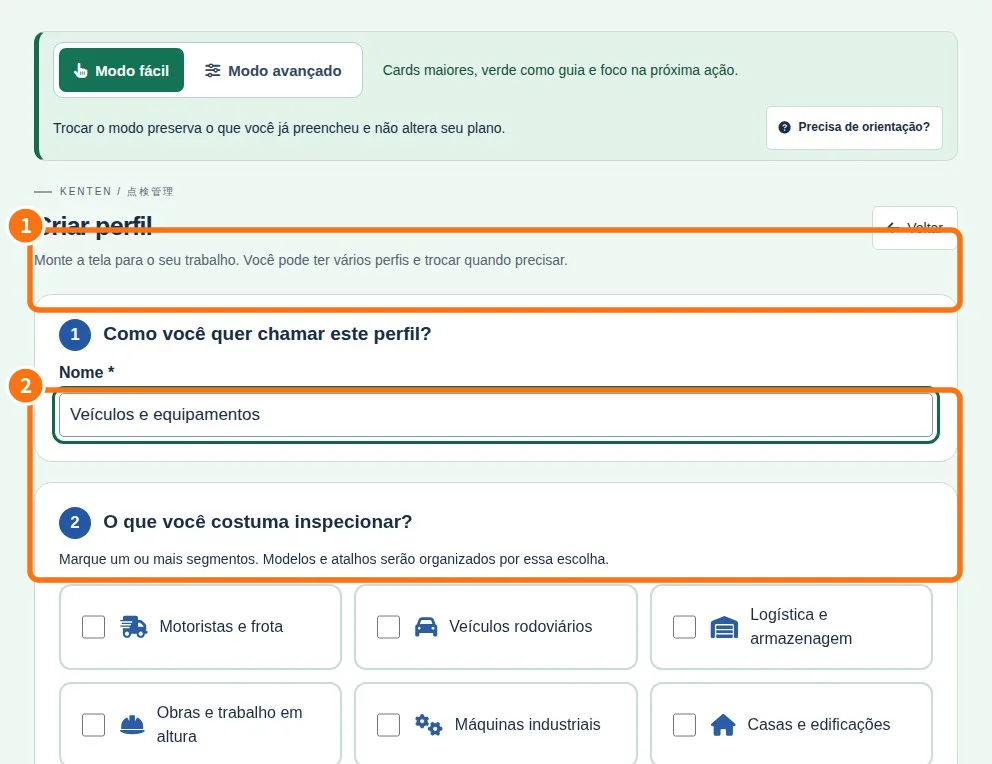
Demo screen. Numbered highlights mark the controls discussed; the image language may differ from yours.
Tip
If something goes wrong
If tools are missing, check viewing mode and plan. Changing appearance does not grant permission.
Related articles
- FAQ: 20 answers